Frictionless Feedback Loops: Using Forms to Continuously Improve Your Product Experience


Frictionless Feedback Loops: Using Forms to Continuously Improve Your Product Experience
Feedback isn’t a “nice to have” anymore—it’s the engine that keeps your product relevant, lovable, and competitive. But collecting feedback once a quarter or only after a major release isn’t enough. The teams that win are the ones that build continuous, low-friction feedback loops into their product experience.
Forms are one of the simplest—and most underrated—ways to do this.
With tools like Ezpa.ge, you can turn every interaction into a learning moment: signups, cancellations, onboarding, feature launches, support follow-ups, and more. When you design these forms thoughtfully and wire them into your workflows, you don’t just collect opinions—you create a living system that constantly tunes your product to what users actually need.
This article breaks down how to design, deploy, and operationalize feedback forms so they become a frictionless loop: easy for users to respond, easy for your team to act.
Why Continuous Feedback Loops Matter
A feedback loop is simple in theory:
- Ask users for input.
- Learn from their responses.
- Make improvements.
- Show users what changed.
- Repeat.
What makes this powerful is continuity. When feedback is always on—not just during big surveys—you get:
- Earlier warning signals: Catch churn risks, UX friction, or performance issues before they snowball.
- Higher-quality insights: Frequent, context-rich feedback beats one giant, vague survey.
- Stronger user trust: When people see you listening and iterating, they’re more likely to stay and advocate.
- Better prioritization: Real, current data beats internal guesses about “what users probably want.”
Forms are perfect for this because they’re:
- Lightweight – Easy to embed in product flows, emails, and websites.
- Flexible – Can capture quantitative scores and rich qualitative comments.
- Automatable – Can sync directly to tools like Google Sheets, CRMs, and analytics platforms.
The key is not just “having a feedback form,” but designing a system of forms that together create a continuous loop.
The Anatomy of a Frictionless Feedback Loop
A frictionless feedback loop has four core elements:
- Right moment – You ask at a time that feels natural and relevant.
- Right format – The form is short, clear, and tailored to the context.
- Right routing – Responses go where they can be seen, analyzed, and actioned.
- Right follow-through – Users see that their feedback leads to real change.
Let’s unpack each one and look at how forms—especially Ezpa.ge forms—fit in.
Step 1: Map the Moments That Matter
Start by identifying where feedback will be most valuable and least intrusive.
Common high-signal touchpoints:
- Onboarding
- “How easy was it to get started?”
- “What almost stopped you from completing setup?”
- Feature usage
- After a user tries a new feature for the first or third time.
- After they complete a key workflow (e.g., publishing, exporting, sharing).
- Support interactions
- After a support ticket is resolved or chat ends.
- Plan changes
- Upgrades: “What made you decide to upgrade?”
- Downgrades/cancellations: “What’s the main reason you’re leaving?”
- Milestones
- 7 days after signup, 30 days, 90 days.
- After hitting usage thresholds (e.g., 10 forms created, 100 responses received).
Create a simple map:
- List your user journey stages (Discover, Onboard, Activate, Engage, Retain, Churn).
- Under each, note specific events where feedback would be insightful.
- Decide what question you’d ask at each event.
This map becomes your blueprint for a network of small, targeted forms instead of one giant, generic survey.

Step 2: Design Forms That People Actually Finish
A feedback loop dies where friction starts. If your forms are long, confusing, or clunky on mobile, response rates will tank and bias will creep in.
Keep it ruthlessly focused
For each form, ask:
- What single decision will this form inform?
- What’s the minimum number of questions needed to support that decision?
A good rule of thumb:
- Transactional moments (post-support, post-feature-use): 1–3 questions.
- Periodic check-ins (NPS, satisfaction surveys): 3–7 questions.
Mix structured and open-ended questions
Combine:
- Quick metrics
- 1–10 satisfaction or recommendation scores.
- Multiple-choice “main reason” questions.
- One powerful open-ended prompt
- “What’s one thing that would have made this easier?”
- “If you could change one thing about this feature, what would it be?”
This gives you data you can track and stories you can act on.
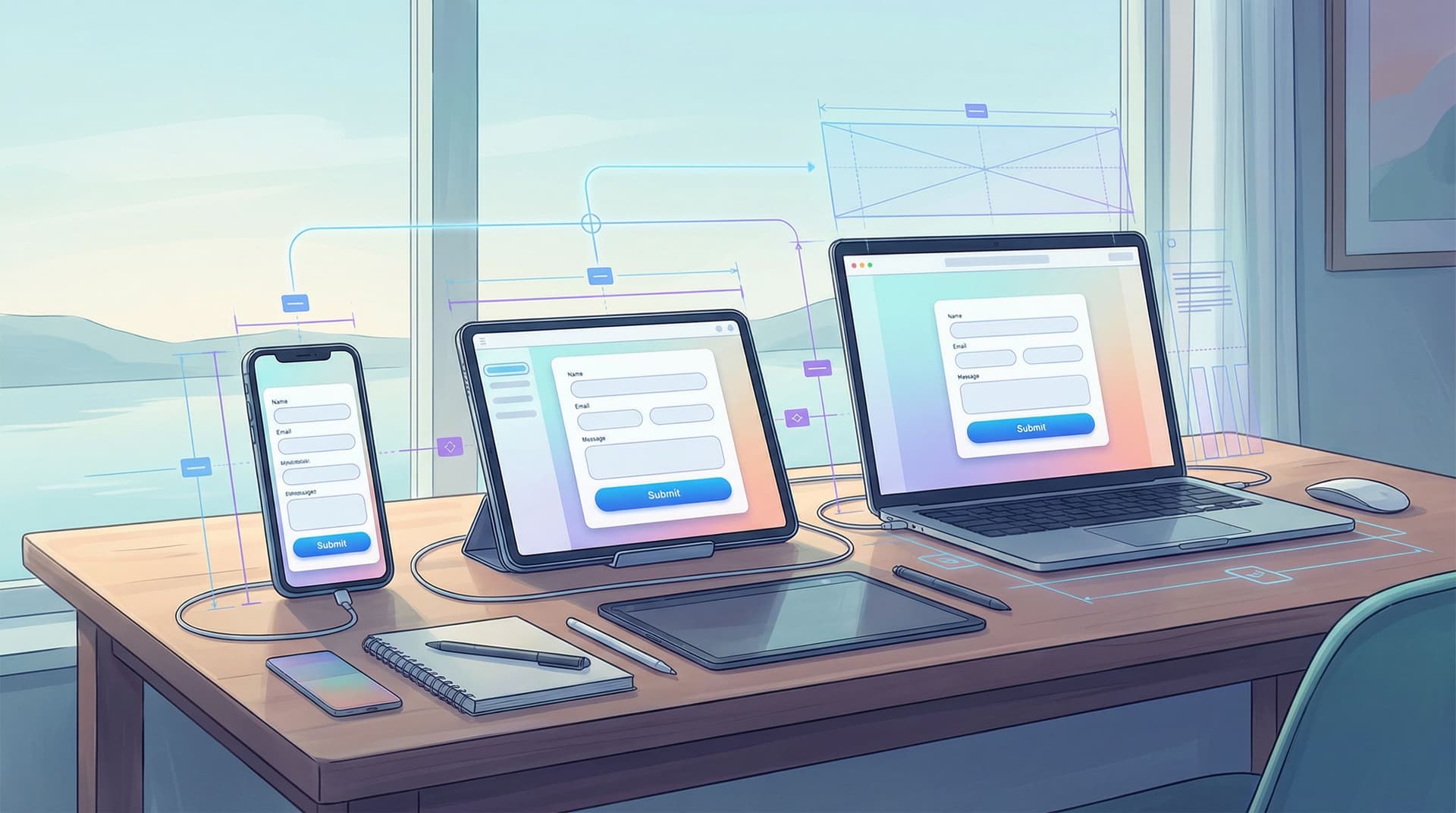
Make it feel native on any device
Most feedback will come from phones—often right after an in-app action. Your forms need to feel like a natural extension of your product.
Key UX considerations:
- Large tap targets and clear spacing.
- Labels that stay visible while typing.
- Minimal scrolling, especially for key questions.
- Themes that match your brand and app UI.
If you want to go deeper here, our guide on designing forms that feel native on any device covers layout, typography, and micro-interactions in detail.
Reduce psychological friction
- Set expectations: “This will take 30 seconds.”
- Signal impact: “Your feedback directly shapes what we build next.”
- Offer anonymity when appropriate: Especially for internal tools or sensitive topics.
- Avoid leading language: Don’t push people toward positive answers.
With Ezpa.ge, you can spin up multiple variants of a form (e.g., short vs. slightly longer) and A/B test completion rates over time.
Step 3: Connect Forms to Real-Time Data Flows
A feedback loop isn’t just about collecting responses—it’s about moving them to the right place instantly.
Sync to a single source of truth
With real-time Google Sheets syncing in Ezpa.ge, you can:
- Aggregate feedback from many forms into a single sheet.
- Add computed columns (e.g., sentiment tags, priority scores).
- Build dashboards in tools like Google Data Studio or Looker Studio.
Structure your sheet thoughtfully:
- Timestamp
- User ID (or anonymous flag)
- Journey stage / event (e.g., “Post-onboarding,” “Churn exit”)
- Key metrics (NPS, CSAT, effort score)
- Open-text comments
- Product area (e.g., Billing, Onboarding, Dashboard)
Automate triage and alerts
Use integrations (Zapier, Make, or direct APIs) to:
- Create tickets in tools like Jira or Linear when feedback mentions bugs.
- Open conversations in Slack channels when a low satisfaction score comes in.
- Tag users in your CRM when they leave specific comments (e.g., “Interested in annual plan”).
This is where feedback stops being “data we’ll look at later” and becomes live input to your daily workflows.
If you’re already integrating forms with other tools, our article on cross-platform form integration explores how to avoid data silos and keep everything in sync.
Step 4: Use Analytics to Turn Noise into Insight
Once your forms are flowing, the challenge becomes making sense of the volume.
Here’s a practical way to analyze feedback without getting overwhelmed:
1. Start with simple metrics
Track over time:
- Average satisfaction or NPS by journey stage.
- Volume of feedback per feature or product area.
- Percentage of negative vs. positive comments.
Look for trends, not just point-in-time spikes.
2. Tag feedback for patterns
Create a lightweight taxonomy:
- Themes: Pricing, Performance, UX, Support, Features, Reliability.
- Sentiment: Positive, Neutral, Negative.
- Impact: Low, Medium, High.
You can tag manually at first, then gradually automate with AI-based tools or scripts. If you’re interested in taking this further, check out our piece on the power of personalized analytics to see how tailored dashboards can unlock deeper product insights.
3. Tie feedback to behavior
The richest insights come when you connect:
- What users say (form responses)
- What users do (product analytics)
For example:
- Users who rate onboarding 9–10: Do they activate faster? Retain longer?
- Users who complain about performance: Are they on specific plans, regions, or device types?
This helps you prioritize changes that will move the needle on key metrics like activation, retention, and expansion.
4. Feed insights into your roadmap
Make feedback a first-class citizen in planning:
- Include a “User feedback” section in every feature spec.
- Reference specific quotes or trends that justify priorities.
- Track “feedback resolved” as a metric alongside “features shipped.”
When your roadmap is visibly grounded in real user voices, it’s easier to align stakeholders and make trade-offs.

Step 5: Close the Loop with Users
The loop isn’t closed when you read feedback. It’s closed when users see that their feedback mattered.
Ways to do this:
- Release notes with attribution
- “You asked for better export options—now you can export reports in CSV and PDF.”
- Targeted follow-ups
- Email users who requested a feature when it ships and invite them to try it.
- Send a short form asking, “Did this update solve your problem?”
- In-product messaging
- Banners or tooltips that highlight improvements driven by feedback.
You can even create a dedicated Ezpa.ge form as a “What we’re working on” and “Suggest improvements” hub, linked from your app’s help menu. This gives power users a clear channel to keep shaping the product.
When people feel heard, they’re more forgiving of rough edges and more willing to stick with you through iterations.
Step 6: Make Feedback a Habit, Not a Project
The most effective teams treat feedback loops as an ongoing practice.
Here’s how to operationalize it:
- Weekly rituals
- Review top themes from feedback in a short, recurring meeting.
- Highlight 2–3 user quotes that illustrate key issues or wins.
- Shared visibility
- Post feedback summaries in a company-wide Slack channel.
- Rotate “feedback champion” roles across product, design, and support.
- Continuous testing
- Experiment with different question wordings or timings.
- Use Ezpa.ge’s customizable themes to test whether visual changes impact completion rates.
Over time, you’ll develop an intuition for:
- Which questions yield the most actionable insight.
- Which user segments are most responsive.
- Where to add or remove feedback prompts to keep the experience smooth.
Practical Form Ideas You Can Launch This Week
To make this concrete, here are plug-and-play feedback loops you can spin up quickly with Ezpa.ge:
-
Post-onboarding pulse check
- Trigger: 24 hours after a new user completes onboarding.
- Questions:
- “How easy was it to get started?” (1–5 scale)
- “What almost stopped you from finishing setup?” (open text)
-
Feature launch micro-survey
- Trigger: After a user tries a new feature 2–3 times.
- Questions:
- “How useful is this feature for you?” (1–5)
- “What’s missing or confusing?” (open text)
-
Support satisfaction check
- Trigger: After a ticket is marked resolved.
- Questions:
- “How satisfied are you with the help you received?” (1–5)
- “Anything we could have done better?”
-
Churn exit feedback
- Trigger: When a user cancels or downgrades.
- Questions:
- “What’s the main reason you’re leaving?” (multiple choice)
- “If we could change one thing to win you back, what would it be?”
-
Quarterly relationship survey
- Trigger: Email to active customers once per quarter.
- Questions:
- “How likely are you to recommend us to a friend or colleague?” (0–10)
- “What’s the biggest value you get from our product?”
- “What’s the most frustrating part of your experience?”
Each of these can be branded with Ezpa.ge’s themes, hosted on a custom URL, and synced to a shared Google Sheet so your whole team can see responses in real time.
Bringing It All Together
Continuous improvement isn’t about heroic, once-a-year overhauls. It’s about small, informed adjustments made over and over, guided by the people who use your product every day.
Frictionless feedback loops turn forms from static questionnaires into dynamic conversations. When you:
- Ask the right questions at the right moments,
- Design forms that are effortless to complete,
- Wire data into your everyday tools and rituals,
- And close the loop by showing users what changed,
…you create a product that’s always learning—and always getting better.
Your Next Move
You don’t need a massive research operation to start.
Pick one critical moment in your product—onboarding, a key feature, or cancellation—and:
- Draft a 2–3 question form in Ezpa.ge.
- Give it a clean, on-brand theme and a memorable custom URL.
- Turn on real-time Google Sheets syncing so responses are instantly visible.
- Commit to reviewing feedback once a week and making at least one small improvement based on what you learn.
Once that loop is running smoothly, add a second, then a third. Before long, you’ll have a network of feedback touchpoints quietly steering your roadmap.
If you’re ready to turn forms into a continuous conversation with your users, start by creating your first Ezpa.ge feedback form and see what your product has been trying to tell you all along.