AI-Aware Question Design: Writing Prompts That Train Better Internal Models From Day One


When teams talk about “AI strategy,” they usually jump straight to models, vendors, and pricing.
But for most organizations, the real leverage sits one layer higher:
The questions you ask are the models you get.
Every intake form, support flow, or internal request template you ship becomes training data—for your human teams, your automations, and your AI systems. If those questions are fuzzy, overloaded, or misaligned with how you actually work, you’ll spend years fighting bad data and brittle workflows.
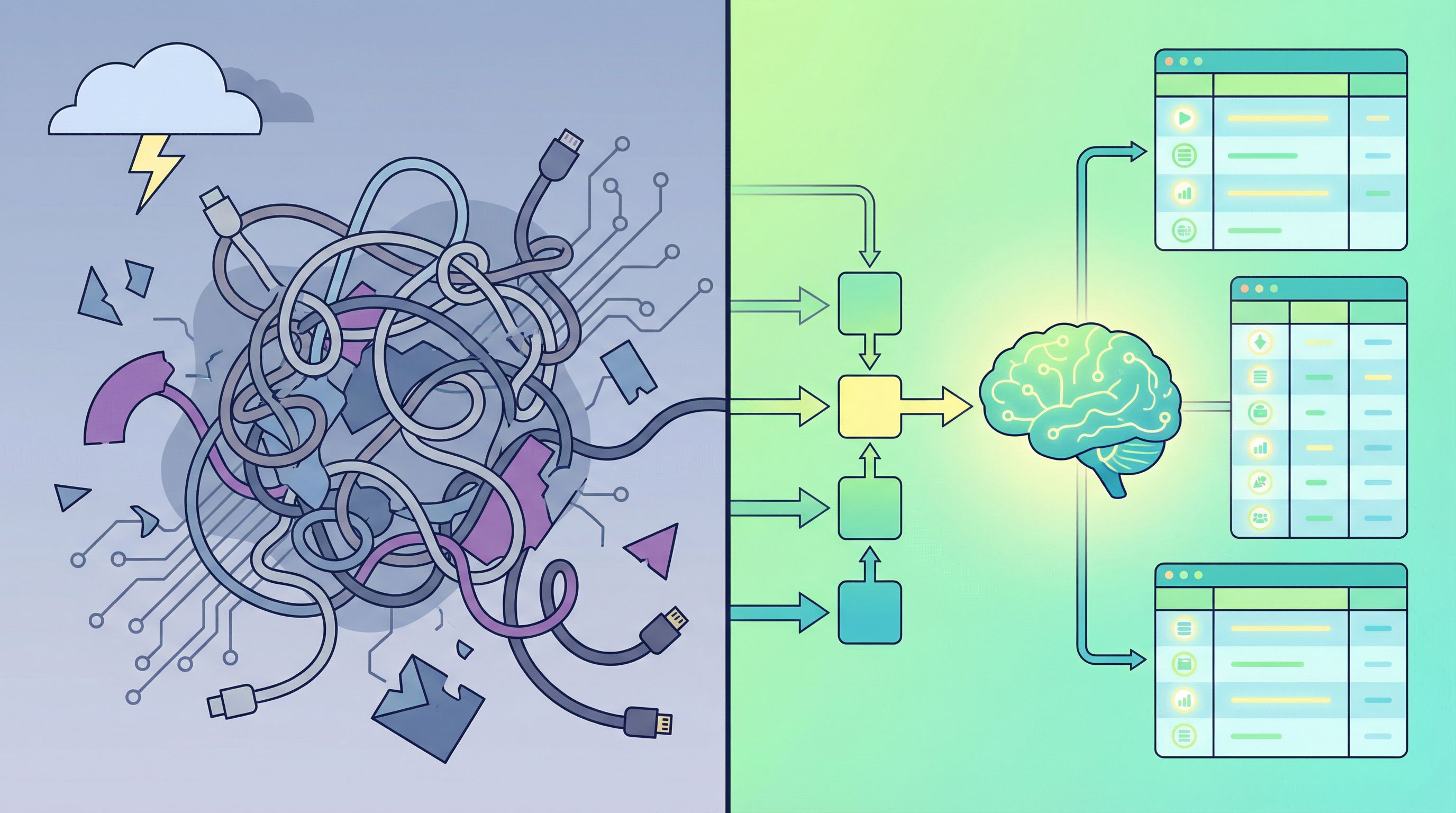
AI-aware question design is about treating prompts—whether in a form, a chat widget, or an internal tool—as the front door to your future models. Done well, it lets you:
- Capture cleaner, more structured data from day one
- Make current AI features (summaries, routing, recommendations) dramatically more reliable
- Create a reusable “question language” that your org and your models both understand
This post breaks down how to design questions and prompts that teach better internal models as you go—and how tools like Ezpa.ge make it practical to ship those designs quickly.
Why AI-Aware Question Design Matters
Most AI projects don’t fail because the model is bad. They fail because the data is messy, incomplete, or ambiguous.
Industry research consistently finds that a large majority of AI project failures—often cited in the 70–80% range—tie back to data problems rather than modeling issues. Poorly structured inputs, inconsistent labels, and vague free-text answers make it hard for models to learn stable patterns or for humans to trust the outputs.
Where does a lot of that data originate? Forms, surveys, support flows, sales intakes, and internal request templates.
If you design those questions with AI in mind, you get compounding benefits:
- Higher data quality. Clear, constrained questions reduce guesswork and noise in your datasets.
- Better automation today. Routing rules, prioritization logic, and AI summaries all work better when the inputs are well-structured.
- Cheaper experimentation later. When your data is already organized around clear concepts, you can trial new AI features without a massive cleanup project.
- Alignment between humans and models. The same question patterns that help users answer accurately also help models learn and reason.
AI-aware question design isn’t just “prompt engineering” in the narrow sense. It’s the practice of:
- Choosing what to ask
- Deciding how to ask it
- Structuring where answers go
- And iterating based on what your AI and your team actually do with those answers
Think in Internal Models, Not Just Fields
Before you tweak wording, zoom out: what model of the world are you trying to build?
An internal model might be as simple as:
- “How qualified is this lead and what problem are they trying to solve?”
- “What kind of support issue is this and how urgent is it?”
- “What’s the scope, risk, and timeline of this project request?”
Each of those is a latent structure you want both humans and AI to reason about. Your questions should be deliberate attempts to surface that structure.
Ask yourself:
-
What decisions will we make with this data?
- Route to which team?
- Prioritize above/below what threshold?
- Trigger which workflow or template?
-
What concepts need to be explicit for those decisions to be reliable?
- “Urgency” might break down into deadline, impact, and affected users.
- “Fit” might break down into budget, use case, and technical constraints.
-
Which of those concepts can be captured as structured fields vs. open text?
- Structured fields (select, multi-select, scales) give your models clear anchors.
- Free text is great for nuance—but only once the basics are locked in.
Design your questions so that, if you handed the dataset to a new analyst or an LLM tomorrow, they’d say: “I can see the shape of what matters here.”
For a deeper dive into this mindset from a form UX angle, see how we break down flows in Multi-Step vs. Single-Page Forms: How to Choose the Right Flow for Each Use Case.
Principles of AI-Aware Question Design
Once you’re thinking in internal models, you can apply a few core principles to the questions themselves.
1. Make the Task Explicit
Models (and humans) perform better when the task is clear and concrete.
Instead of:
“Tell us about your issue.”
Try:
“Describe what’s going wrong, what you expected instead, and when it started.”
You’ve turned a vague request into a three-part mini-brief. That structure:
- Guides the respondent to include key details
- Makes it easier for AI to summarize and classify
- Reduces back-and-forth later
You can even embed micro-instructions in labels and placeholders:
- Label: “What problem are you trying to solve with our product?”
- Help text: “1–2 sentences is enough. Focus on the outcome you want, not features you’ve tried.”
2. Prefer Structured Anchors With Optional Nuance
AI thrives on patterns. Give it consistent anchors:
- Use selects, radios, and scales for the core dimensions you care about.
- Add optional text areas for context where nuance actually matters.
Example for a support intake:
- Issue type (required select)
- How many users are affected? (radio: 1, 2–10, 11–100, 100+)
- How urgent is this? (scale with clear definitions)
- Details (free text with structured prompt)
This makes it trivial to train or configure:
- Routing models (who should own this?)
- Prioritization logic (what should we handle first?)
- AI summarizers (how should we frame this to the agent?)
We explore this pattern in depth for service teams in Forms for Service Teams: Replacing Support Queues with Smart Intake and Real-Time Routing.
3. Design for Chain-of-Thought—For Humans and Models
In the LLM world, chain-of-thought prompting (asking models to reason step by step) has been shown to improve performance on complex tasks. The same idea applies to your respondents.
Instead of dumping 20 unrelated questions on one page, guide people through a reasoning path:
- Who are you?
- What are you trying to do?
- What’s blocking you?
- What have you already tried?
Multi-step forms are a natural fit here. Each step can:
- Introduce a small piece of context
- Ask a focused set of questions
- Prime both the respondent and your future AI models to think in the same sequence
If you’re deciding between one long page and a guided flow, our post on Multi-Step vs. Single-Page Forms walks through concrete tradeoffs.
4. Use Controlled Language for Key Concepts
Ambiguity is the enemy of both data quality and model reliability.
For the concepts you care most about (e.g., “priority,” “risk level,” “customer segment”), define controlled vocabularies and stick to them:
- Use the same term across forms and tools
- Provide short, concrete definitions in hover text or helper copy
- Avoid synonyms that split your data (e.g., “Enterprise” vs. “Large Business” vs. “Tier 1”)
This is similar to what some researchers call “controlled natural language” for prompts: slightly constrained phrasing that’s still human-friendly but far less ambiguous.
5. Separate Intent From Implementation Details
Your questions should capture intent and context, not tool-specific jargon.
Bad pattern:
- “Which Salesforce pipeline should this go to?” (user doesn’t know or care)
Better pattern:
- “Is this a new opportunity, an expansion, or a renewal?”
You can map that answer to Salesforce (or any other system) however you want behind the scenes. If you switch CRMs or introduce new AI workflows later, your questions still make sense.
This is especially important when you’re using forms as the front-end for complex internal ops, as we explore in Form UX for RevOps: Building Deal Desks, Discount Approvals, and CPQ Intakes Without a CPQ Tool.

From Static Questions to Living Prompts
AI-aware question design isn’t one-and-done. Your prompts should evolve as your models and workflows learn.
Here’s how to make that evolution deliberate.
1. Start With a Hypothesis, Not a Blank Page
For any new form or flow, write down:
- The decision you want to automate or support.
- The signals you think you need to make that decision.
- The questions that best capture those signals.
Example: a partner co-marketing request form.
- Decision: Should we approve this request and when?
- Signals: audience size, strategic fit, timeline, effort required.
- Questions:
- “What audience will this reach? (size + segment)”
- “How does this support our shared goals?”
- “What timing are you targeting?”
- “What do you need from our team?”
You’ve now framed your questions as hypotheses about useful features for future models.
2. Instrument for Learning
Don’t just collect answers; track how well they predict outcomes.
For each question, ask:
- Does this field correlate with faster resolution, higher deal size, better retention, or fewer escalations?
- Are respondents consistently confused (lots of “Other” answers, long clarifications, or follow-up questions)?
- Do your AI summaries or classifiers lean heavily on some fields and ignore others?
Even simple reporting in Google Sheets can reveal which questions are doing real work and which are just friction. With Ezpa.ge’s real-time syncing, you can watch these patterns emerge without extra plumbing.
3. Use AI to Critique Your Own Questions
Ironically, one of the best ways to design AI-aware questions is to ask an AI to critique them.
Practical patterns:
- Paste a draft form into an LLM and ask:
- “Which questions are ambiguous or overloaded?”
- “Where might respondents misunderstand what we’re asking?”
- “Which answers would be hardest for a model to use for routing or prioritization?”
- Feed in a few dozen real responses (de-identified) and ask the model to:
- Propose clearer labels or options
- Suggest missing questions that would make its job easier
You’re effectively running a mini prompt design loop on your own forms.
4. Iterate Like You Would on Copy or UI
Teams are used to A/B testing headlines and button colors. You can bring the same mindset to questions:
- Test two versions of a critical question: one open-ended vs. one with structured options + text.
- Try different orderings to see which sequences lead to more complete, higher-quality answers.
- Experiment with microcopy (“Tell us more” vs. specific guidance) and measure downstream impact.
Tools like Ezpa.ge make this practical: you can clone forms, adjust themes, and ship new URLs without waiting on a full design or dev cycle. For examples of using form themes and custom URLs as an experimentation surface, check out Ops-Ready Form Experiments: Shipping New Intakes, URLs, and Logic in a Single Afternoon.
Designing Questions for AI-Driven Forms
As more tools embed AI directly into the form experience—dynamic questions, smart defaults, auto-summaries—the line between “form design” and “prompt design” blurs.
Here’s how to design questions that play nicely with AI-in-the-loop.
1. Make Adaptivity Intentional, Not Magical
If your form adapts based on previous answers (showing or hiding fields, changing copy, suggesting defaults), treat that logic as part of your prompt design.
- Document the rules: “If user selects ‘Enterprise’, ask these 3 extra questions about security and procurement.”
- Make the transitions legible to users: explain why you’re asking for more detail.
- Ensure each adaptive branch still maps cleanly to your internal model.
This keeps your AI from learning brittle, context-specific patterns that don’t generalize.
2. Use Examples as First-Class Citizens
LLMs respond well to few-shot prompts—showing examples of good and bad answers. You can bring that same pattern into your forms:
- Under a free-text question, show 1–2 short examples:
- “Good answer: ‘We’re a 25-person B2B SaaS team struggling to keep support SLAs while we grow.’”
- “Too vague: ‘We just want to grow faster.’”
These examples:
- Train respondents to answer in the shape your models expect
- Become implicit training data when you later fine-tune or configure AI on your historical responses
3. Guard Against Prompt Injection and Misuse
As soon as you connect user-generated text to powerful automations, you need guardrails.
Design questions and downstream prompts so that:
- User input is clearly separated from system instructions
- Critical actions require structured confirmations, not just “because the model said so”
- You validate or sanitize text before passing it into tools that can take real-world actions
This is less about scaring users and more about making the contract clear: your form is a conversation, but not every sentence they type should be treated as an instruction to your systems.
Putting It All Together With Ezpa.ge
Let’s make this concrete with a simple pattern you can ship this week.
Scenario: Smarter Demo Requests From Day One
You want demo requests that:
- Auto-route to the right rep
- Give AI enough context to draft tailored follow-up emails
- Feed a future lead-scoring model without a data-cleanup marathon
Step 1: Define your internal model.
Decisions you care about:
- Is this a good fit?
- How big is the opportunity?
- What problem are they trying to solve?
Signals you need:
- Company size and segment
- Role and department
- Use case category
- Timeline and urgency
Step 2: Design AI-aware questions.
On Ezpa.ge, create a multi-step form with:
- About you
- Role (select)
- Department (select)
- About your company
- Company size (ranges)
- Industry (controlled list)
- What you’re trying to do
- Primary goal (multi-select with 5–7 curated options)
- “Describe the main problem you want us to help you solve.” (free text with structured guidance + example)
- Timing and constraints
- Ideal go-live window (select)
- “Is there anything that might block this project?” (optional text)
Step 3: Wire it into AI and ops.
- Sync responses straight into Google Sheets.
- Add a simple script or no-code automation that:
- Uses an LLM to summarize the free-text answers into 2–3 bullet points
- Classifies the opportunity into a fit tier based on your structured fields
- Suggests a tailored follow-up email draft for the assigned rep
Because your questions were designed with these tasks in mind, your AI prompts become simpler:
“Given the role, company size, industry, primary goal, and problem description, summarize the opportunity in 3 bullets for a sales rep.”
You’re not asking the model to guess what matters; you’ve already collected it deliberately.
Step 4: Iterate based on real outcomes.
After a few weeks, review:
- Which questions correlate most with won deals or fast cycles?
- Where do reps still have to ask basic follow-up questions?
- Which AI summaries or email drafts need the most manual correction?
Then refine:
- Tighten or expand your controlled vocabularies
- Add or remove questions that don’t pull their weight
- Adjust your AI prompts to lean on the most predictive fields
Because Ezpa.ge lets you update themes, copy, and logic without breaking your URLs or Sheets wiring, you can run this as an ongoing experiment rather than a one-off project.
Summary: Design Questions Like You’re Training a Model—Because You Are
AI-aware question design treats every form, flow, and prompt as part of your training pipeline.
Key takeaways:
- Start from decisions, not fields. Decide what you want humans and AI to do with the data, then design questions that surface the right signals.
- Use structured anchors with room for nuance. Combine selects, scales, and controlled vocabularies with guided free text.
- Guide reasoning step by step. Multi-step flows and chain-of-thought style questions help both respondents and models.
- Standardize your language. Consistent terms and definitions make your data and prompts reusable across tools and teams.
- Treat prompts as living artifacts. Instrument, review, and iterate your questions like you would any other core UX or ops surface.
When you do this from day one, you’re not just “collecting data.” You’re teaching your future internal models how your business thinks.
Your Next Step
You don’t need a research lab or a massive AI budget to start designing AI-aware questions. You just need one form and a clear decision you’d like to improve.
Here’s a simple way to begin this week:
- Pick a high-leverage form. Demo requests, support intake, partner applications, or internal project requests are all great candidates.
- Map the decisions you make today based on that form—who handles it, how urgent it is, what happens next.
- Redesign 3–5 key questions using the principles in this post: clearer tasks, structured anchors, controlled language, and guided free text.
- Rebuild the form in Ezpa.ge with a clean theme and custom URL, wired into Google Sheets so you can actually see and analyze the data as it comes in.
- Layer on a small AI assist—even just auto-summaries or simple classifications—to feel the impact of better questions.
Once you’ve seen how much smoother one flow can run with AI-aware question design, it becomes obvious where to go next.
Your forms are already training your internal models—human and AI. The only question is whether you’re doing it on purpose.