Multi-Step vs. Single-Page Forms: How to Choose the Right Flow for Each Use Case


Form flows are one of those quiet decisions that shape everything from conversion rates to data quality to how your ops team works behind the scenes.
Use the wrong pattern, and you get:
- Prospects dropping off halfway through a long wall of fields
- Support tickets missing the context your team needs
- Sales reps staring at messy, inconsistent data
Get it right, and the same form becomes a growth and ops multiplier: more completions, better answers, cleaner routing, and faster follow-up.
This is where the choice between multi-step and single-page forms really matters.
Why the Flow Matters More Than the Fields
Most teams start by asking, “What questions do we need?”
A better starting point is, “What journey are we asking someone to go on, and how should that feel?”
Your form’s structure affects:
- Perceived effort – A single long page can feel heavy; a short sequence of steps can feel guided and manageable.
- Completion rates – Well-designed multi-step flows often outperform single-page forms for complex tasks, while simple single-page forms shine for quick actions.
- Data quality – Breaking questions into logical steps can nudge people to give more thoughtful answers.
- Operational clarity – Grouping fields by step makes it easier to map data to downstream workflows (e.g., CRM, support queues, or Google Sheets).
Tools like Ezpa.ge make it easy to experiment with both patterns—ship a multi-step version, a single-page version, wire them to the same Sheet, and see what actually performs.
Multi-Step vs. Single-Page: A Quick Comparison
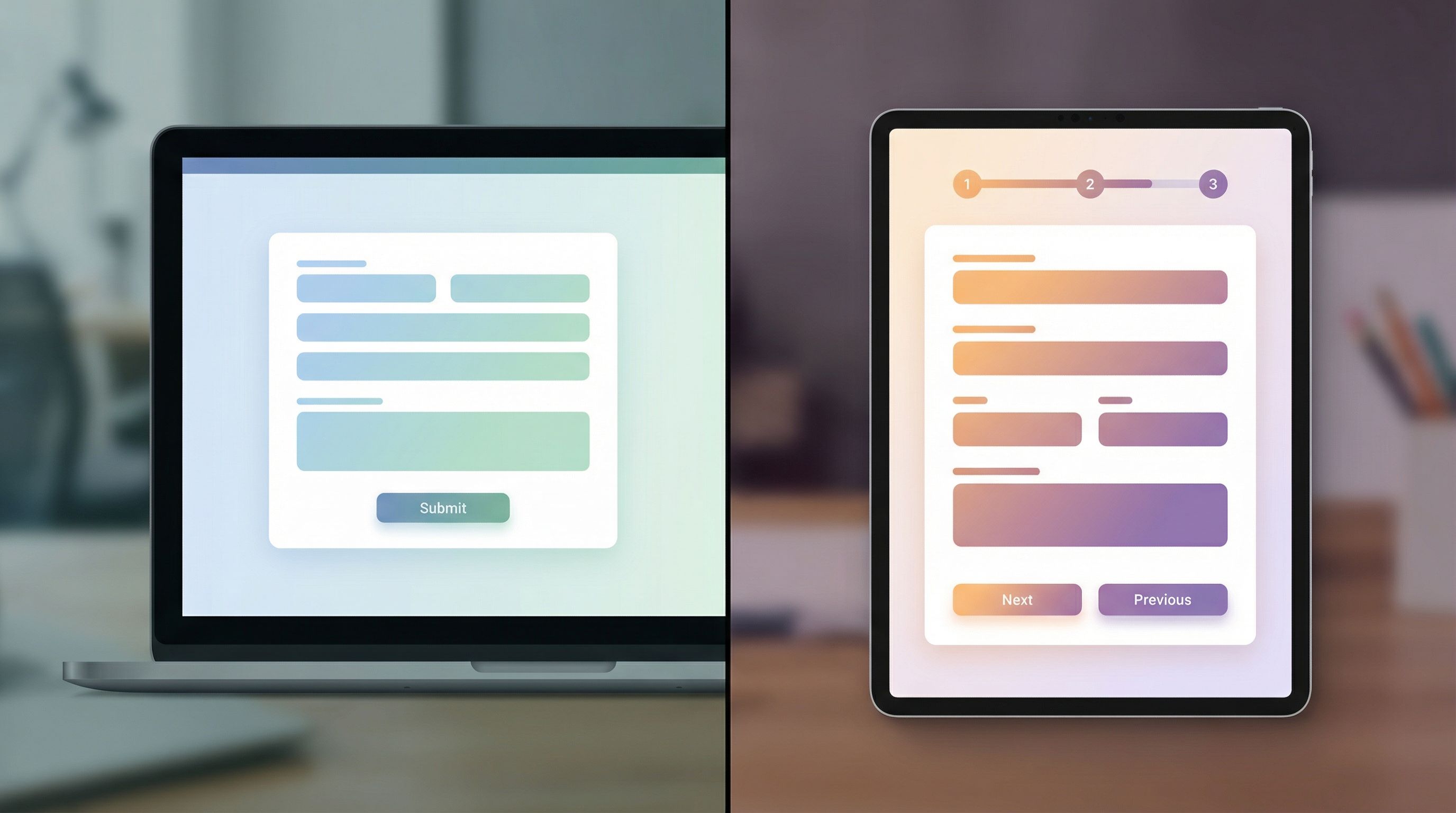
Before we dive into use cases, here’s a side‑by‑side view of how the two patterns behave.
Single-Page Forms
What they are:
All fields live on one screen. The user scrolls, fills everything out, and submits once.
Strengths:
- Fast for simple tasks – Ideal when you only need a handful of fields.
- Great for low-friction actions – Newsletter signups, waitlists, quick feedback.
- Easy to scan – Users can see the whole commitment at once.
- Lower UX complexity – No step logic, progress indicators, or back/next buttons.
Weaknesses:
- Overwhelming when long – A 25-field single page looks like work.
- Harder to personalize – Conditional logic is possible, but visually less guided.
- Less narrative control – Tougher to tell a story or teach as someone moves through.
Multi-Step Forms
What they are:
The form is broken into steps or sections (e.g., “About you,” “Company details,” “Project scope”). Users click Next/Back or follow a progress bar.
Strengths:
- Lower perceived effort – Shorter chunks feel easier, even if total fields are the same.
- Better for complex journeys – Sales intakes, onboarding, partner applications.
- Natural storytelling – You can explain, teach, or set expectations between steps.
- Stronger logic – Different paths for different users, with AI-personalized flows if you’re ready for them.
Weaknesses:
- More moving parts – Step logic, validation state, and navigation to design.
- Potential drop-off between steps – Especially if you hide the remaining effort.
- Harder to skim – Users can’t see everything at once.
When a Single-Page Form Is the Right Call
Single-page forms are about speed and clarity. Use them when you’re asking for a small, obvious commitment.
1. Micro-Conversions and Light Touchpoints
Think:
- Newsletter or content subscriptions
- Event reminders and webinar interest
- Simple contact forms (“Ask us a question”)
- NPS or quick CSAT surveys
Signals you should use a single page:
- You can realistically keep it to 3–7 fields.
- The action is low stakes (no payment, no contract, no sensitive data).
- People are coming from a high-intent context (e.g., they just read a post and want updates).
How to design it well:
- Brutally prioritize fields. If you don’t use a field within a week, cut it.
- Use smart defaults and autofill where possible (e.g., country, email from browser suggestions).
- Make the primary action obvious. One clear button—no secondary CTAs competing for attention.
If you’re experimenting with brand and messaging at these micro-conversion points, a single-page form is also a great canvas for testing form themes. You can treat the form as a mini brand lab, as we explored in Form Themes as Brand Labs: Rapidly Prototyping Positioning, Pricing, and Messaging Without Rebuilding Your Site.
2. “I Just Need to Tell You One Thing” Flows
Some forms exist to capture a single piece of intent:
- “Request a callback”
- “Report a bug”
- “Pause my subscription”
Here, a multi-step flow feels like overkill. The user’s mental model is: I have one job; let me do it and move on.
Best practices:
- Put the core field first (e.g., the issue description or callback phone number).
- Add optional context fields below (screenshots, account ID) to help your team, but don’t block submission.
- Use inline hints instead of long paragraphs of help text.
3. Embedded Forms Inside Content
If your form is embedded in a blog post, resource hub, or doc, a single page keeps the flow feeling lightweight and integrated.
For example:
- A “Get the template” form inside a playbook
- A “Request this checklist in Google Sheets” form below a how‑to guide
In these cases, the form is a continuation of the reading experience—not a separate application process.
When a Multi-Step Form Unlocks Better Results
Multi-step flows shine when you’re dealing with complex decisions, higher stakes, or multiple stakeholders.
1. Sales and Demo Requests
If your sales team complains about “bad leads” or “thin context,” a multi-step form is usually the fix.
You can:
- Start with low-friction basics (name, email, company).
- Move into qualification (team size, use case, budget range).
- End with logistics (timeline, preferred contact method).
This structure:
- Filters out low-fit leads without scaring away the right ones.
- Gives reps enough detail to personalize outreach.
- Helps RevOps route leads automatically (e.g., by size, region, product line).
If you’re already thinking about AI-personalized flows—where questions adapt based on who someone is—multi-step is the natural foundation. You can go deeper on that pattern in AI-Personalized Forms at Scale: Dynamic Questions, Smart Defaults, and Guardrails.
2. Onboarding and Implementation Intakes
Onboarding forms often touch:
- Business details
- Technical setup
- Security or compliance
- Stakeholder roles
Trying to cram all of that onto one page is a recipe for abandonment.
A better pattern:
- Welcome + basics – Who are you? What are you trying to achieve?
- Configuration – Systems, tools, or integrations you use.
- Security & compliance – Only if relevant; gate this step behind a simple yes/no.
- Success criteria – What “good” looks like in 30–90 days.
Each step can include microcopy that teaches as it goes, turning the form into a lightweight onboarding academy rather than a one-way questionnaire—very much the pattern we explored in Forms as Lightweight Onboarding Academies: Teaching While You Collect Data.
3. Partner, Vendor, or Grant Applications
Any time someone is effectively applying for something, they expect a bit of ceremony.
Multi-step flows help you:
- Set expectations up front (“This takes ~5 minutes and has 3 sections”).
- Group questions into meaningful sections (About your company → Program fit → Legal/terms).
- Add conditional paths (e.g., enterprise vs. startup, new vs. existing partner).
This structure respects the applicant’s time while giving your team the information they need to evaluate fit and route applications.
4. Internal Ops and RevOps Flows
Internal teams often use forms for:
- Discount approvals
- Custom deal desk requests
- New vendor approvals
- Complex support escalations
These are classic multi-step candidates because:
- You need structured data for audit and reporting.
- Different roles may care about different sections (Sales vs. Finance vs. Legal).
- You might need branching logic (e.g., extra fields for deals over a certain value).
With Ezpa.ge + Google Sheets, you can turn these multi-step forms into live queues and lightweight CPQ-like flows—patterns we’ve dug into in posts like Form UX for RevOps: Building Deal Desks, Discount Approvals, and CPQ Intakes Without a CPQ Tool and From Form to Live Queue: Building Real-Time Triage for Support, Sales, and Ops with Google Sheets.

How to Decide: A Simple Flow-Selection Framework
When you’re not sure which pattern to use, run your form through four lenses: complexity, stakes, context, and operations.
1. Complexity: How Many Questions, and How Different Are They?
Ask:
- Do we have more than 7–10 fields?
- Are we mixing different domains (personal info, company data, technical details, billing)?
If yes to both, you’re in multi-step territory.
Rule of thumb:
- 0–7 simple fields → Single page
- 8–20 fields, multiple topics → Multi-step
- 20+ fields → Multi-step + ruthless pruning (or split into multiple forms)
2. Stakes: How Big Is the Decision for the User?
Think about their side of the commitment:
- Are they paying money or signing a contract?
- Are they sharing sensitive data (health, finance, legal)?
- Is this choice hard to reverse later?
Higher stakes usually justify a multi-step flow with:
- Clear progress indicators
- Review step before submission
- Inline reassurance (privacy, security, support)
3. Context: Where Is the User Coming From?
Consider:
- Are they clicking from a short social ad or a detailed case study?
- Are they on mobile or desktop?
- Are they already a customer or brand new?
Patterns:
- Cold traffic, mobile-heavy, low-intent → Short, single-page starter form.
- Warm traffic, higher intent, desktop-friendly → Multi-step with richer questions.
This is also where URL-driven strategies shine. With Ezpa.ge, you can create multiple custom URLs pointing to different flows or prefilled variants, as covered in URL-Driven Ops: How Custom Links Turn One Form into a Dozen Targeted Workflows.
4. Operations: How Will This Data Be Used Tomorrow?
Ask your ops or RevOps partner:
- What decisions will we make from this data?
- Which fields must be required, and which are truly optional?
- Do we need to route submissions differently based on answers?
If routing and reporting are key, multi-step forms give you cleaner grouping and logic. But you can still start with a short single-page version and graduate to multi-step once you know which fields actually drive decisions.
Designing Multi-Step Flows That Don’t Feel Like a Maze
If you decide on a multi-step structure, execution is everything. A clumsy multi-step form can feel worse than a long single page.
1. Make the Journey Visible
- Use a progress bar or step indicator (“Step 2 of 4: Use case”).
- Show section titles that make sense to a human, not your internal org chart.
- Indicate what’s coming next so there are no surprises.
2. Front-Load Motivation, Not Friction
- Start with easy wins (name, email, company) to get momentum.
- Avoid leading with the densest or most sensitive questions.
- Use the first step to restate value: why this is worth their time.
3. Keep Steps Emotionally Consistent
Each step should feel like a coherent mini-task:
- Don’t mix “Tell us about your role” with “Upload your contract.”
- Group fields by the mental mode they require (identity, goals, logistics, legal).
4. Offer Safe Exits and Save States (When It’s Worth It)
For long or high-stakes flows:
- Allow users to save and continue later.
- Send a follow-up email with a return link.
- Consider pre-populating fields if they come from an authenticated context.
5. Use Theming to Support the Story
Form theming isn’t just aesthetics. For multi-step journeys, the visual layer can:
- Calm nerves for compliance-heavy or legal flows (subtle, trustworthy palettes).
- Add energy for campaign or launch flows (bolder colors, expressive typography).
- Align with partner or co-marketing brands.
Ezpa.ge’s theme system makes it easy to maintain brand consistency across many forms without manually restyling each one—a pattern we go deeper on in Brand-Consistent Forms at Scale: Governance Rules for Themes, URLs, and Copy.
Designing Single-Page Forms That Punch Above Their Weight
Single-page forms look simple, but there’s still craft involved.
1. Above-the-Fold Clarity
- A concise headline (“Get the full playbook in your inbox”).
- A short subheading that sets expectations (what you’ll send, how often).
- Social proof or a one-line benefit can help, but keep it tight.
2. Logical Vertical Flow
Order fields by:
- Identity (name, email)
- Context (company, role)
- Optional extras (how you heard about us, notes)
Avoid bouncing between personal and company data repeatedly.
3. Reduce Visual Noise
- Use a single column layout for most cases.
- Keep labels clear and consistent.
- Reserve helper text for fields that truly need explanation.
4. Optimize for Mobile First
- Large tap targets for fields and buttons.
- Minimal typing where possible (dropdowns, selects, checkboxes).
- Avoid tiny text or dense multi-column layouts.
Putting It Into Practice with Ezpa.ge
The advantage of using a tool like Ezpa.ge is that you don’t have to commit to one pattern forever. You can:
-
Start with the simplest viable flow
- For a new campaign, launch with a short single-page form.
- Sync responses into Google Sheets to see what people actually tell you.
-
Identify friction and gaps
- Are you missing key context for sales or support?
- Are people dropping off at a particular point?
-
Evolve into multi-step where it helps
- Split your fields into logical sections.
- Add steps, progress indicators, and conditional logic.
-
Test themes and URLs without breaking ops
- Use different URLs to target different audiences.
- Apply themes that match campaigns, partners, or brands.
Because Ezpa.ge keeps your forms responsive, fully themed, and synced to Google Sheets in real time, you can treat form structure as something you iterate on—not a one-time decision baked into a hard-coded page.
Bringing It All Together
Multi-step vs. single-page isn’t a philosophical debate. It’s a practical design choice that should map to:
- How complex your questions are
- How big the commitment is for the user
- Where they’re coming from
- What your team needs to do with the data
Use single-page forms when you want:
- Speed and low friction
- Simple data capture
- Embedded, lightweight interactions
Use multi-step forms when you need:
- Structure for complex journeys
- Higher-quality, more complete data
- Clear routing and operational clarity
Most teams benefit from having both patterns in their toolkit, and from treating form flows as something they can test quickly—not a permanent architectural choice.
Your Next Step
If you’re not sure whether your current forms are doing their job, start small:
- Pick one high-impact flow—demo requests, onboarding, or partner intake.
- Sketch both a single-page and a multi-step version on paper.
- Ask: Which version better matches the complexity, stakes, context, and ops needs?
- Spin up both variants in Ezpa.ge, wire them to the same Google Sheet, and run a real experiment.
You don’t have to guess your way to better forms. You can ship, measure, and iterate.
Open Ezpa.ge, choose one form, and redesign its flow today—multi-step or single-page. The right structure might be the simplest conversion and ops win you ship this quarter.