Ops-Ready Form Experiments: Shipping New Intakes, URLs, and Logic in a Single Afternoon


Operations teams don’t lack ideas. They lack safe, fast ways to test those ideas without blowing up reporting, brand, or downstream workflows.
A new partner intake. A VIP support lane. A candidate fast-track. A fresh campaign angle you’d love to trial before asking product or engineering for anything.
All of those can start as form experiments—if your forms are actually ops-ready.
This post is about how to treat forms as an experimentation surface you can ship on in a single afternoon: new intakes, new URLs, new logic, all wired into the same operational backbone. We’ll focus on Ezpa.ge, but the principles apply broadly.
Why Form Experiments Belong to Ops
Most teams already run experiments. They just do it the hard way:
- New campaign? Spin up a landing page, wait for design and dev, then wire in a form.
- New intake? Open a ticket for engineering to add fields and routing.
- New approval flow? Hack together a spreadsheet and hope people remember to use it.
That model is slow, political, and expensive. By the time the thing goes live, the question that inspired it has usually changed.
Rapid experimentation—small, low-cost tests that run in days, not weeks—is one of the most reliable ways to de‑risk decisions and improve outcomes. Teams that adopt rapid experimentation report faster learning cycles, lower risk, and better alignment around what actually works, not what sounds good in meetings.(intuit.com)
Forms are a perfect surface for this kind of work because they sit at the exact moment intent becomes data:
- A prospect raises their hand.
- A customer asks for help.
- A candidate applies.
- A partner requests a co-marketing slot.
If you can change what happens at that moment—questions, routing, URLs, themes—without breaking your system, you can experiment with:
- Which questions actually qualify better leads
- Which logic reduces back-and-forth for support
- Which URLs and entry points drive the right traffic
- Which themes and copy resonate with different audiences
And you can do it without waiting on a full redesign or a new tool rollout.
For a deeper dive on using forms as the primary surface for campaigns, see how teams are using form-as-microsite flows in Forms as Microsites: Replacing One-Off Landing Pages with Theme-Driven Flows.
What “Ops-Ready” Actually Means
You can’t run safe experiments on fragile infrastructure. An ops-ready form system has three basic properties:
- Stable data schema
- Flexible presentation and logic
- Observable change and performance
Let’s unpack those.
1. Stable data schema
Your Google Sheet (or warehouse) is the source of truth. That means:
- Core columns don’t change every time someone has an idea.
- IDs, timestamps, and routing fields are consistent across variants.
- You can add optional fields without renaming or repurposing existing ones.
In Ezpa.ge, this usually looks like:
- One primary Sheet per process (e.g.,
Sales_Intake,Support_Requests,Hiring_Applications). - A stable set of columns for core fields: contact info, product area, priority, owner, status.
- Additional columns for experiment-specific questions (e.g.,
pricing_sensitivity_test_v1).
Your experiments live at the form and logic level, not the schema level. That’s what keeps downstream reporting and automation intact.
For more on treating Sheets as an operational brain instead of a passive log, see Google Sheets as Your Ops Brain: Advanced Form-Driven Workflows Beyond Simple Syncing.
2. Flexible presentation and logic
Ops-ready forms let you change:
- Themes (colors, typography, layout)
- Copy (headlines, field labels, help text)
- Question order and grouping
- Conditional logic and branching
- URL structure and parameters
…without:
- Re-deploying code
- Asking design to redraw the flow
- Forking your data into a new Sheet
Ezpa.ge is built for this kind of flexibility: theme tokens, URL-level personalization, and conditional logic all sit on top of the same response stream.
3. Observable change and performance
If you’re going to move fast, you need to know:
- What changed
- When it changed
- Who changed it
- What the impact was
That’s where form logs, version history, and lightweight auditing come in. They turn “I think we changed that field last week?” into a clear record of experiments and outcomes.
If you’re scaling form ownership across teams, pairing experimentation with guardrails is essential. Brand-Consistent Forms at Scale: Governance Rules for Themes, URLs, and Copy covers how to do that without slowing everyone down.

The Afternoon Playbook: From Idea to Live Experiment
Let’s walk through a concrete pattern you can run in a single afternoon.
We’ll assume:
- You’re using Ezpa.ge for forms
- Submissions sync into Google Sheets in real time
- You have at least basic control over themes and URLs
Step 1: Frame the experiment as an ops question
Start with a sharp question, not a vague “test more things” goal.
Examples:
- Sales: “Can we reduce unqualified demo requests by asking one additional targeting question?”
- Support: “Can we cut misrouted tickets by 20% by adding a product area selector and routing logic?”
- Hiring: “Can we identify top candidates faster with a short structured question instead of a cover letter?”
Write it down in a simple doc or Sheet tab:
- Hypothesis: If we add/change X, outcome Y will improve.
- Metric: What you’ll actually measure (e.g., % of high-intent leads, time-to-first-response, completion rate).
- Scope: Time box it (e.g., “Run until we have 50 submissions” or “Run for 7 days”).(nextsprints.com)
Step 2: Decide your experiment surface: intake, URL, or logic
Ops-ready form experiments tend to fall into three buckets:
-
New intake variant
- Example: A “VIP support” form that sits alongside your standard support intake.
- Tweak: Shorter fields, different expectations copy, higher-priority routing.
-
New URL / entry point
- Example: A
/demo/partnersURL for partner-sourced leads that pre-fills asource=partnerfield and adjusts questions slightly. - Tweak: URL-level parameters, prefilled hidden fields, customized intro.
- Example: A
-
New logic / routing
- Example: Branching based on
company_sizeorproduct_areato show different follow-up questions or assign different owners. - Tweak: Conditional sections, dynamic thank-you states, internal routing rules.
- Example: Branching based on
Pick one primary surface per experiment. You can always stack more later, but your first runs should be simple enough to reason about.
If you want a deeper dive into the URL side of this, URL-Level Personalization: Tailoring One Form to Many Audiences with Naming, Prefills, and Logic is a great companion read.
Step 3: Clone the core form, not the system
The temptation is to start from scratch. Don’t.
Instead:
- Duplicate your primary form in Ezpa.ge.
- Keep the same Sheet as the destination.
- Preserve field IDs for any questions that already exist.
- Only add new fields where absolutely necessary.
This gives you:
- Clean comparison between “control” and “variant” in the same dataset
- No new automations or integrations to maintain
- Less risk of accidentally dropping critical fields
Name your new form clearly, e.g., Sales Intake – Experiment – Shorter Qualifying.
Step 4: Make minimal but meaningful changes
Rapid experimentation works best when each test is small but sharp. You’re not redesigning your entire intake—just testing a specific lever.
Some high-leverage tweaks you can make in under an hour:
-
Intro copy and expectations
- Clarify what happens after submission (“We’ll respond within one business day with next steps”).
- Set eligibility criteria upfront (“This form is for teams with 20+ seats”).
-
Question order and grouping
- Move motivation / context questions earlier for high-intent flows.
- Group related fields into sections with clear headings.
-
Conditional sections
- Show advanced fields only when relevant (e.g., show budget questions only for
company_size > 50).
- Show advanced fields only when relevant (e.g., show budget questions only for
-
Routing logic
- Map specific answers to specific owners or queues.
- Use hidden fields to tag segment, campaign, or channel.
-
Thank-you state
- Different confirmation messages or next steps based on answers.
Make the smallest set of changes that could plausibly answer your question.
Wiring URLs and Routing Without Chaos
Shipping a new form is the easy part. Shipping it without creating URL and routing chaos is where ops earns its stripes.
Design a simple URL taxonomy
You don’t need a full governance framework to start, but you do need a naming pattern you can stick to.
For example:
/forms/demo– primary sales intake/forms/demo/exp-short– experiment: shorter form/forms/demo/exp-vertical-saas– experiment: vertical-specific copy
Or for support:
/support/request– standard intake/support/request/vip– VIP lane/support/request/experiment-routing– routing test
The key is that URLs:
- Are readable by humans
- Encode the experiment type (short, routing, vertical, etc.)
- Don’t collide with production URLs you’ve already shared widely
If you’re just starting to get your URL house in order, Form Systems, Not One-Off Links: Designing a URL Taxonomy That Scales With Your Ops is worth bookmarking.
Keep routing rules transparent
Once your form is live, the real work happens in how submissions get handled.
A lightweight routing pattern might look like:
- A
queuecolumn in your Sheet (e.g.,sales_ae,sales_amb,support_tier2). - A
prioritycolumn (P0,P1,P2). - Filters or views per team (e.g., “My queue – today”).
Your form logic should set those fields based on answers. For example:
- If
company_size >= 200andproduct_area = Enterprise, setqueue = sales_enterprise,priority = P0. - If
issue_type = billing, setqueue = support_billing.
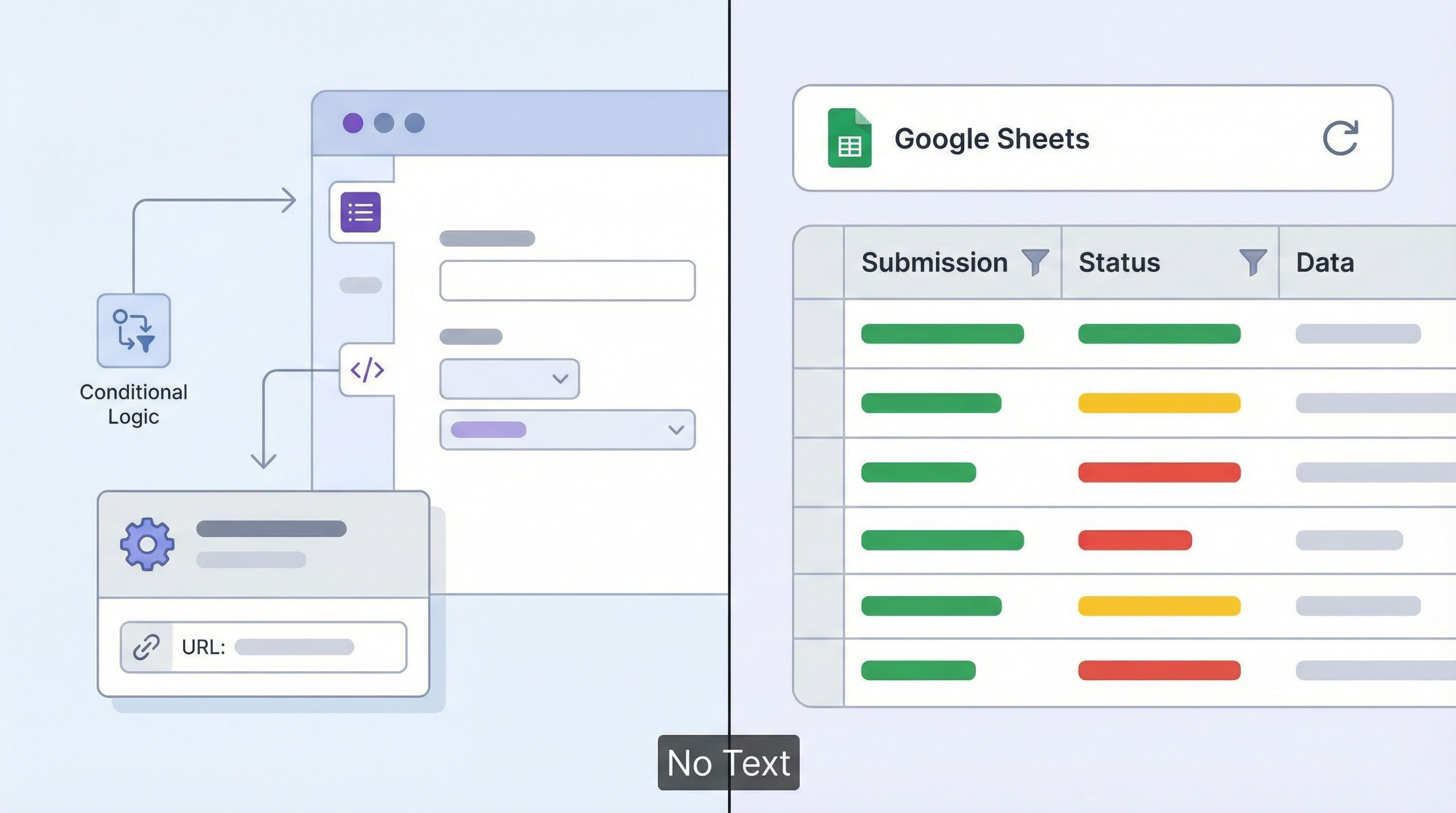
Because Ezpa.ge syncs to Sheets in real time, those rules can power:
- Filtered views for each owner
- Conditional formatting for urgent items
- Simple automations via tools like Zapier or Make
The important part: document the routing rules in a tab or doc linked from the Sheet. Experiments are much easier to reason about when people can see the logic, not just feel the effects.
Measuring Impact Without a Stats PhD
You don’t need a full experimentation platform to get value from ops-ready form tests. You do need a clear, simple way to compare before and after.
A practical approach:
-
Tag every submission with its source form or URL.
- Add a hidden
experiment_idfield set by the form or URL. - Examples:
control,exp_short_v1,exp_routing_vip.
- Add a hidden
-
Define one or two core metrics per experiment.
- Sales: % of submissions marked
qualified = yes. - Support: Average
time_to_first_responsefor that queue. - Hiring: % of candidates advanced to interview.
- Sales: % of submissions marked
-
Build a simple comparison view in Sheets.
- Pivot by
experiment_idand your metric. - Use filters for date range.
- Pivot by
-
Look for direction, not perfection.
- You’re not publishing a research paper.
- You’re asking: “Is this clearly better, clearly worse, or roughly the same?”
When an experiment clearly wins, you can:
- Promote it to the primary form or URL.
- Retire the old variant.
- Log the change in your form history.
When it clearly loses, you’ve bought clarity at a low cost—and you can move on to the next idea.
Keeping Experiments Safe: Guardrails That Don’t Slow You Down
Speed without safety is just chaos. A few lightweight guardrails keep your afternoon experiments from turning into quarter-long cleanup projects.
1. Non-negotiable fields
Make a short list of fields that cannot be removed or repurposed without review. For example:
emailcompany_nameconsent/ legal languagestatus/owner/queue
2. Brand and copy guidelines
Even experiments should feel like your company.
- Use approved themes and typography.
- Keep tone consistent with your broader brand.
- Reuse proven microcopy where possible.
3. Change logs
Every experiment should have a one-line entry in a shared log:
- Date
- Owner
- Form / URL
- Hypothesis
- Key changes
This is exactly the pattern described in Ops-Ready Form Logs—turning ad-hoc tweaks into a traceable history that future you will thank you for.
4. Data governance basics
Before you start asking new questions, be clear on:
- Whether you’re collecting any sensitive data
- Who can access the Sheet or downstream tools
- How long you’ll keep experiment-specific data
You don’t need a 40-page policy, but you do need intentionality. Small teams can get surprisingly far with a few simple rules about access, retention, and sharing.
Where to Start This Week
If you want to make form experiments part of how your ops team works—not just a one-off project—start small and concrete.
Here’s a one-afternoon starter plan:
-
Pick one process that already runs on a form.
- Sales demo requests
- Support intake
- Candidate applications
-
Identify one pain point you can quantify.
- Too many unqualified leads
- Tickets bouncing between teams
- Hiring managers complaining about signal quality
-
Design a single experiment on one surface.
- New intake variant
- New URL and prefill
- New routing logic
-
Implement it in Ezpa.ge using:
- A cloned form pointing to the same Sheet
- Minimal changes to copy, questions, and logic
- A clear
experiment_idtag
-
Run it for a fixed window (e.g., one week or 50 submissions).
-
Review results with the team.
- Decide: adopt, iterate, or retire.
Then do it again.
Once this rhythm is in place, you can layer on more advanced patterns: non-linear journeys, theme-first brand tests, or adaptive question paths that respond to live data.
Wrapping Up
Ops-ready form experiments are about more than moving fields around.
They’re about giving your team a safe, fast, and observable way to change how work enters the system:
- New intakes you can ship in hours, not weeks
- New URLs that map cleanly to audiences and campaigns
- New logic that routes work to the right people the first time
When your forms are wired into a stable Sheet, governed by simple rules, and backed by clear logs, experimentation stops feeling risky. It becomes the default.
You don’t need a new platform or a re-org to get there. You need:
- A stable schema
- Flexible themes, URLs, and logic
- Lightweight measurement and logging
From there, “Let’s test it this afternoon” becomes a normal thing to say in your ops meetings.
Your Next Step
If you’re reading this, you probably already have at least one form quietly running a big part of your business.
Pick that form.
This week, use Ezpa.ge to:
- Clone it.
- Point it at the same Google Sheet.
- Make one sharp, minimal change.
- Give it a clear URL and
experiment_id. - Run it long enough to learn something real.
That’s your first ops-ready form experiment.
Once you’ve seen how much you can change in a single afternoon—without breaking anything—you’ll start seeing experiments everywhere.
And that’s where operations stops being reactive and starts quietly leading the way.