Custom Domains, Custom Journeys: Advanced URL Structures for Multi-Product SaaS


Custom Domains, Custom Journeys: Advanced URL Structures for Multi-Product SaaS
Multi-product SaaS doesn’t break because the features are bad.
It breaks because the paths are messy.
One domain, five products, three pricing models, partner offers, betas, support tiers, and a dozen teams all spinning up their own links. People land on the wrong page, see the wrong plan, hit the wrong form, and your carefully designed funnel turns into a maze.
Custom domains and intentional URL structures are how you take that maze and turn it into a set of clear, predictable journeys—especially when forms are the front door to most of those flows.
This post is about using URLs as a product surface, not just a technical detail.
Why URL structure matters more when you have multiple products
When you’re a single-product SaaS, you can get away with:
- One main domain
- A handful of landing pages
- A couple of generic forms (demo, trial, contact)
Once you have multiple products or lines of business, that breaks down fast. The same person might be:
- A prospect for Product A
- An existing customer of Product B
- A partner for Product C
Each of those roles needs a different journey, and often a different form.
If your URLs don’t clearly encode those differences, you get:
- Crossed wires in sales – leads from the wrong form, routed to the wrong team
- Bad data in your CRM – no clean way to see which product or journey a lead came from
- Confusing experiences for users – mixed messaging, misaligned pricing, or irrelevant upsells
On the flip side, a well-designed URL system gives you:
- Instant context – everyone can tell what a link does just by looking at it
- Cleaner analytics – product, segment, and journey encoded in the URL, not buried in UTMs
- Safer experiments – you can spin up new flows without breaking the old ones
- Simpler operations – one pattern for everyone to follow, instead of ad-hoc naming
If you’ve already started using forms as operational infrastructure, not just data capture, you’ve seen this pattern in micro. We explored that for creators in From Link in Bio to Live Ops: Using Custom URLs and Forms to Run Creator Workflows. The same principles apply at SaaS scale—just with more stakeholders and higher stakes.
Start with a URL taxonomy, not a list of pages
Before you worry about domains and subdomains, design the language of your URLs.
Think of this as a taxonomy: a consistent way to encode product, audience, and intent in the path itself.
For a multi-product SaaS, a robust pattern might look like:
/{product}/{audience}/{journey}/{step?}
Where:
product– your internal product code or public nameaudience– segment or role (e.g.,admin,team,developer,partner)journey– the flow type (e.g.,trial,demo,upgrade,support,migration)step(optional) – specific stage (start,details,confirm,success)
Concrete examples:
/analytics/startup/trial/start/analytics/enterprise/demo/request/billing/admin/upgrade/confirm/platform/developer/integration/support
For forms specifically, you might standardize on:
/forms/{product}/{journey}/forms/{product}/{journey}/{variant}(for experiments or channels)
How to design your taxonomy in a day:
- List your core products. Use short, stable slugs:
crm,billing,analytics,platform. - List your main journeys. Typical ones:
trial,demo,pricing,waitlist,beta,support,upgrade,churn-save. - List your key audiences.
startup,smb,enterprise,partner,agency,developer. - Map your existing forms and flows into this structure. Notice where you have:
- Multiple URLs doing the same job
- One URL doing too many jobs
- Confusing or inconsistent naming
- Write a short URL style guide (one page is enough):
- Lowercase, hyphen-separated
- No dates or campaign names in core paths
- Product, audience, journey in that order
This taxonomy becomes the backbone for everything else: custom domains, URL routing, form URLs, and analytics.
Choosing the right domain strategy for multi-product SaaS
Once your taxonomy is clear, you can decide how to map it onto domains and subdomains.
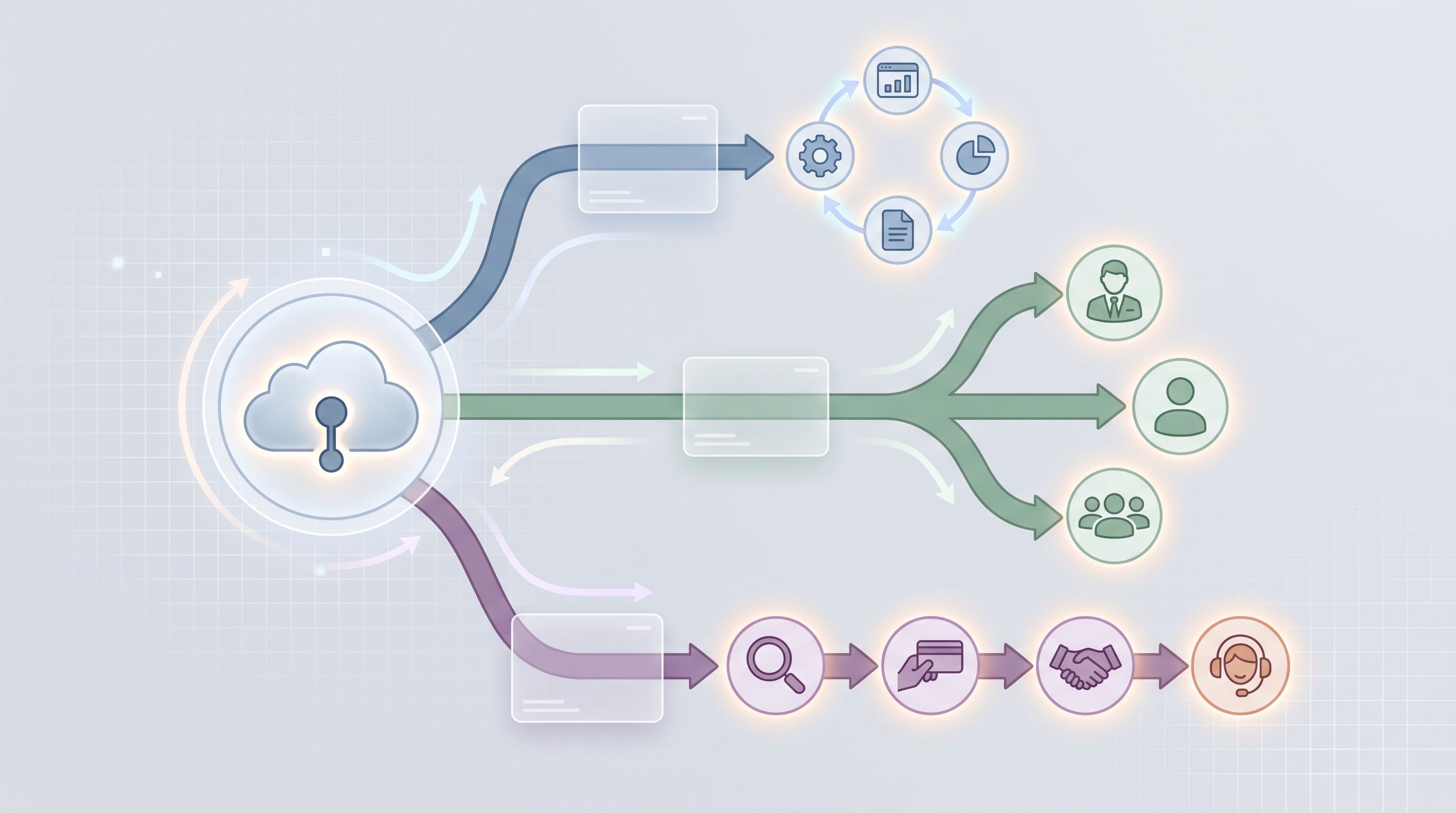
There’s no single “right” answer, but there are three common patterns that work well with form-heavy journeys.
1. One main domain, segmented by paths
Pattern: yourcompany.com/{product}/{journey}
Best for:
- Products that share brand and pricing
- Teams that want centralized SEO authority
- Early-stage suites that may still evolve
Advantages:
- Strong brand consistency
- Easier to manage SSL, cookies, and SSO
- Simple analytics setup
Watch out for:
- Path bloat (
/product2/product3/legacy-beta-v2) - Confusing redirects if products split later
2. Product subdomains
Pattern: {product}.yourcompany.com/{journey}
Best for:
- Distinct products that still share a parent brand
- Different product teams owning their own stacks
- Cases where each product has different login/SSO requirements
Advantages:
- Clear separation of concerns
- Easier to delegate ownership per product
- Cleaner mental model for users: “You’re on the Analytics app now.”
Watch out for:
- More complex DNS and SSL management
- Cross-subdomain tracking and attribution
3. Standalone domains for flagship products
Pattern: productname.com/{journey}
Best for:
- Acquired products with their own brand equity
- Products with very different audiences or price points
- Situations where white-label or partner programs require separate branding
Advantages:
- Maximum brand flexibility
- Clean separation for compliance or contractual reasons
Watch out for:
- Fragmented SEO and analytics
- More overhead for governance and consistency
A practical hybrid:
Many SaaS companies land on a hybrid:
yourcompany.com– marketing, docs, careers, investor infoapp.yourcompany.com– core app shell{product}.yourcompany.com– product-specific surfaces and forms
Within that, you still apply the same taxonomy in the path.
Making forms first-class citizens in your URL plan
Forms aren’t just endpoints; they’re decision points.
For a multi-product stack, you’ll often have:
- Product-specific signup and trial forms
- Cross-product upgrade and expansion forms
- Partner, reseller, or agency application forms
- Support and escalation forms tied to specific SLAs
If you let every team invent their own URLs, you end up with:
/signup-2and/new-signup-final- Random subdomains from different tools
- Broken bookmarks and outdated internal docs
Instead, treat forms as a dedicated layer in your URL system.
A clean pattern for form URLs
Consider something like:
forms.yourcompany.com/{product}/{journey}- Or
yourcompany.com/forms/{product}/{journey}
Examples:
forms.yourcompany.com/analytics/trialforms.yourcompany.com/billing/upgradeforms.yourcompany.com/platform/partner-applicationforms.yourcompany.com/suite/enterprise-rfp
If you’re using Ezpa.ge, this maps nicely to custom URLs per form, with themes tuned per context. We’ve written about that visual tuning in depth in Conversion by Context: How to Tune Form Themes for Ads, Email, In-App, and QR Codes.
Why a dedicated forms layer helps:
- Clarity for users: forms live in a predictable place; links look trustworthy.
- Clarity for teams: sales, support, and partners know where to look for “the right form.”
- Clarity for analytics: any URL under
/forms/(orforms.) is a structured intake.
Encoding journeys and segments directly into URLs
Once your base structure is in place, you can start using URLs to encode more nuance—without fragmenting into a thousand different forms.
Use path segments for stable concepts, query params for variants
A good rule of thumb:
- Path segments = concepts that are stable and meaningful on their own
- Query parameters = variants and metadata that may change over time
For example:
forms.yourcompany.com/analytics/trial?channel=paid-search®ion=na&campaign=q3-retargeting
Here:
analyticsandtrialare stable journey conceptschannel,region, andcampaignare marketing metadata
This keeps your core URLs clean while still letting you:
- Attribute performance by channel and campaign
- Pre-fill known fields (e.g., email, company) when appropriate
- Route submissions differently based on URL parameters
We explored the ethics and UX of pre-filling in Pre-Filled, Not Pre-Judged: Ethical Personalization Patterns for Smarter Custom URLs. The short version: use URL-based personalization to reduce friction, not to steer decisions behind the scenes.
Design a clear scheme for journey variants
For multi-product SaaS, you’ll often have:
- Different signup flows per plan
- Different upgrade paths per legacy contract
- Different support forms per SLA tier
Resist the urge to spin up brand-new paths for each one. Instead, standardize variants.
Examples:
forms.yourcompany.com/billing/upgrade?plan=proforms.yourcompany.com/billing/upgrade?plan=enterprise&legacy=trueforms.yourcompany.com/support/request?tier=premium
This lets you:
- Keep one canonical form per journey
- Use conditional logic inside the form to adapt fields and steps
- Maintain a single schema in your Google Sheet or data warehouse
If you want a deeper dive into that “one form, many journeys” pattern, we unpacked it in One Form, Many Journeys: Using Conditional Logic to Personalize Flows Without Creating New Pages.
Governance: keeping URLs consistent across teams
The hardest part of URL design isn’t the pattern.
It’s keeping that pattern alive when marketing, sales, product, customer success, and partners all need new links yesterday.
Here’s a lightweight governance model that works without turning you into the “URL police.”
1. Define owners and a change process
- Appoint a small working group (product marketing, growth, and someone from the platform or web team).
- Give them clear responsibilities:
- Approve new top-level paths (
/billing,/platform) - Maintain the URL style guide
- Review high-impact redirects and deprecations
- Approve new top-level paths (
- Keep the process simple: a short request form, a Slack channel, and a weekly review is enough.
2. Create templates for common needs
Most URL chaos comes from repeatable requests:
- “We need a form for this new campaign.”
- “We’re launching a beta for Product B.”
- “Partners need a new application flow.”
Solve this with templates:
- Campaign landing pages:
/{product}/{journey}/{theme} - Form URLs:
forms.yourcompany.com/{product}/{journey} - Beta/waitlist:
forms.yourcompany.com/{product}/betaor/waitlist - Partner flows:
forms.yourcompany.com/platform/partner-{type}
Teams fill in the blanks instead of inventing new patterns.
3. Align brand and UX across forms
URL coherence is only half the story; the experience has to feel coherent too.
If different teams are building forms on different tools, with different themes and logos, users will feel the seams—especially when they move between products.
A few practical rules:
- Use one primary form stack (Ezpa.ge or similar) for external journeys.
- Standardize on a small set of themes per brand and context.
- Define minimum requirements for every form:
- Brand logo and name
- Clear title and subtitle
- Link back to main site or help center
- Privacy and terms links
For distributed marketing teams or partner networks, this is where theme governance becomes critical. We dig into that in Brand-Consistent Forms at Scale: Theme Governance for Distributed Marketing Teams.
Turning URL structure into operational leverage
Once your URLs are structured and your forms are centralized, you can start using URLs as levers in your operations—not just links in your marketing.
Here are a few patterns that work especially well for multi-product SaaS.
1. One-link playbooks for internal requests
Create stable, memorable URLs for internal workflows that touch multiple products:
go.yourcompany.com/discount-requestgo.yourcompany.com/feature-flag-changego.yourcompany.com/partner-exception
Behind each URL is a structured form (Ezpa.ge or similar) that:
- Collects the right context
- Routes to the right approvers
- Logs decisions into a Sheet or system of record
We’ve written about this pattern in detail in Custom URLs as Ops Shortcuts: One-Link Playbooks for Approvals, Exceptions, and Escalations—a natural next read if you’re thinking about internal journeys.
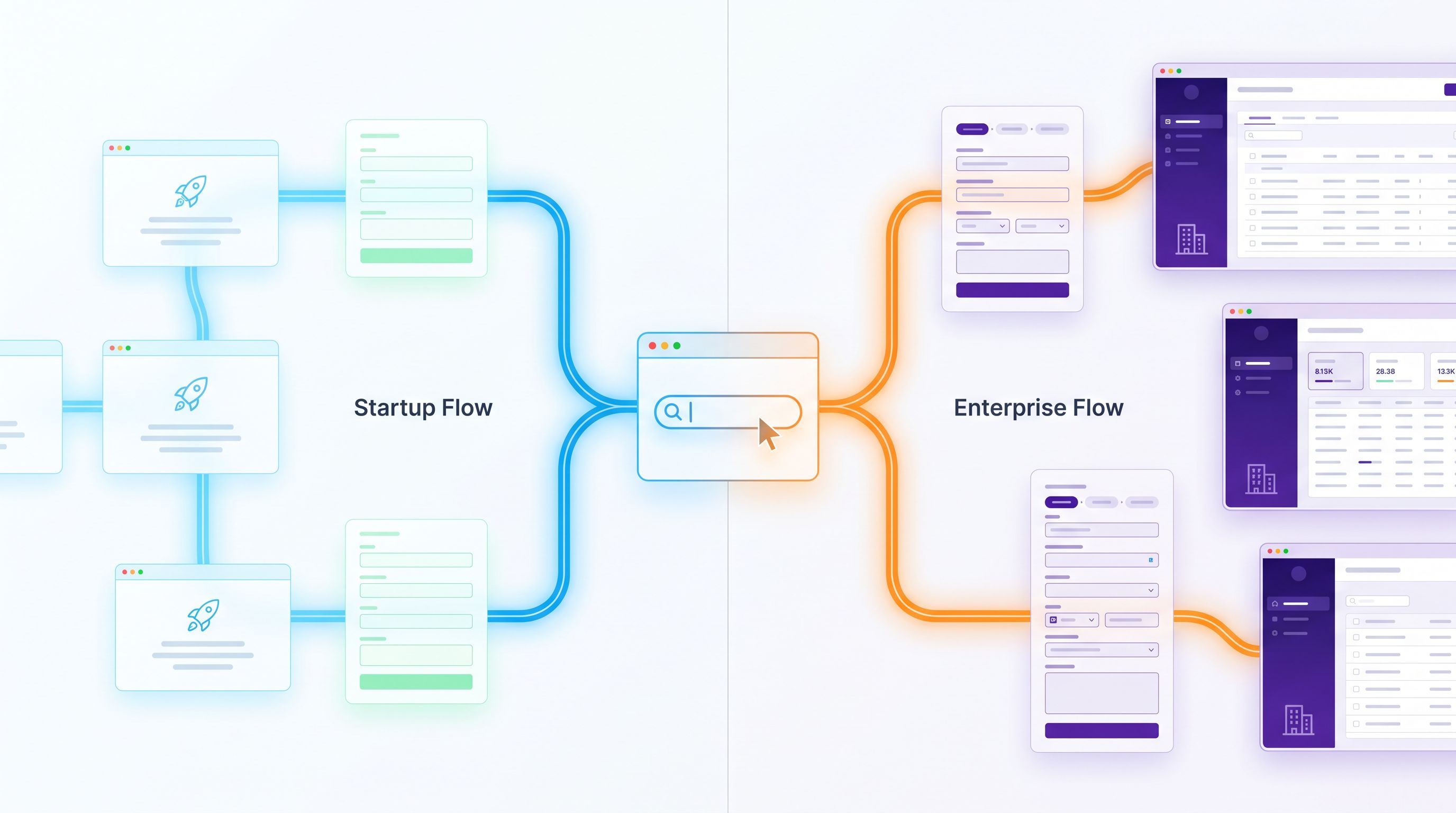
2. Context-aware onboarding and expansion
Use different URLs to tailor onboarding per product and segment, while still sharing a single underlying form.
Examples:
forms.yourcompany.com/analytics/trial?segment=startupforms.yourcompany.com/analytics/trial?segment=enterpriseforms.yourcompany.com/suite/expansion?source=cs-team
Inside the form, conditional logic can:
- Ask different questions for startups vs enterprises
- Trigger different follow-up automations
- Map submissions to different onboarding playbooks
3. Sheet-backed control panels for rollouts
If your forms sync in real time to Google Sheets (as they do with Ezpa.ge), you can:
- Treat each journey URL as a controlled gate into a rollout
- Use Sheets to decide who gets access to which product, feature, or plan
- Drive flags in your app based on form submissions and URLs
This gives you a powerful combination:
- Clean, memorable URLs for each journey
- A non-engineering-friendly control panel (Sheets)
- Auditable history of who requested what, when
We unpack this pattern step-by-step in From Form to Feature Rollout: Using Google Sheets Signals to Decide Who Sees What, When.
How to retrofit a messy URL system without breaking everything
If you’re reading this thinking, “Our URLs are already chaos,” you’re not alone. You can still move toward a cleaner system without a painful big-bang migration.
Work in these stages:
-
Freeze the chaos.
- Add a simple rule: no new top-level paths or random subdomains without review.
- New work must use the emerging pattern.
-
Catalog what exists.
- Export a list of current URLs from your analytics or router.
- Tag each as: keep, redirect, or deprecate.
-
Define your target patterns.
- Write down your taxonomy and domain strategy.
- Create a mapping spreadsheet: old URL → new URL → redirect status.
-
Start with high-traffic, low-risk flows.
- Migrate and redirect a few key forms and landing pages.
- Monitor analytics and error logs.
-
Communicate clearly.
- Update internal docs, playbooks, and partner materials.
- Share “before and after” examples so people see the logic.
-
Automate guardrails.
- Add linting or checks in your codebase or CMS for new URLs.
- Provide a simple generator tool where teams can plug in product, audience, journey and get a recommended URL.
Over a quarter or two, the old patterns fade out and the new structure becomes second nature.
Bringing it all together
Multi-product SaaS lives or dies by the clarity of its journeys.
Custom domains and advanced URL structures aren’t just technical niceties—they’re how you:
- Make every journey legible to users and teams
- Keep forms trustworthy and on-brand across products
- Encode product, segment, and intent directly into your links
- Turn Google Sheets–synced forms into live control panels for operations
The payoff isn’t just prettier URLs. It’s:
- Higher conversion on the right offers
- Cleaner data in your CRM and warehouse
- Fewer misrouted requests and confused customers
- Faster experiments, because you’re not fighting your own structure
Your next step
You don’t need a full redesign to start.
Pick one product line and one journey—say, trials for your analytics product—and do three things this week:
- Define a clean, memorable URL for that journey.
- Example:
forms.yourcompany.com/analytics/trial
- Example:
- Move the form into a centralized tool (like Ezpa.ge) with a custom URL, on-brand theme, and real-time Google Sheets sync.
- Wire up basic segmentation with query params.
?segment=startup,?segment=enterprise,?channel=paid-search
Ship that, watch how it performs, and share the pattern internally.
From there, you can expand the same structure across products, audiences, and journeys—one URL at a time.
If you want help designing those forms so they don’t just “work” but actually convert, Ezpa.ge gives you the building blocks: custom domains, URL patterns, themes, and live Sheets sync in one place. Start by mapping one journey, one product, and one URL—and let that be the prototype for everything that comes next.