From Anonymous Clicks to Known Users: Using Custom URLs and Prefills to Bridge the Attribution Gap


Most teams have the same complaint about their funnels:
“We see clicks. We see form submissions. But we can’t reliably say who came from which campaign or sequence.”
UTM parameters get stripped. People switch devices. Someone forwards an email. A prospect clicks from LinkedIn, then types your URL directly a week later. By the time they hit your form, they’re just another anonymous browser session.
That gap between click and known user is where a lot of money quietly leaks out of your funnel.
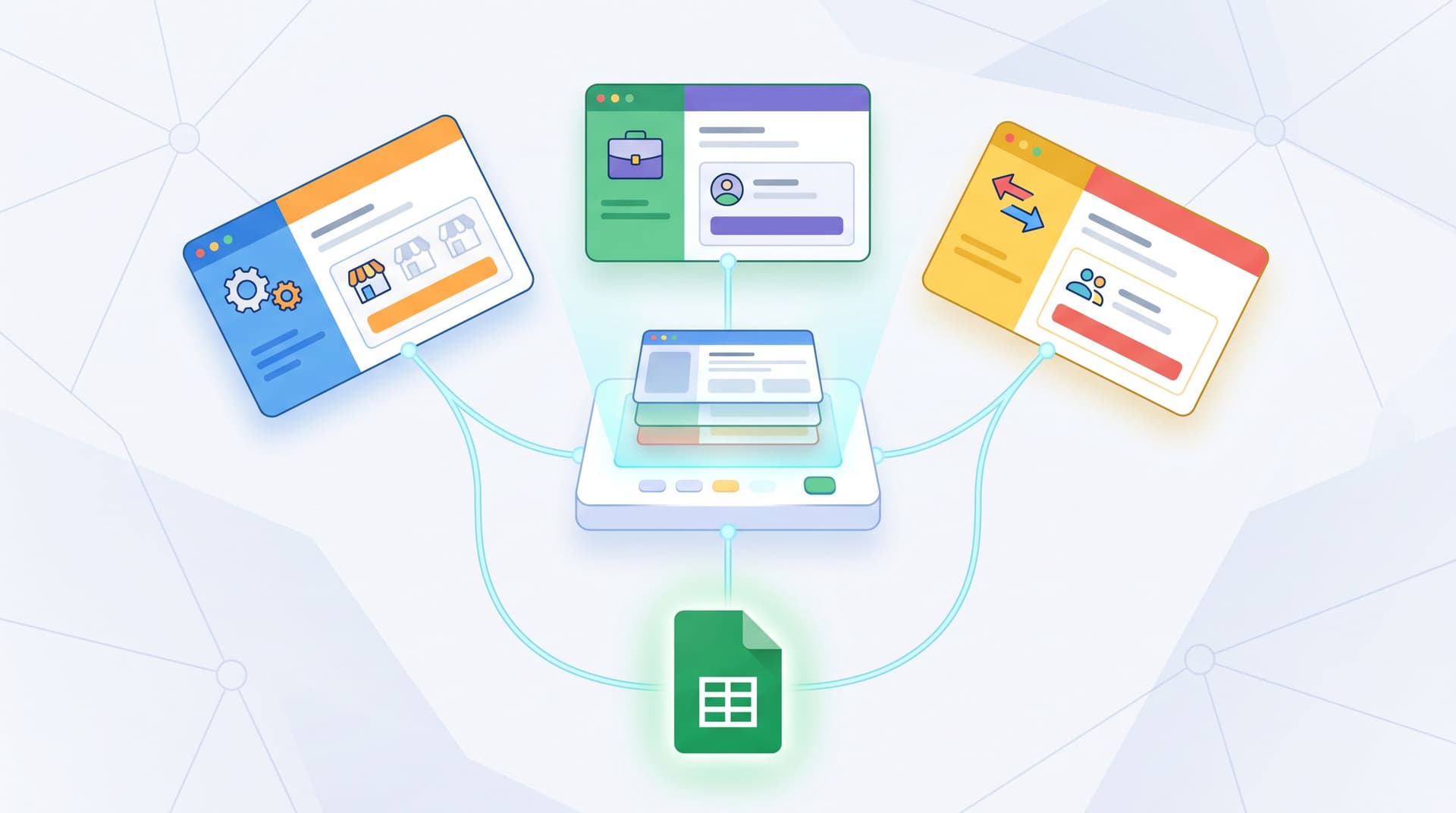
Custom URLs and prefilled forms are one of the most practical ways to close that gap—without adding friction for users or spinning up a dozen new landing pages. With tools like Ezpa.ge, where you can:
- Create clean, human-readable custom URLs per campaign, persona, or account
- Prefill form fields from link parameters so users don’t have to re-type what you already know
- Sync everything into Google Sheets in real time
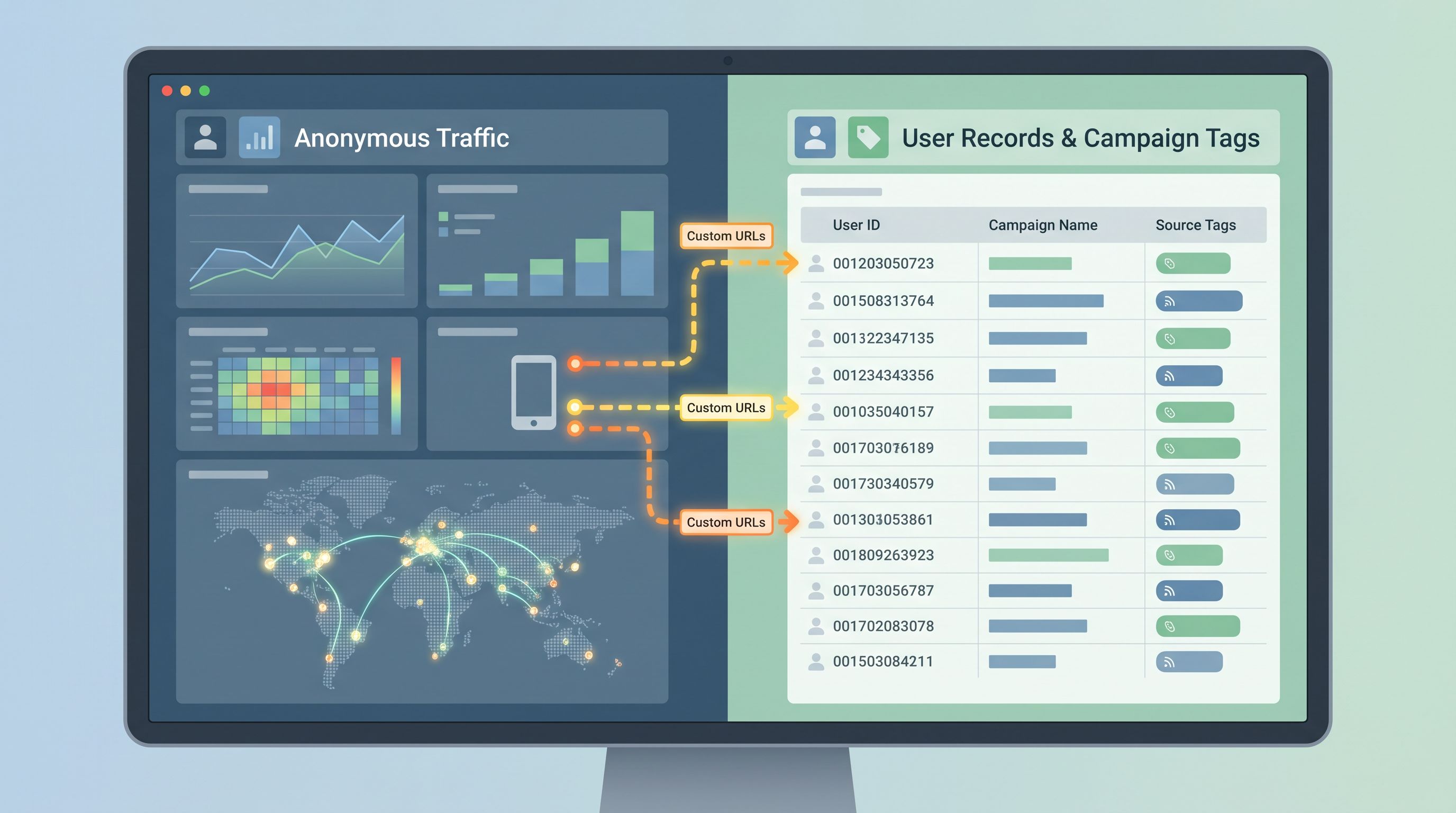
…you can turn anonymous traffic into clearly attributed, high-quality records your team can actually use.
This post is a deep dive into how to do exactly that.
Why the Attribution Gap Hurts More Than You Think
At first glance, attribution feels like a reporting problem: Which channel gets credit for this lead? But the real impact shows up in day-to-day decisions.
When you can’t reliably connect clicks to known users:
- Campaigns get over- or under-funded. You double down on what “seems” to work instead of what actually works.
- Sales and CS lose context. A rep jumps on a call with no idea which message, offer, or pain point got someone to raise their hand.
- Product feedback gets decontextualized. You see form responses, but not which persona, use case, or journey they came from.
- Experiments are blurry. You tweak subject lines, creatives, or offers—but the downstream data is too noisy to learn from.
On top of that, third-party tracking is getting weaker. Browsers are cracking down on cross-site cookies, users are more privacy-aware, and ad platforms are less willing (and able) to hand you perfect user-level paths.
That means first-party data—what people tell you directly via your forms—has to do more of the heavy lifting. If you haven’t read it yet, Forms as First-Party Data Engines is a great primer on why this shift matters.
Custom URLs plus prefilled fields give you a simple pattern:
Use the link itself to carry context all the way to the form, then store that context as structured, first-party data.
No brittle cookie chains. No mysterious black-box attribution. Just a clean, repeatable way to say: This submission came from this person, via this path, at this moment.
The Core Idea: Context In, Context Through, Context Saved
Let’s break the pattern into three steps:
- Context In – You generate a link with embedded context.
- Context Through – That context pre-populates hidden or visible fields in your form.
- Context Saved – Submissions sync into a system (like Google Sheets) where each row keeps that context forever.
1. Context In: Custom URLs as Carriers of Meaning
A “custom URL” is more than a vanity link. It’s a way to:
- Encode who you’re talking to (persona, role, account)
- Encode why you’re contacting them (campaign, offer, pain point)
- Encode where they came from (channel, sequence, rep)
Instead of sending everyone to:
https://forms.example.com/demo
You might use:
https://forms.example.com/demo/enterprise-finance-q3https://forms.example.com/demo/startup-founders-product-ledhttps://forms.example.com/demo/acme-inc-cxo-outreach
Under the hood, each of these can include parameters that your form understands, like:
?persona=vp_finance&segment=enterprise&campaign=q3_cost_control?persona=founder&segment=startup&campaign=plg_rollout?account=acme_inc&persona=cxo&sequence=outbound_wave_2
Those parameters don’t need to be user-facing, but they can be if you want to show them in the form.
If you’re already thinking in terms of sequences and personas, this pattern will feel familiar. Our post on Custom URL Playbooks for Sales walks through how sales teams are using one link per sequence, persona, and stage to keep outreach and forms in sync.
2. Context Through: Prefilling Form Fields From the URL
Once your link carries context, your form needs to do something with it.
With a tool like Ezpa.ge, you can map URL parameters to form fields so that when someone clicks the link:
- Their email is prefilled (when you already know it)
- Their company name or account ID is prefilled
- Their persona, campaign, or sequence is captured in hidden fields
- Their preferred meeting length or product interest is set by default
This does two things at once:
- Reduces friction. Users don’t have to re-type information you already have, which increases completion rates.
- Protects context. Even if cookies are blocked or sessions expire, the context travels with the link and lands directly in your first-party data.
3. Context Saved: Real-Time Sync to Sheets
The final step is persistence. When your form syncs to Google Sheets in real time:
- Each submission becomes a single row with both user-entered fields and hidden context fields.
- You can build funnels, cohorts, and segments directly in Sheets.
- You can tie back to CRM, marketing automation, or product analytics by using shared IDs.
If you want to go deeper on this, From Form to Funnel Map: Visualizing Every User Path in Google Sheets covers how to turn those rows into a clear map of every user path—not just the happy path.
Where Custom URLs + Prefills Shine
You can apply this pattern almost anywhere you use forms, but some scenarios get outsized value.
1. Outbound Sales Sequences
In outbound, context is everything. Your SDRs are already:
- Segmenting by persona and industry
- Running multi-touch email + LinkedIn + phone cadences
- Tailoring messaging by stage (cold, warm, re-engagement)
But when a prospect clicks, they often land on the same generic “Talk to sales” form.
Using custom URLs and prefilled fields, you can:
- Generate a unique form URL per sequence and persona, like
.../demo/enterprise-it-security-seq-a. - Prefill hidden fields like:
sequence_namepersonarep_owneroutreach_tool_id
- Prefill visible fields like company name or email when you’re confident they’re accurate.
Benefits:
- Cleaner attribution: You know exactly which sequence and touch drove the form submit.
- Better handoff: AEs see the full context in the form record, not just a name and email.
- Tighter experiments: You can A/B test messaging at the sequence level and see which variant leads to more meetings booked.
For a more detailed playbook, see Forms for Account-Based Marketing, which pairs this approach with ABM-style personalization.
2. Performance Marketing and Retargeting
Ad platforms are getting stricter with tracking, but you still control the destination URL.
For each campaign or ad group, you can:
- Use a dedicated custom URL:
https://forms.example.com/waitlist/ai-onboarding-course-fb-retargeting - Append parameters like:
?network=meta&campaign=retargeting_q2&creative=carousel_1?network=google&campaign=brand_bidding&keyword=ai_onboarding_tool
Your form can then:
- Store network, campaign, ad group, creative, and keyword in hidden fields.
- Prefill any known values if you’re using lead forms or prequalified audiences.
Over time, you’ll be able to answer:
- Which ad groups drive not just clicks, but qualified submissions?
- Which creative themes correlate with higher downstream revenue?
- Which keywords bring in the best-fit customers?
3. Partner and Affiliate Programs
If you run partner or affiliate programs, you’ve probably wrestled with:
- Referral links getting stripped or changed
- Partners wanting white-labeled experiences
- Messy spreadsheets trying to reconcile who sent whom
Custom URLs and prefills can help you:
- Issue each partner a clean, branded URL that still encodes their ID:
https://forms.example.com/apply/partner/acme-consulting - Use a hidden field like
partner_id=acme_consultingto attribute every submission. - Prefill fields like
heard_about_us_from = Acme Consultingso users see a familiar name.
Pair this with themes and you’re close to the pattern in Multi-Brand, One Stack: one form infrastructure, many branded experiences, clean attribution.
4. Product-Led Onboarding and In-App Forms
Inside your product, micro-forms and onboarding flows are rich with context you don’t want to lose:
- Which plan someone is on
- Which features they’ve tried
- Which team or workspace they belong to
Instead of building complex internal routing, you can:
- Link to an Ezpa.ge form with parameters like:
?plan=pro&feature=ai_summaries&workspace_id=1234 - Prefill those into hidden fields so your CS or product team sees context alongside feedback or requests.
Over time, you can analyze:
- Which features generate the most support or feedback
- How onboarding paths influence satisfaction or expansion
- Which workspaces are at risk based on their submissions
Our post on Form UX for AI Products goes deeper on how to use forms during onboarding to both personalize and collect training data—custom URLs and prefills are a natural extension of that pattern.
How to Implement This Pattern With Ezpa.ge (Step by Step)
Let’s walk through a practical setup using Ezpa.ge + Google Sheets.
Step 1: Design Your Attribution Schema
Before you touch URLs or forms, decide which questions you want to answer later. For example:
- Which channel brought this user here?
- Which campaign or sequence?
- Which persona or segment?
- Which rep, partner, or account?
Turn those into a small set of fields:
source_channelsource_campaignsequence_namepersonapartner_idaccount_idcreative_variant
Aim for:
- 5–10 fields max to start
- Clear, consistent naming
- Values that map cleanly to how you already report in CRM or BI
Step 2: Add Hidden Fields to Your Ezpa.ge Form
In Ezpa.ge:
- Open your form.
- Add hidden fields for each attribution dimension (e.g.,
source_channel,source_campaign,persona). - Optionally, add visible but read-only fields for things like
companyoremailif you want users to confirm or adjust them.
Hidden fields ensure you capture context without cluttering the UI.
Step 3: Map URL Parameters to Form Fields
Next, configure your form to read from the URL.
For each field, define a parameter name it should listen for. For example:
source_channel←?sc=source_campaign←?cmp=persona←?persona=rep_owner←?rep=
When someone visits:
https://forms.example.com/demo?sc=outbound_email&cmp=q3_pipeline&persona=vp_sales&rep=alex
Ezpa.ge will:
- Set
source_channel = outbound_email - Set
source_campaign = q3_pipeline - Set
persona = vp_sales - Set
rep_owner = alex
You can use the same pattern for visible fields:
?email=→ Email field?company=→ Company field?first_name=→ First Name field
Step 4: Generate Links for Each Use Case
Now the fun part: giving your team links they can actually use.
For sales sequences:
- Create a base custom URL:
https://forms.example.com/demo/enterprise-vp-sales - Layer on parameters per sequence step:
- Step 1:
?sc=outbound_email&cmp=q3_pipeline&persona=vp_sales&rep=alex&touch=1 - Step 2:
...&touch=2 - LinkedIn DM:
sc=linkedin_dm&...
- Step 1:
For ads:
- Base URL per campaign:
https://forms.example.com/waitlist/ai-onboarding-course - Parameters per ad group/creative:
?sc=meta_ads&cmp=retargeting_q2&adgroup=carousel&creative=a?sc=meta_ads&cmp=retargeting_q2&adgroup=carousel&creative=b
For partners:
- Base URL per partner:
https://forms.example.com/apply/partner/acme-consulting?sc=partner&partner_id=acme
Give these URLs to your team in a simple cheat sheet or internal doc so they don’t have to think about parameters; they just copy and paste.
Step 5: Wire Submissions Into Google Sheets
In Ezpa.ge, turn on real-time Google Sheets sync:
- Each submission becomes a row.
- Each field (including hidden attribution fields) becomes a column.
From there, you can:
- Build pivot tables by
source_channel,source_campaign,persona, orrep_owner. - Create simple dashboards showing submissions, conversion rates, and downstream metrics by source.
- Feed this Sheet into your CRM or marketing automation tool.
If you want to turn this into a living operations ritual, Ops Analytics, Not Dashboards walks through how to make form + Sheets data part of your weekly decision-making.
Step 6: Test, QA, and Iterate
Before rolling out widely:
- Test each link in an incognito window.
- Submit the form and verify the row in Sheets:
- Are all attribution fields populated as expected?
- Are prefilled visible fields correct and editable where they should be?
- Check that downstream tools (CRM, email, Slack alerts) see the same context.
Then iterate:
- Add or remove attribution fields based on what you actually use.
- Standardize parameter values (e.g., always
meta_ads, neverMeta,facebook,fb). - Create templates for new campaigns so you’re not reinventing the wheel.

Common Pitfalls (and How to Avoid Them)
Even a solid pattern can go sideways. Watch out for these traps:
1. Overcomplicating the schema.
If you start with 30 attribution fields, no one will maintain them.
- Start with 5–10 core fields.
- Add more only when you have a clear question they’ll answer.
2. Inconsistent naming.
q3_pipeline, Q3Pipeline, and q3-pipe look the same to humans, but not to your reports.
- Create a simple naming convention (e.g.,
q3_pipeline,q4_launch) and stick to it.
3. Asking users to correct your assumptions without context.
If you prefill company or email and get it wrong, it can feel creepy or sloppy.
- Use prefill for high-confidence data.
- Make key fields editable and add microcopy like: “Feel free to update if this isn’t quite right.”
4. Ignoring privacy and consent.
Prefilling personal data is powerful—but you need to do it thoughtfully.
- Avoid stuffing sensitive information into URLs.
- Use short-lived or hashed identifiers when possible.
- Make it clear what you’ll do with the data and honor opt-outs.
5. Letting links drift.
Over time, reps and marketers invent their own parameters.
- Maintain a central library of approved URLs.
- Periodically audit your Sheets for unexpected values and clean them up.
Bringing It All Together
When you combine custom URLs, prefilled fields, and real-time Sheets sync, you get a simple but powerful shift:
- From: “We had 300 clicks and 40 form submissions—probably from that campaign?”
- To: “We had 40 submissions from the Q3 pipeline sequence to VPs of Sales, 12 of which turned into qualified opportunities.”
You’re no longer guessing which anonymous clicks matter. You’re working with named, contextual records you can route, score, and learn from.
And you don’t need a new landing page or a heavyweight attribution platform to get there. You just need:
- A clear attribution schema
- Custom URLs that encode context
- Forms that read from those URLs and save context as first-party data
Quick Recap
- Attribution gaps aren’t just a reporting annoyance—they quietly distort budget, experiments, and customer conversations.
- Custom URLs let you encode who, why, and where directly into the link.
- Prefilled fields reduce friction for users and preserve context even when cookies or sessions fail.
- Hidden fields + Sheets sync turn each submission into a rich record you can analyze and act on.
- This pattern shines in outbound sales, ads, partner programs, and in-app flows.
- Start small: 5–10 attribution fields, consistent naming, and a central library of links.
Your Next Step
You don’t have to redesign your entire funnel to benefit from this. Pick one high-impact flow and pilot the pattern there.
For example:
- Choose a single form—like your main demo request or waitlist.
- Add 3–5 hidden fields for source, campaign, persona, and rep.
- Map URL parameters to those fields.
- Create custom URLs for one outbound sequence or one ad campaign.
- Turn on Google Sheets sync and watch the first week of submissions.
Within a few days, you’ll see the difference between anonymous clicks and clearly attributed, known users.
If you’re ready to try this with Ezpa.ge, start by creating a form, adding a couple of hidden fields, and generating your first custom URL. From there, you can layer on themes, multi-brand support, and more advanced Sheets workflows—but the biggest win comes from that first bridge across the attribution gap.
Make the next click to your form one you can actually recognize—and build from there.