Multi-Brand, One Stack: Running Franchises, Agencies, and Resellers with Themes + Custom URLs

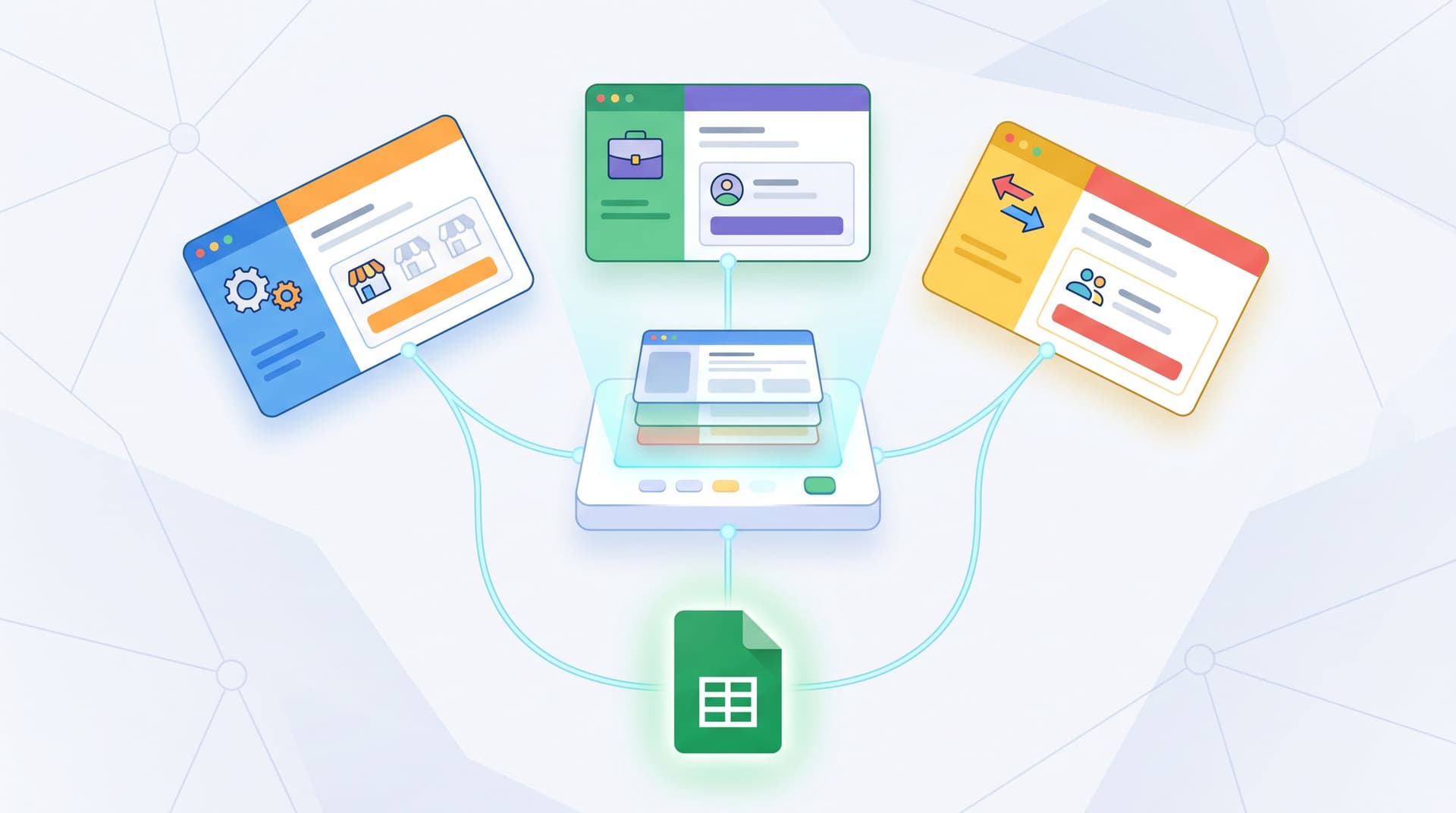
If you run marketing for a franchise network, an agency portfolio, or a reseller program, you know the tension:
- Every brand wants its own look, tone, and URL.
- Your ops team wants one clean system that doesn’t collapse under its own weight.
Forms sit right at the center of that tension. They’re where leads, bookings, and applications actually become data. If every new brand means a new form tool, a new domain, and a new reporting setup, you end up with:
- Fragmented data
- Inconsistent UX
- Nightmarish maintenance
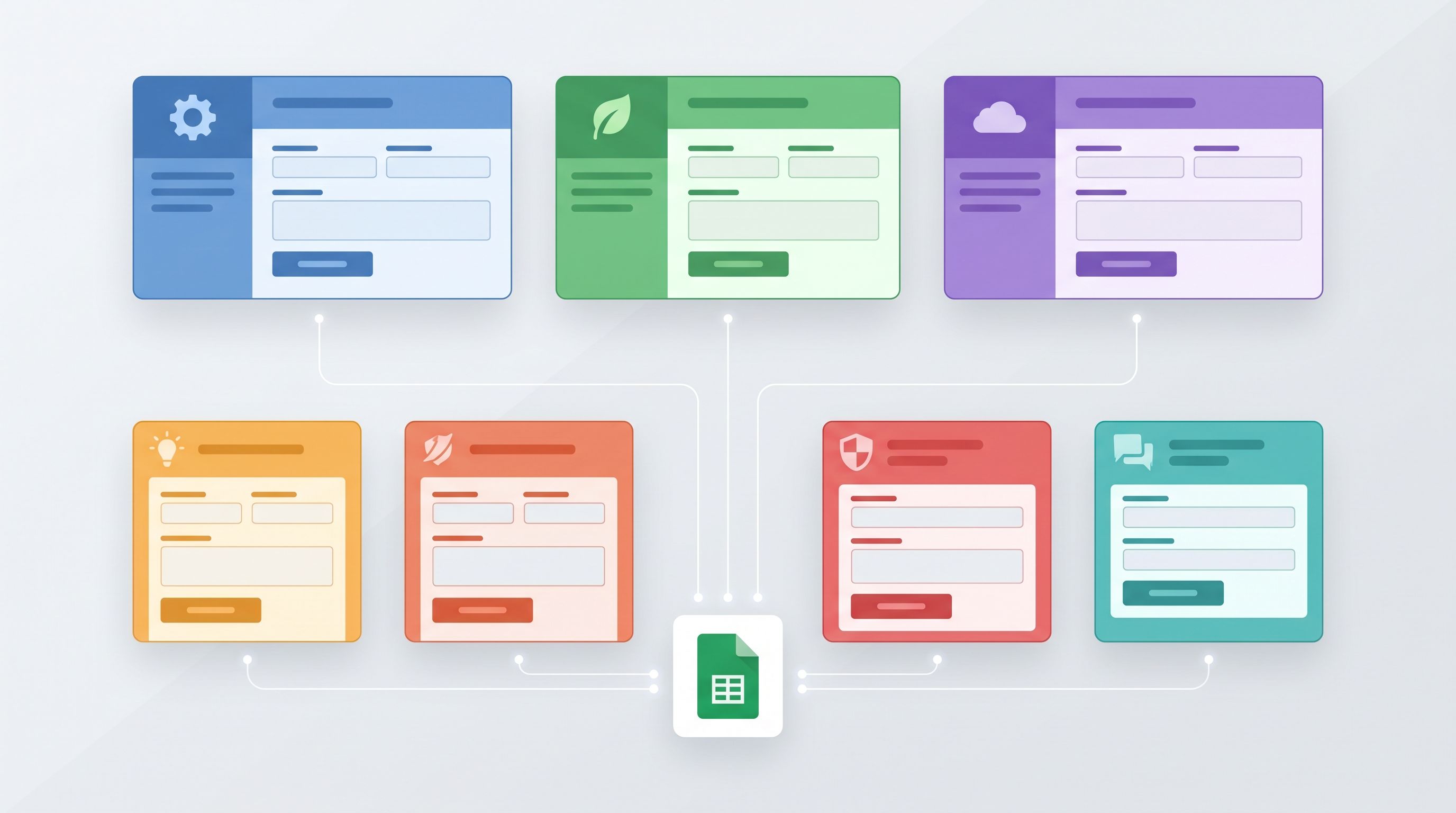
A better pattern is multi-brand, one stack: a single form infrastructure that can flex across brands using themes and custom URLs, while keeping everything flowing into the same operational backbone (like Google Sheets).
This post is about what that looks like in practice—and how you can use Ezpa.ge to get there.
Why multi-brand on one stack matters
Whether you’re running franchises, client accounts, or reseller partners, you’re likely facing some version of these problems.
1. Consistency without sameness
You don’t want every brand to look identical. But you also don’t want 40 different interpretations of what a “lead form” is.
A shared stack with themes and custom URLs lets you:
- Standardize structure: same field logic, validation, and data schema.
- Customize expression: colors, typography, logos, and microcopy tuned to each brand.
- Reuse patterns: error handling, security defaults, and mobile behavior that you know works.
If you care about how trust is built at the URL level, you’ll want to think about link structure as part of this, too. We’ve written more about that in Custom URLs as Brand Signals.
2. Centralized data, decentralized experiences
Multi-brand teams often feel forced to choose:
- Centralized data with generic, off-brand forms, or
- Beautiful, brand-specific flows that dump data into separate tools.
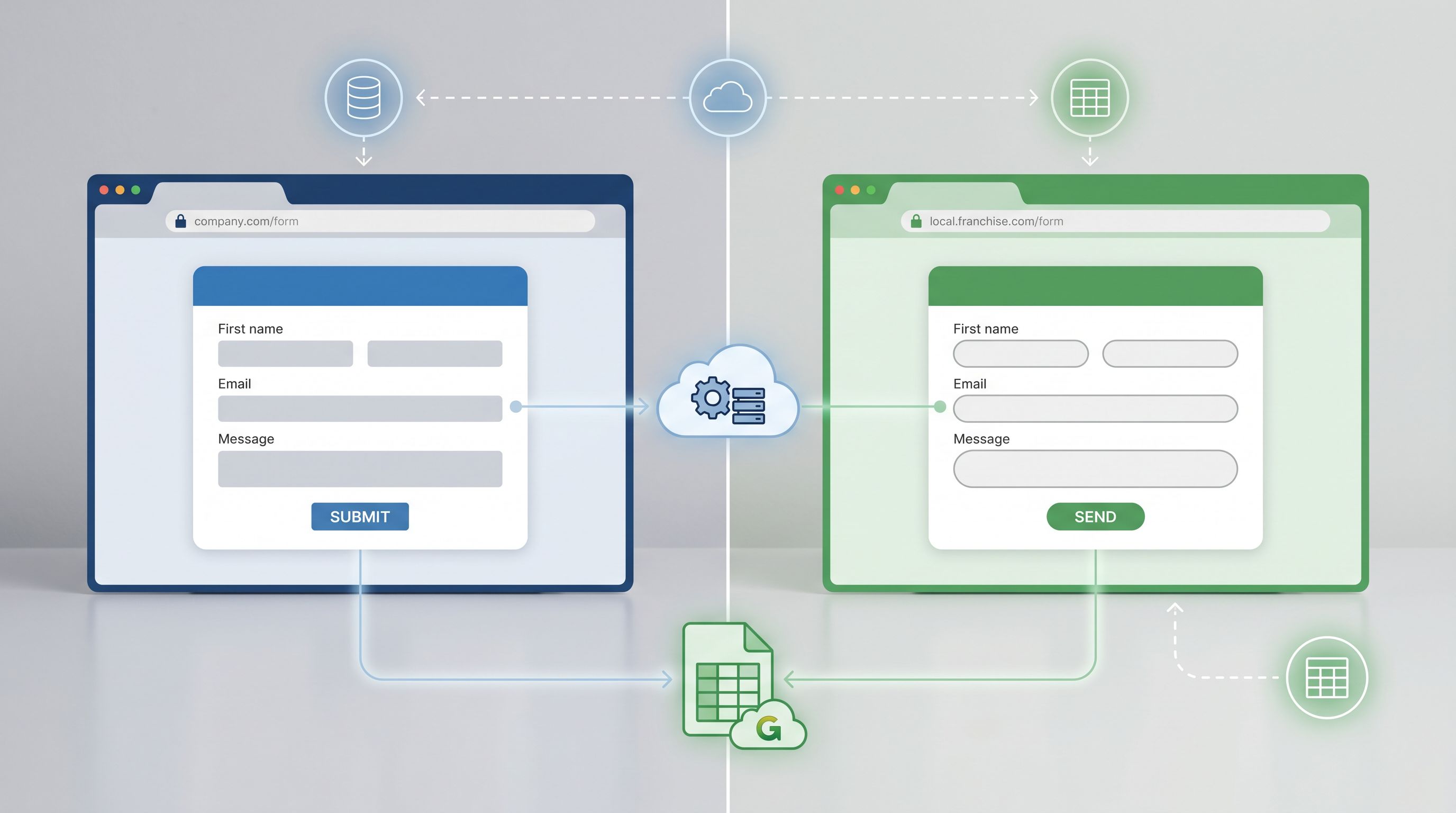
A single stack with real-time Google Sheets syncing gives you both:
- Centralized ops: one Sheets-based backbone for routing, scoring, and reporting.
- Local flavor: each brand, franchisee, or client gets forms that feel like their own.
That’s the same principle we use in Form UX for Global Teams—parallel experiences, unified operations.
3. Scale without multiplying complexity
New franchise location? New agency client? New reseller tier?
If adding one more brand means:
- New form tool
- New domain
- New integration
…you’re building a house of cards.
Instead, you want:
- One Ezpa.ge workspace
- One Sheets backbone
- Many themes + custom URLs layered on top
So “adding a brand” becomes:
Duplicate a proven form → apply a theme → assign a custom URL → map to the right Sheet tab.
Core building blocks: themes, URLs, and Sheets
Before we get tactical, let’s ground on the three pillars of a multi-brand stack in Ezpa.ge.
Themes: your brand skins
A theme is the visual and interaction layer:
- Colors, gradients, and backgrounds
- Typography and text sizes
- Button styles and hover states
- Field shapes, spacing, and focus states
- Error, success, and helper text styling
For multi-brand, themes let you:
- Create a base system (e.g., “lead form layout”) and then
- Skin it differently for each brand without touching the underlying structure.
This is the same idea we explore in Adaptive Themes in the Wild—but applied across brands instead of channels.
Custom URLs: your trust anchors
Custom URLs do three big jobs for multi-brand teams:
-
Reinforce brand identity
https://forms.brand-a.com/demofeels very different fromhttps://generictool.com/x7Hjk. -
Clarify ownership
Especially for franchises or resellers, the URL can signal who is actually providing the service. -
Keep routing and tracking clean
URL structure is a powerful way to encode brand, location, and campaign without extra hidden fields.
If you want to go deeper on how link structure itself shapes trust and conversion, bookmark Custom URLs as Brand Signals for later.
Google Sheets: your shared nervous system
With Ezpa.ge, every submission can sync into Google Sheets in real time. For multi-brand setups, that means:
- Shared schemas across brands
- Filters and pivot tables that can slice by brand, location, or partner
- Simple formulas for scoring, routing, or SLAs
You can layer on more advanced patterns from posts like Sheets-Native Scoring and Ops Analytics, Not Dashboards once the basics are in place.
Designing your multi-brand model
Before you build anything, decide how you want to represent brands inside your stack.
Step 1: Define your brand dimensions
For most teams, “brand” isn’t just a logo. It’s a combination of:
- Brand family (e.g., corporate vs. sub-brand vs. white-label partner)
- Location or region (e.g., city, country, territory)
- Channel or offer (e.g., demo request, booking, feedback)
Write this out explicitly. For example:
- Brand family:
Franchise A,Franchise B,Corporate - Location:
City,State,Country - Offer:
Demo,Consult,Quote,Waitlist
These dimensions will show up in your:
- Theme naming
- URL structure
- Sheets schema
Step 2: Decide your URL strategy
Next, sketch how custom URLs will encode these dimensions. A few patterns that work well:
-
Subdomains per brand, paths per location
https://forms.franchise-a.com/denver/demohttps://forms.franchise-b.com/austin/quote
-
Subdomains per region, paths per brand
https://us.formsnetwork.com/franchise-a/demohttps://eu.formsnetwork.com/franchise-a/demo
-
Partner-specific domains for resellers
https://partnername.yournetwork.com/signup
Aim for URLs that:
- Look trustworthy at a glance
- Are easy to read aloud
- Encode enough information to route and report on later
You don’t need to overcomplicate this; you just need a pattern you can stick to.
Step 3: Decide your Sheets schema
In Google Sheets, you’ll want columns that mirror your brand dimensions. At minimum:
brand_familybrand_idorclient_idlocation_citylocation_regionoffer_type(demo, consult, etc.)source_url(full URL of the form)
You can populate these via:
- Hidden fields in Ezpa.ge
- URL parameters
- Formula-based parsing of
source_url(e.g., splitting by/to extract brand and location)
Once you have that, everything else—routing, reporting, SLAs—becomes much easier.
Building themes for franchises, agencies, and resellers
With your model in place, it’s time to build out themes.
Start with a base theme system
Create a base theme in Ezpa.ge that encodes your shared UX standards:
- Field spacing and grouping
- Mobile breakpoints
- Error states and helper text behavior
- Button placement and primary/secondary hierarchy
This base theme is your “form OS.” Every brand-specific theme should inherit its structure.
Layer on brand-specific themes
For each brand, franchise, or client, create a theme that adjusts:
- Colors: primary, accent, background, and error colors aligned with their palette.
- Typography: font family and weight that match their main site (or a close system font if you’re staying lean).
- Logo and imagery: brand logo, optional header image, or subtle background patterns.
- Microcopy tone: default labels, button text, and helper copy that sound like them.
A few practical tips:
- Name themes clearly:
Base / Lead,BrandA / Lead,BrandB / Lead,PartnerX / Feedback. - Limit variations: resist the urge to create a new theme for every tiny tweak. Group by use case.
- Document defaults: keep a short doc that says, “For new Franchise A locations, use these themes + URL patterns.”
Reuse patterns that protect trust
No matter how different brands look, some UX patterns should stay consistent—especially around safety and clarity.
- Clear explanations for sensitive questions
- Minimal data collection by default
- Friendly, human error messages
If you’re handling sensitive topics (financial, medical, HR), pull patterns from Forms as Brand Safe Rooms and Secure by Default into your base theme, then let each brand adjust tone slightly.
Mapping themes + URLs to real workflows
Let’s look at how this plays out for three common scenarios.
1. Franchise networks: local feel, central control
Goal: Give each location its own branded forms and URLs while keeping data and workflows unified.
Pattern:
- Base theme:
Franchise / Lead(shared layout + UX) - Per-location variants:
Franchise / Lead / CityName(logo + color tweaks, optional local imagery) - URLs:
https://forms.franchise.com/{city}/{offer}
Example forms:
https://forms.franchise.com/denver/consulthttps://forms.franchise.com/seattle/quote
Sheets setup:
- One main Sheet:
Franchise Leads - Tabs per region or per funnel stage
- Columns for
city,region,offer_type,source_url
Benefits:
- Marketing can run city-specific campaigns with matching URLs and themes.
- HQ sees one consolidated pipeline and can compare performance by city.
- New locations are a matter of duplicating a form, applying a theme, and setting a URL.
2. Agencies: client-specific experiences on a shared backbone
Goal: Offer white-labeled lead gen, intake, or onboarding forms for clients—without spinning up a new stack for each.
Pattern:
- Base themes:
Agency / Lead,Agency / Intake,Agency / Feedback - Per-client themes:
ClientX / Lead,ClientY / Intakewith their branding. - URLs:
https://forms.youragency.com/client-x/demo- Or client-specific domains CNAME’d to Ezpa.ge:
https://forms.client-x.com/demo
Sheets setup:
- One master Sheet:
Agency Clients - Columns:
client_id,client_name,offer_type,campaign,source_url - Views or filters per client (or separate Sheets mirrored via IMPORTRANGE if you want to share access).
Benefits:
- You can standardize what “good” looks like for forms across clients.
- Clients get forms that feel native to their brand and domain.
- Your team only maintains one integration surface and one set of best practices.
3. Resellers and partner programs: co-branded flows
Goal: Let partners send traffic to forms that highlight their brand while still clearly showing your product or service.
Pattern:
- Themes that support co-branding:
- Partner logo + your logo
- Neutral base palette with accent colors from both brands
- URLs:
https://partnername.yournetwork.com/signup- Or
https://forms.yourbrand.com/partner/partnername/signup
Sheets setup:
- Columns for
partner_id,partner_tier,commission_rate, etc. - Simple formulas to tag and route leads to the right partner manager.
Benefits:
- Partners feel represented and invested (their brand is visible).
- Your brand still anchors the experience and owns the data.
- You can roll out new offers across all partners by updating a single base form + theme.
Operational guardrails that keep your stack sane
Multi-brand systems tend to fail not because of tooling, but because of drift. A few guardrails will save you a lot of pain.
Guardrail 1: A naming convention you actually follow
Pick a simple, descriptive naming pattern for forms and themes and stick to it.
For forms:
{BrandFamily} / {Location} / {Offer}
e.g.,FranchiseA / Denver / Consult
For themes:
{BrandFamily} / {UseCase}
e.g.,ClientX / Lead,PartnerY / Signup
Guardrail 2: A URL playbook
Write a one-page URL playbook and share it with anyone who creates forms. Include:
- Approved subdomains
- Path patterns (e.g.,
/city/offer,/client/offer) - Rules for UTM parameters
This keeps your URLs readable, trustworthy, and easy to parse for reporting.
If you want to go deeper on how to design URLs as deliberate brand surfaces, revisit Custom URLs as Brand Signals.
Guardrail 3: A shared schema contract
Decide which columns in your Sheet are sacred—meaning:
- Every form must populate them.
- Their meaning doesn’t change per brand.
For example:
brand_familybrand_idoffer_typecreated_atsource_url
You can add brand-specific fields, but the core stays the same. That’s what lets you run cross-brand analytics and consistent routing rules.
Guardrail 4: Theme reviews instead of one-off redesigns
When someone wants to change the look of a form, encourage them to:
- Propose a theme update (or a new theme), not a one-off form hack.
- Consider if the change should apply to all forms of that brand/use case.
- Run small experiments at the theme layer—see Theme-Driven A/B Testing for ideas.
This keeps your system coherent and makes improvements compound instead of fragment.
Getting started with Ezpa.ge for a multi-brand stack
If you’re ready to move toward a multi-brand, one-stack setup, here’s a practical starting plan.
1. Inventory what you already have
List your current forms, tools, and brands:
- Which brands/franchises/clients are you supporting?
- Which form tools are in use today?
- Where does the data land (Sheets, CRM, inboxes)?
Highlight the forms that are:
- Most critical to revenue or operations
- Most duplicated across brands (e.g., “contact,” “demo,” “intake”)
2. Choose one high-leverage flow to unify
Don’t start with everything. Pick one flow that:
- Exists across multiple brands (e.g., “request a quote”)
- Has clear business impact
- Is currently fragmented
This becomes your pilot.
3. Design your base form and schema
In Ezpa.ge:
- Build a base form for that flow with:
- Clean field structure
- Clear helper text and error states
- Minimal required fields
- Map it to a new Google Sheet with your shared schema columns.
4. Create themes for 2–3 brands
For your pilot brands:
- Create brand-specific themes that align with their existing sites.
- Apply those themes to duplicates of your base form.
You should now have:
Base / Quote(internal reference)BrandA / Quote(themed form)BrandB / Quote(themed form)
All feeding into the same Sheet.
5. Assign custom URLs and test routing
Set up custom URLs for each form using your chosen pattern. Then:
- Submit test entries from each URL.
- Confirm that
brand_family,brand_id, and other key fields are populated correctly. - Check that your Sheets filters or routing rules behave as expected.
6. Roll out, then iterate
Once the pilot is stable:
- Roll the pattern out to more brands.
- Add more flows (e.g., feedback, onboarding, support requests).
- Introduce more advanced patterns over time (scoring, progressive profiling, AI-curated follow-ups, etc.).
Because everything sits on one stack, each improvement benefits multiple brands at once.
Summary
Running franchises, agencies, or reseller programs doesn’t have to mean juggling a dozen form tools and a maze of spreadsheets.
By treating themes, custom URLs, and Google Sheets as first-class building blocks, you can:
- Give each brand a form experience that feels truly its own.
- Keep your data clean, centralized, and ready for action.
- Add new brands and offers without multiplying complexity.
A multi-brand, one-stack approach is less about technology and more about patterns:
- Shared schemas, local expression.
- Central control, local autonomy.
- One backbone, many faces.
When your forms are set up this way, bringing on a new franchisee, onboarding a new client, or signing a new reseller doesn’t mean “new stack.” It means: duplicate, theme, URL, done.
Where to go from here
If you’re ready to simplify your multi-brand operations:
- Pick one flow—like demo requests or quote forms—that exists across multiple brands.
- Rebuild it once in Ezpa.ge with a clean schema and a base theme.
- Spin up 2–3 themed variants with custom URLs for your highest-priority brands.
- Connect them to a single Google Sheet and watch how much easier routing, reporting, and optimization become.
From there, you can layer on more advanced strategies:
- Brand-safe patterns for sensitive topics from Forms as Brand Safe Rooms
- Theme-level experimentation from Theme-Driven A/B Testing
- Sheets-powered scoring and weekly ops rituals from Sheets-Native Scoring and Ops Analytics, Not Dashboards
If you want a form stack that can actually keep up with your brand portfolio, start by unifying the foundation. Themes, custom URLs, and real-time Sheets syncing give you the leverage to run many brands—with one, resilient system underneath.