From Survey to System: Designing Feedback Forms That Actually Change Your Roadmap


Product teams don’t suffer from a lack of feedback.
They suffer from:
- Vague “this feels clunky” comments
- NPS scores with no clear next step
- Long survey docs that no one reads twice
- Roadmaps that move based on the loudest voice, not the clearest signal
The gap isn’t data. It’s structure.
A feedback form can be a glorified suggestion box—or the front door to a decision-making system that shapes what you build next, week after week. This post is about designing for the latter.
We’ll walk through how to design feedback forms (and the systems behind them) so that every response has a clear path: from user → form → spreadsheet → prioritization → roadmap.
Why “Just Ask for Feedback” Usually Fails
Most feedback initiatives start with good intentions:
“Let’s send a survey and see what people think.”
Then reality hits:
- Responses are scattered across tools.
- Questions are too broad to be actionable.
- No one agreed upfront how decisions will be made.
- A few colorful quotes overshadow the overall pattern.
The result: a spike of activity, a slide deck, maybe a one-off roadmap tweak—and then things go back to normal.
If you want feedback that reliably changes your roadmap, you need to design three things together:
- The questions you ask (and how you ask them)
- The structure of the data (so it can flow into systems you already use)
- The decision rules (how feedback translates into prioritization)
Tools like Ezpa.ge help with the second piece out of the box: you get customizable themes, custom URLs, and real-time syncing into Google Sheets—so your feedback doesn’t get trapped in a silo. But the real leverage comes from combining that plumbing with intentional form design.
Start With Decisions, Not Questions
Before you write a single question, answer this:
“What specific decisions do we want this feedback to inform in the next 30–90 days?”
Examples:
- “Should we invest in improving onboarding, search, or reporting next quarter?”
- “Which integrations are most important for our next partnership sprint?”
- “What’s blocking power users from adopting Feature X?”
Once you have 2–3 concrete decisions, you can work backwards.
For each decision, define:
- Signals you need
- e.g., “Relative importance of areas of the product,” “Top 3 feature requests by segment,” “Biggest friction in first week of use.”
- Segments that matter
- e.g., plan type, team size, role, region, device.
- Output format
- e.g., a ranked list, a simple score, a set of tagged themes.
This is the difference between “How satisfied are you with our product?” and “Rank these areas by how much improvement would change your day-to-day work.” One is a vibe; the other is a steering wheel.
If you want more help thinking through user intent before you touch the form, read Flow, Not Fields: Mapping Your User’s Mental Journey Before You Design a Single Input.
Design the Feedback Form as a Conversation
People give better feedback when the form feels like a guided conversation, not a test or a complaint box.
Anchor on one primary goal
Pick a single headline goal for the form, and let that focus every question:
- “Understand what to improve in the core experience.”
- “Prioritize integrations for the next 2 quarters.”
- “Collect friction points in the first 7 days.”
Anything that doesn’t serve that goal is either:
- A separate form
- Or a later phase of research
Mix structure with depth
You want structured fields for analysis and open text for nuance.
A solid pattern:
-
Screening & segmentation
- Role, company size, plan type, usage frequency, device.
- Keep these quick: dropdowns, radios, and sensible defaults. (For more on how defaults shape behavior, see The Psychology of Defaults: How Pre-Filled Answers Shape Form Completion Rates.)
-
Priorities & tradeoffs
- “Which of these would you most like us to improve?” (single choice)
- “Rank these areas from most to least important to you.” (ordered list)
- “If we only fixed one thing in the next 3 months, what should it be?” (radio + optional text)
-
Experience & friction
- “How easy is it to accomplish [core task]?” (1–5 scale)
- “What almost made you give up?” (short text)
-
Impact & value
- “If we solved your top issue, how much would that affect your use of [product]?” (1–5 scale)
- “Describe what would be different about your day if this worked perfectly.” (long text)
-
Follow-up & consent
- “Can we contact you about your feedback?” (yes/no)
- “Best email to reach you.” (email field)
Respect their time
Feedback is a favor. Treat it like one.
- State the purpose upfront.
- “We’re using this survey to choose what we improve next quarter. It should take 4–6 minutes.”
- Show progress.
- Multi-step forms with clear progress indicators keep people from bailing halfway.
- Avoid question creep.
- If a question won’t change a decision, it probably doesn’t belong.
For more on keeping forms focused while still capturing rich data, check out Form Fatigue Is Real: Designing Shorter Flows That Still Capture Rich Data.
Make Every Answer Machine-Readable
If you want feedback to drive your roadmap, you have to be able to sort, filter, and aggregate it quickly. That starts with how you design fields.
Use structured inputs for recurring themes
Wherever you expect repeated patterns, use:
- Multiple choice (single or multi-select)
- Scales (1–5, 0–10)
- Dropdowns with clear options
Examples:
- Instead of: “Which part of the product needs the most work?” (open text)
- Use: “Which area needs the most improvement?” (radio with 5–7 key areas) + “Tell us more” (optional text).
This lets you:
- Rank problem areas by frequency and segment
- Turn raw responses into charts in minutes
Keep text fields, but design them with intent
Open text is where gold lives—specific bugs, surprising use cases, emotional language—but it’s harder to process.
Make text fields do specific jobs:
- “What almost made you give up?” → friction stories
- “If you could wave a magic wand and change one thing, what would it be?” → aspirational feature ideas
- “Anything else you want us to know?” → catch-all, but optional
Then, plan for tagging:
- Create a column in your synced Google Sheet for “Theme.”
- As you review responses, tag each with 1–2 themes (e.g., “onboarding,” “search,” “performance,” “billing”).
- Over time, this becomes a powerful dataset: you can filter by theme, segment, and impact.
If your forms already sync into Sheets, you can use the patterns from Real-Time Guardrails: Using Google Sheets Logic to Auto-Clean and Validate Form Data to standardize tags, normalize scales, and catch inconsistencies as they come in.
Design for consistent data
A few practical tips:
- One concept per field.
- Don’t bundle “support + docs + onboarding” into one question if you’ll want to separate them later.
- Consistent scales.
- Pick one main scale (e.g., 1–5) and stick to it across questions.
- Clear labels.
- “1 = very difficult, 5 = very easy” beats “Rate ease of use.”
Connect Feedback Directly to Your Roadmap
Collecting feedback is step one. The magic happens when it flows into the tools and rituals that shape your roadmap.
Route everything into a live spreadsheet
If you’re using Ezpa.ge, set your feedback form to sync into a dedicated Google Sheet. That Sheet becomes your feedback hub:
- Each row = one response
- Each column = a question, tag, or derived metric
From there, you can:
- Build pivot tables by segment and theme
- Create simple dashboards (e.g., “Top 5 requested improvements this month”)
- Filter for high-impact responses (e.g., low satisfaction + high revenue plan)
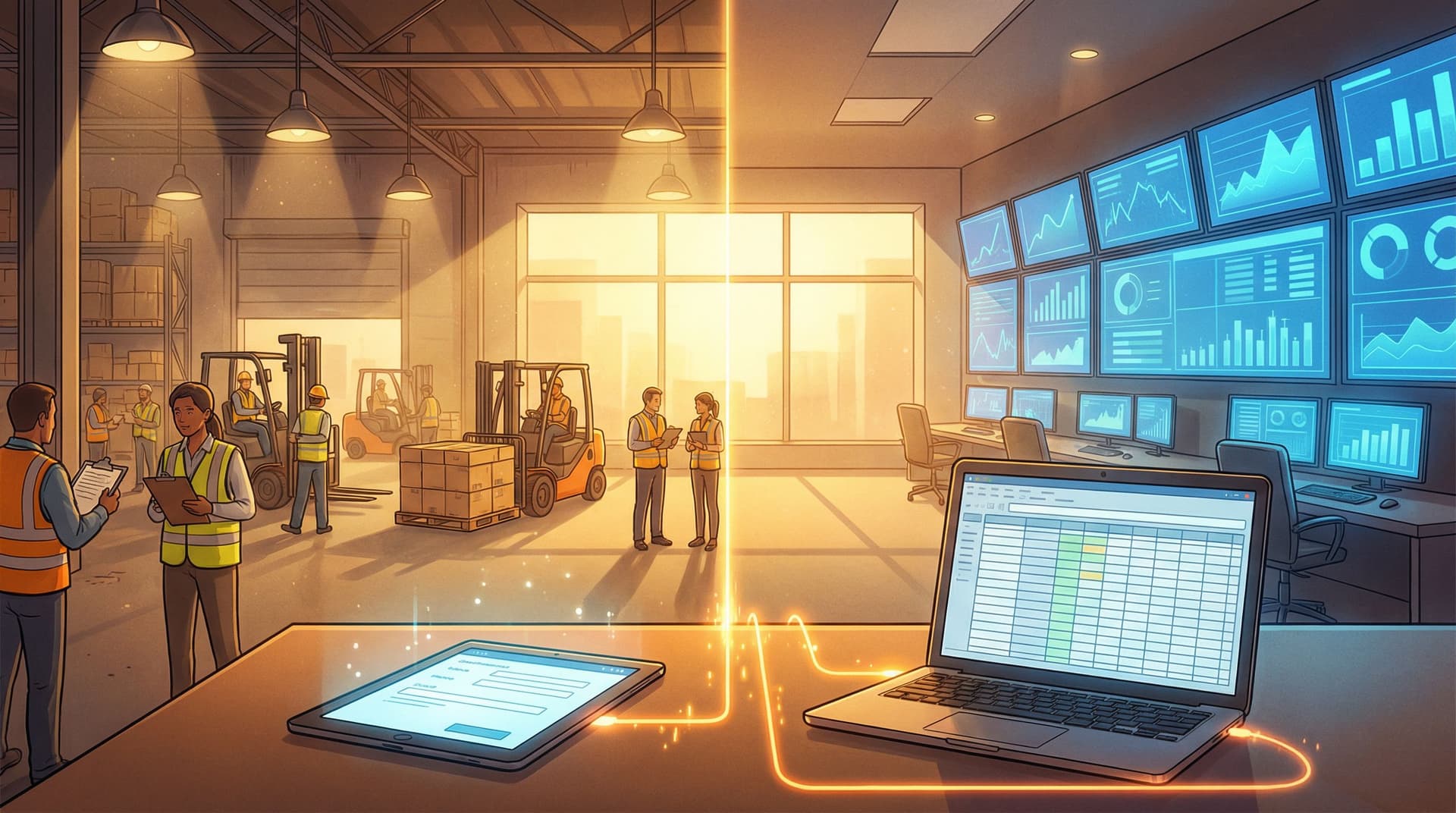
If your work happens across warehouses, clinics, campuses, or job sites—and your team still lives in clipboards and whiteboards—this hub can become the single source of truth for what users are asking for. See Offline Teams, Online Forms: Operational Playbooks for Making Google Sheets Your Single Source of Truth for patterns to make that stick.
Define decision rules upfront
To avoid “whoever shouts loudest wins,” define how feedback will influence priorities before responses roll in.
For example, you might:
- Score opportunities using a simple model like RICE:
- Reach: how many users are affected?
- Impact: how much would this change their experience?
- Confidence: how strong is the signal from feedback + usage data?
- Effort: how much work will it take?
- Set thresholds that trigger a conversation:
- “If 30%+ of power users mention onboarding friction in a month, we review onboarding in the next roadmap meeting.”
- “If a new integration request appears in 10+ accounts over 60 days, we evaluate it for the partnership backlog.”
The key: feedback doesn’t automatically dictate the roadmap, but it does automatically create candidates for discussion.
Make feedback visible in roadmap rituals
Build habits that keep feedback close to decision-makers:
- Weekly triage.
- A 30-minute session where someone reviews new responses, tags themes, and flags notable quotes.
- Monthly synthesis.
- A short report or dashboard: top themes, changes since last month, notable user stories.
- Roadmap review inputs.
- When you propose roadmap items, include a “User Feedback” section with:
-
of responses mentioning the theme
- Representative quotes
- Segments most affected
-
- When you propose roadmap items, include a “User Feedback” section with:
When feedback is summarized and surfaced this way, it stops being “noise” and becomes one of the core inputs alongside revenue, strategy, and technical constraints.

Close the Loop With Respondents
Feedback that disappears into a void erodes trust. Feedback that leads to visible change builds loyalty.
Design your system so that closing the loop is automatic, not aspirational.
Capture permission to follow up
Earlier, we added:
- “Can we contact you about your feedback?”
- “Best email to reach you.”
Use those fields to:
- Ask clarifying questions when someone surfaces a nuanced problem.
- Invite users to betas of features they requested.
- Send personal thank-yous when their feedback directly shapes a change.
Announce changes in terms of feedback
When you ship improvements:
- Reference the themes you heard:
- “Many of you told us onboarding felt confusing—especially when inviting teammates. We’ve redesigned the invite flow so…”
- Where appropriate, quote anonymized feedback:
- “One customer put it best: ‘I just want to send a link and know my team will land in the right place.’ That’s exactly what this update does.”
You can do this via:
- Release notes
- In-app announcements
- Email updates to the subset of users who mentioned that theme
Turn post-launch into another feedback loop
After you ship a change based on feedback, send a targeted mini-survey to the affected users:
- “We recently updated [feature] based on your feedback. How does it feel now?”
- Include:
- A simple satisfaction or ease-of-use scale
- One open text field: “What’s better? What still feels off?”
Because Ezpa.ge forms can live behind custom URLs and share themes, you can spin up these focused follow-up forms quickly without breaking your visual system.
Build a Reusable Feedback System, Not One-Off Surveys
The first survey takes the most work. After that, your goal is to reuse patterns instead of reinventing them.
Standardize your feedback form components
Create a small library of reusable blocks:
- Segmentation block
- Role, company size, plan, region
- Experience block
- Ease-of-use scale + “What almost made you give up?”
- Impact block
- “If we fixed this, how much would it change your use of [product]?”
- Consent block
- Contact permission + email
With Ezpa.ge, you can design these once in a theme or template, then clone them across forms—so every new feedback initiative fits your system and syncs cleanly into Sheets.
For a broader view on scaling your form ecosystem, see Design Once, Reuse Everywhere: Building a Scalable Form System for Your Entire Team.
Align your tagging and metrics
Across all feedback forms, keep a consistent set of:
- Themes (e.g., onboarding, performance, billing, integrations, UI, docs)
- Scales (e.g., 1–5 ease, 0–10 NPS)
- Segmentation fields
This lets you:
- Compare feedback across time and cohorts
- Spot emerging themes early
- Answer questions like “How have onboarding complaints changed since the redesign?” without cleaning three different datasets.
Use real-time data to iterate quickly
Because Ezpa.ge syncs responses into Google Sheets in real time, you don’t have to wait weeks to learn.
A simple workflow:
- Launch your form to a small segment.
- Watch early responses in the Sheet.
- Within a day, identify confusing questions (lots of skipped answers or odd responses).
- Tweak wording, reorder questions, or adjust options.
- Roll out to a wider audience.
If you want a deeper dive into this style of rapid iteration, read Real-Time Form Optimization: Using Live Google Sheets Data to Iterate in a Single Day.
Putting It All Together: A Simple Blueprint
Here’s a concise blueprint you can adapt for your own feedback-to-roadmap system.
-
Clarify decisions.
- List 2–3 roadmap decisions you want this feedback to inform.
-
Design the form.
- Start with segmentation, then priorities, friction, impact, and follow-up.
- Mix structured fields with targeted text questions.
-
Wire it to Sheets.
- Use Ezpa.ge to sync responses into a dedicated Google Sheet.
- Add columns for tags, scores, and notes.
-
Define decision rules.
- Choose a simple scoring model (e.g., RICE).
- Set thresholds that trigger roadmap discussions.
-
Create rituals.
- Weekly triage, monthly synthesis, and roadmap reviews that explicitly reference feedback.
-
Close the loop.
- Follow up with respondents when their feedback shapes a change.
- Announce changes in terms of the problems users described.
-
Standardize & reuse.
- Turn your best questions and blocks into reusable templates.
- Keep themes, scales, and segments consistent across forms.
Summary
Feedback only changes your roadmap when it’s:
- Collected with specific decisions in mind
- Structured so it can be analyzed, not just read
- Connected to the tools and rituals that shape priorities
- Part of a loop where users see their input turn into action
By treating your feedback form as the front-end of a simple system—Ezpa.ge form → Google Sheet → tagging and scoring → roadmap rituals—you move from “we ran a survey once” to “we have a living signal that guides what we build.”
Your Next Step
You don’t need a massive research project to start.
Here’s a concrete first move you can make this week:
- Pick one upcoming roadmap decision you’re unsure about.
- Draft a 5–7 question feedback form focused entirely on that decision.
- Build it in Ezpa.ge with:
- A clear intro explaining how responses will be used
- Structured fields for segments and priorities
- One or two sharp open questions about friction and impact
- Real-time syncing into a new Google Sheet
- Share it with a targeted group of users.
- Block one hour next week to review the Sheet, tag themes, and score opportunities.
Once you’ve run that small loop end-to-end, you’ll have more than a survey—you’ll have the foundation of a feedback system that actually moves your roadmap.
And from there, you can keep layering on: better themes, smarter tagging, richer rituals. One well-designed form at a time.