Design Once, Reuse Everywhere: Building a Scalable Form System for Your Entire Team


Forms start simple.
A newsletter signup here. A beta waitlist there. A quarterly NPS survey. A partner intake form.
Then suddenly you wake up with 60+ live forms, three teams cloning “that one high-converting layout,” and no one is sure which version is the real one. Design drifts. Data structures diverge. Someone in sales quietly spins up their own Typeform. Product ships a Google Form. Marketing has three different “primary” themes.
You don’t have a form problem—you have a system problem.
A scalable form system is how you get out of that spiral. Instead of designing every form from scratch, you:
- Define reusable building blocks
- Standardize how they look and behave
- Make them dead simple for anyone on the team to assemble
With tools like Ezpa.ge—where themes, custom URLs, and real-time Google Sheets syncing come built-in—you can move from “one-off forms” to a reliable, reusable form platform your whole org can lean on.
This guide walks through how to design once and reuse everywhere, without sacrificing creativity or performance.
Why a Form System Matters More Than Another Pretty Layout
Before we get tactical, it’s worth asking: why bother with a system at all?
1. Consistency builds trust
Users shouldn’t have to relearn how your forms work every time they see a new one.
A system gives you:
- Predictable patterns for labels, error messages, and button placement
- Familiar visuals—colors, typography, spacing—that feel like your brand
- Reliable behavior—validation, progress indicators, and post-submission flows that “just work”
When every form feels like part of the same family, completion rates go up simply because people feel more confident. If you want to go deeper on this, check out how we use motion and feedback to build trust in From Click to Confidence.
2. Speed without chaos
A new campaign or feedback loop shouldn’t require:
- A Figma file from scratch
- A designer and a developer on every change
- A week of internal debate over button color
A good system turns “we need a form” into:
Pick a template → choose a theme → wire it to a Sheet → ship.
Marketing can launch in an afternoon. Product can test a new onboarding question set by tomorrow. Ops can spin up a one-off incident report without breaking brand.
3. Cleaner data, less wrangling
When every team invents their own field names and formats, your data warehouse quietly turns into a junk drawer.
A system enforces:
- Consistent field names for the same concepts (e.g.,
company_sizevscompanySizevsorg_size) - Shared validation rules (phone, country, currency, etc.)
- Standard options for common dropdowns (industries, regions, roles)
This is where Ezpa.ge’s real-time Google Sheets syncing shines. When your forms all push into structured Sheets, it’s far easier to build live dashboards and funnels. If you’re not doing that yet, start with From Form to Funnel.
4. Safer experimentation
When you have a solid baseline system, you can experiment without breaking everything.
- Try a new theme while keeping layout and fields identical
- A/B test microcopy without touching the underlying data model
- Run localized variations that still roll up into the same reporting
That’s the heart of Theme-Driven Experimentation: keep the structure stable, play with the feel.
The Core Idea: Separate Structure, Style, and Logic
Most teams treat forms as a single blob: layout + colors + copy + validation all tangled together.
A scalable system pulls those apart into three layers:
- Structure – what you ask and how it’s organized
- Style – how it looks and feels
- Logic – how it behaves and reacts
Once you separate those, you can:
- Reuse structure across brands
- Reuse style across different question sets
- Reuse logic (like conditional flows) across multiple forms
Think of it like this:
- Structure = the blueprint
- Style = the paint and furniture
- Logic = the wiring and plumbing
Let’s build each layer in a way your whole team can use.
Layer 1: A Reusable Structural Library
Your structure layer answers: “What are our building blocks?”
Instead of starting every form with a blank canvas, you define reusable components and patterns.
1. Start with a field library
If you haven’t already, this is where you should begin. A solid field library:
- Defines one canonical version of each field type: email, phone, name, address, company size, role, etc.
- Bakes in accessibility (labels, focus states, ARIA attributes) from the start.
- Standardizes validation and error messages for each field.
You don’t need 12 variations of an email field. You need one excellent one that you can drop anywhere.
Our post From Chaos to Components goes deep on how to structure this library and roll it out.
2. Define common form “archetypes”
Most of your forms fall into a handful of patterns:
- Simple capture – newsletter signup, webinar registration
- Qualification – sales lead forms, partner applications
- Feedback – NPS, CSAT, feature feedback, exit surveys
- Operational – bug reports, incident logs, internal requests
For each archetype, define a base structure:
- Required fields
- Optional fields
- Recommended question order
Example: Lead capture archetype
- Step 1: Name, email
- Step 2: Company, role, company size
- Step 3: Use case, timeline, budget range
In Ezpa.ge, you can turn each archetype into a template your team can clone in seconds.
3. Standardize field naming and options
This is where data quality lives or dies.
- Choose a naming convention (
snake_case,camelCase, etc.) and stick to it. - Maintain central lists for shared dropdowns like:
- Industries
- Countries / regions
- Team sizes
- Product tiers
Those lists should live somewhere everyone can access (a central Google Sheet, Notion doc, or your design system), and your forms should reference them instead of inventing new options on the fly.

Layer 2: A Theme System You Can Trust
Once your structure is stable, you can make it beautiful—and keep it that way.
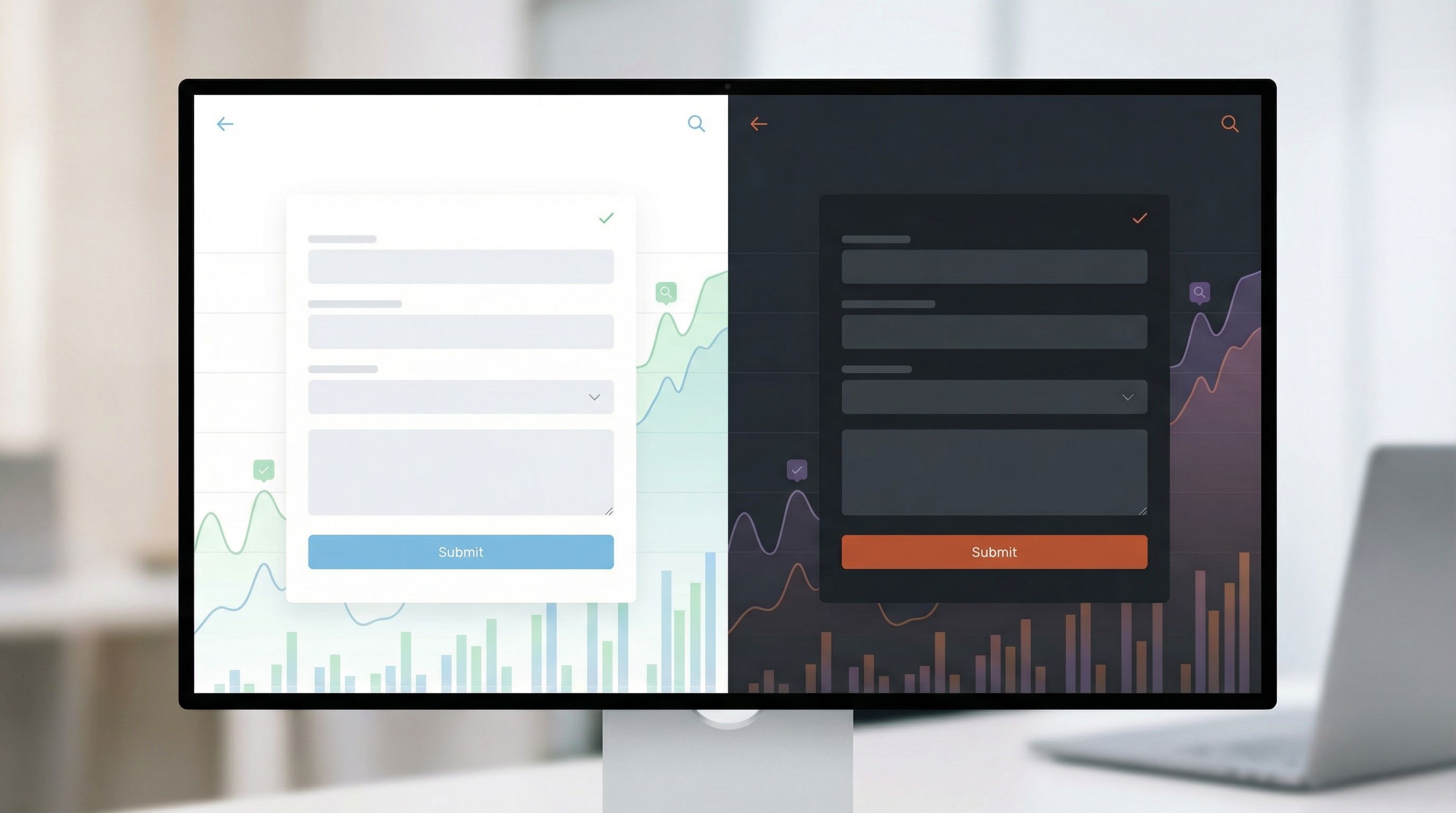
A theme system is a reusable design language for your forms:
- Colors
- Typography
- Spacing and density
- Corners and shadows
- Button styles
- Focus and hover states
Instead of hand-tuning these on every form, you define them once as themes.
1. Start with a small, opinionated theme set
You don’t need 20 themes. You need 3–5 really solid ones:
- Primary brand theme – your default for most public-facing forms
- High-contrast / accessibility-first theme – for critical flows and compliance needs
- Experimental or campaign theme – for seasonal or high-visibility campaigns
- Optional: Internal ops theme – simpler, more utilitarian for internal tools
Each theme should be:
- Documented (what it’s for, when to use it)
- Named clearly (e.g.,
Brand / Primary,Brand / High Contrast,Campaign / Dark) - Available in your form builder (Ezpa.ge makes this a one-click choice)
If you want a deeper dive into why systems beat one-off skins, read Theme Systems, Not One-Off Skins.
2. Make themes device-aware by default
A form that looks great on a 1440px monitor but breaks on a phone is not a scalable asset.
Bake responsiveness into your themes:
- Type scales that adapt across breakpoints
- Tap-friendly hit areas for mobile
- Stacking rules for multi-column layouts
Ezpa.ge handles the heavy lifting on responsive behavior, but your theme decisions still matter: line lengths, font sizes, and spacing all affect whether a form feels native on any device. For more practical patterns here, see Designing Forms That Feel Native on Any Device.
3. Use themes as your experimentation sandbox
Once themes are centralized, you can test:
- Color contrast and CTA emphasis
- Field density (spacious vs compact)
- Typography choices (serif vs sans, weight, size)
All without touching the underlying structure.
With Ezpa.ge, that means:
- Duplicate a form
- Swap the theme
- Keep the URL pattern and data model consistent
- Compare performance in your live Google Sheet
This is theme-driven experimentation in action: design once, test many.
Layer 3: Logic You Can Reuse Instead of Rebuild
The third layer is behavior: how your forms react to people.
This includes:
- Conditional logic
- Progress indicators
- Inline validation
- Post-submission routing
Most teams rebuild this logic again and again. A scalable system turns it into reusable patterns.
1. Capture your most common logic flows
Start by listing patterns you use over and over:
- “If company size > 100, show advanced qualification questions.”
- “If user selects ‘Other’, show free-text explanation field.”
- “If NPS <= 6, route to support follow-up.”
Turn these into named recipes in your documentation and, where possible, templates inside Ezpa.ge.
Our guide One Form, Many Audiences walks through structuring conditional logic so it stays understandable as it grows.
2. Standardize validation and error experiences
Validation isn’t just a technical detail; it’s a trust moment.
Your system should define:
- When to validate (on blur, on submit, or inline as you type)
- How to show errors (color, icon, message placement)
- How to phrase messages (tone, clarity, next steps)
Once you’ve nailed this, you can reuse the same patterns everywhere. If you want to turn errors into a conversion asset, don’t miss Error States that Convert.
3. Treat post-submission like part of the system
A scalable form system doesn’t end at the Submit button.
Standardize:
- Thank-you screens – structure, tone, and CTAs
- Follow-up emails – what they promise and when they’re sent
- Routing rules – who gets notified based on which answers
With Ezpa.ge + Google Sheets, you can:
- Use filters and formulas to categorize responses in real time
- Trigger follow-ups via tools like Zapier or Make based on Sheet changes
- Feed dashboards that show funnel performance at a glance
For a deep dive on turning those responses into a live control panel, see Real-Time Forms, Real-Time Strategy.
Governance Without Red Tape: How to Roll This Out
A system is only as good as its adoption. You don’t want to become the “form police,” but you do need lightweight guardrails.
1. Nominate a small “form council”
This isn’t a committee for endless meetings. It’s 2–4 people who:
- Own the field library and theme system
- Approve new archetypes and shared dropdowns
- Review major new form types before they go live
Typically, you want representation from:
- Design / UX
- Growth or marketing
- Data / analytics or ops
2. Create a “good citizen” checklist
Before anyone ships a new form, they run through a short checklist, for example:
- [ ] Used an existing archetype or documented why not
- [ ] Chose an approved theme
- [ ] Used canonical fields from the library
- [ ] Mapped fields to the correct Sheet columns
- [ ] Defined a clear post-submission path
Make this checklist easy to find (pinned doc, Notion page, Confluence, etc.) and reference it inside Ezpa.ge project descriptions.
3. Make the right path the easy path
People will always choose the path of least resistance.
So:
- Pre-load Ezpa.ge with your official templates
- Pin “approved” themes and hide deprecated ones
- Provide sample Google Sheets with the right columns preconfigured
If creating a rogue form is harder than using the system, your governance problem mostly solves itself.
Connecting the System to Your Data and Workflows
A form system really pays off when it’s wired into how your team works every day.
1. Use live Sheets as your single source of truth
Instead of exporting CSVs or copying Sheets for every stakeholder:
- Keep one live Sheet per major form (or form family)
- Use filtered views or separate tabs for different teams
- Lock structural columns, but let teams add their own calculated columns
If you’ve ever suffered through messy handoffs, you’ll appreciate the approach in Form Handoff Without Headaches: one live source, many safe views.
2. Build reusable dashboards on top of your system
Once field names and structures are consistent, you can:
- Clone dashboard templates for new campaigns
- Reuse the same charts across regions or product lines
- Compare performance across themes without redoing your reporting
Your analytics team will thank you.
3. Close the loop with real-time optimization
Because Ezpa.ge syncs responses into Google Sheets instantly, you can:
- Watch where people drop off during a launch day
- Tweak microcopy, defaults, or error messages at lunch
- See the impact by afternoon
We walk through this “ship and iterate in a single day” workflow in Real-Time Form Optimization.
How to Get Started This Week
You don’t need a six-month project plan to build a scalable form system. You can start small and layer on sophistication.
Here’s a practical 5-step starting plan:
-
Audit your existing forms
- List your top 10–20 live forms.
- Note common fields, themes, and logic patterns.
- Identify your 2–3 most important archetypes (lead, feedback, ops).
-
Create a minimal field library
- Standardize names and validation for your top 15–20 fields.
- Document them in a shared place.
- Update your most-used Ezpa.ge templates to use these fields.
-
Define 2–3 core themes
- Primary brand, high-contrast, and (optionally) an internal theme.
- Implement them in Ezpa.ge and mark them as the defaults.
-
Template your key archetypes
- Build one Ezpa.ge template per archetype.
- Wire each to a clean Google Sheet with standardized columns.
- Add helper text in the template explaining when to use it.
-
Share the system and invite feedback
- Run a short walkthrough for marketing, product, and ops.
- Show how much faster it is to launch using the system.
- Ask for the next 2–3 archetypes they’d like templated.
Within a week, you’ll have the skeleton of a form system that:
- Keeps your brand consistent
- Keeps your data clean
- Keeps your team moving fast
And from there, you can layer on more: conditional logic recipes, post-submission playbooks, localized variants, and more.
Wrapping Up
Designing forms one at a time is fine—until it isn’t.
A scalable form system lets you:
- Design once, reuse everywhere without sacrificing quality
- Empower every team to launch forms quickly and safely
- Protect your data with consistent structures and validation
- Experiment with confidence using themes, logic, and live optimization
You don’t need to rebuild your stack or hire a new team. You just need to be intentional about the building blocks you already use—and put a tool like Ezpa.ge at the center of how you assemble them.
Your Next Step
If you only do one thing after reading this, make it this:
Pick one high-impact form and turn it into a template.
- Clean up the fields and names
- Apply a canonical theme
- Wire it to a live Google Sheet
- Document when and how others should reuse it
Then share that template with your team and invite them to build their next form from it.
That’s how systems start—not with a giant spec, but with one reusable pattern that proves there’s a better way.
From there, Ezpa.ge can help you scale the rest: themes, URLs, live Sheets, and everything you need to design once and reuse everywhere.