Real-Time Forms for Real-World Ops: How Google Sheets Sync Keeps Teams in Lockstep


Operations doesn’t live in decks and dashboards. It lives in the messy middle: a sales rep on the phone, a customer waiting for an answer, a partner asking for an exception, a support queue that just spiked.
When those moments hit, your team has two choices:
- Scramble across DMs, email threads, and outdated spreadsheets.
- Or work from the same live feed of reality—shared, structured, and always up to date.
Real-time form syncing into Google Sheets is what makes the second option possible.
With Ezpa.ge, every form submission can land in a Sheet the instant it’s submitted—no manual exports, no “refresh and hope,” no overnight sync jobs. That sounds simple, but for ops, revenue, and CX teams, it’s a quiet superpower.
This post is about how to turn that superpower into a system: how to design real-time forms, wire them to Sheets, and align your team so everyone is working from the same live source of truth.
Why Real-Time Matters for Real-World Ops
If you’re running sales ops, revenue ops, CX, or general operations, you already feel the cost of delay:
- A hot lead sits unassigned for an hour and goes cold.
- A customer reports a critical issue, but support doesn’t see it until tomorrow.
- A field team collects data at an event, but marketing doesn’t get it until someone uploads a CSV.
Meanwhile, expectations have shifted. Prospects expect replies in minutes, not days. Customers expect that the person they’re talking to can see what they just filled out. Internal teams expect that if a process exists, it’s not tucked away in one person’s inbox.
Real-time form → Google Sheets sync solves three core problems:
- Latency – The gap between “user submitted” and “team saw it.”
- Fragmentation – The gap between “I know this” and “we know this.”
- Structure – The gap between “we have data” and “we can act on it.”
When your forms stream directly into a structured Sheet, you give every team the same live view of what’s happening—leads, requests, incidents, feedback, signups—without asking them to log into a new tool or learn a new UI.
For a deeper dive into why forms are such a good fit for operational work, it’s worth reading how they replace ad-hoc DMs in Shadow Workflows No More: Replacing Ad-Hoc Email and DMs with Structured Forms.
What “Real-Time” Actually Enables
Real-time sync isn’t just a nicer way to collect responses. It unlocks patterns that are hard or impossible with batch exports.
1. Instant Triage and Routing
When every new row appears in a Sheet the moment it’s submitted, you can:
- Auto-assign owners based on region, channel, or product line.
- Flag VIP submissions with conditional formatting.
- Trigger alerts in Slack or email when certain thresholds are hit.
Examples:
- Sales: New demo requests are color-coded by deal size and auto-routed to the right rep within minutes.
- Support: High-severity issues trigger a red highlight and a Slack ping to the on-call channel.
- People Ops: New hiring referrals get tagged and added to a review queue without anyone forwarding emails.
2. Live Capacity Management
Because Sheets update in real time, you can treat them as a live dashboard:
- See how many submissions have come in this hour, not just this week.
- Spot spikes in requests (e.g., a feature breaks, an email goes out, a campaign lands).
- Shift staffing in response—pull in more reps, escalate to engineering, or pause a promo.
3. Operational Experiments Without Engineering
Real-time Sheets make it easy to run small experiments:
- Change a form field and see how it affects completion rate the same day.
- Add a qualification question and watch how it changes lead quality.
- Launch a new intake flow and monitor volume before you commit to a bigger rollout.
If you’re interested in using forms as low-code experiments, check out how teams validate ideas quickly in Form-First Launches: Using Ezpa.ge + Google Sheets to Validate New Ideas in a Weekend.

Designing Forms That Are Built for Real-Time Ops
Real-time sync only helps if the data coming in is useful. That starts at the form level.
Start With the Workflow, Not the Fields
Instead of asking, “What should we ask on this form?” start with:
- Who will use this data?
- When do they need to see it?
- What decision will they make with it in the first 15 minutes?
From there, design backwards:
-
Define the trigger moment
- “A new enterprise lead just requested a demo.”
- “A customer reported a billing issue.”
- “A partner submitted a co-marketing request.”
-
List the minimum inputs needed to take the next step within 15 minutes.
- Contact details
- A short description or category
- A priority or timeline
-
Turn that into a short, focused form
- Cut anything that doesn’t change what happens next.
- Move “nice to have” questions to a follow-up step or later conversation.
For help keeping forms lean and user-friendly, especially if you’re not a designer, bookmark Form UX for Non-Designers: A Practical Checklist for High-Converting Flows.
Make Fields Map Cleanly to Columns
Google Sheets is column-based. The cleaner your mapping, the easier it is to:
- Filter and sort
- Build pivot tables
- Connect to other tools (CRMs, support systems, etc.)
Best practices:
- One concept per field – Don’t combine multiple ideas into one free-text box (“Plan + Region + Use Case”).
- Use standardized options – For things like region, product, or priority, use dropdowns instead of open text.
- Name fields intentionally – Use labels that will make sense as column headers in six months.
Capture Metadata That Ops Actually Uses
Beyond what users type, capture:
- Channel or source – Where did this submission come from?
- Timestamp – Down to the minute, not just the date.
- Owner or team – Who should act on this by default?
With Ezpa.ge, you can use custom URLs and hidden fields to pass through channel-specific context, then see it immediately in your Sheet. If you’re not doing this yet, Channel-Specific Forms: Using Custom URLs to Tailor Messaging for Ads, Email, and Social is a great companion read.
Wiring Ezpa.ge Forms to Google Sheets (Without Drama)
Let’s walk through a practical way to set this up so your team can rely on it every day.
1. Create a “Home” Spreadsheet for Each Operational Area
Avoid scattering data across dozens of Sheets. Instead, create a primary spreadsheet per function, for example:
Sales Intake & QualificationCustomer Issues & EscalationsPartner Requests & ApprovalsInternal Ops Requests
Within each spreadsheet, use separate tabs for different forms or flows, but keep the structure consistent.
2. Connect Your Ezpa.ge Form to the Right Sheet
In Ezpa.ge:
- Build or open your form.
- Connect it to Google Sheets.
- Choose the appropriate spreadsheet and tab.
- Confirm that each field maps to a column.
Tips:
- Lock your header row in Sheets before you connect, so new data always lands under stable column names.
- Test with a few submissions to verify that data is landing exactly where you expect.
3. Add Lightweight Guardrails in Sheets
Once rows are streaming in, use Google Sheets features to keep things tidy:
- Data validation for columns like status, owner, and priority.
- Conditional formatting to highlight urgent or high-value submissions.
- Protected ranges for formulas and reference data so they don’t get overwritten.
If your Sheets are already a bit chaotic, you might want to pair this with the structural advice in From Spreadsheet Chaos to Source of Truth: Structuring Google Sheets for Scalable Form Data.
4. Layer On Notifications and Automations
Real-time Sheets become much more powerful when they talk to the rest of your stack. Common patterns:
- Slack alerts when a row matches certain criteria (e.g.,
Priority = P0,Plan = Enterprise). - Email notifications for specific owners or teams.
- CRM or ticket creation via tools like Zapier, Make, or native integrations.
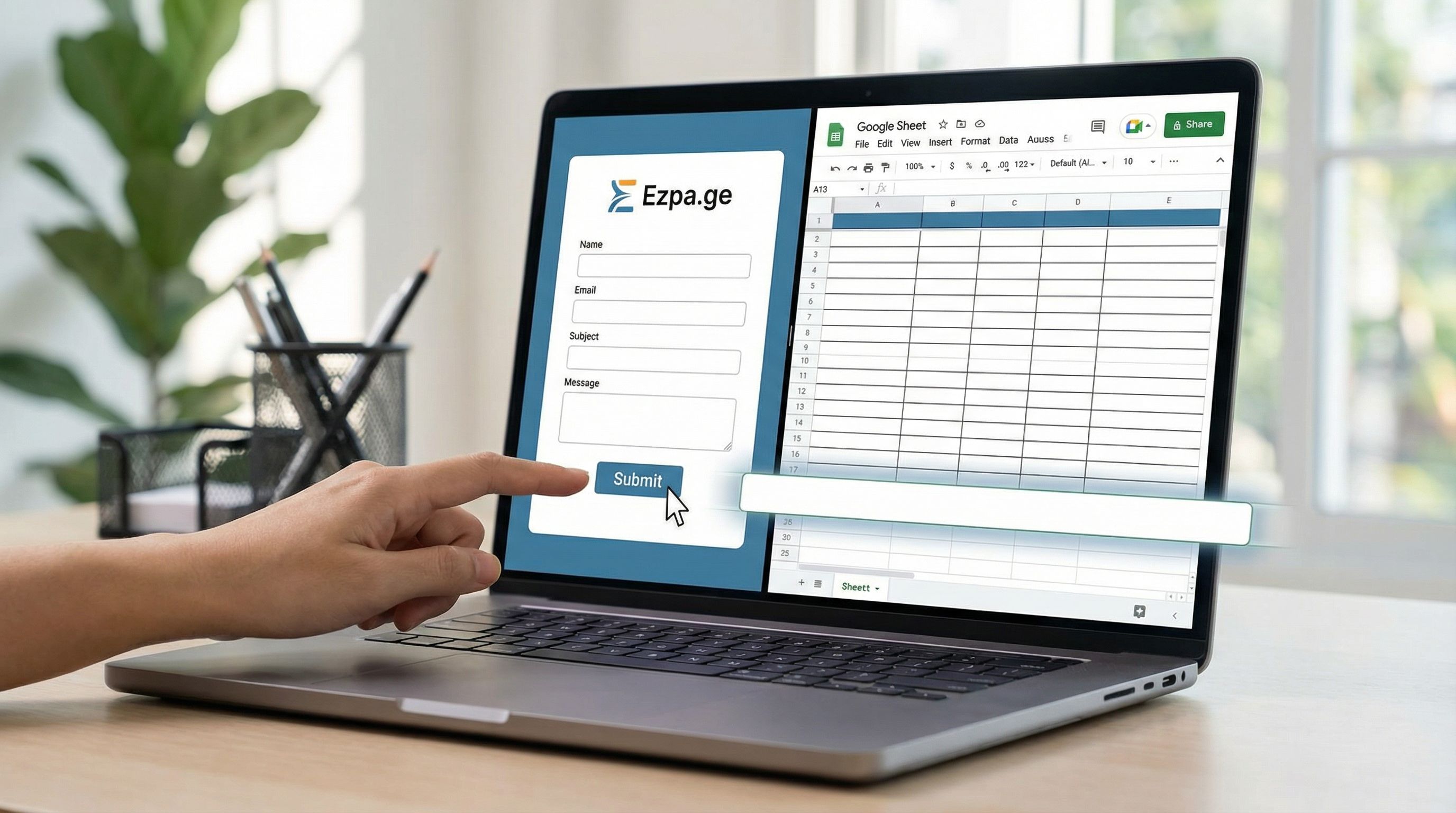
The sequence looks like this:
- User submits an Ezpa.ge form.
- Row appears instantly in Google Sheets.
- A rule in your automation tool watches for new rows that match a filter.
- Matching rows trigger downstream actions.
The key: the Sheet is the hub, not an archive.
Keeping Teams in Lockstep: Operational Playbooks
Real-time sync is only as good as the habits around it. Here are concrete playbooks to keep teams aligned.
Sales & Revenue Ops: Never Let a Hot Lead Go Cold
Goal: Respond to high-intent leads within 15 minutes during business hours.
Setup:
- Ezpa.ge demo request form →
Sales Intake & QualificationSheet →Demo Requeststab. - Columns: Name, Email, Company, Role, Use Case, Company Size, Source, Owner, Status, Created At.
Playbook:
- Auto-assign owners based on region or company size (via a simple assignment table + VLOOKUP or an automation tool).
- Highlight unassigned leads older than 10 minutes with conditional formatting.
- Send Slack pings to a
#sales-intakechannel for anyPlan = EnterpriseorUse Case = Critical Migration. - Review daily: a short standup where the team filters by
Status = NeworStatus = Stuckand clears the queue.
Customer Support & CX: Turn Forms Into a Live Queue
Goal: Make sure every new issue is visible and prioritized within 30 minutes.
Setup:
- Ezpa.ge issue report form →
Customer Issues & EscalationsSheet →New Issuestab. - Columns: Customer, Account ID, Severity, Category, Description, Owner, Status, SLA Target, Created At.
Playbook:
- Severity-based formatting – P0 in red, P1 in orange, P2 in yellow.
- Queue view – Filter by
Status = Newand sort byCreated Atascending. - Escalation rule – Any P0 older than 15 minutes triggers a Slack alert to
#on-call. - Weekly review – Pivot by Category to see where issues are clustering.
For teams using forms to systematically improve the product itself, Forms as Feature Feedback Loops: Turning Every Submission into a Roadmap Signal in Google Sheets shows how to turn these rows into roadmap votes.
Internal Ops: Replace “Can You Help With This?” DMs
Goal: Give every team a clear, trackable way to request help.
Setup:
- Ezpa.ge internal request forms (IT, Facilities, RevOps, Legal) →
Internal Ops RequestsSheet with separate tabs.
Playbook:
- One canonical link per request type – e.g.,
/ops-request,/legal-requestwith clear labels. - Status column – New, In Progress, Blocked, Done.
- Owner column – Who’s on the hook.
- Weekly SLA report – Count how many requests hit or miss their target resolution time.
The result: fewer “just checking on this” messages, more transparent queues.
Common Pitfalls (And How to Avoid Them)
Even with a great tool, a few patterns can slow you down.
Pitfall 1: Too Many Forms, Not Enough Patterns
If every team builds forms from scratch, you’ll end up with:
- Duplicate questions with slightly different wording.
- Inconsistent data structures across Sheets.
- Confusion about which form to use for what.
Fix:
- Create a small library of standard form templates for common workflows (demo request, issue report, internal request, partner intake).
- Reuse field names and options wherever possible.
Pitfall 2: Treating Sheets as Archives, Not Systems
If your Sheet is just where data goes to sit, you’ll lose the value of real-time sync.
Fix:
- Make your Sheet the first place people go for status.
- Add views (filters, pivot tables) that answer the questions stakeholders ask most.
- Hook up notifications so important rows can’t be missed.
Pitfall 3: Ignoring Mobile Context
A lot of operational forms—incident reports, field data capture, quick feedback—are filled out on phones.
If your form is clumsy on mobile, you’ll get:
- Partial submissions
- Frustrated field teams
- Slower reporting when it matters most
Fix:
- Design thumb-first forms with short pages, large tap targets, and clear progress.
- Test real forms on real phones before rollout.
If mobile is a big part of your workflow, you’ll get a lot from Beyond ‘Mobile-Friendly’: Designing Thumb-First Forms for On-the-Go Users.
Putting It All Together
When Ezpa.ge forms sync to Google Sheets in real time, you get more than a nicer spreadsheet. You get a shared operational heartbeat:
- Teams see the same reality at the same time.
- Workflows become visible and measurable, not hidden in inboxes.
- Experiments become cheaper, because you can launch, watch, and adjust within hours.
The forms themselves become the front door to your processes; the Sheet becomes the live map of what’s happening; your automations and teams become the muscles that respond.
Where to Start This Week
If you want to bring your team into lockstep without a massive tooling project, here’s a simple starting plan:
- Pick one high-impact workflow where latency hurts today.
- Demo requests
- Incident reports
- Internal ops requests
- Build or refine a focused Ezpa.ge form for that workflow.
- Strip it down to only what’s needed for the first decision.
- Connect it to a dedicated Google Sheet tab.
- Clean headers, data validation, basic formatting.
- Set up one simple automation.
- A Slack alert for high-priority submissions.
- An email notification for new requests.
- Run it for a week, then review:
- How fast did you respond before vs. after?
- What broke or felt clumsy?
- What should you standardize and replicate?
From there, you can roll the same pattern out to adjacent workflows—sales, support, product feedback, partner ops—until real-time forms and live Sheets are just “how we work here.”
Summary
Real-time syncing between Ezpa.ge forms and Google Sheets turns your forms from static data collectors into live operational instruments. When every submission becomes an instant, structured row in a shared Sheet, you can:
- Triage and route work within minutes.
- Manage capacity based on what’s happening right now.
- Run small, low-risk experiments across sales, support, and internal ops.
- Replace scattered, ad-hoc requests with visible, trackable queues.
The technology is straightforward. The leverage comes from how intentionally you design your forms, structure your Sheets, and build habits around both.
Take the First Step
You don’t need a full revamp of every process to feel the difference.
Choose one workflow where delays or confusion are hurting your team. Spin up a focused Ezpa.ge form, connect it to a clean Google Sheet, and let your next week of submissions stream in live.
By the end of that week, you’ll have something more valuable than a new tool: a proof point that your team can move in lockstep, with forms and Sheets quietly keeping everyone on the same page.
From there, scaling the pattern is just repetition.