Shadow Workflows No More: Replacing Ad-Hoc Email and DMs with Structured Forms


Shadow Workflows No More: Replacing Ad-Hoc Email and DMs with Structured Forms
If you’re honest, a lot of your team’s “processes” are actually just… people.
A sales request that starts as a Slack DM. A partner onboarding that lives in someone’s inbox. A product idea that’s buried in a thread you can’t find anymore.
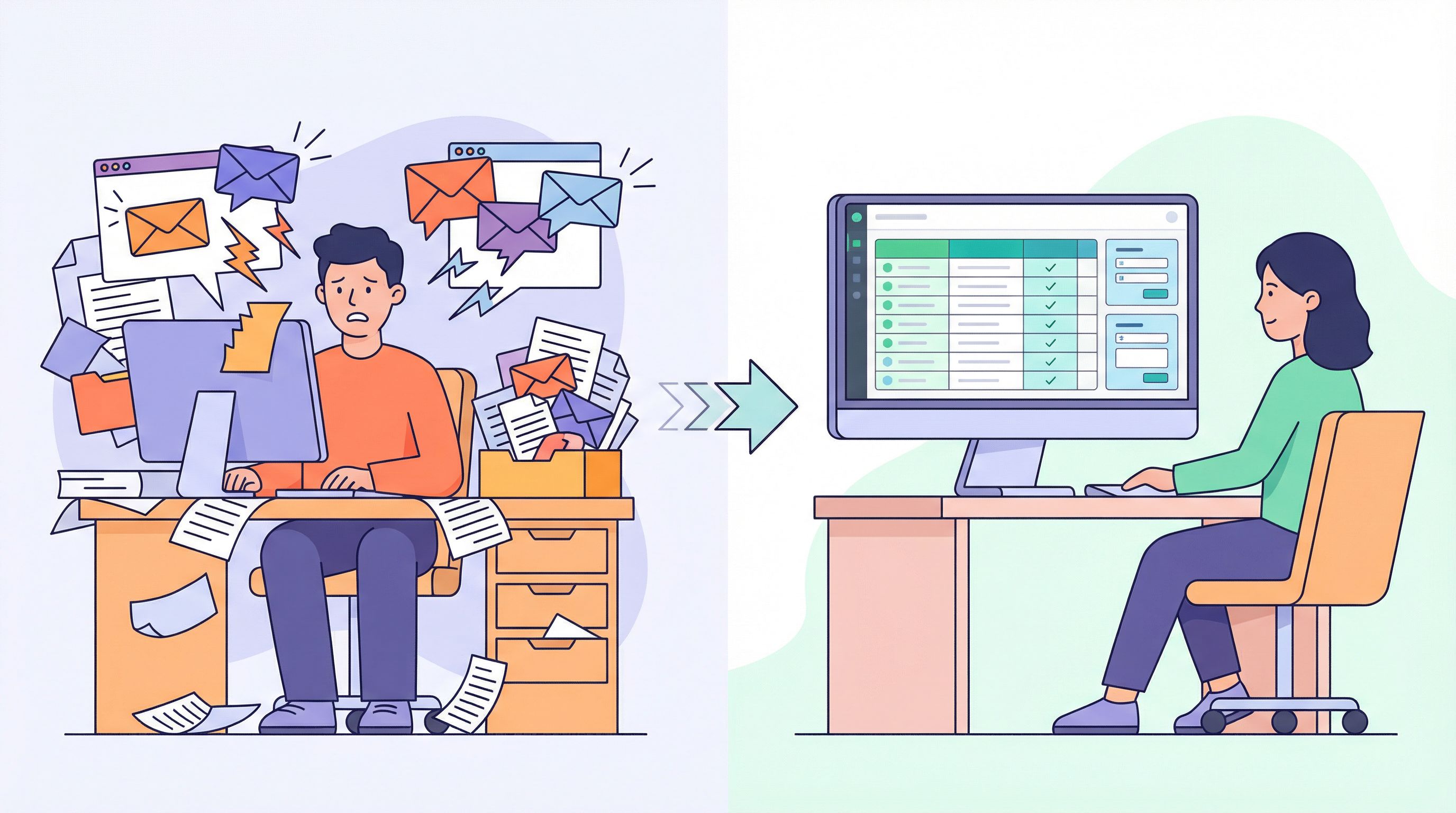
These are shadow workflows: important work happening in channels that were never designed to be systems of record. They feel quick and flexible—until they don’t. Things slip. Context gets lost. Decisions are hard to audit. New teammates have no idea where anything lives.
This is where structured forms shine. A well-designed form—backed by a simple system like Ezpa.ge + Google Sheets—can turn those fuzzy, ad-hoc exchanges into clear, repeatable workflows without adding bureaucracy or heavy tooling.
In this guide, we’ll walk through how to spot your shadow workflows, replace them with forms that people actually like using, and connect those forms to the rest of your stack so work moves on its own.
Why Shadow Workflows Quietly Break Your Team
Shadow workflows are the unofficial ways work gets done:
- A manager says, “Just email me requests.”
- A founder tells partners, “DM me anytime.”
- A support lead says, “Tag me in Slack if it’s urgent.”
It works until volume, complexity, or headcount grows. Then the cracks appear.
1. No shared queue, just whoever yells loudest
Email and DMs are built for conversation, not triage. That means:
- No single view of what’s open. You can’t see all outstanding requests in one place.
- No prioritization rules. The most recent or loudest message gets attention, not the most important.
- No clear ownership. “Did anyone ever follow up on this?” becomes a weekly question.
2. Messy, inconsistent inputs
When you rely on freeform messages, you get freeform chaos:
- People forget key details ("Can you send me more info?").
- Everyone describes the same thing differently.
- You can’t filter, group, or report on anything reliably.
Compare that to a form that always asks:
- Who is making the request
- What type of request it is
- When it’s needed
- Any attachments or links
Suddenly, every request is apples-to-apples.
3. Zero audit trail when it matters most
When something goes wrong—missed deadline, broken promise, compliance issue—you need to know:
- What was requested
- Who approved it
- When it was handed off
Hunting through a mix of email, Slack, and DMs is slow and incomplete. A structured form with timestamps, fields, and status tracking gives you:
- Traceability for audits and post-mortems
- Defensibility when you need to show what was agreed
- Clarity for new teammates joining midstream
4. Onboarding new teammates is painful
Shadow workflows live in people’s heads and private channels. When someone leaves or changes roles, their “system” goes with them.
A form-centric workflow does the opposite:
- New teammates get a link and a playbook.
- Work arrives in a shared queue, not a personal inbox.
- The process outlives any one person.
Why Forms Are the Natural Antidote to Shadow Workflows
Forms aren’t just “a nicer way to ask questions.” They’re a way to turn scattered intent into structured action.
Here’s what well-designed forms give you that email and DMs never will.
A single, predictable front door
Instead of:
“Ping me if you need something.”
You get:
“Use this link for any new request. You’ll get a confirmation and we’ll follow up within 24 hours.”
That one change:
- Sets expectations for requesters
- Gives your team one place to watch
- Makes it easy to post the link in wikis, onboarding docs, and auto-replies
Cleaner data by design
With structured fields, you can:
- Require the essentials (priority, due date, contact info)
- Constrain options with dropdowns and radios
- Collect files and links in the right format
If you’re not sure what form pattern you need—signup, intake, or survey—our guide on choosing the right form pattern for your product use case walks through how to match the structure to the job.
Built-in routing and automation
Once your form is live, tools like Ezpa.ge can sync every submission to Google Sheets in real time. From there you can:
- Use filters and views as a live triage board
- Trigger automations (emails, Slack messages, task creation) based on field values
- Run reports without exporting or copy-pasting
If you want to go deeper on this, check out how to turn a form into a full workflow in From Form to Workflow: Automating Onboarding, Support, and QA with Ezpa.ge + Google Sheets.
A calmer experience for requesters
A good form is:
- Faster than writing a long email
- Clearer about what’s needed
- More reassuring, because it can show confirmation, next steps, and timelines
People don’t actually love DMing you for everything. They love getting what they need without wondering if you saw their message.
Where to Start: Finding Your Shadow Workflows
Before you build anything, you need to know what you’re replacing.
Spend a week paying close attention to where work starts. Look for patterns like:
- Repeated phrases: “Can you send me…”, “Quick question about…”, “Who handles…?”
- Channels that feel noisy: a Slack channel where half the messages are some version of a request
- Email labels: anything tagged “requests,” “approvals,” “intake,” or “to-do”
A few common candidates:
-
Internal requests
- Design or copy requests
- Data pulls and one-off reports
- Access and permissions requests
-
External intake
- Partnership inquiries
- Vendor onboarding
- Customer success escalations
-
Feedback and ideas
- Product suggestions from sales or support
- QA bug reports
- Beta program signups and feedback
Pick one workflow that:
- Happens at least a few times a week
- Has real impact if it’s dropped
- Involves more than one person or team
You want a problem big enough to matter, but small enough to fix in a week.
Designing the Form: From Conversation to Structure
Once you’ve picked a workflow, resist the urge to start dragging fields around. Start with the conversation you’re trying to replace.
Step 1: Transcribe the “typical” DM or email
Find a recent example and ask:
- What did the requester share up front?
- What did you have to ask follow-up questions about?
- What information ended up mattering for the decision or action?
Highlight everything that was:
- Essential to act
- Useful for prioritization
- Helpful for reporting or routing
Those highlights become your first pass at form fields.
Step 2: Separate must-haves from nice-to-haves
Form fatigue is real. Every extra field is a chance for someone to bail or send a DM instead.
Ask of each potential field:
- If this were blank, could we still act?
- Is this needed for every request, or only some?
- Could we infer this from other data (e.g., email domain, existing account)?
Keep your core form as short as possible, then:
- Use conditional logic to show extra fields only when relevant
- Save “nice-to-have” questions for follow-up forms or later in the journey
Our guide on designing shorter flows that still capture rich data goes deeper on trimming without losing insight.
Step 3: Group fields into a clear narrative
A form is a story your user tells you about their need. Group related fields so that story feels natural:
- About you – who’s making the request
- About the request – what’s needed and why
- Timing & priority – when and how urgent
- Attachments & extras – files, links, context
This mirrors the mental journey we talk about in Flow, Not Fields: Mapping Your User’s Mental Journey Before You Design a Single Input. When the flow matches how people think, completion rates go up and data quality improves.
Step 4: Add clarity with microcopy and examples
Shadow workflows often exist because people aren’t sure what “counts” as a request or how to describe what they need.
Use microcopy to:
- Clarify what belongs in each field (and what doesn’t)
- Set expectations about timelines and scope
- Reduce anxiety around making “the wrong” request
Examples:
- Field: “What do you need?”
- Helper text: “Example: ‘Landing page banner for March promo’ or ‘Bug: users can’t reset password on mobile.’”
- Field: “When do you need this by?”
- Helper text: “We aim for 3–5 business days. If it’s truly urgent (launch, outage), choose ‘Critical’ below and explain why.”
Step 5: Decide what happens after Submit
A form without a clear after-state is just a prettier inbox.
Define:
- What the requester sees: A thank-you message, confirmation of what they submitted, and a realistic timeline.
- What your team sees: A new row in Sheets, a Slack notification, or a task in your project tool.
- What the system does: Auto-tagging, status defaults (e.g., “New”), routing rules based on fields.
This is where Ezpa.ge’s real-time syncing to Google Sheets is powerful. You can:
- Use a single sheet as your queue
- Add columns for status, owner, and notes
- Build lightweight automations with tools like Zapier or Make
For more on turning that sheet into a real source of truth (instead of “final_v7_copy”), see From Spreadsheet Chaos to Source of Truth: Structuring Google Sheets for Scalable Form Data.

Connecting Forms to the Rest of Your Workflow
A form is only as good as what happens after someone hits Submit. The goal is to replace manual glue (copying from email, tagging people in Slack) with a simple, reliable pipeline.
Create a single operational sheet per workflow
For each workflow you’re formalizing, create one Google Sheet that:
- Receives all form submissions in real time
- Has clearly labeled columns for:
- Status (New, In Progress, Blocked, Done)
- Owner
- Priority
- Notes / internal comments
- Uses filters or views for different teams (e.g., “My requests,” “Urgent this week”)
This becomes your team’s shared queue and historical log.
Add lightweight automation
With Ezpa.ge + Google Sheets, you can add just enough automation to remove the most painful manual steps:
- Notifications: When a new row with
Priority = Criticalappears, send a Slack alert to#on-call. - Assignment rules: If
Request type = Design, assign owner to the design lead by default. - Status updates: When a task is marked Done in your project tool, update the sheet via automation.
You don’t need a full-blown workflow engine to see big gains. Start with one or two rules that remove your most annoying manual checks.
Close the loop with requesters
One of the biggest complaints about shadow workflows is radio silence. People send an email or DM and never hear back.
Use your form + sheet combo to:
- Send an automatic confirmation email with a copy of their submission
- Trigger a follow-up when status changes to “In Progress” or “Done”
- Include links to FAQs or documentation based on the request type
Even simple updates like “We’ve received your request and will respond by Friday” dramatically increase trust—and reduce “just checking in” messages.
Handling High-Stakes or Sensitive Workflows
Not all workflows are created equal. Some involve:
- Legal approvals
- Financial decisions
- Healthcare or HR data
For these, you need to design for both ease and rigor:
- Clear consent language and checkboxes
- Explicit confirmation of what’s being agreed to
- Fields that support auditability (timestamps, approver names, versioning)
If you’re operating in these spaces, pair this article with our deep dives on:
- Designing verification and consent flows that users actually finish
- Designing calm, trustworthy experiences for high-stakes data
The goal is the same: pull work out of inboxes and DMs, but do it in a way that stands up to legal, compliance, and user expectations.
Rolling Out Forms Without a Revolt
People are used to “just DMing you.” Switching to forms can feel like a wall going up—unless you roll it out thoughtfully.
Lead with benefits, not rules
Instead of, “We no longer accept requests via Slack,” try:
- “We built a short form so your requests don’t get lost in DMs.”
- “Using this link means we can track your request, assign an owner, and give you clearer timelines.”
Make it about reliability and visibility, not control.
Make the form easy to find
- Pin it in relevant Slack channels
- Add it to your team’s wiki or Notion
- Include it in onboarding checklists
- Put it in email signatures for people who often receive requests
Be consistent when people forget
When someone inevitably sends a DM, reply with:
“Got it—can you drop this into our request form so it doesn’t get lost? Here’s the link: …”
If you’re kind but consistent, habits will shift.
Iterate based on real usage
Watch how people use (and misuse) the form:
- Which fields are often left blank or filled with junk?
- Where do you still need follow-up emails for missing info?
- Which request types are more common than you expected?
Use that feedback to:
- Simplify or remove low-value fields
- Add conditional questions for common edge cases
- Adjust routing rules and priorities
Because Ezpa.ge forms are quick to edit and ship, you can treat your workflow like a product: iterate often, based on real behavior.
Bringing It All Together
Shadow workflows—those important processes hiding in email and DMs—are a tax on your team’s time, attention, and reliability. They:
- Hide work in private channels
- Produce inconsistent, hard-to-use data
- Make onboarding and audits painful
Replacing them with structured forms doesn’t mean adding red tape. Done well, it means:
- One clear front door for each workflow
- Cleaner, more reliable data by default
- Simple automations that move work forward
- Better visibility for both requesters and responders
Start small: pick one high-impact shadow workflow, design a lean, thoughtful form, wire it to a live Google Sheet, and add just enough automation to make it feel magical.
From there, you can expand to other workflows, build shared themes, and eventually move toward a true “form system” that spans your whole organization.
Your Next Step
You don’t need a massive project to get out of shadow workflows. You need one well-designed form.
Here’s a simple way to start this week:
- Pick one workflow that currently lives in email or DMs.
- Write down the 5–7 pieces of information you always need to act.
- Turn that into a short Ezpa.ge form, grouped into a clear story.
- Connect it to a single Google Sheet and add basic status columns.
- Share the link with your team and commit to using it for two weeks.
By the end of those two weeks, you’ll have:
- A shared queue instead of scattered messages
- Cleaner, more actionable data
- A concrete example you can point to when people say, “Forms are too much work.”
Ready to retire your first shadow workflow? Spin up a new Ezpa.ge form, connect it to Sheets, and give your team a front door that’s as simple to use as sending a DM—only a lot more reliable.