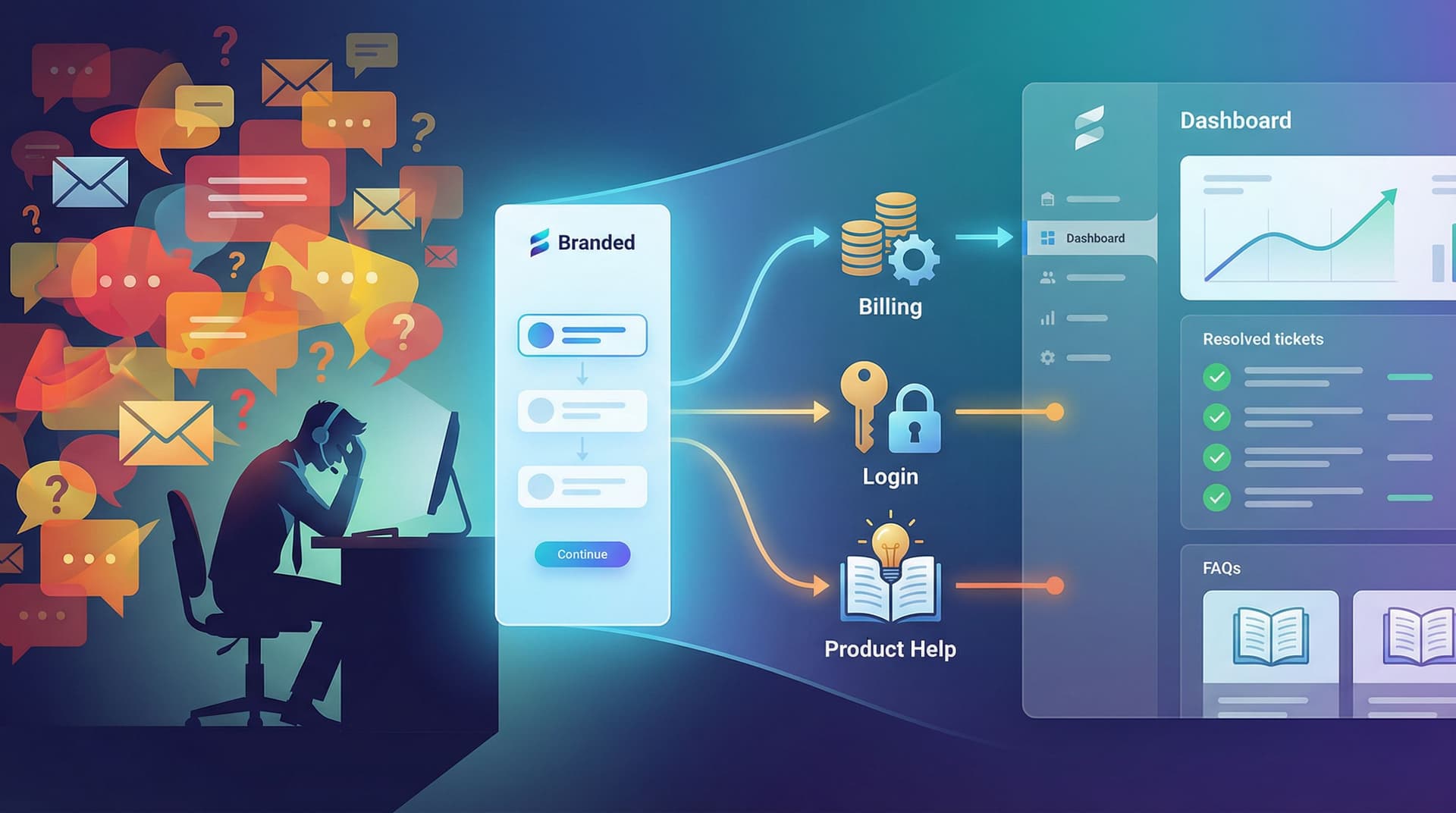
Drag-and-Drop Ops: How Non-Technical Teams Can Rebuild Legacy Workflows as Modern Forms


Legacy workflows don’t usually break all at once.
They slowly calcify:
- A PDF that has to be printed, signed, scanned, and emailed.
- A shared inbox where requests get lost under long reply chains.
- A spreadsheet with 18 hidden columns and one person who “knows how it works.”
Meanwhile, your team is expected to move faster, support more customers, and stay coordinated across time zones and tools.
That’s where drag-and-drop form builders—and tools like Ezpa.ge—change the game. You no longer need engineering time to turn a messy workflow into a clean, trackable, modern experience. Non-technical teams can rebuild the front door of their operations themselves.
This post is about how to do that deliberately: how to take a legacy workflow and turn it into a modern, form-first process that’s easy to launch, easy to change, and wired directly into how your team actually works.
Why rebuilding workflows as forms matters
Before we get tactical, it’s worth zooming out. Modern forms aren’t just a prettier version of your old PDF.
When you rebuild a workflow as a form, you get:
- One clear entry point. Everyone—customers, partners, internal stakeholders—uses the same URL instead of “email Jim” or “drop it in the #requests channel.”
- Structured data from day one. Every response lands in a consistent format (for example, a synced Google Sheet), which means you can sort, filter, report, and automate without heroic cleanup.
- Less back-and-forth. Well-designed forms collect the right context up front, so your team isn’t chasing missing details later.
- Faster iteration. Need a new field? A different theme? A separate URL for a specific segment? You can ship changes in minutes instead of waiting for a dev cycle.
- A better experience for humans. People would rather complete a clear, mobile-friendly form than wrestle with attachments and ambiguous email threads.
When you combine those benefits with drag-and-drop building, non-technical teams suddenly have leverage. You’re not asking for a new internal tool; you’re redesigning the entrance to the tools you already have.
If you want a deeper dive into how powerful that entrance can be, it’s worth reading how conversational flows outperform static questionnaires in From Clicks to Conversations: Designing Forms That Feel Like Guided Chats, Not Questionnaires.
Step 1: Choose one legacy workflow to modernize
The biggest mistake teams make is trying to “fix everything” at once. Instead, pick a single, high-impact workflow.
Good candidates share a few traits:
- High volume. It happens multiple times per week (or day).
- High coordination cost. It touches several people or teams.
- High friction. It generates confusion, delays, or errors.
Examples:
- Sales discount approvals that currently happen via Slack + email.
- Customer onboarding questionnaires in long, unstructured Google Docs.
- Internal ops requests (“Can you add this to the website?”) that land in a generic inbox.
- Partner co-marketing requests that bounce between spreadsheets and email threads.
Pick one. Name it. For example: “Customer onboarding survey for new mid-market accounts.”
That clarity will keep the rest of this process grounded.
Step 2: Map the workflow before you touch a form builder
It’s tempting to open Ezpa.ge and start dragging fields around. Resist that urge for 30 minutes.
Instead, grab a doc or whiteboard and map the workflow as it exists today.
Answer these questions:
- Who starts this workflow?
- A customer, a partner, an internal teammate?
- What triggers it?
- A signed contract, a support issue, a new hire, a quarterly review?
- What information do you actually need to move forward?
- Not “everything we’ve ever asked.” Just what’s required to make a good decision or complete the task.
- Who touches the work after the request is submitted?
- Which teams, roles, or tools are involved?
- What are the main branches or outcomes?
- Approved vs. rejected, low vs. high priority, self-serve vs. white-glove.
You’re not designing yet; you’re uncovering reality.
A simple way to structure this is:
- Trigger: What starts it
- Inputs: What you need to know
- Process: Who does what
- Outputs: What gets produced or decided
Only when that’s clear should you move into a form builder.
Step 3: Turn messy inputs into structured questions
Now you’re ready to translate the “Inputs” part of your map into a modern form.
Open Ezpa.ge (or your preferred drag-and-drop tool) and start with a blank form. Then:
3.1 Group questions by decision, not by department
Legacy workflows often mirror your org chart:
- “Marketing questions”
- “Sales questions”
- “Ops questions”
The person filling out the form doesn’t care how you’re structured. They care about completing a clear journey.
Instead, group questions around what the respondent is trying to accomplish:
- “Tell us about your company.”
- “Help us understand your use case.”
- “Share the details we need to get started.”
This is the same logic behind conversational flows we cover in From Clicks to Conversations: one coherent story beats a wall of fields.
3.2 Use the right field types
Drag-and-drop builders make it easy to pick the field type that matches the data you need:
- Short text for names, titles, short labels.
- Long text for descriptions, context, or “tell us more” moments.
- Single select / radio for mutually exclusive options (e.g., priority level).
- Multi-select / checkboxes for “choose all that apply” (e.g., product modules in use).
- Dropdowns for long lists (regions, products, account managers).
- Date / time for deadlines, event dates, renewal dates.
This structure pays off when responses sync into Google Sheets. You’ll be able to filter, sort, and build dashboards without wrangling free-text chaos.
3.3 Ask fewer, better questions
Non-technical teams sometimes overcompensate: “If we’re building a form, let’s ask everything we might ever want to know.”
A better rule:
If you don’t know exactly how you’ll use a field within the next 30 days, don’t add it yet.
You can always extend the form later. Starting lean gives you faster completion rates and cleaner data.
For inspiration on how to make every question pull its weight—especially if you’re thinking about AI and automation down the line—check out AI-Ready Forms: Structuring Your Questions Today for Smarter Models Tomorrow.

Step 4: Design the experience, not just the form
Once you’ve got the basic questions in place, it’s time to design the experience around them.
4.1 Choose the right flow pattern
Ask: Does this belong as a single-page form or a multi-step flow?
- Single-page works best when:
- The form is short (under ~10 fields).
- The task feels simple: “Request a callback,” “Submit a quick update.”
- Multi-step works best when:
- You’re asking for different types of information (company, use case, technical details).
- You want to reduce overwhelm by showing one chunk at a time.
If you’re unsure, our guide Multi-Step vs. Single-Page Forms: How to Choose the Right Flow for Each Use Case walks through concrete examples.
4.2 Make it feel like a guided conversation
Even if you’re not building a full chat-style flow, you can still apply conversational principles:
- Use plain language labels. “What do you want to accomplish with this campaign?” beats “Primary objective.”
- Add microcopy where people hesitate. A short hint can prevent confusion.
- Show progress. A simple step indicator (“Step 2 of 4”) keeps people moving.
These small touches turn your form from “admin chore” into “helpful guide.”
4.3 Match the form to the moment with themes and URLs
One of the quiet superpowers of Ezpa.ge is how easily you can:
- Apply themes that match a specific campaign, brand, or segment.
- Publish to custom URLs that are easy to remember and share.
For non-technical teams, this means you can:
- Give partners a co-branded intake flow without building a portal.
- Create a dedicated URL for internal requests (e.g.,
/revops-requests). - Run experiments with different copy or layouts without touching your main site.
If you want to go deep on this pattern, URL-Driven Ops: How Custom Links Turn One Form into a Dozen Targeted Workflows is a great next read.
Step 5: Wire the form into your operational backbone
A modern form isn’t just about what happens on the screen. It’s about what happens after someone clicks submit.
With Ezpa.ge and similar tools, you can:
-
Sync responses directly into Google Sheets.
- Each submission becomes a new row.
- Each field becomes a column.
-
Layer simple logic on top of that Sheet.
- Filters to separate “VIP” from “standard” requests.
- Conditional formatting to flag urgent items.
- Pivot tables or dashboards to track volume and outcomes.
-
Connect downstream tools.
- Use tools like Zapier or Make to push rows into your CRM, help desk, or project management tool.
- Trigger notifications in Slack or email when high-priority submissions land.
For many teams, this “form → Sheets → live queue” pattern is the missing link between intake and action. If that sounds like your situation, you’ll find a step-by-step walkthrough in From Form to Live Queue: Building Real-Time Triage for Support, Sales, and Ops with Google Sheets.
The key mindset shift:
The form is the front door. The Sheet is the lobby. Your tools are the rooms where work happens.
When non-technical teams control the front door and the lobby, they can redesign how people enter and move through the system—without rebuilding the rooms.

Step 6: Pilot, observe, and iterate quickly
Once your form is live and wired up, treat the first few weeks as a pilot.
6.1 Watch the data and the behavior
Look for:
- Completion rates. Are people dropping off? If so, at which step?
- Time to first response. How long does it take your team to act on a submission?
- Common errors or confusion. Are certain fields frequently left blank or misused?
You can spot a lot of this just by:
- Reviewing recent submissions.
- Asking a few users to screen-share as they complete the form.
- Talking to your internal team about what’s working and what isn’t.
6.2 Make small, surgical improvements
Because you’re using drag-and-drop tools, you don’t need a big release cycle.
Examples of high-impact tweaks:
- Split a long form into two steps if you see drop-off halfway through.
- Add helper text or examples to fields where answers are inconsistent.
- Reorder questions so that easy wins come first, building momentum.
- Adjust themes or copy to better match the channel where you’re sharing the link.
The goal isn’t perfection on day one; it’s a workflow that gets a little better every week.
Step 7: Turn your new form into a repeatable pattern
Once you’ve successfully rebuilt one legacy workflow as a modern form, don’t stop there.
Ask:
- Where else do we have “email someone and hope” as a process?
- Which spreadsheets are acting like shadow CRMs or ticketing systems?
- Where do we see the same request show up over and over again?
Each of those is a candidate for a form-first rebuild.
You can accelerate this by creating internal templates:
- A standard “request intake” form for any new internal process.
- A standard “partner application” form you can quickly theme per partner.
- A standard “customer onboarding” form that you tweak by segment.
With Ezpa.ge, that often looks like:
- Duplicating a proven form.
- Swapping in a new theme.
- Publishing to a new custom URL.
- Pointing it at a new or existing Google Sheet.
Over time, you build a library of drag-and-drop workflows that non-technical teams can adapt without reinventing the wheel.
Putting it all together
Rebuilding legacy workflows as modern, drag-and-drop forms isn’t a one-time project. It’s a new way of running ops.
The pattern looks like this:
- Pick one painful workflow. Name it and commit to improving it.
- Map the reality. Understand triggers, inputs, owners, and outcomes.
- Design a lean, structured form. Group questions by decision, use the right field types, and start with only what you’ll use.
- Shape the experience. Choose single-page vs. multi-step, write conversational copy, and match themes + URLs to the moment.
- Wire it to your backbone. Sync into Google Sheets, build a simple live queue, and connect downstream tools.
- Pilot and iterate. Watch behavior, fix friction, and ship small improvements.
- Template and scale. Turn what worked into patterns you can reuse across teams.
When non-technical teams have the power to do this themselves, a few important things happen:
- Operational improvements no longer wait behind engineering backlogs.
- Data becomes more consistent and more useful—especially for AI and automation.
- Customers, partners, and teammates get clearer, more reliable experiences.
Your “ops stack” stops being a collection of one-off hacks and starts to look like a system.
Take the first step
You don’t need a transformation program to start. You just need one workflow and one form.
Here’s a simple way to get moving this week:
- Pick a workflow that frustrates your team.
- Spend 30 minutes mapping it—no tools, just a doc.
- Open Ezpa.ge and build a first-pass form that:
- Asks only what you’ll use.
- Feels like a guided conversation.
- Syncs into a single Google Sheet.
- Share the link with a small pilot group and watch what happens.
Once you see that first workflow get cleaner, faster, and easier to manage—without a single line of code—it becomes obvious what to do next.
Drag-and-drop ops isn’t about forms for their own sake. It’s about giving your team the power to redesign how work flows through your organization, one URL at a time.
If you’re ready to see how far you can go with form-first workflows, open Ezpa.ge and start rebuilding that first legacy process. The rest will follow.