From Form to Playbook: Turning Google Sheets Responses into Repeatable Ops SOPs


Most teams already collect the right data.
You’ve got:
- Intake forms for sales, support, and ops
- Feedback forms for customers and internal teams
- Launch forms for campaigns, events, and partnerships
All of it lands neatly in a Google Sheet.
And then… it just sits there.
Rows grow. Tabs multiply. A few heroic spreadsheet formulas appear. But the real prize—the repeatable, documented way of working—never quite materializes.
This post is about closing that gap: how to turn form responses (especially when they sync into Google Sheets via Ezpa.ge) into living SOPs your team can actually run on.
Not a dusty wiki. Not a one-time process doc. A real operating playbook that updates itself as work flows through your forms.
Why Forms + Sheets Are the Perfect SOP Engine
Most SOPs are written backwards.
Someone says, “We should document this process,” and a brave soul opens a blank page in Notion or Google Docs. They try to reconstruct a workflow from memory:
- What triggers it
- Who’s involved
- What decisions get made
- Where things get stuck
That’s hard, and it’s why most SOPs are outdated the moment they’re published.
Forms and Google Sheets flip the script:
- Forms capture the trigger and the context. Every request, lead, or issue starts with a consistent set of questions.
- Sheets capture the execution trail. Status, owner, timestamps, decisions, and outcomes all live in one place.
If you design your forms well (see AI-Aware Question Design: Writing Prompts That Train Better Internal Models From Day One), your responses aren’t just data—they’re the raw material for your playbooks.
The benefits of building SOPs from form data
When you treat “Form → Google Sheet” as the backbone of your operations, you get:
-
Clarity on reality, not theory
Your SOP reflects what actually happens: real volumes, edge cases, and cycle times. -
Automatic change detection
When the form changes, the data changes—and your playbook can be updated from real signals instead of guesswork. -
Built-in coaching and QA loops
You can see where work stalls, which owners are overloaded, and which steps create rework. -
A path to automation and AI
Structured responses make it easier to plug in AI summarization, routing, and next-step suggestions later (see AI-Ready Forms: Structuring Your Questions Today for Smarter Models Tomorrow).
The goal isn’t more documentation. It’s fewer surprises.

Step 1: Start With One Workflow, Not “Operations”
The fastest way to stall this project is to aim for a full “Ops Bible” on day one.
Instead, pick one workflow where:
- The intake already runs through a form (or could within a day)
- The responses sync to a single Google Sheet (Ezpa.ge makes this trivial)
- There’s recurring pain: slow turnaround, inconsistent decisions, or unclear ownership
Great candidates:
- Sales – custom pricing / discount approvals
- Support – VIP or escalated tickets
- People Ops – role requests or headcount approvals
- Marketing – campaign launch requests
- RevOps – deal desk intake (see Form UX for RevOps: Building Deal Desks, Discount Approvals, and CPQ Intakes Without a CPQ Tool)
Define success in one sentence, like:
“We want every custom discount request to be reviewed within 24 hours with consistent guardrails.”
That sentence becomes the north star for your first SOP.
Step 2: Design the Form as the Front Door to the SOP
Your SOP doesn’t start in a wiki. It starts the moment someone fills out a form.
If the form is vague, your SOP will be vague. If the form is precise, your SOP can be precise.
Design the form around decisions, not fields
Ask: “What decisions will we need to make, and what information do we need to make them quickly and safely?”
Then design fields that:
-
Map directly to those decisions
- Discount approvals → list price, requested discount %, deal size, reason, competitor context
- Support escalations → severity, impact, environment, reproduction steps
-
Use structured inputs where possible
Drop-downs, checkboxes, and radios over free text, especially for:- Priority
- Category
- Product / plan
- Region / segment
-
Reserve text areas for nuance
One or two free-text fields for context you can’t easily categorize yet.
This is exactly the mindset behind AI-Aware Question Design: your questions are training data for your future workflows.
Make the form teach the process
A form can quietly train requesters how your process works:
-
Use helper text to explain what happens next:
“After you submit, RevOps will review this within 1 business day. You’ll get an email with one of three outcomes: Approved, Approved with changes, or Needs more info.” -
Use field descriptions to reduce back-and-forth:
“For ‘Reason for discount’, include competitor name, pricing, and any timeline pressure.” -
Use themes and layout to signal importance:
Highlight critical fields, group sections logically, and match the emotional tone of the workflow (see Theme-First Onboarding: Using Form Skins to Match User Intent, Not Just Brand Colors).
When you do this well, your form becomes a mini “onboarding academy” for the process itself, similar to the patterns in Forms as Lightweight Onboarding Academies: Teaching While You Collect Data.
Step 3: Turn Your Google Sheet Into a Living Pipeline
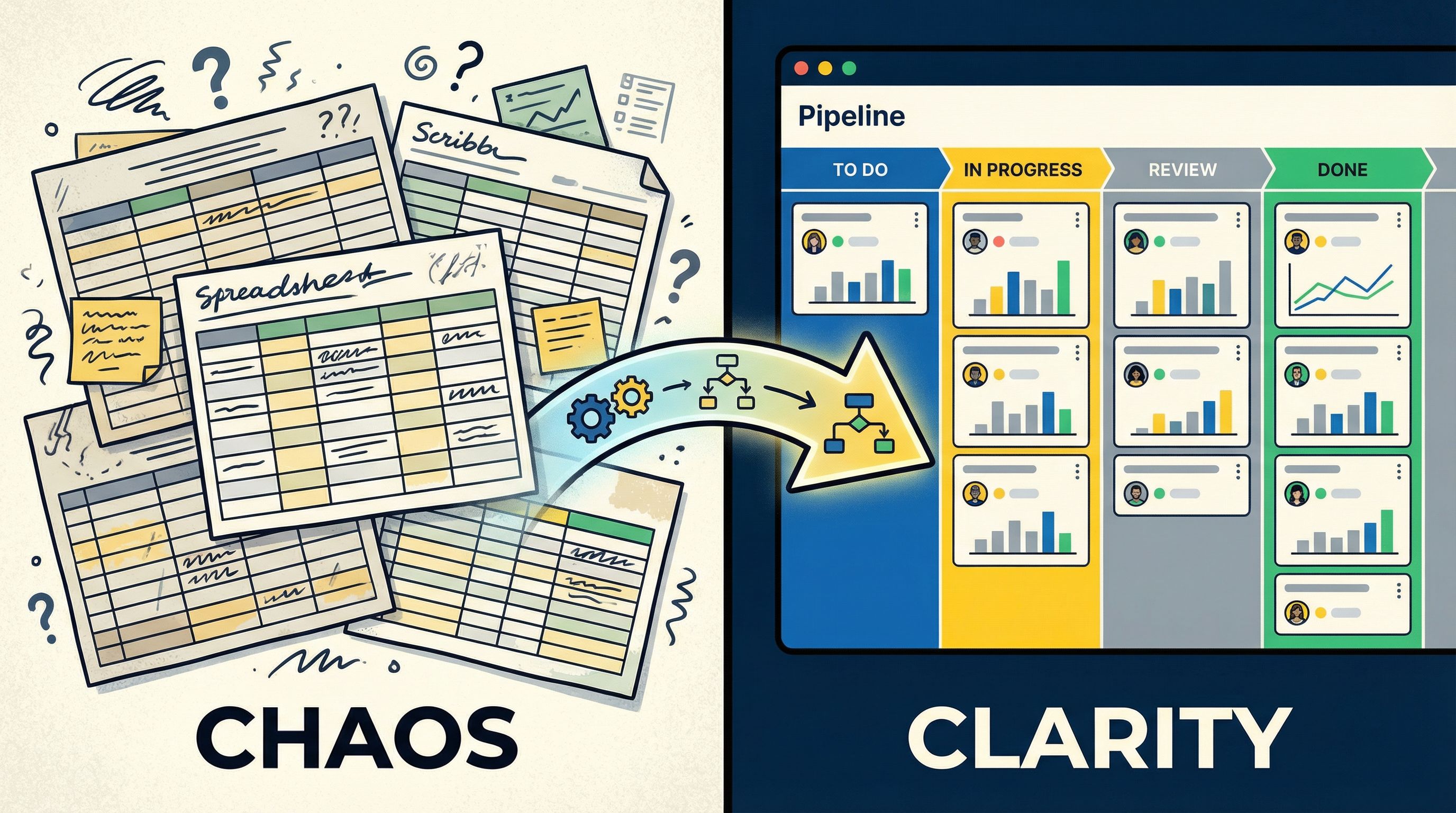
Once Ezpa.ge is syncing responses into Google Sheets, it’s time to stop thinking of it as a static log and start treating it as a live pipeline.
Add the operational columns your form can’t see
Your form captures the request. Your Sheet needs to capture the work.
Add columns such as:
- Status – e.g.,
New,In Review,Approved,Denied,Needs Info,Done - Owner – who is currently responsible
- Created At – timestamp from the form submission
- First Response At – when someone first touched it
- Resolved At – when the request was closed
- SLA Breach? – formula comparing timestamps to your target time
- Tags / Notes – short internal notes or labels
You can do this with simple formulas and data validation—no heavy tooling required. For more advanced routing, you can layer on filters, color rules, or even lightweight Apps Script later.
Create views that match how your team works
Your sheet should answer three questions at a glance:
-
What just came in?
Filter byStatus = New, sort byCreated Atdescending. -
What’s at risk?
Filter byStatus != DoneandSLA Breach? = TRUE. -
Who’s overloaded?
Pivot byOwnerand count open items.
This pattern is similar to what we covered in From Form to Live Queue: Building Real-Time Triage for Support, Sales, and Ops with Google Sheets: your Sheet becomes the shared queue everyone can see.
Use simple automation to reduce manual churn
You don’t need a complex stack to make this feel powerful. With Google Sheets + Apps Script + email or chat hooks, you can:
- Send a notification when
Statuschanges toNeeds Info - Trigger an alert when
SLA Breach?flips toTRUE - Auto-assign owners based on category, region, or deal size
The key is to start small: one or two automations that reinforce your SOP, not replace it.
Step 4: Extract the Playbook From the Sheet
Once your form and Sheet have been running for a few weeks, you’ll have something most process docs never get: evidence.
Now you can write the SOP.
Use a simple, repeatable SOP template
You don’t need a 20-page manual. Start with a one-pager that you can expand over time.
1. Purpose
Why this process exists and what success looks like.
“This playbook ensures all custom discount requests are reviewed within 24 hours, with clear guardrails and an auditable trail of decisions.”
2. Trigger
What starts the process.
“A sales rep submits the ‘Custom Discount Request’ form at
https://yourdomain.ezpa.ge/discounts.”
3. Intake fields (from the form)
List the critical fields and how they’re used.
- Deal size (used to determine approval level)
- Requested discount % (used to apply guardrails)
- Reason for discount (used to understand risk and competitive context)
- Segment / region (used for routing)
4. Workflow steps (from the Sheet)
Map statuses to actions.
- New – Request lands in the
Discount RequestsSheet. Auto-routed based on segment. - In Review – Owner evaluates deal size, discount %, and reason. May request more info.
- Approved / Approved with changes / Denied – Decision recorded in Sheet; rep notified.
- Done – Request closed; Sheet logs
Resolved Atand SLA.
5. Roles and responsibilities
Clarify who does what.
- Sales rep – submits complete request, responds to
Needs Infowithin 1 business day. - RevOps – reviews within 24 hours, records decision and rationale.
- Sales leadership – reviews exceptions above a certain threshold.
6. SLAs and guardrails
Make expectations explicit.
- SLA: First response within 24 hours for all
Newrequests. - Guardrail: Any discount over X% requires leadership sign-off.
7. Reporting and continuous improvement
Tie back to the Sheet.
- Monthly review of:
- Average time to first response
- Average time to resolution
- % of requests returned as
Needs Info
Your Sheet is the source of truth for all of this. You’re not inventing a process—you’re codifying what’s already happening (and tightening the screws where needed).
Step 5: Bake the SOP Back Into the Form
The loop isn’t complete until your SOP and your form reinforce each other.
Look for patterns in your Sheet:
-
Fields that are frequently blank or unclear
→ Improve labels, add examples, or make them required. -
Requests that often land in
Needs Info
→ Add helper text or conditional fields to catch missing details earlier. -
Categories that are always re-routed after submission
→ Update your form logic or add routing hints.
Over time, your form becomes a self-enforcing version of the SOP:
- If a discount above X% always requires extra justification, add a conditional field that appears when
Requested discount % > X. - If VIP customers always get a different path, use a URL or hidden field that flags
Is VIP = TRUEat intake.
This is where Ezpa.ge’s strengths—custom URLs, themes, and real-time Google Sheets syncing—really shine:
- One base form → multiple URL-driven variants for segments, partners, or internal teams (see URL-Driven Ops: How Custom Links Turn One Form into a Dozen Targeted Workflows).
- One Sheet → one operational playbook that stays consistent across all those variants.
Step 6: Use Metrics to Keep the SOP Alive
The difference between a dead SOP and a living playbook is whether it has metrics attached.
From your Google Sheet, pull a handful of simple views:
-
Volume
- How many requests per week?
- By segment, region, or product?
-
Speed
- Average time to first response
- Average time to resolution
-
Quality
- % of requests marked
Needs Info - % of decisions escalated
- % of requests marked
-
Outcome (where applicable)
- Win rate for deals with approved discounts
- NPS / CSAT for resolved support escalations
Even a basic chart tab inside your Sheet can be enough to drive a monthly review:
- Pull up the dashboard.
- Ask: “Where are we missing our expectations?”
- Update either:
- The form (better questions, clearer options, new logic), or
- The SOP (roles, SLAs, steps, or guardrails).
This turns your playbook into a feedback loop, not a static artifact.
Step 7: Scale From One Playbook to a Library
Once you’ve done this for a single workflow, you’ll start to see the pattern everywhere.
The playbook template stays mostly the same. You just swap in a different:
- Form (Ezpa.ge URL)
- Sheet (tab or file)
- Team (owner of the process)
Some high-leverage expansions:
-
Support – From Form to FAQ
Use repeated questions in your Sheets to seed a public FAQ or self-serve flows, as outlined in From Form to FAQ: Turning Repetitive Support Questions into Self-Serve Flows. -
Agencies – From discovery to renewals
Connect intake, briefs, approvals, and renewals into a single Sheet-backed playbook, similar to Form-First Playbooks for Agencies: From Discovery to Retainer Renewals in Google Sheets. -
Partner programs – From applications to QBRs
Run your partner ecosystem on forms + Sheets instead of a heavy portal, as described in Forms for Partner Ecosystems: Onboarding, Co-Marketing, and Lead Sharing Without a Portal.
As your library grows, you can:
- Standardize status names across Sheets
- Reuse SLA patterns (e.g., 24h first response, 3-day resolution)
- Establish governance for themes, URLs, and copy (see Brand-Consistent Forms at Scale: Governance Rules for Themes, URLs, and Copy)
The result is a network of form-first playbooks instead of a random pile of spreadsheets and docs.
Putting It All Together
If you zoom out, the pattern looks like this:
-
Pick one painful workflow.
Don’t boil the ocean; start where better structure will obviously help. -
Design or refine the form as the front door.
Ask the questions your process actually needs to run smoothly. -
Treat the Google Sheet as a live pipeline.
Add status, owner, timestamps, and basic SLA formulas. -
Write a lightweight SOP from real data.
Purpose, trigger, intake fields, steps, roles, SLAs, reporting. -
Bake the SOP back into the form.
Use helper text, required fields, conditional logic, and URL variants. -
Attach metrics and review regularly.
Use your Sheet to drive monthly tweaks to both form and playbook. -
Clone the pattern to other workflows.
Build a small library of form-backed SOPs instead of isolated docs.
You don’t need a new platform or a six-month implementation project. If you’re already using Ezpa.ge + Google Sheets, you have everything required to start turning forms into playbooks.
Your First Move: From Form to Playbook in a Week
Here’s a concrete way to get momentum this week:
Day 1–2
- Pick one workflow (discount approvals, VIP support, partner requests, etc.).
- Audit the existing form and Sheet.
- Refine the form in Ezpa.ge so it cleanly captures what your team actually needs.
Day 3–4
- Add operational columns (Status, Owner, timestamps, SLA flags) to the Sheet.
- Create simple filtered views for
New,At Risk, andBy Owner.
Day 5
- Draft a one-page SOP using the template above.
- Share it with the team, walk through a few real rows in the Sheet, and adjust.
By the end of the week, you’ll have:
- A better form
- A live operational Sheet
- A usable SOP that reflects reality
From there, you can decide which workflow gets the same treatment next.
If you’re ready to stop letting your Google Sheets quietly collect dust and start turning them into repeatable, resilient operations, start with one form.
Open Ezpa.ge. Pick the workflow that hurts the most. Tighten the questions, wire it cleanly into a Sheet, and let that Sheet tell you what your playbook should be.
The forms you already have are closer to a real ops manual than any blank doc will ever be. Your job now is to connect the dots—and turn those forms into the playbooks your team has been missing.