Theme-Driven A/B Testing: Experimenting with Copy, Layout, and Visual Hierarchy Without New Pages

Form teams are finally waking up to a simple truth: you don’t need a new landing page for every experiment.
If your forms already sit on flexible themes—colors, typography, spacing, and components you can swap like Lego bricks—you can run serious A/B tests entirely at the theme layer:
- Headlines and supporting copy
- Layout and field groupings
- Button style and placement
- Visual hierarchy, from contrast to whitespace
All without spinning up a fresh URL, wrangling another CMS template, or asking engineering to clone a page “just for this test.”
This post is about how to do exactly that: use theme-driven A/B testing to learn faster, keep your data clean, and ship more confident changes to your funnels.
Why Theme-Driven Experiments Matter
Most form experiments fall into one of two painful patterns:
-
New page, new everything. Marketing clones a landing page, changes a headline, tweaks a button, and now you have:
- A second URL to track
- A second form to maintain
- A second Google Sheet or CRM integration to keep in sync
-
Tiny copy tweaks with no structure. Someone quietly changes a headline or helper text in production, watches conversion for a week, and hopes the lift wasn’t caused by something else that changed at the same time.
Theme-driven testing gives you a third path:
- One canonical form, many visual expressions. You keep the same fields, logic, and integrations—but swap themes to test how presentation affects behavior.
- Centralized data. Both variants write to the same destination (for example, a live Google Sheet), with a clear flag indicating which theme someone saw.
- Faster iteration. You’re changing theme presets, not hard-coded templates. That’s a design and ops problem, not an engineering project.
When you’re already using a tool like Ezpa.ge—where themes, custom URLs, and real-time Google Sheets syncing are first-class—you’re sitting on an experimentation engine most teams never fully exploit.
What You Can Test at the Theme Layer
You can’t test everything with themes alone. But you can test far more than most teams realize.
1. Copy and Microcopy
Even without touching the underlying fields, you can vary:
- Headlines and subheads (e.g., "Get your demo" vs. "Talk to a product specialist")
- Section titles that frame groups of fields
- Helper text under inputs (clarity vs. brevity)
- Button labels ("Submit" vs. "Get early access")
These changes often live in the same configuration layer as your theme. That makes them easy to version and roll back.
2. Layout and Grouping
Layout is where theme-driven testing really shines:
- Single-column vs. two-column layouts for desktop
- Short scroll vs. tall scroll (more fields above the fold vs. more breathing room)
- Inline vs. grouped sections (e.g., a "Company details" card vs. scattered fields)
- Sticky vs. static submit button on mobile
You’re not changing what you ask—just how it’s arranged.
3. Visual Hierarchy and Emphasis
Visual hierarchy directs attention. You can experiment with:
- Color contrast between primary and secondary actions
- Font size and weight for headlines vs. labels
- Use of accent color for required fields, key benefits, or trust badges
- Whitespace around critical elements (fewer distractions near the main CTA)
These tweaks can dramatically change where eyes land first and what feels important.
4. Theming for Context
If you’ve read about adaptive themes, you already know that the same form can (and should) look different in different channels.
Theme-driven A/B testing lets you:
- Test a high-contrast, bold theme from paid campaigns vs. a subtle, product-native theme inside your app.
- Try a dark mode variant for late-night mobile traffic vs. a light, spacious variant for desktop.
The key: you’re not forking the form logic. You’re forking the skin.
Designing a Solid Theme-Driven Experiment
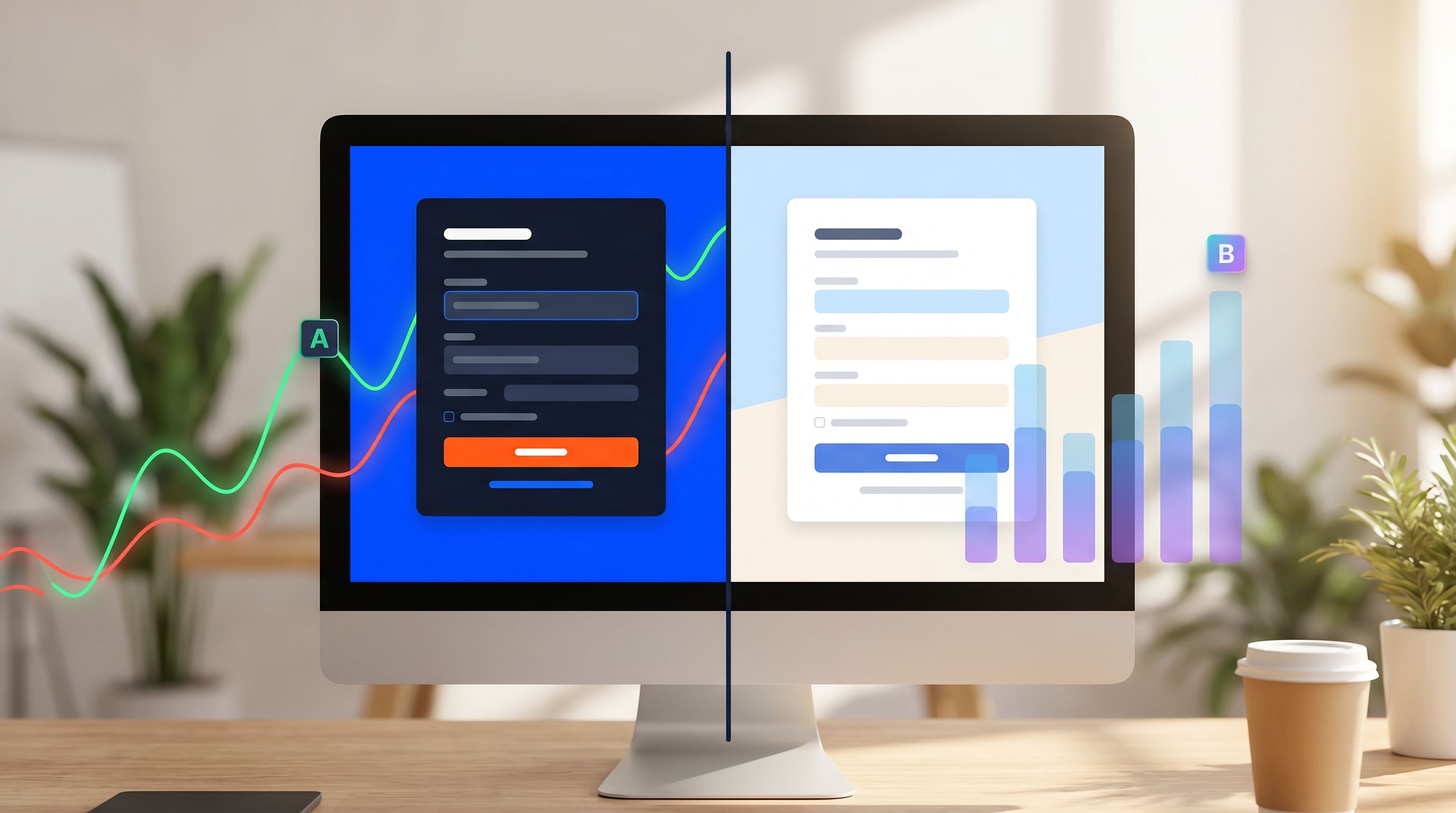
Before you start swapping colors and rearranging fields, you need a plan. A good theme-driven test has four parts:
- A clear question
- A single primary change in each variant
- Clean routing and tracking
- A realistic sample size and time frame
Let’s break that down.
1. Start With a Question, Not a Variant
Every experiment should answer a question that matters to your team. For example:
- Attention question: "Does a more compact layout with fewer scrolls increase completion on mobile?"
- Clarity question: "Does more explicit helper text reduce error rates on the payment step?"
- Trust question: "Does a calmer, more neutral theme perform better for high-stakes forms (pricing, contracts, security requests)?"
If you can’t write the question in one sentence, you’re not ready to pick variants.
2. Define Variants at the Theme Level
Instead of "Variant A" and "Variant B" as abstract ideas, define them as concrete theme presets.
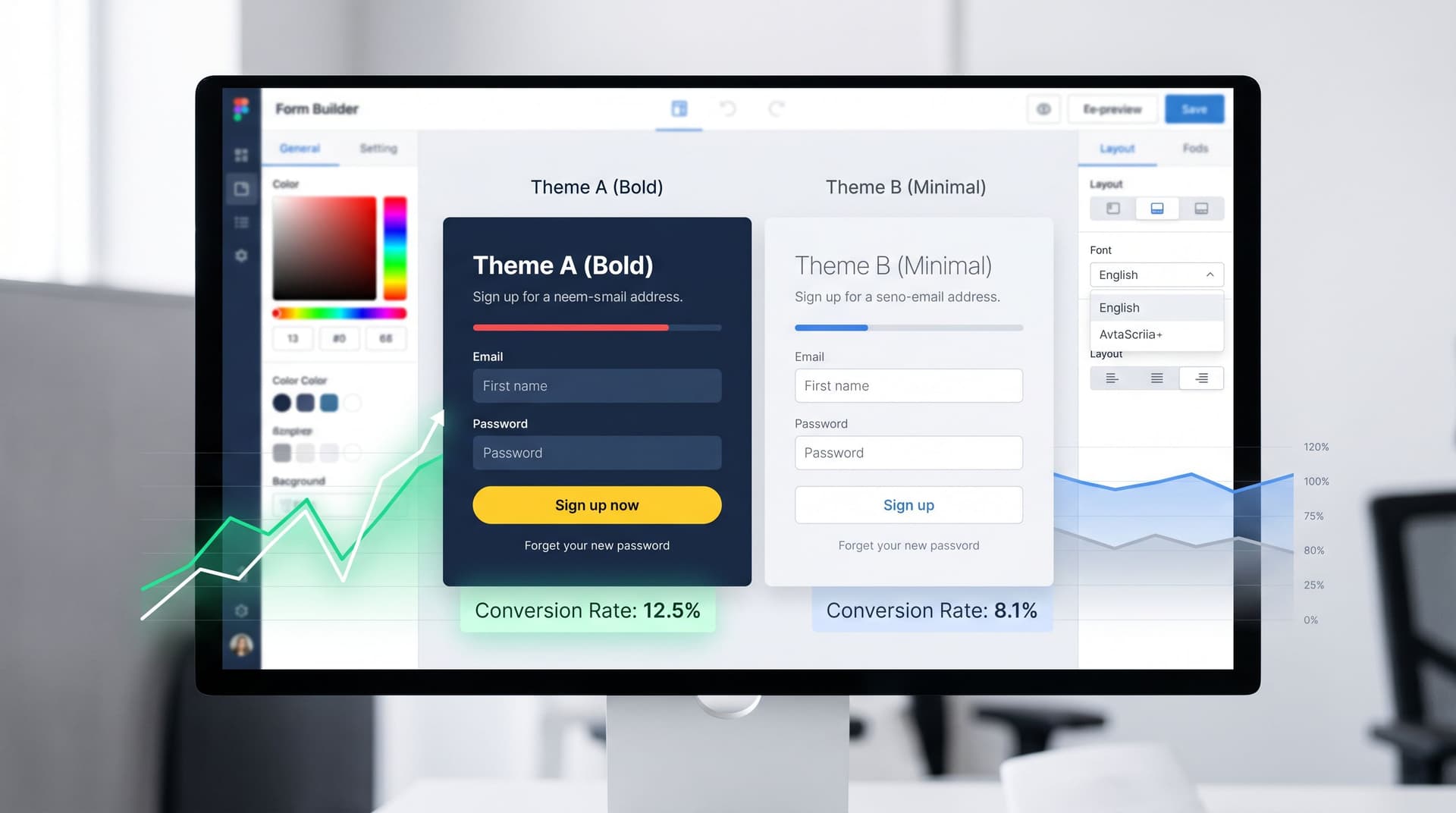
Example: Demo request form
-
Theme A: Clarity-first
- Single-column layout
- Generous whitespace
- Clear section titles: "About you", "About your company", "How we can help"
- Button label: "Schedule my demo"
- Muted brand colors, strong contrast for labels and inputs
-
Theme B: Momentum-first
- Slightly tighter spacing above the fold
- Key fields (email, company size, timeline) grouped in a bordered card
- Button label: "Talk to a product expert"
- Brighter accent color on the primary CTA
Both themes use the same fields, validation, and integrations. Only the theme configuration changes.
3. Wire Routing Without New Pages
You have options for how to route traffic between themes without multiplying URLs:
-
Theme parameter in the URL
- Example:
https://yourbrand.ezpa.ge/demo?theme=Avs.?theme=B - Useful when you want explicit control from campaigns (e.g., separate ad groups).
- Example:
-
Server-side or tool-side randomization
- Your experiment tool or Ezpa.ge config randomly assigns a theme per visitor and stores that assignment in a cookie or session.
- Great for unbiased A/B splits on organic or product traffic.
-
Channel-based rules
- Use referrer or UTM parameters to choose themes:
utm_source=tiktok→ Theme B (bolder, more visual)utm_source=blog→ Theme A (calmer, content-aligned)
- Use referrer or UTM parameters to choose themes:
However you route, make sure you:
- Log the theme ID in your submission data (for example, a hidden field synced into Google Sheets).
- Keep the form URL stable whenever possible, so analytics and SEO stay clean.
If you’re already using Sheets as a central hub, you can borrow ideas from From Sheet to System to keep experiment metadata organized.
4. Decide What “Success” Looks Like
Theme-driven tests can optimize for more than raw conversion rate. Consider:
- Completion rate (sessions that start vs. submit)
- Time to complete (especially on mobile)
- Error rate on critical fields
- Quality of submissions (e.g., lead score, qualification rate, churn of users who came via that form)
For example, a theme that slightly lowers completion rate but dramatically increases qualified leads might be a win for your sales team.
What to Test: Copy, Layout, and Hierarchy Ideas
Once your framework is in place, here are concrete experiments you can run without touching your underlying form structure.
A. Copy Experiments
1. Value prop in the headline vs. in the subhead
- Variant A: Headline carries the promise ("Launch your campaign in 48 hours")
- Variant B: Headline is neutral ("Request a demo"), subhead carries the promise
2. Benefit-oriented vs. process-oriented button labels
- Variant A: "Get early access"
- Variant B: "Submit application"
3. Helper text density
- Variant A: Minimal helper text, only on complex fields
- Variant B: Short, friendly helper text on every field ("We’ll use this to match you with the right specialist.")
Pair these with strong error design; if you haven’t yet, it’s worth exploring brand-first error states to ensure your errors support experiments instead of undermining them.
B. Layout Experiments
1. Above-the-fold density
- Variant A: Only the most essential fields above the fold, everything else below
- Variant B: More fields visible above the fold to reduce perceived length
2. Progressive grouping vs. flat layout
- Variant A: Sections with collapsible or card-style groupings ("About you", "Project details")
- Variant B: A single long column with consistent rhythm
3. Mobile-first submit behavior
- Variant A: Sticky bottom bar with the primary CTA
- Variant B: Standard button at the end of the form
C. Visual Hierarchy Experiments
1. High-contrast vs. low-contrast themes
- Variant A: Strong contrast between background, card, and input fields; bold primary CTA
- Variant B: Softer, more monochrome palette with subtle accents on focus states
2. Emphasis on social proof vs. privacy/trust
- Variant A: Logo strip and testimonials visually highlighted near the top
- Variant B: Privacy reassurance and data usage statement emphasized instead
3. Field label style
- Variant A: Labels above inputs, slightly larger, with clear required indicators
- Variant B: Compact labels with subtle required markers, more focus on placeholder text
Each of these can be implemented as theme variations: colors, font sizes, spacing tokens, and component styles—not new templates.

Keeping Data Clean While You Experiment
A/B testing isn’t just about what users see; it’s about what your team can trust afterward. A theme-driven approach makes it easier to keep your data tidy—if you set it up intentionally.
1. Log Theme and Variant Explicitly
In your form tool, add a hidden field that captures:
- Theme ID (e.g.,
clarity_v1,momentum_v1) - Optionally, a test name (e.g.,
demo_theme_experiment_apr_2026)
Sync these fields into Google Sheets in real time. That way, you can:
- Filter submissions by variant
- Pivot by campaign + theme
- Run quick analyses without touching your analytics stack
This mirrors the discipline used in Form UX for Experiments, but focused specifically on theme-level changes.
2. Keep One “Source of Truth” Sheet
Theme-driven testing works best when:
- All variants write to the same Sheet, with a column for theme/variant
- Ownership is clear (who can add themes, who can change routing)
Avoid creating a new Sheet per experiment. That’s how you end up with "Q2 Demo Form (new) (final)" chaos.
3. Guard Against Form Drift
When themes are easy to change, it’s tempting for every team to tweak them on the fly. That’s how drift happens: your carefully designed test becomes a moving target.
To avoid this:
- Treat theme presets as versioned assets (e.g.,
demo_theme_clarity_v1,demo_theme_clarity_v2). - Document which presets are in active experiments.
- Set clear rules: no mid-test changes to active variants.
If you’re dealing with dozens or hundreds of forms, the principles in From Drift to Discipline apply directly. Themes should be part of your taxonomy, not an afterthought.
Practical Workflow: Running a Theme-Driven Test With Ezpa.ge + Sheets
Here’s a concrete workflow you can adapt.
Step 1: Choose a High-Impact Form
Pick a form where small lifts matter:
- Demo request
- Pricing inquiry
- Trial signup
- High-intent feedback form
Check that it already syncs cleanly into a central Sheet and is reachable via a stable custom URL.
Step 2: Define Your Hypothesis
Example:
For mobile traffic to the demo request form, a higher-contrast theme with a sticky submit button will increase completion rate by 10% without hurting lead quality.
Write it down. Share it with stakeholders.
Step 3: Create Two Theme Presets
In Ezpa.ge (or your form theming tool):
- Duplicate your current theme as Theme A.
- Create Theme B by adjusting only the elements relevant to your hypothesis (e.g., contrast, button behavior, spacing).
- Keep typography, logo, and basic brand elements consistent to avoid confounding variables.
Step 4: Add Hidden Fields for Tracking
Add hidden fields like:
theme_idexperiment_name
Configure each theme to populate these automatically.
Step 5: Set Up Routing
Depending on your setup:
- Use URL parameters (
?theme=A/?theme=B) and let your ad or email campaigns split traffic. - Or configure random assignment in your experiment tool or via Ezpa.ge logic.
Make sure the final URL people see is consistent, or at least clearly mapped in your analytics.
Step 6: Run the Test Long Enough
Don’t call a winner after 50 submissions.
As a rough heuristic for many B2B funnels:
- Aim for a few hundred submissions per variant at minimum.
- Run the test for at least 1–2 full business cycles (to account for weekday vs. weekend behavior and campaign rhythms).
If your volume is lower, treat the test as directional, not definitive.
Step 7: Analyze, Decide, and Archive
When you have enough data:
- Filter your Sheet by
experiment_nameandtheme_id. - Compare:
- Completion rate
- Time to complete (if you track it)
- Downstream metrics like qualification or revenue
- Decide:
- Roll out the winning theme to 100% of traffic
- Iterate with a new variant
- Or keep both for different channels (e.g., Theme A for ads, Theme B in-app)
Finally, archive the experiment:
- Lock the losing theme or mark it as deprecated.
- Capture a short summary in your experiment log (what you tried, what you learned, what’s next).
Beyond A/B: Where Theme-Driven Testing Can Go Next
Once you’ve nailed basic A/B tests, themes become a powerful backbone for more advanced strategies:
- Holdout groups: Keep a small percentage of traffic on a stable baseline theme while you iterate on others.
- Lifecycle-based theming: Use different themes for new users vs. power users, as explored in Form Themes for Product-Led Growth.
- Context-aware styling: Match themes to device, time of day, or channel, then test within those slices.
- AI-assisted theme suggestions: Use models to propose theme tweaks (e.g., more contrast for low-light contexts) while you keep tight control over what actually ships.
The common thread: your form’s structure and data plumbing remain stable. You’re experimenting at the presentation layer, where change is cheaper and safer.
Bringing It All Together
Theme-driven A/B testing is not about making your forms "prettier." It’s about:
- Learning which copy, layout, and hierarchy patterns actually move the metrics you care about.
- Keeping your data unified while you experiment.
- Giving marketing, product, and ops a way to iterate quickly without creating a sprawl of one-off pages.
With a tool like Ezpa.ge handling themes, custom URLs, and real-time Google Sheets syncing, you already have most of the ingredients. The missing piece is a disciplined workflow: clear hypotheses, versioned themes, clean routing, and trustworthy analysis.
Take the First Step
You don’t need a massive experimentation program to get value from theme-driven testing. You just need one good test.
Here’s a simple way to start this week:
- Pick one high-intent form. Demo request, trial signup, or a key feedback form.
- Define a single hypothesis about copy, layout, or hierarchy that you believe could move the needle.
- Create two theme presets that differ only where your hypothesis lives.
- Wire in tracking via hidden fields and your existing Google Sheet.
- Split traffic and let it run until you have enough submissions to see a pattern.
From there, you’re not guessing which form design "feels" better. You’re running a system where themes are levers you can pull with confidence.
If you’re already using Ezpa.ge, open your highest-impact form, duplicate the theme, and sketch your first experiment. If not, start by mapping your current forms and Sheets into a single view, and decide where a theme-driven test could give you the clearest win.
Your next conversion lift might be just a theme away.