Zero to Live in 30 Minutes: Building a Fully-Branded Launch Funnel with Ezpa.ge and Google Sheets


Launching a new campaign, offer, or product doesn’t fail because the idea is bad. It fails because the funnel takes too long to ship, is off-brand, or is impossible to iterate once it’s live.
A designer needs to mock up a landing page. A developer needs to wire the form. Ops needs the data in a spreadsheet. Legal wants a new consent line. By the time everything is ready, the moment has passed—or the team is too nervous to touch anything.
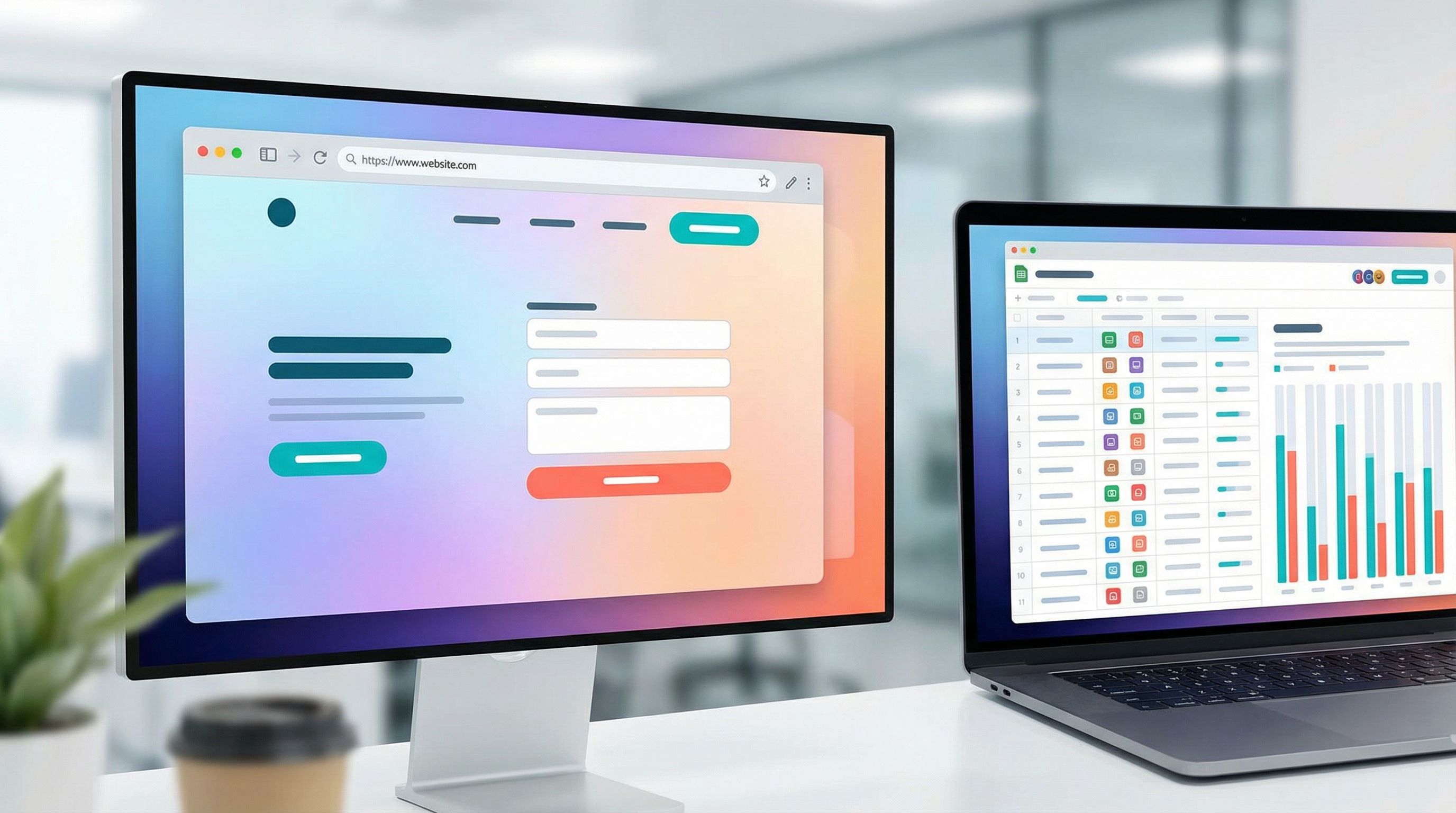
Ezpa.ge plus Google Sheets gives you a different path: a launch funnel you can design, brand, and connect to your ops backbone in under 30 minutes.
This post walks through exactly how to do that—step by step—so you can go from idea to live, fully-branded funnel without waiting on a single deploy.
Why a 30-Minute Launch Funnel Matters
A 30-minute path from idea to live funnel isn’t just about speed. It changes how your team works:
1. You launch more experiments.
If a new positioning angle or offer means days of design and dev work, you’ll only try a few a year. If it’s a 30-minute Ezpa.ge + Sheets build, you can ship multiple variants in a single afternoon.
2. You keep brand and ops in sync.
Custom themes and URLs mean you don’t have to choose between “on-brand” and “fast.” You can match your visual system, copy standards, and domain structure while still shipping quickly. For deeper strategies here, see how teams are using themes to replace one-off landing pages in Forms as Microsites: Replacing One-Off Landing Pages with Theme-Driven Flows.
3. You get a real source of truth from day one.
Because Ezpa.ge syncs every submission into Google Sheets in real time, you’re not stuck exporting CSVs or reconciling multiple tools. Your launch funnel is wired into the same spreadsheet backbone that already runs the rest of your operations.
4. You can iterate without fear.
Need to tweak a field, adjust copy, or add logic once the funnel is live? You can do it directly in Ezpa.ge without breaking your sync or waiting for a developer. That’s the same pattern we explore in Form UX for Busy Operators: How to Build Flows Your Team Can Update Without a Designer or Developer.
In other words: a 30-minute launch funnel isn’t a stunt. It’s an operating model.
The Launch Funnel You’ll Build
Before we dive into the steps, let’s define what “fully-branded launch funnel” actually means in this context.
By the end of this walkthrough, you’ll have:
- A dedicated, on-brand form microsite built in Ezpa.ge (no separate landing page needed).
- A custom URL you can drop into emails, ads, social posts, or partner campaigns.
- A multi-step form that:
- Tells your story in short, embedded content blocks.
- Qualifies leads or signups with just the right questions.
- Adapts based on who’s filling it out (using conditional logic).
- Real-time syncing into Google Sheets, with clear columns for every field.
- A basic ops layer in Sheets to triage, prioritize, and act on submissions.
You can adapt this pattern for:
- Product launches
- Webinar or event registrations
- Waitlists
- Partner or affiliate launches
- Limited-time offers
Step 1: Clarify the Job of Your Funnel (3–5 Minutes)
Before touching a tool, answer three questions. This is what keeps your 30 minutes focused instead of wandering.
-
Who is this funnel for?
Be specific:- “Existing customers on our Pro plan”
- “Net-new prospects from paid social”
- “Partners co-hosting a webinar with us”
-
What is the single success action?
Examples:- Book a demo
- Join a waitlist
- Register for an event
- Request a partner kit
-
What do you absolutely need to know to follow up?
Limit yourself to 5–8 core pieces of information. Think:- Contact details (name, email, company)
- Qualification (company size, role, use case)
- Intent (timeline, budget, key goal)
Write these down. They become your form fields and content, not an afterthought.
Tip: If you’re planning to layer AI on top of these submissions later—for routing, summarization, or personalized follow-up—structure your questions cleanly and read more in AI-Ready Forms: Structuring Your Questions Today for Smarter Models Tomorrow.
Step 2: Spin Up a Branded Ezpa.ge Microsite (5–7 Minutes)
Now you’ll turn those answers into a real, branded entry point.
2.1 Create a new Ezpa.ge form
- Log into Ezpa.ge.
- Click New form (or clone a successful pattern you already use).
- Give it a clear internal name, like
Q2 Launch – Pro Plan Upgrade Funnel.
2.2 Choose or apply a theme
Your goal is to make the form feel like a natural extension of your brand or campaign.
- Start from a theme you already use for marketing or sales flows.
- Or create a new theme that matches your launch visuals:
- Primary and accent colors
- Typography that echoes your site
- Button styles and corner radius
- Background treatments (solid, gradient, subtle pattern)
If you manage multiple brands or sub-brands, this is where a token-based design system really pays off. Themes can be reused across dozens of funnels without one-off styling, as explored in Theme Tokens, Not One-Off Styles: Building a Form Design System That Scales Across Brands.
2.3 Set a custom URL
A clean, predictable URL builds trust and makes your funnel easier to share.
- Use a structure like:
yourbrand.com/launch-nameorforms.yourbrand.com/q2-upgrade - Keep it short and legible—something you’re comfortable saying out loud on a webinar or podcast.
At this point you have:
- A new Ezpa.ge form
- Your brand theme applied
- A custom URL reserved
You’re ready to design the actual funnel.
Step 3: Design a Story-Driven, Multi-Step Flow (10–12 Minutes)
A launch funnel is more than a list of fields. It’s a short narrative that moves someone from curiosity to commitment.
3.1 Turn your story into steps
Think in 3–4 steps, not 20 fields on one page.
A simple structure:
-
Step 1 – Context & promise
- Short headline: what this launch is about.
- 1–2 sentences: who it’s for, what they’ll get.
- A single low-friction field to get them started (email or role).
-
Step 2 – Fit & intent
- Questions that qualify interest and fit:
- Company size or type
- Primary goal (multiple choice)
- Timeline (this quarter, this year, just exploring)
- Questions that qualify interest and fit:
-
Step 3 – Details that unlock value
- More specific questions that help you deliver a better experience:
- Current tools or workflow
- Biggest pain point
- Preferred follow-up channel
- More specific questions that help you deliver a better experience:
-
Step 4 – Confirmation & next steps
- Clear summary of what happens next.
- Optional opt-in to extra value (e.g., “Send me the launch playbook”).
3.2 Use content blocks as micro-copy, not walls of text
Ezpa.ge lets you embed text, headings, and even images alongside your fields. Use that to guide people, not overwhelm them.
- Add short, benefit-focused copy at the top of each step.
- Use inline hints under fields to clarify what you’re asking.
- Sprinkle in a small testimonial or social proof if relevant.
3.3 Add conditional logic to keep it lean
Not everyone needs to see every field.
Examples:
- If someone selects “Agency” as company type, show an extra question about client verticals.
- If someone chooses “Enterprise (1000+ employees),” reveal a field about security or procurement.
- If someone is “Just exploring,” skip detailed implementation questions.
This keeps the funnel short for everyone, specific for the right people—and sets you up for more personalized workflows later, like the AI-driven flows in AI-Personalized Forms at Scale: Dynamic Questions, Smart Defaults, and Guardrails.
3.4 Keep friction intentional
A launch funnel isn’t always about maximum conversion. Sometimes you want to filter.
Ask yourself for each field:
- Does this help us prioritize or personalize?
- Will the respondent see the value of answering this now?
If the answer is “no” on both counts, cut it.
Step 4: Wire Real-Time Syncing into Google Sheets (3–5 Minutes)
With the form structure in place, connect it to the ops brain your team already trusts: Google Sheets.
4.1 Connect your Sheet
- In Ezpa.ge, open the Integrations or Data section for your form.
- Choose Google Sheets.
- Either:
- Create a new Sheet named after your launch, or
- Connect to an existing “Launch Funnel Responses” workbook with a new tab.
Ezpa.ge will map each field to a column. Make sure the column names are clean and descriptive—you’ll use them for filters and formulas.
4.2 Test the sync
Before sending traffic:
- Fill out the form yourself with test data.
- Confirm that a new row appears instantly in your Sheet.
- Check that:
- Multi-select fields are stored in a consistent format.
- Timestamps and source metadata (if enabled) are captured.
- Consent fields or checkboxes are clearly represented (e.g.,
TRUE/FALSE).
If anything looks off, adjust the field settings in Ezpa.ge and re-test.
Step 5: Turn Your Sheet into a Lightweight Ops Console (5–8 Minutes)
A launch funnel is only as good as what happens after someone clicks Submit. Google Sheets lets you build just enough workflow to keep things moving—without introducing a new tool.
5.1 Add basic routing and ownership
In your responses Sheet, add a few helper columns:
- Owner – who is responsible for this submission.
- Status – e.g.,
New,Contacted,Qualified,Not a fit. - Priority – e.g.,
P0,P1,P2based on company size, intent, or channel.
You can:
- Use simple IF formulas to auto-assign priority based on answers.
- Use Data validation to enforce consistent values for Status and Owner.
5.2 Create filtered views for different teams
Turn one Sheet into multiple, role-specific views:
- A Sales view showing only
NewandQualifiedrows, sorted by Priority. - A Marketing view focused on source, campaign, and top-of-funnel metrics.
- A CX or Success view for existing customers responding to an upgrade offer.
Filters and views mean everyone’s working from the same data, just sliced differently. For more advanced patterns—like turning these views into live ops dashboards—check out Forms as Source-of-Truth Dashboards: Turning Google Sheets Views into Live Ops Cockpits.
5.3 Add simple alerts
You don’t need a full automation platform to get notified when important submissions land.
Options:
- Use Google Sheets notifications to alert when new responses are added.
- Pair your Sheet with tools like Zapier, Make, or Slack’s Google Sheets integration to:
- Post high-priority rows in a Slack channel.
- Create tasks in tools like Asana or ClickUp.
- Trigger personalized emails via your marketing automation platform.
The key is to keep the first version simple. You can always add sophistication after you’ve proven the funnel is worth investing in.

Step 6: Launch, Learn, and Iterate (5–10 Minutes)
With your Ezpa.ge funnel live and Google Sheets connected, you’re ready to ship. But the real advantage of this setup is how quickly you can learn and adjust.
6.1 Soft launch to a friendly audience
Before pushing to your full list or ad budget:
- Share the URL internally and with a small group of trusted customers or partners.
- Ask them to:
- Walk through the funnel on desktop and mobile.
- Call out any confusing questions or missing context.
- Share where they hesitated or almost dropped off.
Make small adjustments in Ezpa.ge based on this feedback—copy, field order, step labels—without touching your Sheet.
6.2 Watch behavior, not just submissions
In the first 24–72 hours, look for:
- Completion rate – Of those who start Step 1, how many finish?
- Drop-off points – Are people abandoning on a particular step?
- Answer patterns – Are certain options overwhelmingly selected or ignored?
Use this to:
- Merge or remove low-signal questions.
- Clarify confusing language.
- Reorder steps so easier, more engaging questions come first.
6.3 Clone and specialize for channels or partners
Once you have a working baseline, cloning becomes your superpower.
- Create variants for:
- Specific acquisition channels (e.g., paid social vs. newsletter).
- Strategic partners or co-branded launches.
- Different regions or languages.
- Adjust:
- Theme accents (colors, logos) to match partner branding.
- Microcopy to reflect the promise made in that channel.
- Hidden fields to track source and campaign.
Because each variant can still sync into the same Google Sheets workbook (with a source column), you get one operational backbone with many tailored entry points.
Putting It All Together
In roughly 30 minutes, you can move from a blank slate to a live, fully-branded launch funnel that:
- Lives at a clean, custom URL you’re proud to share.
- Feels like a polished microsite, not an afterthought form.
- Guides visitors through a clear, story-driven flow.
- Adapts questions based on who’s answering.
- Syncs every submission into Google Sheets in real time.
- Feeds a simple but effective ops console for routing and follow-up.
From there, you can:
- Layer on AI summarization and routing.
- Turn your Sheet into a live triage queue for sales, support, or ops.
- Evolve your themes and copy as you learn what resonates.
This is the same pattern teams use to run partner ecosystems, hiring pipelines, and support queues—with forms and Sheets as the backbone—without buying heavyweight systems.
Summary
- Speed and control: Ezpa.ge + Google Sheets lets non-technical teams ship launch funnels in ~30 minutes without sacrificing brand or data quality.
- Form-as-microsite: Treat the form itself as the landing page—fully themed, with a custom URL and embedded storytelling.
- Structured, adaptive data: Use multi-step layouts and conditional logic to collect only what you need, tailored to each respondent.
- Ops-ready from day one: Real-time syncing into Google Sheets turns your funnel into a live operational system, not just a static list of responses.
- Iterate safely: Clone, theme, and tweak funnels for different channels and partners while keeping a single source of truth.
Your Next 30 Minutes
You don’t need a full campaign brief or a perfect launch plan to start. You just need one concrete offer and the willingness to ship a small, focused funnel.
Here’s a simple challenge:
- Pick one launch-worthy idea you’ve been sitting on.
- Open Ezpa.ge and create a new form with a theme that matches your brand.
- Build a 3–4 step flow that tells a short story and asks only the questions you truly need.
- Connect it to a fresh Google Sheet and add columns for Owner, Status, and Priority.
- Share the URL with a small audience before the end of the day.
In 30 minutes, you can have a fully-branded launch funnel live, wired into your operations, and ready to learn from real responses.
The gap between “we should launch this” and “we’re live and learning” has never been smaller. Open Ezpa.ge, connect a Sheet, and turn your next idea into a working funnel before the next meeting starts.