AI-Generated Follow-Up Questions: Using Response-Aware Prompts to Go Deeper Without Longer Forms


Forms have always been a tradeoff:
- Ask more questions and you get richer data—but more drop-off.
- Ask fewer questions and completion rates improve—but your team is left guessing what to do next.
AI-generated follow-up questions break that tradeoff.
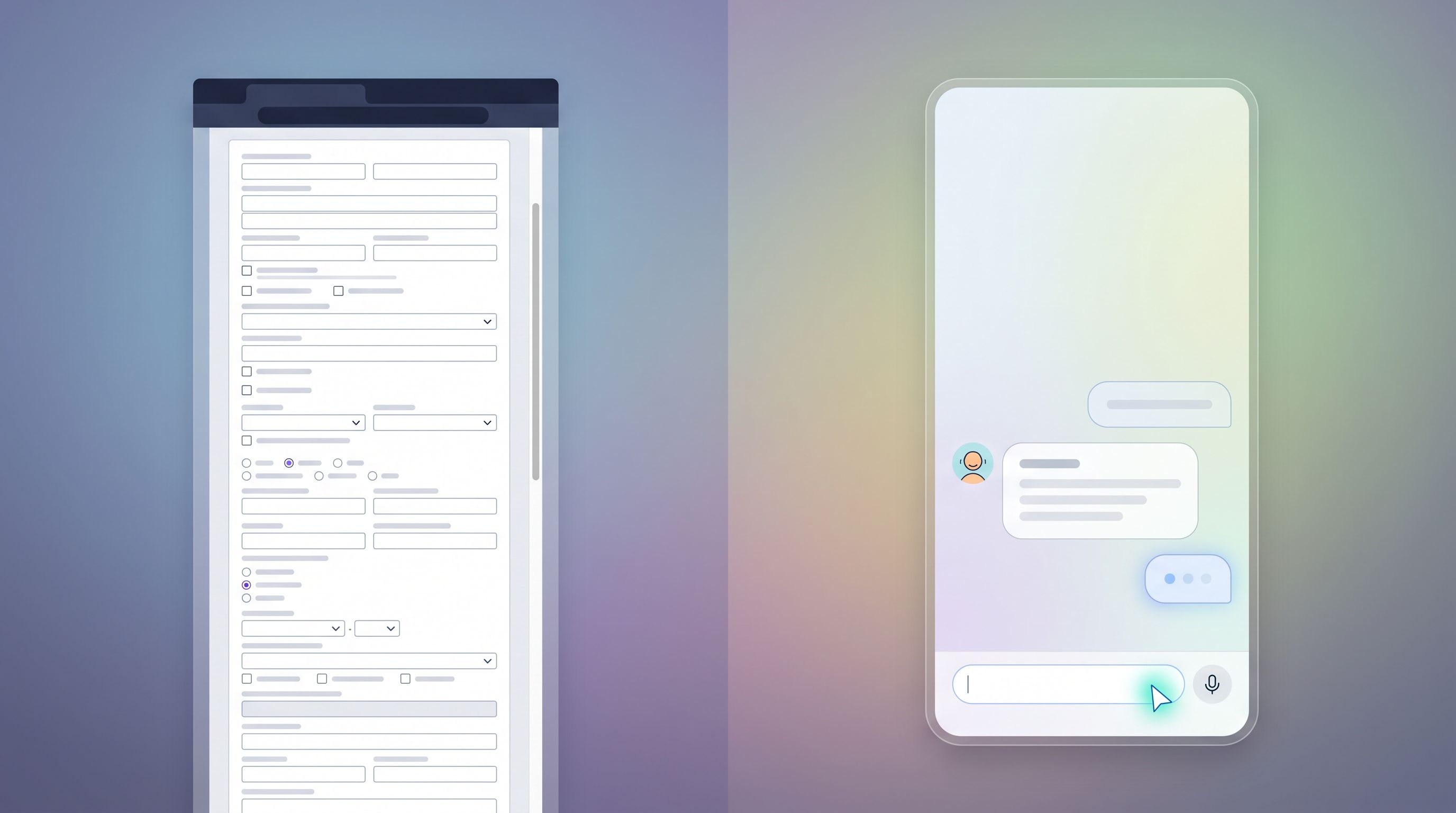
Instead of hard-coding every possible field into a long, intimidating form, you ask a small set of smart, high-signal questions. Then you let AI generate contextual follow-ups—only when they’re needed, and only based on what someone has already said.
With tools like Ezpa.ge, where you already have customizable themes, custom URLs, and real-time Google Sheets syncing, this approach turns your forms into adaptive conversations rather than static questionnaires.
Why Response-Aware Follow-Ups Matter
When a form reacts to what someone just wrote, three important things happen:
-
You earn more trust.
People feel listened to when the next question clearly follows from the last answer. It feels like a thoughtful intake, not a generic template. -
You get better signal with fewer fields.
Instead of guessing which 20 fields you might need, you start with 5–7, then let AI ask 1–3 targeted follow-ups only where the response is ambiguous, high-value, or unusual. -
You reduce friction without losing nuance.
Long forms are a visible burden. AI-driven follow-ups are invisible until they’re needed—and they’re phrased in plain language, in context.
Think of it as the difference between handing someone a stack of paperwork and having a short, focused conversation where you occasionally say, “Got it—that’s helpful. One quick follow-up on that…”
What “AI-Generated Follow-Up Questions” Actually Means
Let’s define terms before we design.
AI-generated follow-up questions are:
- Dynamic – They’re created on the fly based on the user’s previous answers.
- Selective – They only appear when certain conditions are met (e.g., vague answer, high-intent keyword, missing detail).
- Goal-oriented – They’re optimized to clarify, qualify, or enrich the data you already have—not to collect trivia.
Under the hood, you’re usually doing three things:
- Capturing the user’s latest answer (or the whole answer history for that session).
- Sending that context to an AI model with a carefully written prompt that explains:
- What your form is trying to accomplish.
- What “good” data looks like for your team.
- When to ask a follow-up vs. when to stop.
- Rendering the AI’s suggested follow-up as the next question in the form—ideally with guardrails so it stays on-brand and on-topic.
This is where response-aware prompts come in. The quality of your follow-ups depends far more on how you prompt the AI than on which model you use.
Step 1: Get Clear on the Real Job of Your Form
Before you write a single prompt, decide what “success” looks like.
Ask yourself:
-
What decision does this form need to power?
- Route a lead to the right sales rep?
- Decide priority for a support ticket?
- Qualify applicants for a program?
-
What minimum information do humans or downstream systems need?
For example, for a sales demo request, your minimum might be:- Company size (range is fine)
- Primary problem or use case
- Rough timeline
- Role/seniority of the requester
-
What’s nice-to-have vs. must-have?
AI follow-ups are perfect for nice-to-have details that matter sometimes but not always.
This thinking lines up with the idea of treating forms as signal collectors rather than static segments. If you haven’t already, it’s worth reading how we approach this in Signals Over Segments: Using Lightweight Forms to Power Real-Time Personalization.
Once you know the job of the form, you can:
- Strip the must-have questions down to a tight core.
- Let AI fill in the gaps only where the answer would change routing, scoring, or next steps.
Step 2: Design the “Base” Form for Signals, Not Exhaustiveness
AI follow-ups work best when your base form is intentionally lean.
Aim for 4–8 core questions that:
- Are easy for users to answer without thinking too hard.
- Map directly to key decisions (routing, scoring, personalization, SLAs).
- Leave room for nuance in free-text fields.
Examples of high-signal base questions:
- “What brought you here today?” (open text)
- “Which best describes you?” (role-based multiple choice)
- “How urgent is this?” (timeframe options)
- “What tools are you using today?” (multi-select)
Then, mark specific questions as “follow-up candidates.” These are usually:
- Open-text fields where answers can be vague (“Tell us about your use case”).
- Multiple-choice questions where some options need clarification (“Other” or “Custom setup”).
- Places where a bit more detail would dramatically improve routing or prioritization.
You’re not asking AI to rewrite your whole form. You’re asking it to:
Look at this one answer (plus a bit of context) and decide: Is there a single, focused follow-up that would make this much more useful?
Step 3: Craft Response-Aware Prompts That Stay on Rails
This is where most teams either unlock the value of AI follow-ups—or create something chaotic.
Your prompt to the model should:
-
Explain the purpose of the form.
Example:You are helping a B2B SaaS team qualify inbound demo requests. Your goal is to ask at most one short follow-up question that will help sales understand the prospect’s situation.
-
Describe the data you already have.
- Prior answers (company size, role, etc.).
- The specific answer you’re focusing on.
-
Define when to ask a follow-up vs. when to skip.
- If the answer is already specific enough, respond with
NO_FOLLOW_UP. - If a follow-up would help, respond with a single question.
- If the answer is already specific enough, respond with
-
Constrain the style and length.
- 1–2 short sentences max.
- Friendly, clear, non-technical.
A simplified prompt pattern:
You are generating at most one follow-up question for a form.
Form purpose: {{one-sentence description}}
Known context about this respondent:
- Role: {{role}}
- Company size: {{company_size}}
- Other answers: {{other_relevant_fields}}
The user’s latest answer: "{{answer_text}}"
Your job: Decide whether a single follow-up question would significantly improve clarity or qualification.
Rules:
- If the answer is already specific and actionable, respond with exactly: NO_FOLLOW_UP
- Otherwise, respond with one short, friendly follow-up question.
- Do not ask for information we already know.
- Do not ask more than one question.
By keeping this pattern consistent, you make the behavior predictable—and easier to test.
If you’re already thinking about how prompts shape your internal models and workflows, this builds directly on the ideas in AI-Aware Question Design: Writing Prompts That Train Better Internal Models From Day One.

Step 4: Decide Where AI Gets to Intervene
Not every question needs AI. In fact, most shouldn’t.
Good candidates for AI follow-ups:
-
Open-ended problem descriptions
“Tell us about the challenge you’re facing.”
→ Follow-up: “You mentioned onboarding is a bottleneck—how many new users are you onboarding in a typical month?” -
“Other” answers
When someone picks “Other” for industry, use case, or role.
→ Follow-up: “Got it—how would you describe your role in your own words?” -
High-intent signals that need detail
If someone selects “Need help urgently” or “Migrating from another tool.”
→ Follow-up: “You mentioned you’re migrating—what tool are you moving away from?”
Places where you usually don’t want AI follow-ups:
- Legal, compliance, or consent language.
- Pricing or contract details.
- Anything that must stay exactly as written for regulatory reasons.
A simple implementation pattern:
- Add a flag in your form builder for each question:
ai_followup_enabled: true/false. - For each enabled question, define:
- The goal of any follow-up (e.g., “clarify timeline,” “understand stack,” “gauge complexity”).
- A short hint to include in the prompt (e.g., “We care about how many internal teams this affects.”).
Step 5: Keep the Experience Conversational and Predictable
AI follow-ups work best when the experience feels like a guided chat, not a surprise quiz.
A few UX patterns that help:
-
One question at a time.
Present the follow-up as a natural continuation, ideally in the same step or screen. -
Microcopy that sets expectations.
Add a small note like:
“We may ask one quick follow-up based on your answer so we can route you to the right person.” -
Clear visual hierarchy.
Make follow-ups visually connected to the answer that triggered them (e.g., nested, indented, or with a subtle connector line). -
Strict limits.
Cap AI follow-ups per session (for example, max 2–3) so users don’t feel like the form will never end.
If you’re already experimenting with guided, chat-like flows, you’ll see strong overlap with the ideas in From Clicks to Conversations: Designing Forms That Feel Like Guided Chats, Not Questionnaires.
Step 6: Wire AI Follow-Ups into Your Data Model
AI follow-ups only matter if the answers actually change what happens next.
With Ezpa.ge’s real-time Google Sheets syncing, you can:
-
Store follow-up questions and answers in dedicated columns.
For example:followup_1_questionfollowup_1_answerfollowup_1_goal(e.g.,"clarify_use_case")
-
Use formulas or lightweight scripts in Sheets to:
- Flag high-priority submissions (e.g., urgent + specific use case).
- Map nuanced answers into standardized values (e.g., grouping tools or industries).
- Feed into lead scoring or routing rules.
-
Feed the enriched data into downstream systems (CRM, support tools, automation) using the same patterns you’d use for any form data.
If you’re not yet turning Sheets data into real workflows, pairing this with the playbooks in From Form to Revenue Signal: Using Google Sheets to Map Submission Data to Pipeline Stages can make AI follow-ups directly measurable in your pipeline.
Key tip: label everything.
Don’t just store free-text; also store metadata about why that follow-up was asked. This makes it much easier to:
- Analyze which follow-ups correlate with higher conversion.
- Refine prompts where follow-ups aren’t adding value.
Step 7: Test, Observe, and Tighten the Loop
AI follow-ups are not “set and forget.” They’re a feedback loop.
Start small:
- Turn on AI follow-ups for just one or two questions in a single form.
- Review a sample of submissions each week:
- Are the follow-up questions on-topic and helpful?
- Are they too wordy or repetitive?
- Do they ever ask for information you already have?
- Refine your prompts and guardrails.
- Tighten the definition of when to use
NO_FOLLOW_UP. - Add explicit “do not ask about X” rules.
- Shorten the allowed length.
- Tighten the definition of when to use
- Measure impact on key metrics:
- Completion rate (does it hold steady or improve vs. longer static forms?).
- Time to complete (ideally flat or only slightly higher, with better data quality).
- Downstream outcomes (faster routing, higher close rates, fewer back-and-forth emails).
Over time, you can:
- Expand AI follow-ups to more questions and more forms.
- Build templates for common use cases (sales intake, support triage, partner applications, internal requests).
- Treat your prompts as part of your form design system, right alongside themes, components, and validation rules.
Practical Examples You Can Implement This Week
Here are a few concrete patterns you can adopt without a full rebuild.
1. Sales Demo Request: Clarifying Use Case
- Base question: “What are you hoping Ezpa.ge will help you with?”
- AI follow-up trigger: Answer length < 15 characters or contains vague phrases like “forms” or “automation.”
- AI follow-up goal: Clarify primary workflow.
- Example follow-up:
“You mentioned ‘automation’—is that more about routing submissions, syncing to your CRM, or reducing manual data cleanup?”
2. Support Intake: Reducing Back-and-Forth
- Base question: “Describe the issue you’re running into.”
- AI follow-up trigger: Answer doesn’t mention environment or browser; includes “error” or “bug.”
- AI follow-up goal: Collect reproduction details.
- Example follow-up:
“Thanks—that’s helpful. Which browser and device are you using when you see this issue?”
3. Internal Request Form: Scoping Work
- Base question: “What are you requesting from the ops team?”
- AI follow-up trigger: Mentions “new report,” “new form,” or “integration.”
- AI follow-up goal: Understand impact and stakeholders.
- Example follow-up:
“Understood. Roughly how many teammates or customers will be affected by this change?”
Each of these adds a single, targeted question—but dramatically improves what your team can do with the submission.
How Ezpa.ge Fits Into This Pattern
Ezpa.ge already gives you the core building blocks:
- Beautiful, responsive forms that don’t feel like internal tools.
- Custom themes and URLs so each form can match the context and brand of the experience.
- Real-time Google Sheets syncing so every answer (including AI-generated follow-ups) becomes live data your team can work with.
Layering AI-generated follow-up questions on top turns those forms into adaptive workflows:
- Shorter initial forms that still give sales, support, and ops the detail they need.
- Richer signals for routing, scoring, and automation.
- Less dependence on one-off internal tools or heavy custom development.
Pair this with practices like latency-aware design—so the form feels responsive even while AI is generating a follow-up—and you can create experiences that feel both smart and snappy. (If you’re designing around slower backends or enrichment APIs, you’ll find specific tactics in Latency-Aware Form Design: Keeping Users Engaged When Your Backend Is Slow.)
Wrapping Up: Deeper Insight Without Heavier Forms
AI-generated follow-up questions let you:
- Ask less upfront while still getting the context your team needs.
- Respond to each person’s answers in real time, instead of guessing what they might say.
- Turn static forms into living conversations that feel tailored, not templated.
The key is not just “adding AI,” but designing response-aware prompts and guardrails that:
- Understand the job of your form.
- Know when not to ask more.
- Keep questions short, specific, and on-brand.
Do that well, and you’ll see fewer abandoned forms, fewer “can you clarify?” emails, and more submissions that your team can act on immediately.
Your Next Step
You don’t need to rebuild your entire intake system to try this.
Pick one high-impact form—sales demo, support intake, or an internal request—and:
- Cut it down to the 4–8 questions you truly need.
- Choose one open-text field where context really matters.
- Add a response-aware AI prompt that can ask at most one follow-up when the answer is vague.
- Sync everything into Google Sheets via Ezpa.ge and review a week’s worth of submissions.
From there, you can decide where else adaptive follow-ups would unlock better data and better decisions.
If you’re ready to turn your forms from static questionnaires into responsive conversations, start by redesigning just one form with AI-generated follow-up questions—and let Ezpa.ge handle the rest: themes, URLs, and live data, all wired into the workflows your team already runs on.