From Form Link to Full Funnel: Tracking Every Touchpoint Without a Developer


You finally shipped the form.
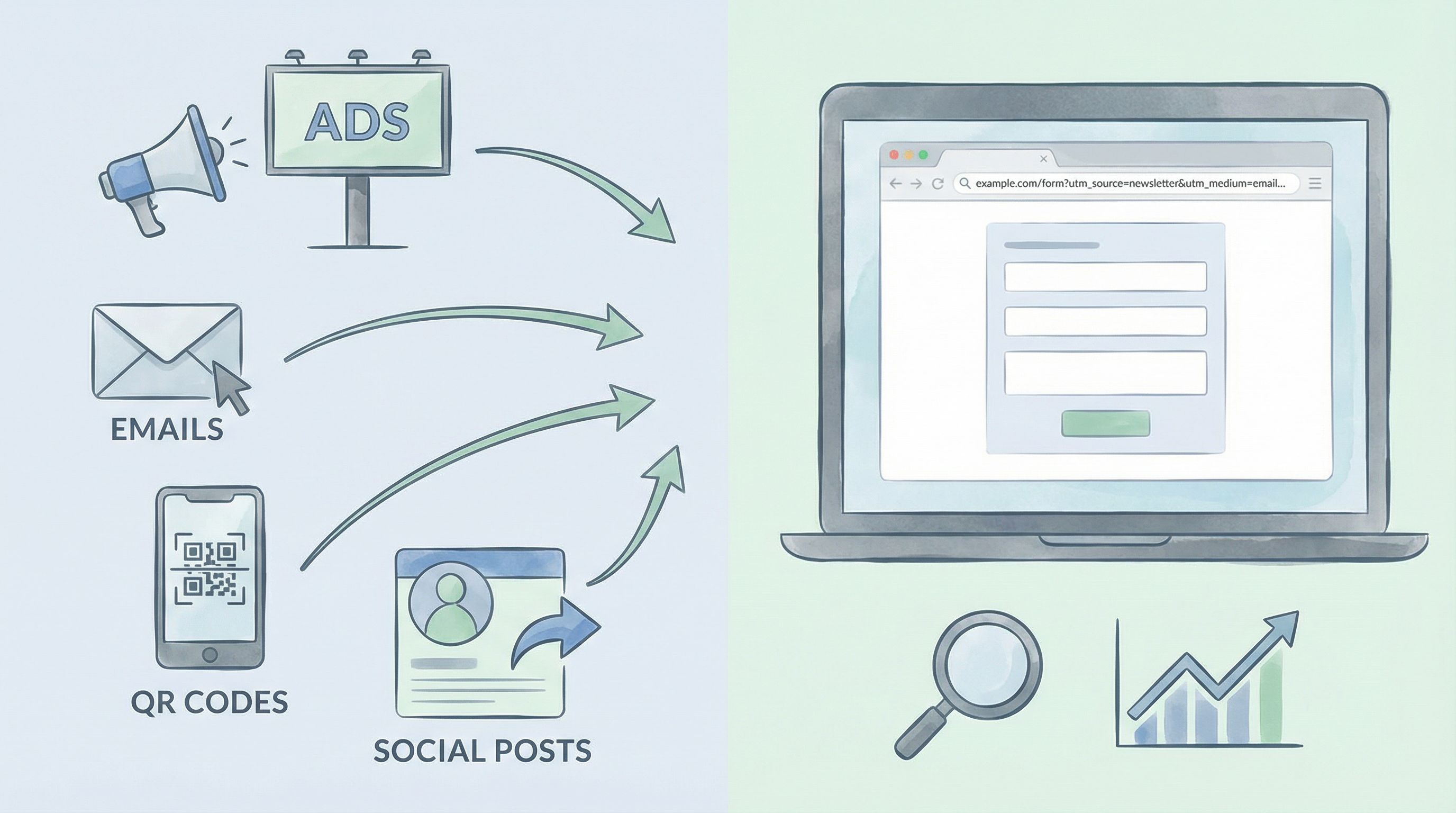
The link is in your ads, your email footer, your partner docs, maybe even a QR code at an event. Submissions are rolling in.
And then the questions start:
- Which campaign is actually working?
- Are these leads from LinkedIn or from that podcast mention?
- How many people clicked but never finished?
- What happens after they submit—do they convert, churn, or disappear?
If you don’t have a clean way to answer those questions, your “funnel” is really just a form and a hunch.
The good news: you don’t need a developer, a CDP, or a six-month analytics project to track your funnel end to end. With a thoughtful setup around your form links, URLs, and Google Sheets, you can follow a user from first click to closed deal—or completed onboarding, or NPS response—using tools your team already understands.
This guide walks through how to do exactly that, using Ezpa.ge as the backbone but with patterns you can apply almost anywhere.
Why Tracking Every Touchpoint Matters
Before we get into the how, let’s talk about the why.
When you can track the full journey from form link → view → completion → downstream outcome, you get:
-
Clarity on what’s working
You stop guessing which channels or campaigns drive real outcomes (not just clicks). -
Fewer “shadow workflows”
When everything flows through a structured form and a single sheet, you’re not chasing DMs, inboxes, and random spreadsheets. If this sounds familiar, you’ll like our deep dive on cleaning up those hidden processes in Shadow Workflows No More: Replacing Ad-Hoc Email and DMs with Structured Forms. -
Better conversations with stakeholders
Instead of “We think the webinar did well,” you can say, “The webinar link generated 137 form visits, 64 submissions, and 11 opportunities.” -
Faster experiments
You’re not afraid to try new channels or offers because you can measure impact quickly and cheaply. -
Compounding learning
Every campaign leaves a trail you can revisit and compare. Over time, your funnels get sharper without needing more headcount.
Most teams want this. They just assume it requires engineering time. It doesn’t.
The No-Dev Funnel Stack: What You Actually Need
You can track a surprisingly rich funnel with three building blocks:
-
A form platform with custom URLs and themes
Ezpa.ge gives you branded, responsive forms with custom URL slugs, theme control, and logic—without touching code. -
A tracking layer on your links
UTM parameters and URL variants tell you where visitors came from and which version they saw. -
A live spreadsheet as your source of truth
With Ezpa.ge streaming responses into Google Sheets in real time, your sheet becomes the hub for analysis, routing, and automation.
From there, you can bolt on optional tools for behavior analytics or dashboards, but the core of your funnel lives in:
Form URL + link parameters + Google Sheets structure.
If your sheet is structured well, it can power dashboards, alerts, and automations. If it’s not, you’ll drown in tabs and copies. For a deeper primer on getting that foundation right, see From Spreadsheet Chaos to Source of Truth: Structuring Google Sheets for Scalable Form Data.
Step 1: Turn Every Form Link into a Data-Rich Identifier
Most funnels break at the very first step: the link.
Teams paste the same bare URL everywhere:
https://forms.ezpa.ge/demo-request
Then wonder why they can’t tell whether a submission came from:
- A paid ad vs. an organic post
- A partner newsletter vs. your own
- A test campaign vs. the main one
The fix is simple: never ship a naked form link.
Add UTMs (and Stick to a Naming System)
Use URL parameters (like utm_source, utm_medium, and utm_campaign) on every link. For example:
-
Paid search ad:
https://forms.ezpa.ge/demo-request?utm_source=google&utm_medium=cpc&utm_campaign=q1_brand -
Partner newsletter:
https://forms.ezpa.ge/demo-request?utm_source=partner_acme&utm_medium=email&utm_campaign=q1_co-marketing -
Sales rep personal link:
https://forms.ezpa.ge/demo-request?utm_source=sales_jordan&utm_medium=1to1&utm_campaign=outbound_abm
A few guidelines:
- Keep
utm_sourcehuman-readable. Use names people recognize (linkedin,webinar_march,partner_acme). - Use
utm_mediumfor the channel type. Examples:email,cpc,social,qr,referral. - Make
utm_campaignmeaningful and time-bound. Thinkq1_launch,spring_promo,beta_waitlist. - Standardize casing and separators. Pick
snake_caseorkebab-caseand stick to it.
If this sounds like overkill, remember: your future self will be staring at a spreadsheet full of these values. A little discipline now saves hours later.
Use Custom URLs as Campaign Assets
Because Ezpa.ge supports custom URLs, you can also create campaign-specific slugs that are easy to remember and share.
For example:
/demoas your generic demo request form/demo-partnersfor partner traffic/demo-webinarfor webinar follow-ups
You can still add UTMs on top of these, but the slug itself becomes a signal:
- Easier to say out loud on a podcast or webinar
- Cleaner when printed as a QR code
- Clearer when you scan logs or analytics later
For more on building a URL system that scales across dozens or hundreds of forms, check out Branded in a Click: Building URL Naming Systems That Scale Across Hundreds of Forms.
Step 2: Capture Link Data Automatically in Your Form Responses
Adding parameters to your links is only half the job. You also need those parameters to land in your spreadsheet with every submission.
With Ezpa.ge + Google Sheets, you can do this without writing code.
Use Hidden Fields to Store URL Parameters
Set up hidden fields on your form to capture key parameters like:
utm_sourceutm_mediumutm_campaignutm_term(for search keywords, if you care)utm_content(for creative variants)referrer(if your tool supports it)
These fields don’t show up for the user, but when the form loads, the values from the URL are pulled in and submitted along with visible answers.
Once synced to Google Sheets, you’ll see columns like:
utm_sourceutm_mediumutm_campaignutm_content
Now every row in your sheet represents one person’s submission plus the full context of how they got there.
Guard Against Missing or Messy Parameters
Not every visit will have a perfect UTM set. People will:
- Share links internally without parameters
- Type the URL directly
- Strip query strings for aesthetics
Use simple Google Sheets logic to handle this:
-
Default values
Ifutm_sourceis blank, set it todirectorunknownusing a formula in a helper column. -
Normalization
If you sometimes getLinkedInand sometimeslinkedin, normalize withLOWER()in Sheets. -
Validation lists
Use data validation to keep a canonical list of sources and mediums, and map variants to your standard set.
This is where the ideas from Real-Time Guardrails: Using Google Sheets Logic to Auto-Clean and Validate Form Data come in handy. Your sheet isn’t just a dump; it can actively clean and standardize data as it arrives.
Step 3: Track the “Messy Middle” of Your Funnel
Form submissions are important, but they’re not the whole story. You also care about:
- People who viewed the form but didn’t start
- People who started but abandoned partway
- People who submitted, then never completed the next step (booking a call, upgrading, attending a webinar)
You can get surprisingly far on this without a dev.
Measure Views and Starts with Simple Analytics
At minimum, you want:
- Pageviews for your form URL (how many people saw it)
- Submissions (how many completed it)
You can use tools like:
Add your tracking script via your form host or container (if supported), then:
- Track pageviews on the form URL.
- Fire a custom event (e.g.,
form_submit) on successful submission, if your form tool allows it.
From there, you can calculate:
- View → Submit rate per
utm_sourceandutm_campaign - Drop-off for specific traffic sources
Even if you don’t wire up events, just having pageviews by URL plus submissions in Sheets gives you a rough conversion rate per campaign.
Use Multi-Step Forms for Behavioral Signals
Multi-step forms give you natural checkpoints:
- Step 1: basic info
- Step 2: qualification
- Step 3: preferences
If your form platform lets you track which step someone reached, you can:
- Identify where people drop off most frequently
- Compare drop-off rates by traffic source
- Use that insight to simplify or rephrase specific steps
And because Ezpa.ge themes are responsive and consistent across devices, you’re less likely to confuse users with jarring layout changes mid-flow.
For more on designing flows around how people actually think and decide—not just what fields you need—see Flow, Not Fields: Mapping Your User’s Mental Journey Before You Design a Single Input.

Step 4: Connect Form Submissions to Downstream Outcomes
A “full funnel” doesn’t stop at Submit. The real question is:
Which form entries turned into the outcomes we care about?
Those outcomes might be:
- Booked sales calls
- Closed-won deals
- Activated accounts
- Completed onboarding
- Renewals or upgrades
You can connect these dots with a simple, no-dev workflow.
Use a Unique Identifier for Each Submission
Make sure every form response has a stable, unique key you can match later. Options include:
- The auto-generated response ID from Ezpa.ge
- A combination of email + timestamp
- A custom UUID generated by a low-code tool if you’re using one
Store this ID in your Google Sheet alongside the UTM data.
Add Outcome Columns Over Time
As leads or users move through your process, update your sheet (manually or via automation) with outcome data, such as:
first_meeting_dateopportunity_stageclosed_won_amountonboarding_completed(TRUE/FALSE)churned(TRUE/FALSE)
Now each row looks like:
- Where they came from (UTMs, URL slug)
- What they told you (form fields)
- What happened next (outcomes)
From there you can answer questions like:
- Which
utm_campaignproduced the highest meeting booked rate? - Which
utm_sourceled to the most closed-won revenue per submission? - Do leads from
partner_acmechurn less than leads fromlinkedin?
You can build these analyses directly in Google Sheets with pivot tables and charts, or sync the sheet into tools like Looker Studio or Metabase.
Automate Where It Hurts the Most
If manually updating outcomes becomes the bottleneck, that’s your cue to automate.
Because your form data is already in Google Sheets, you can use:
- Zapier or Make to sync status updates from your CRM back into the sheet
- Apps Script to move rows between tabs or update fields when conditions are met
For a more detailed walkthrough of turning form submissions into live workflows, see From Form to Workflow: Automating Onboarding, Support, and QA with Ezpa.ge + Google Sheets.
Step 5: Build a Lightweight Funnel Dashboard for Your Team
Once your data is flowing cleanly, you don’t want to keep it locked in your head—or in a single analyst’s.
You can build a simple but powerful funnel dashboard right inside Google Sheets or a connected BI tool.
Start with a Single Source Sheet
Resist the temptation to copy your response sheet into a dozen places. Instead:
- Treat one sheet as the source of truth for form responses + outcomes.
- Create views (via filters, pivot tables, or connected dashboards) for different teams:
- Marketing: performance by
utm_sourceandutm_campaign - Sales: lead quality and conversion by channel
- Product/Ops: activation and churn patterns by source
- Marketing: performance by
Visuals That Actually Help
You don’t need a wall of charts. Focus on a small set of views that answer recurring questions:
-
Funnel by campaign
Views → Submissions → Meetings → Closed Won, broken out byutm_campaign. -
Channel efficiency
Submissions, conversion rates, and revenue per submission for eachutm_source. -
Time trends
Submissions and key outcomes over time, so you can see the impact of launches or experiments.
Make sure every chart or table can be traced back to specific rows in the source sheet. If someone asks “Where did this number come from?”, you should be able to click through and show them.
Step 6: Experiment Quickly and Confidently
Once your funnel is instrumented, you’re in a position to learn fast without waiting on engineering.
You can test:
- Different offers (e.g., demo vs. consultation vs. trial)
- Different form patterns (short signup vs. deeper intake vs. survey follow-up)
- Different themes and visual treatments
Because Ezpa.ge supports themes, custom URLs, and real-time Sheet syncing, you can:
- Clone a form.
- Change the theme or copy.
- Give it a distinct URL and
utm_contentvalue. - Split traffic between variants.
- Compare performance in your sheet.
If you want to go deeper on testing form visuals specifically, Theme-Driven Experimentation: A/B Testing Form Looks Without Touching the Layout is a great next read.
Bringing It All Together
Let’s recap the core moves that turn a simple form link into a full, no-dev funnel:
-
Instrument every link.
Never ship a bare URL. Use UTMs and, when helpful, campaign-specific slugs. -
Capture URL data in your form.
Hidden fields pull UTMs and other parameters into each response. -
Structure your sheet as a system, not a dump.
Normalize sources, add guardrails, and treat one sheet as your source of truth. -
Track behavior around the form, not just submissions.
Use basic analytics for views and starts; use multi-step forms for drop-off insight. -
Connect submissions to outcomes.
Use unique IDs and outcome columns so you can tie channels to revenue, activation, or retention. -
Share the story.
Build a small, focused dashboard that answers the questions your stakeholders actually ask.
None of this requires a developer. It requires ownership: someone willing to define naming conventions, set up hidden fields, and keep the sheet clean.
Your First Step: Upgrade One Form Link
You don’t need to rebuild your entire funnel this week. Start small:
- Pick one high-value form—a demo request, partner intake, or trial signup.
- Define a simple UTM convention for its main channels.
- Add hidden fields to capture those UTMs into your Ezpa.ge → Google Sheets sync.
- Create a single tab in your sheet where you normalize and review the data.
Within a few days, you’ll have a clearer picture of where those submissions actually come from—and which ones turn into real outcomes.
From there, you can roll the pattern out to more forms, more campaigns, and more teams.
If you’re ready to see how Ezpa.ge can act as the backbone of this no-dev funnel—combining custom URLs, responsive themes, and real-time Google Sheets syncing—spin up a form and start tagging your links. The data you wish you had six months from now is a single URL parameter away.