Signup, Intake, or Survey? Choosing the Right Form Pattern for Your Product Use Case

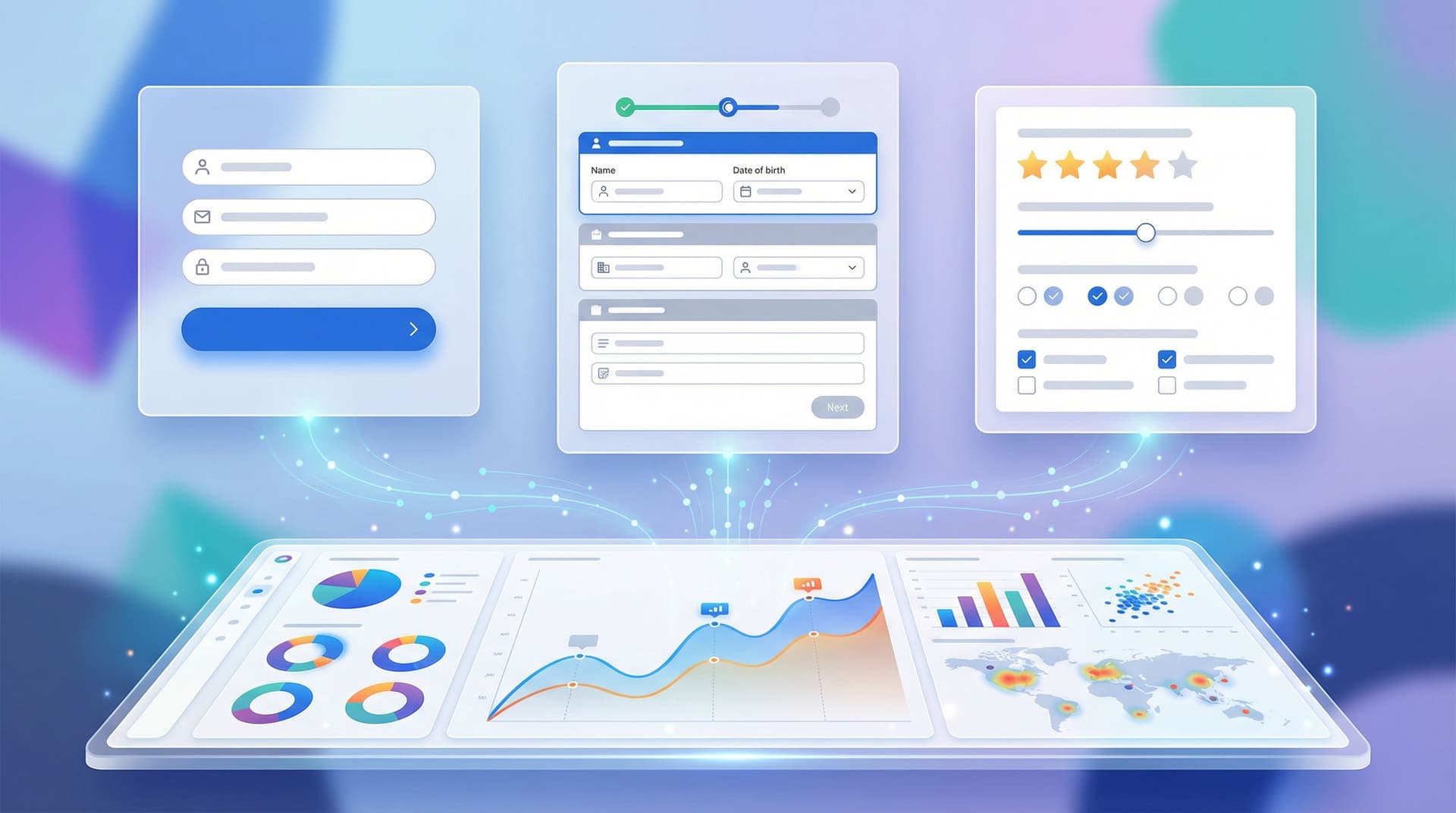
Most teams don’t suffer from a lack of forms. They suffer from the wrong form for the job.
A newsletter signup gets treated like a mini-application. A complex onboarding flow gets crammed into one long page. A research survey is mislabeled as “signup,” so users are surprised by 20 questions after giving their email.
The result is predictable:
- Lower completion rates
- Messy data that’s hard to act on
- Confused users who don’t understand what they’re committing to
Choosing the right form pattern—signup, intake, or survey—is one of the simplest ways to fix that. And with tools like Ezpa.ge, where you can quickly spin up themes, custom URLs, and real-time Google Sheets syncing, getting the pattern right is often the difference between a form that quietly converts and one that quietly leaks.
This guide breaks down how to choose and design the right pattern for your product use case, so every form has a clear job—and does it well.
The Three Core Patterns (and What They’re Really For)
Before you drag a single field onto a canvas, decide which of these three jobs your form is doing.
1. Signup Forms: The Moment of First Commitment
Goal: Capture permission and just enough information to start a relationship.
Signup forms are about access:
- Create an account
- Join a waitlist or beta
- Subscribe to a newsletter or product updates
- Start a free trial
They’re not about learning everything about the user. They’re about lowering the barrier to “yes.”
Typical characteristics:
- Very short (1–5 fields)
- Clear primary action ("Create account", "Join waitlist")
- Strong value proposition right next to the form
- Minimal optional questions, if any
Signup is where you earn the right to ask more later.
2. Intake Forms: Structured Information to Power a Workflow
Goal: Collect the information needed to do something concrete for a specific person or account.
Intake forms are about operations:
- New customer onboarding
- Support or helpdesk requests
- Partner applications
- Internal requests (e.g., "request a campaign", "request equipment")
They sit at the front of a workflow. If the intake form is vague, incomplete, or inconsistent, everything downstream suffers.
Typical characteristics:
- Medium to long (often multi-step)
- Structured questions tied to specific workflows or SLAs
- Conditional logic to keep it relevant
- Often connected to automations or routing logic
If you’re using Ezpa.ge with Google Sheets, this is where your form can become the front door to a whole system—especially when paired with workflows like the ones in /from-form-to-workflow-automating-onboarding-support-and-qa-with.
3. Survey Forms: Learning, Not Doing
Goal: Understand attitudes, behaviors, or outcomes across many respondents.
Surveys are about insight:
- Product feedback and research
- Customer satisfaction (CSAT), NPS, or micro-surveys
- Market research
- Post-onboarding or post-support experience checks
Surveys are rarely tied to a single person’s case. Instead, they’re designed so you can aggregate, segment, and spot patterns.
Typical characteristics:
- Can be short (1–3 questions) or longer (10–20+), but always scoped to a clear research question
- Often anonymous or lightly identified
- Heavy use of scales, multiple choice, and structured responses
- Designed for analysis more than individual follow-up
If you’re building a feedback system, not just a one-off survey, posts like /from-survey-to-system-designing-feedback-forms-that-actually-ch and /beyond-nps-micro-form-strategies-for-continuous-product-feedbac go deeper into how to turn survey data into real roadmap input.
Why Picking the Right Pattern Matters
You can technically collect the same fields with any pattern. But the frame you choose changes how users behave and how your team uses the data.
1. Expectations and Trust
- A signup implies speed: “Give us just enough to get started.”
- An intake implies thoroughness: “We’re going to ask more so we can help you properly.”
- A survey implies reflection: “We want your honest perspective.”
When the reality doesn’t match the expectation, people bail or give junk data.
Examples:
- A “Join our newsletter” form that turns into a 15-question survey feels like a bait-and-switch.
- A “Support request” form with only an email and free-text box creates more back-and-forth and slower resolution.
- A “Feedback survey” that asks for full legal name, address, and phone number raises red flags.
2. Data Quality and Structure
Pattern choice affects what you can do with the data later.
- Signup data should be minimal but reliable—ideal for identity, messaging, and onboarding.
- Intake data should be structured for routing and action—ideal for automations and SLAs.
- Survey data should be structured for analysis—ideal for aggregation and trend tracking.
If you’re syncing responses to Google Sheets, the way you structure each pattern has long-term consequences. For a deeper dive on turning raw responses into a real source of truth, see /from-spreadsheet-chaos-to-source-of-truth-structuring-google-sh.
3. Conversion and Completion Rates
When you use a heavy intake pattern where a simple signup would do, you’re trading depth for drop-off. When you use a lightweight signup pattern where an intake is needed, you’re trading speed for back-and-forth.
Getting the pattern right helps you:
- Increase completion rates for signups
- Reduce manual follow-ups for intake
- Improve response quality and representativeness for surveys
A Simple Decision Framework: Which Pattern Do You Need?
Use these questions to decide which pattern fits your use case.
-
What happens immediately after submit?
- Access granted, account created, or list joined → Signup
- A human or system needs to act on a specific case → Intake
- Data goes into analysis, dashboards, or research → Survey
-
Do you need to uniquely identify and authenticate this person right away?
- Yes, we’re creating or updating an account → Lean Signup or Intake
- Not really, aggregate insight is enough → Lean Survey
-
Is this a one-time relationship or the start of an ongoing one?
- Ongoing relationship (product, service, content) → Start with Signup, then layer Intake or Survey later
- One-time feedback or research → Survey
-
What’s the cost of missing or wrong data?
- High (e.g., healthcare intake, financial onboarding, legal consent) → Robust Intake, possibly with verification and consent patterns like those in /high-stakes-low-friction-designing-verification-and-consent-flo
- Medium (e.g., routing a support ticket) → Thoughtful Intake with clear required fields
- Low (e.g., newsletter personalization) → Lightweight Signup + optional progressive profiling
If you’re torn between two patterns, start smaller (signup or short survey), then expand once you’ve validated demand.
Designing Effective Signup Forms
Signup forms are where friction hurts the most. Every extra field is a reason to leave.
Core Principles
-
Ask for the absolute minimum
- Often: email + password, or even just email if you support magic links or social auth.
- Defer company size, role, and other profile data to onboarding or later micro-surveys.
-
Make the value unmistakable
- Place a concise, benefit-driven headline and subcopy next to the form.
- Example: “Start your 14-day free trial” + “No credit card required. Cancel anytime.”
-
Reduce cognitive load
- Use clear labels and inline validation.
- Avoid surprise steps after clicking “Sign up” unless you’ve set expectations (e.g., “2 steps left”).
-
Handle high-stakes fields with care
- If you must collect payment or sensitive info at signup, borrow patterns from calm, high-trust UX—like those discussed in /form-ux-for-high-stakes-data-designing-calm-trustworthy-experie.
Fields That Usually Belong After Signup
- Detailed company info (industry, headcount, revenue)
- Long preference centers
- Open-ended “How did you hear about us?” (unless you really use it)
- Multi-question product fit surveys
These are perfect candidates for:
- A short onboarding intake after account creation
- A micro-survey sent via email or in-app

Designing Intake Forms That Power Real Workflows
Intake forms fail when they’re designed as longer signups instead of operational tools.
Start from the Workflow, Not the Fields
Before you add a single question, answer:
- Who receives this submission?
- What decision do they need to make?
- What information do they need to make that decision without follow-up?
- What systems does this data need to flow into (CRM, helpdesk, billing, etc.)?
Then design backwards from those answers.
Structure for Routing and Action
-
Capture routing keys early
- Examples: request type, region, priority, account tier.
- Use these to drive conditional logic and automations.
-
Use conditional logic to keep it lean
- Don’t show every field to everyone.
- Example: If “Request type = Billing,” show billing-specific questions; if “Technical issue,” show environment and version fields.
-
Balance required vs. optional fields
- Make fields required only if they’re truly needed to move forward.
- If a missing field would always trigger a follow-up email, it should be required.
-
Design for structured data first, free text second
- Use dropdowns, radios, and checkboxes for categories and statuses.
- Reserve long text areas for rich descriptions, not core routing logic.
Connect Intake to Automations
With Ezpa.ge syncing to Google Sheets in real time, your intake form can:
- Auto-assign requests based on region, product, or priority
- Trigger email or Slack notifications
- Update status columns as work progresses
Posts like /ops-in-the-loop-using-real-time-form-data-to-trigger-playbooks and /no-dev-ops-automating-product-workflows-with-ezpage-forms-and-g walk through concrete setups for this style of workflow.
Designing Surveys That Actually Produce Insight
Surveys are where teams are most tempted to “just add one more question.” That’s how you end up with 40-question monsters that only your most patient users finish.
Narrow Your Research Question
Before writing questions, finish this sentence:
“We’re running this survey so that we can decide whether to ______.”
If you can’t fill in that blank, you’re not ready to write the survey.
Keep It As Short As Possible (But No Shorter)
- Aim for 5–10 minutes max for general audiences.
- Use micro-surveys (1–3 questions) embedded in your product for ongoing feedback.
- Group questions by theme so the flow feels coherent.
Mix Question Types Intentionally
- Use rating scales (e.g., 1–5, 0–10) for satisfaction, likelihood, and importance.
- Use multiple choice for behaviors and attributes.
- Use one or two open-ended questions for depth, not dozens.
Plan Your Analysis Up Front
If you’re syncing to Google Sheets:
- Decide which columns you’ll segment by (plan them as fields).
- Keep naming consistent across forms so you can merge data later.
- Use formulas or data validation rules as guardrails, like the techniques in /real-time-guardrails-using-google-sheets-logic-to-auto-clean-an.

Common Hybrid Scenarios (and How to Handle Them)
Real product flows don’t always fit neatly into one pattern. Here are some common hybrids and how to design them without confusing users.
1. Signup + Light Intake
Example: SaaS free trial where you need basic company context for routing and onboarding.
Approach:
- Step 1: Pure signup (email, password, consent).
- Step 2: 2–3 high-value intake fields (company size, role, primary goal).
- Clearly label step 2 as “Help us tailor your experience (30 seconds).”
2. Intake + Embedded Survey
Example: Support intake form that also asks for a quick satisfaction rating at the end.
Approach:
- Keep the intake portion laser-focused on resolving the issue.
- Add a single, optional satisfaction question on the confirmation page or follow-up email.
3. Survey + Optional Signup
Example: Anonymous product survey with an option to join a research panel or beta list.
Approach:
- Run the survey anonymously by default.
- At the end, offer: “Want to hear about what we build from this? Leave your email (optional).”
This keeps the survey frame intact while giving you a path to build a relationship with engaged respondents.
Bringing It All Together with Ezpa.ge
Once you’re clear on your pattern, a tool like Ezpa.ge helps you ship fast without sacrificing structure:
- Signup forms: Use clean, branded themes and custom URLs that are easy to share from marketing sites and campaigns.
- Intake forms: Lean on conditional logic, structured fields, and real-time Google Sheets syncing to power routing and automations.
- Survey forms: Spin up one-off studies or always-on micro-surveys, then analyze results directly in Sheets or your BI tool.
If you’re managing many forms across brands, regions, or teams, posts like /multi-brand-one-form-system-managing-themes-urls-and-logic-acro and /design-once-reuse-everywhere-building-a-scalable-form-system-fo show how to turn these patterns into a reusable system instead of a pile of one-offs.
Quick Recap
- Signup forms are for access and first commitment. Keep them short, clear, and high-trust.
- Intake forms are for powering workflows. Design them from the workflow backwards, with structured data and routing in mind.
- Survey forms are for insight. Start from a clear research question, keep them as short as possible, and plan your analysis up front.
- Choose your pattern by asking: What happens right after submit? and What’s the cost of missing data?
- Use hybrids intentionally—signup + light intake, intake + tiny survey, or survey + optional signup—without blurring expectations.
When you get the pattern right, every form becomes easier to complete, easier to maintain, and easier to plug into the rest of your product and operations.
Ready to Choose the Right Pattern for Your Next Form?
You don’t need a full redesign to benefit from this.
Pick one form in your product—just one—and ask:
- Is this really a signup, intake, or survey?
- Does the current design match that job?
- What’s one change I can make this week to bring it in line?
Then open Ezpa.ge, create or duplicate a form, and:
- Strip your signup down to the essentials.
- Restructure your intake around routing and action.
- Tighten your survey to the questions that truly drive decisions.
Small changes at the pattern level compound quickly. The sooner you align each form with the job it’s meant to do, the sooner your users—and your team—start to feel the difference.