Custom URLs as Ops Shortcuts: One-Link Playbooks for Approvals, Exceptions, and Escalations


Operations work breaks down when people have to remember how to ask for help.
“Is there a form for this?”
“Do I DM finance or open a ticket?”
“Who approves this discount?”
Every extra decision is friction. And friction is where approvals get stuck, exceptions go untracked, and escalations turn into fire drills.
Custom URLs give you a different pattern: one-link playbooks.
Instead of tribal knowledge and scattered docs, you give the company a handful of memorable, trustworthy links:
go/discountgo/escalatego/incidentgo/expensego/legal-review
Each URL opens an Ezpa.ge form that:
- Guides the requester through exactly what’s needed
- Routes the request to the right people
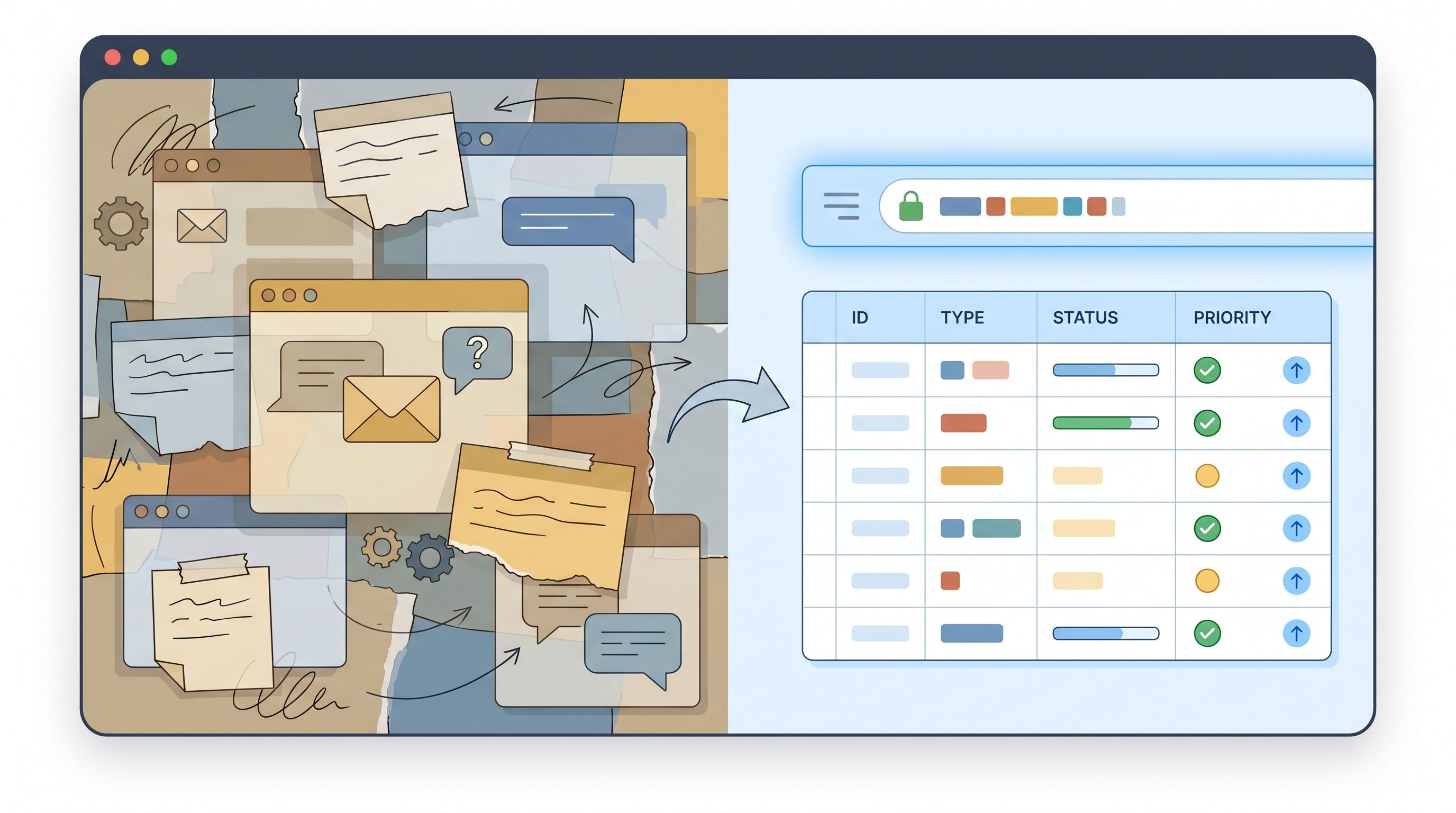
- Syncs the data in real time to Google Sheets (and your tools)
- Triggers notifications, SLAs, and follow-ups
No hunting for the right template. No “quick Slack ping” that disappears. Just: “If it’s X, use this link.”
This post is about how to design those links, wire them into your workflows, and turn them into reliable shortcuts for approvals, exceptions, and escalations.
Why one-link playbooks matter for ops
Most ops leaders don’t have a request volume problem. They have a chaos problem.
Approvals and exceptions show up as:
- Slack pings in random channels
- Emails with half the context
- Comments on Notion docs
- “Quick question” Zoom chats
That chaos has real costs:
- Lost requests – If you’ve ever found a critical escalation buried in a Slack thread from three days ago, you’ve felt this.
- Inconsistent decisions – Two people ask for the same exception, get different answers, and now you have a fairness and policy problem.
- No audit trail – Finance, security, and legal teams can’t see who approved what, when, or why.
- Slow response times – Every “How do I request this?” adds minutes or hours before work even starts.
One-link playbooks flip the script:
- Clarity for requesters – “If you need X, go to this URL. Always.”
- Structure for operators – Every request arrives with the right fields, in the right format.
- Data you can use – With real-time Google Sheets syncing, you get a live queue and historical record without extra tooling.
- Consistency at scale – Same questions, same routing, same rules, every time.
If you’ve already explored using forms as internal tools in workflows like creative briefs or internal requests, you’ve seen how powerful this can be. (If not, this piece on replacing internal request portals with Ezpa.ge forms is a helpful companion.)
Where custom URLs shine: approvals, exceptions, escalations
You can build one-link playbooks for almost anything, but three categories give you outsized leverage.
1. Approvals
Approvals are perfect for custom URLs because they’re:
- Repetitive
- Policy-bound
- Time-sensitive
Common examples:
- Budget / spend approvals (
go/expense,go/spend) - Discount and pricing approvals (
go/discount) - Marketing and brand approvals (
go/brand) - Vendor and legal reviews (
go/vendor,go/legal-review)
Each of these can map to a tailored Ezpa.ge form that captures exactly what approvers need: context, amounts, links to supporting docs, deadlines, and impact.
2. Exceptions
Exceptions are where policy meets reality. They’re also where risk creeps in if you don’t have a system.
Typical exception flows:
- Contract term exceptions
- Security or compliance exceptions
- Policy exceptions (e.g., travel, expenses, refunds)
- Product or feature entitlements outside normal packaging
Instead of “Just DM ops,” you create URLs like:
go/exceptiongo/security-exceptiongo/refund-exception
Behind each URL is a form that:
- Confirms which policy is being bent
- Captures the rationale and risk
- Records who is asking and who needs to sign off
3. Escalations
Escalations are where speed and clarity matter most.
Think:
- Customer support escalations
- Incident or outage reports
- “Customer at risk of churn” alerts
- Priority bugs that need immediate triage
Instead of shouting in a Slack channel and hoping the right person sees it, you define URLs like:
go/escalatego/incidentgo/churn-risk
These forms can:
- Require key impact fields (customer, ARR, severity, time sensitivity)
- Automatically notify the right rotation or channel
- Trigger different flows based on severity or region
If you’re already using forms to capture high-signal feedback and route it into your roadmap, you’ll recognize this pattern. The same principles that turn feature requests into roadmap signals (covered here) apply to escalations too.

Designing URLs that people actually remember
A one-link playbook only works if people can recall and trust the URL.
Here’s a simple checklist.
Make URLs human-first
Use words your team already uses:
go/discountinstead ofgo/pricing-overrideif everyone says “discount”go/escalateinstead ofgo/tier-2-routing
Good patterns:
- Short and concrete –
go/expense,go/legal,go/incident - Role- or task-based –
go/manager-approval,go/customer-escalation
Avoid:
- Ambiguous terms like
go/requestthat could mean anything - Long, hard-to-type slugs like
go/customer-escalation-form-v2
If you want to go deeper on how URLs themselves influence behavior and trust, the post on why “The URL Is the New CTA” is worth a read: link here.
Standardize naming across the company
Agree on a small set of patterns and stick to them. For example:
- All approvals:
go/approve-*(e.g.,go/approve-budget,go/approve-discount) - All exceptions:
go/exception-*(e.g.,go/exception-legal,go/exception-policy) - All escalations:
go/escalate-*(e.g.,go/escalate-support,go/escalate-incident)
Publish these in:
- Your onboarding docs
- Your internal wiki
- A pinned Slack message in #announcements
Map one URL to one canonical form
Resist the urge to create multiple forms for similar flows. Instead:
- Use one canonical URL and form per workflow
- Use conditional logic within the form to branch by use case, region, or team
This keeps your data schema clean and your operations manageable. If you’re not yet using conditional logic to avoid form sprawl, this guide on “one form, many journeys” pairs nicely with the approach here.
Turning a custom URL into a real playbook
A URL by itself is just a link. To make it a playbook, you need three layers:
- A form that captures the right information
- A data store that acts as your queue and audit log
- Automations that notify, route, and track status
1. Design the form as a guided conversation
For each workflow (approval, exception, escalation), ask:
“What would I ask in a 5-minute live conversation to make a good decision?”
Turn those into form sections.
For example, a discount approval form might include:
- Requester details
- Name, role, team
- Region / timezone
- Customer context
- Customer name and domain
- Current plan and ARR
- Stage (prospect, renewal, expansion)
- Discount details
- Requested discount type (percentage, extended terms, free months)
- Deal value before and after discount
- Deal deadline / close date
- Rationale and risk
- Why is this discount needed?
- What happens if we say no?
- Any policy references or past precedents?
A support escalation form might include:
- Customer and account owner
- Severity (with clear definitions)
- Impact (users affected, ARR at risk)
- Links to existing tickets or threads
- What’s been tried already
Keep the form:
- Short enough that people don’t avoid it
- Structured enough that approvers can act quickly
2. Use Google Sheets as your live control panel
With Ezpa.ge’s real-time Google Sheets syncing, every submission lands instantly in a sheet that can double as:
- A queue – sorted by priority, SLA, or team
- An audit log – with timestamps, approvers, and outcomes
- A reporting source – for trends, bottlenecks, and policy reviews
Practical tips:
- Create one sheet per playbook (e.g., “Discount Approvals”, “Support Escalations”)
- Add columns for status (New, In Review, Approved, Rejected), owner, and resolution date
- Use filters and conditional formatting to highlight overdue or high-severity items
If you’re already using Sheets as an operational brain—for example, to drive feature rollouts from form submissions—you can reuse that same muscle here. (See: From Form to Feature Rollout.)
3. Wire up notifications and routing
Once submissions are landing in Sheets, you can:
- Use email notifications from Ezpa.ge for simple cases
- Connect to tools like Zapier, Make, or native integrations to:
- Post into specific Slack channels
- Create tickets in systems like Jira or Linear
- Open tasks in Asana, ClickUp, or Notion
Design your routing rules around:
- Severity – Critical escalations go to a dedicated channel and on-call rotation
- Region – Route based on customer or requester region
- Team – Finance vs. sales ops vs. customer success
The key is consistency: the same URL should always trigger the same routing logic, even if the underlying rules evolve.
Making one-link playbooks part of company muscle memory
A beautiful form and URL won’t help if nobody uses them. Adoption is an ops challenge, not a tooling challenge.
Here’s how to make your custom URLs the default path.
1. Launch like a product, not a doc
When you roll out a new URL (say, go/escalate):
- Announce it in company-wide channels with:
- What it’s for
- When to use it
- What happens after you submit
- Share before/after stories:
- “Previously: DM a random manager and hope for the best.
Now: Use
go/escalateand get a first response within 2 business hours.”
- “Previously: DM a random manager and hope for the best.
Now: Use
- Run a short live walkthrough or loom video showing a real example.
2. Remove competing paths
If people have three ways to request the same thing, they’ll keep using the old ones.
Where possible:
- Update internal docs to link only to the new URL
- Replace old Google Forms, Notion templates, or Airtable forms with redirects
- Ask managers and leads to redirect ad-hoc DMs back to the URL:
- “Can you fill this out at
go/discountso we don’t lose track of it?”
- “Can you fill this out at
It may feel repetitive, but this is how habits form.
3. Bake URLs into everyday tools
Make your shortcuts ambient:
- Add them to Slack channel topics and pinned messages
- Include them in email signatures for ops, finance, and support leaders
- Put them in your CRM or help desk macros
- Add them to onboarding checklists for new hires and managers
The goal: people see the URL in context right when they’re about to ask for help.
4. Review and refine with real data
Because every submission is structured and synced to Sheets, you can:
- Spot common missing fields – If approvers keep asking follow-up questions, add those fields to the form.
- Identify bottlenecks – Which approvers or teams are slow? Do you need backup approvers or clearer SLAs?
- Track volume and impact – How many exceptions are you granting? Are certain policies being bypassed so often they need a rethink?
Treat your one-link playbooks as living systems, not one-off projects.
Practical examples to copy and adapt
Here are three simple blueprints you can adapt directly into Ezpa.ge.
Blueprint 1: go/discount – sales discount approvals
Audience: Sales, account management
Core fields:
- Requester info (name, role, region)
- Customer details (company, owner, ARR)
- Deal context (new vs. renewal vs. expansion)
- Requested discount (type, amount, duration)
- Rationale (why needed, competitive context)
- Deadline (when decision is needed)
Routing:
- Deals under a certain threshold → regional sales manager
- Larger or high-risk deals → revenue leadership + finance
Extras:
- Auto-calculate margin or ARR impact in the Sheet
- Add a dropdown for “Policy reference” to see which guidelines are being stretched most often
Blueprint 2: go/incident – product or infrastructure incidents
Audience: Engineering, SRE, support
Core fields:
- Reporter info (name, team, on-call status)
- Incident type (performance, outage, security, data)
- Severity (with defined tiers)
- Affected systems or services
- Customer impact (number of users, ARR affected)
- Links (monitoring dashboards, logs, tickets)
Routing:
- Critical incidents → incident channel + on-call rotation
- Lower-severity issues → backlog in your ticketing system
Extras:
- Add a “Customer communication required?” checkbox
- Use Sheets to track time-to-acknowledge and time-to-resolution
Blueprint 3: go/exception – policy exceptions
Audience: Anyone; routed to policy owners
Core fields:
- Requester info
- Policy being excepted (dropdown)
- Type of exception (one-time, recurring, customer-specific)
- Risk assessment (data, legal, financial, brand)
- Mitigations (what you’ll do to reduce risk)
Routing:
- Different policy owners based on the selected policy
- Optional legal or security review for higher-risk items
Extras:
- Use Sheets to see which policies generate the most exceptions
- Feed that back into policy design and communication
Bringing it all together
Custom URLs are more than vanity links. They’re operational shortcuts that:
- Give everyone a clear, memorable path for approvals, exceptions, and escalations
- Turn messy requests into structured, high-signal data
- Create a shared queue and audit trail in tools you already use
- Reduce response times and increase consistency across the company
With Ezpa.ge, you get the extra benefit of:
- Beautiful, on-brand forms that people don’t dread filling out
- Responsive-by-default layouts that work wherever your links appear—Slack, email, internal portals, in-app banners, or embedded in docs (for more on that, see this deep dive on responsive form themes)
- Real-time syncing to Google Sheets so your ops brain is always up to date
You don’t need a full internal tools team to get there. You just need a handful of well-designed forms and a few URLs everyone can remember.
Your next step
Pick one workflow that’s currently painful:
- Discount approvals that live in Slack
- Support escalations that get lost
- Policy exceptions that nobody can track
Then:
- Spin up a focused Ezpa.ge form for that workflow.
- Give it a short, memorable custom URL.
- Connect it to a Google Sheet.
- Announce it as the only path for that request for the next month.
Watch what happens to response times, clarity, and stress levels.
Once that first one-link playbook is working, you’ll start seeing opportunities everywhere—from onboarding to renewals to creative briefs. And your ops team will finally have what it’s always wanted: not more tools, but fewer, better paths.