Form UX for Internal Tools You Don’t Have Yet: Replacing Request Portals, Brief Templates, and Intake Docs with Ezpa.ge


Most teams feel the pain of internal requests long before they have the budget or appetite to build a full internal tool.
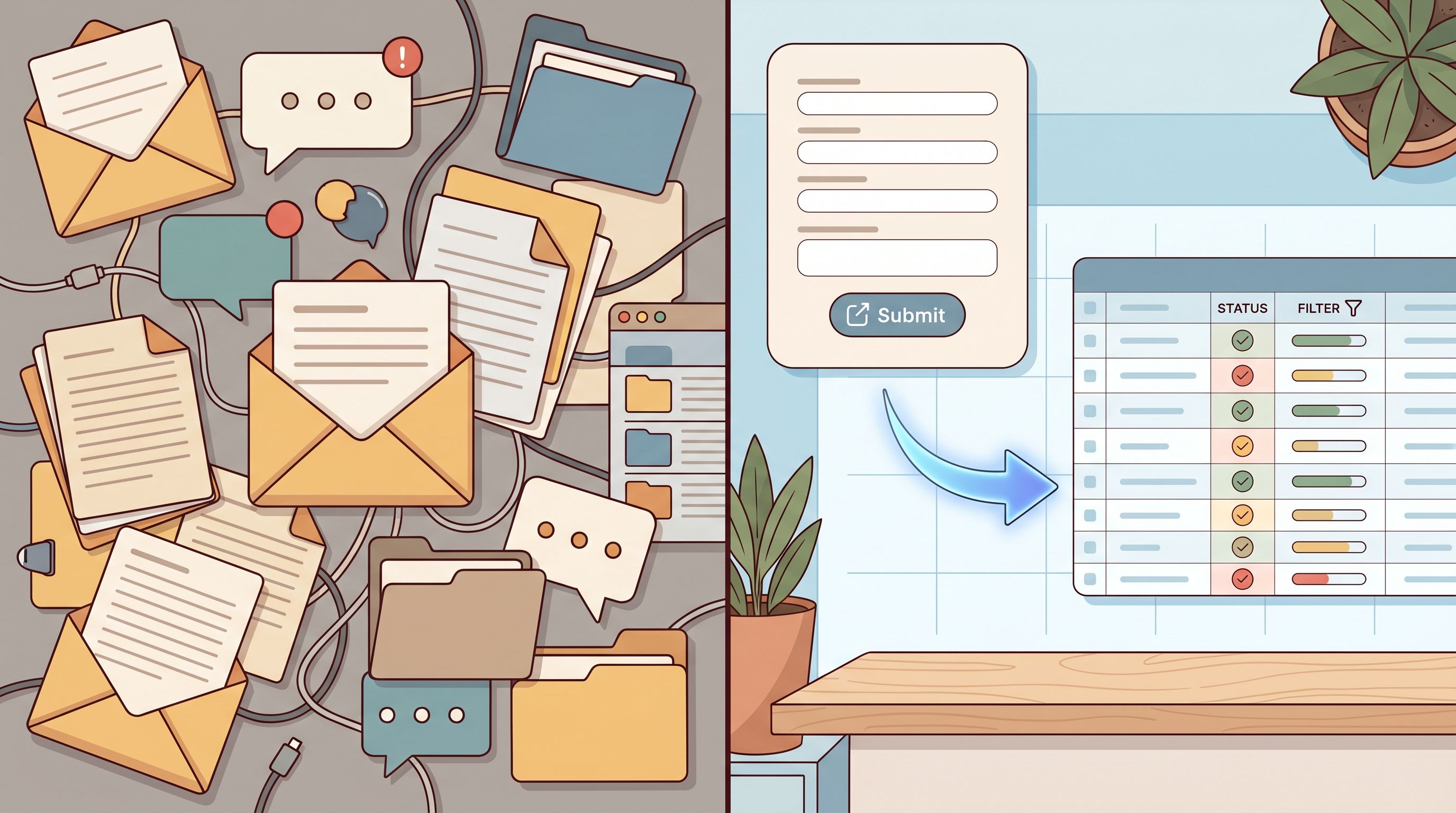
Marketing briefs live in random Google Docs. Design requests arrive as Slack pings. Sales exceptions hide in email threads.
Everyone knows this doesn’t scale—but the usual answer (“we should build a portal”) is slow, expensive, and rarely happens.
Ezpa.ge gives you a different path: treat forms as lightweight internal tools. Instead of waiting for engineering to build a custom system, you can ship structured, branded, easy-to-use forms that plug straight into Google Sheets and your existing workflows.
This post is about how to do that: how to replace request portals, brief templates, and intake docs with Ezpa.ge forms that feel like real internal products—even if you don’t have a single internal app yet.
Why Internal Request UX Matters Before You Have “Real” Tools
It’s tempting to think, “We’ll fix this when we have a proper system.” But the way people request work today quietly shapes:
- Cycle time – How long it takes to go from request to done.
- Data quality – Whether you get the context you need the first time.
- Team morale – Whether your team feels constantly interrupted and reactive.
- Prioritization – Whether you can see patterns and make tradeoffs based on data, not vibes.
When requests come in via DMs, scattered docs, or ad-hoc templates:
- You lose requests or see them too late.
- You chase missing context (“Who’s the approver?” “What’s the deadline?”).
- You can’t report on volume, SLAs, or impact.
- You can’t automate anything meaningful.
A well-designed internal form turns each request into a structured event:
- Every request has an owner, a timestamp, and the same core fields.
- You can sort, filter, and prioritize from a single Google Sheet.
- You can plug that Sheet into the tools you already use: Slack, email, project management, or light-weight automation.
You don’t need a full-blown internal tool to get those benefits. You need:
- A thoughtful form UX.
- A stable URL.
- A connected spreadsheet.
Ezpa.ge was built to make that combination easy.
Common Internal Workflows That Are Begging to Be Forms
Before we talk patterns, let’s ground this in the kinds of workflows you can transform this week.
1. Marketing & Creative Requests
Typical current state:
- A Notion page called “How to request marketing support” that nobody reads.
- A Google Doc brief template that people duplicate and half-fill.
- Slack pings: “Can you make a quick banner for this?”
Better pattern with Ezpa.ge:
- A single, branded Marketing Request form with:
- Requester info, team, and priority.
- Campaign or asset type (email, landing page, ad creative, etc.).
- Business goal and target audience.
- Deadlines and dependencies.
- Responses stream into a Marketing Requests Google Sheet that feeds your planning board.
You can go deeper on how to keep forms lightweight but high-signal in The Minimal Field Manifesto.
2. Product & Design Intake
Typical current state:
- “Quick design tweaks” dropped into Figma comments.
- Feature ideas captured in random Slack channels.
- PMs triaging via backscroll instead of a queue.
Better pattern:
- A Product & Design Intake form that asks for:
- Problem statement (not just solution asks).
- Impacted personas or customer segments.
- Links to supporting context (tickets, recordings, dashboards).
- Desired timeframe and urgency.
With Ezpa.ge, you can later split this into micro-form funnels for different request types while still syncing to one Sheet. If you want to explore that approach, see Micro-Form Funnels: Chaining Single-Question Flows Without Losing Context or Data.
3. Ops, Finance, and “Exceptions”
Typical current state:
- Discount approvals hidden in email.
- Legal reviews requested via forwarded contracts.
- One-off ops work tracked in someone’s personal spreadsheet.
Better pattern:
- A simple Ops & Exceptions Ezpa.ge form with:
- Request type (discount, contract review, data pull, etc.).
- Deal or project link.
- Stakeholders and approvers.
- Risk or revenue impact.
That one URL becomes the front door for everything “special”—no portal required.

Designing Internal Forms That Feel Like Real Tools
If you want people to use your forms instead of DMs or rogue docs, they can’t feel like an afterthought. They need to feel like the official way work gets requested.
Here’s how to design Ezpa.ge forms that earn that status.
Start With the Job, Not the Fields
Before you add a single input, ask:
“What decision do we need to make once this form is submitted?”
For example:
- Marketing request → Should we do this, when, and at what level of effort?
- Design intake → Who should own this, and does it fit the current roadmap?
- Ops exception → Does this meet our criteria for approval?
Design backwards from that decision:
- List the minimum information you need to make it.
- Turn each into a field or section.
- Cut anything that doesn’t change the decision.
This keeps your form lean and focused. If you want a more detailed framework for deciding which fields to keep, The Minimal Field Manifesto goes deep on this.
Use Layout Patterns That Need No Instructions
Internal forms shouldn’t require a training session.
Borrow patterns from Designing Forms for ‘Zero Instruction’ Use:
- Group related fields into clear sections (e.g., “About the Request,” “Timing & Priority,” “Approvals”).
- Use a logical top-to-bottom flow that mirrors how people think about the request.
- Mark required fields clearly and keep them to the true essentials.
- Use inline hints instead of long intro paragraphs.
On Ezpa.ge, you can use spacing, headings, and helper text to create a form that feels like a guided conversation instead of a bureaucratic document.
Let AI Help With Labels and Microcopy
Internal friction often comes from unclear wording:
- “What does ‘initiative owner’ mean?”
- “Do you want the campaign name or the product name here?”
If you’re using AI in your workflow, treat it as an on-call editor for your forms:
- Draft your fields quickly.
- Ask AI to:
- Rewrite labels in plain language.
- Add one-line examples under free-text fields.
- Tighten long helper text.
We explore this pattern in depth in AI as Your Form Editor: Using Models to Rewrite Labels, Hints, and Microcopy for Clarity and Conversion. The same tactics that improve external conversion also make internal forms faster and less frustrating.
Make Themes and URLs Do Quiet UX Work
Internal tools still carry brand signals. A form that looks slapped together sends one message; a form that feels intentional sends another.
With Ezpa.ge:
- Use themes to:
- Align with your brand colors and typography.
- Create visual consistency across departments.
- Subtly differentiate request types (e.g., red accents for urgent incidents, calm blues for routine requests).
- Use custom URLs to make forms memorable:
/marketing-request/design-intake/ops-exception
These URLs become part of your internal vocabulary: “All discount requests go through /ops-exception.” If you want to go deeper on how URLs shape behavior, see The URL Is the New CTA: How Link Structure Shapes Ad Performance More Than Button Copy.
Turning Google Sheets into Your Lightweight Backend
A form without a backend is just a prettier inbox. The magic of Ezpa.ge is its real-time Google Sheets syncing.
Think of Sheets as your temporary internal database:
- Every row = one request.
- Every column = a field you care about.
- Filters and views = your “UI” for different teams and purposes.
Step 1: Map Fields to Columns Intentionally
Before you connect your form:
- Create a Google Sheet with a tab for that workflow (e.g.,
Marketing Requests). - Name your columns based on the decisions you need to make:
Status(New, In Review, Approved, In Progress, Done)OwnerPriorityRequested ByTeamDue DateRequest TypeImpact / Goal
- In Ezpa.ge, map your form fields to these columns.
You can also add computed columns later (e.g., Days Open, Estimated Revenue Impact) without touching the form.
Step 2: Create Views for Different Stakeholders
Once your Sheet is live, you can:
- Use filters or filter views for:
- “My team’s open requests.”
- “Urgent items due this week.”
- “Requests awaiting approval.”
- Use color-coding or conditional formatting for:
- Overdue requests.
- High-impact items.
- Requests missing an owner.
You’ve just built something that behaves like an internal tool—without writing code.
Step 3: Connect to the Rest of Your Stack
From Google Sheets, you can:
- Use Zapier, Make, or native integrations to:
- Create tickets in Jira, Linear, or Asana.
- Post messages in Slack with request summaries.
- Send confirmation emails or status updates.
- Use Apps Script or low-code tools for light automation:
- Auto-assign owners based on request type.
- Flag high-risk requests for manual review.
If you’re already thinking about what happens after submit, you’ll like From Form to Onboarding Journey: Mapping Every Submission to Emails, Tasks, and Touchpoints. The same principles apply to internal intake: every submission can kick off a predictable, trackable path.
Concrete Patterns: Replacing Portals, Briefs, and Intake Docs
Let’s make this even more tangible. Here are three patterns you can adapt directly.
Pattern 1: “Portal in a Form” for a Single Team
Use when: One team (e.g., Marketing or Design) gets lots of different request types but isn’t ready for a full portal.
How it works:
- Build one Ezpa.ge form called “Marketing Request Hub”.
- First field is a request type selector:
- Campaign brief
- One-off asset
- Event support
- Website update
- Use conditional sections so each type only sees the fields they need.
- Sync everything to a single
Marketing RequestsSheet with aRequest Typecolumn.
Benefits:
- One URL to remember.
- One Sheet to manage.
- Enough structure to route and prioritize without complexity.
Pattern 2: “Brief Template as a Form”
Use when: You have an existing brief template in Docs or Notion that people ignore or fill inconsistently.
How it works:
- Take your current brief and:
- Turn headings into section titles.
- Turn bullet points into fields (short text, long text, dropdowns).
- Add examples under key questions:
- Under “Goal,” add: “e.g., ‘Increase self-serve signups by 20% in Q3.’”
- Under “Audience,” add: “e.g., ‘New admins at mid-market companies.’”
- Use Ezpa.ge themes to make it feel like an official internal product doc.
Benefits:
- Every brief is structured the same way.
- You can actually analyze briefs over time (e.g., which goals show up most often).
- New teammates ramp faster because they see the same pattern every time.
Pattern 3: “Intake Doc → Form OS”
If your company is already drowning in spreadsheets and intake docs, you’re close to what we call a Form OS—you just need to standardize.
Use when: Multiple teams have their own rogue Sheets and forms.
How it works:
- Inventory your existing:
- Intake docs
- Request forms
- Tracking sheets
- Identify the core entities (e.g., Requests, Campaigns, Incidents).
- For each entity, create:
- One canonical Ezpa.ge form.
- One canonical Sheet tab.
Over time, you can consolidate those into a single, unified backbone. For a detailed playbook on this, see From Spreadsheet Chaos to Form OS: How to Turn Rogue Sheets into a Unified Intake System.
Making Forms the Default Path (Not the Optional One)
Even the best form won’t help if people keep DM’ing you instead.
To make your Ezpa.ge forms the default path:
- Pin URLs everywhere
- Team wikis and onboarding docs.
- Slack channel topics and bookmarks.
- Email signatures for ops/marketing/design leads.
- Respond with the link, every time
- When someone DMs a request, reply with: “Can you drop this in the request form so we don’t lose it? Here’s the link:
/marketing-request.”
- When someone DMs a request, reply with: “Can you drop this in the request form so we don’t lose it? Here’s the link:
- Show the benefit, not just the rule
- “When you use the form, we can see everything in one place and commit to real SLAs.”
- “The form helps us prioritize fairly across teams.”
- Close the loop visibly
- Use your Sheet + automations to send status updates.
- Share a simple dashboard: volume, average response time, top request types.
Once people see that form = faster, clearer outcomes, they stop seeing it as bureaucracy and start seeing it as a favor to themselves.
Where to Go From Here
You don’t need a full internal tool strategy to get started. You need one painful workflow and an hour with Ezpa.ge.
A simple starting plan:
- Pick one high-friction request type
- Marketing or design intake is usually a good candidate.
- Draft a minimal Ezpa.ge form
- Focus on the decision you need to make.
- Use themes and a custom URL so it feels official.
- Connect it to a fresh Google Sheet
- Add status and owner columns.
- Create a couple of saved views.
- Launch it internally for 2–4 weeks
- Share the URL widely.
- Commit to routing all new requests through it.
- Iterate based on real usage
- Trim fields people consistently skip.
- Add clarifying examples where answers are weak.
- Consider small experiments with layout, copy, and URLs—Form-Led Experimentation for Non-Designers has ideas for running these tests without code.
You’ll quickly see the shift:
- Fewer “quick questions” that balloon into projects.
- Less time spent chasing details.
- More visibility into what’s actually being asked of your team.
From there, you can expand: more forms, more teams, more automation. But the core pattern stays the same: forms as internal tools, not just data capture.
Summary
Internal request chaos isn’t a sign you need a massive internal product. It’s a sign you need better form UX.
By using Ezpa.ge to replace request portals you don’t have, brief templates nobody follows, and intake docs everyone misuses, you can:
- Turn scattered requests into structured, searchable data.
- Make it easier for teammates to ask for help the right way.
- Give your team a lightweight, flexible backend with Google Sheets.
- Layer on automation, reporting, and experimentation over time.
You don’t have to wait for a big tool project to get leverage. You can start with one well-designed form.
Ready to Turn Your First Form into an Internal Tool?
Pick the one workflow that frustrates your team the most—marketing briefs, design tweaks, ops exceptions—and turn it into an Ezpa.ge form this week.
- Give it a clear name and a memorable URL.
- Sync it to a Sheet you actually look at.
- Share it as the way to request that kind of work.
From there, you’ll have the foundation of an internal tool system—built from forms, not from wishful thinking.
Your internal tools don’t have to be big to be powerful. They just have to start.