From Spreadsheet Chaos to Form OS: How to Turn Rogue Sheets into a Unified Intake System

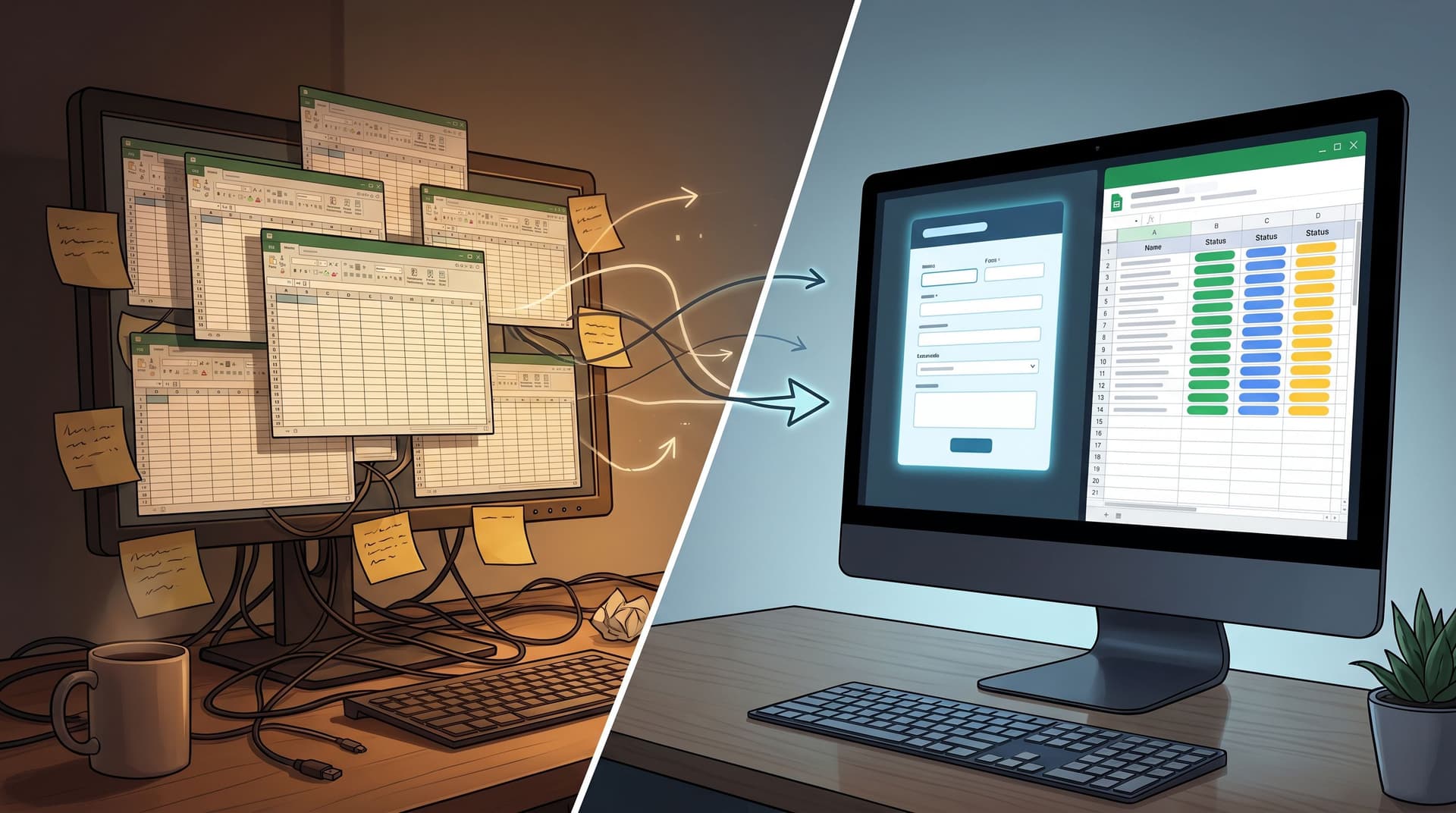
If you work in ops, marketing, CX, or RevOps, you probably have a shared enemy: the rogue spreadsheet.
A partner requests tracker in someone’s personal Drive. A support intake Sheet only one CX lead remembers. A “temporary” beta waitlist that somehow became the source of truth.
Each one started with good intentions. Each one now represents:
- Fragmented data
- Inconsistent processes
- Hidden risk (for both security and decision-making)
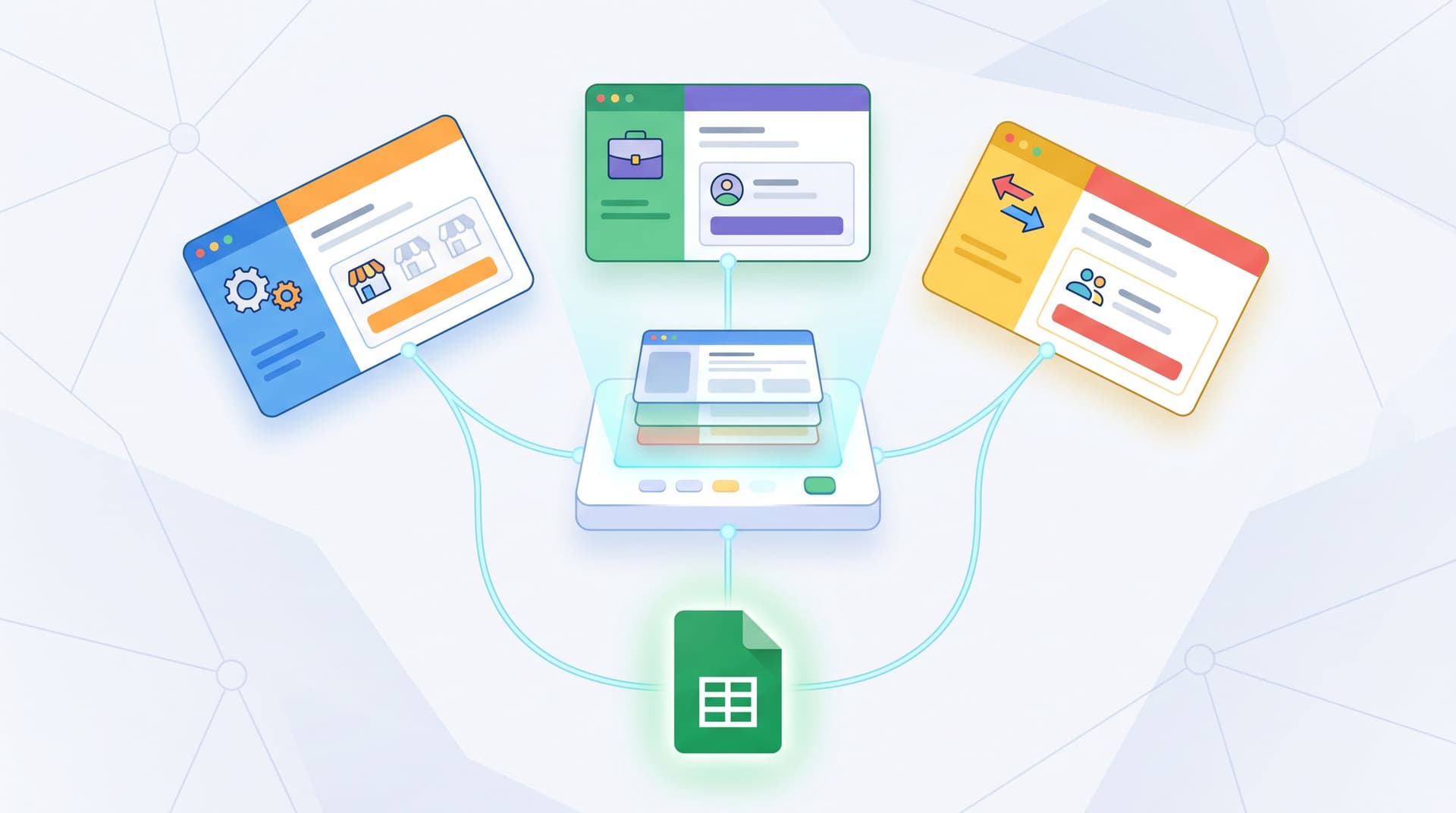
This post is about how to turn that mess into something better: a Form OS—a unified intake system where every request, signup, and submission flows through consistent forms into a single, trustworthy backbone (usually Google Sheets), powered by tools like Ezpa.ge.
We’ll walk through why this matters, how to map your current chaos, and how to design a simple but durable system that scales.
Why “Just One More Sheet” Quietly Breaks Your Ops
Rogue Sheets don’t usually show up as a crisis. They show up as friction:
- Someone on sales can’t find the latest version of a lead intake tracker.
- A PM exports data from a research Sheet and discovers half the columns changed meaning midway through the project.
- A privacy review surfaces three different Sheets with unredacted PII that no one remembered.
Over time, that friction compounds into real cost:
1. Lost context and trust
When every team has its own intake Sheet, you lose a single narrative of what’s happening with customers, partners, and internal requests. People stop trusting the data because:
- Columns mean different things in different Sheets.
- Status fields don’t line up.
- There’s no clear owner or SLA.
2. Operational drag
According to surveys from productivity and ops platforms, knowledge workers can spend several hours a week just searching for information or reconciling conflicting data sources. That’s time your team isn’t spending on customers, product, or revenue.
3. Security and compliance risk
Every unmanaged Sheet with personal data is a liability: access isn’t controlled, sharing isn’t audited, and retention policies are fuzzy at best. Even if you’re not in a heavily regulated industry, this is the kind of quiet risk that comes back during audits or incidents.
4. Missed opportunities for insight
When data is scattered, it’s hard to:
- See funnel drop-offs across forms and channels.
- Spot trends in feedback or feature requests.
- Run simple scoring or routing models.
You end up managing by anecdotes instead of patterns.
The antidote isn’t “no more Sheets.” It’s one intentional system that turns forms and Sheets into an operational layer instead of a graveyard.
What a Form OS Looks Like
A Form OS is less a specific tool and more a pattern:
- Standardized forms for every intake type (leads, support, feedback, internal requests, applications, etc.).
- Consistent destinations (Google Sheets) with clear schemas and owners.
- Automations and rituals that keep data moving and decisions happening.
With Ezpa.ge, this usually means:
- Building forms with themes so they feel on-brand but are easy to replicate.
- Using custom URLs so every intake point has a memorable, trustworthy link.
- Syncing submissions into Google Sheets in real time, where your team already lives.
If you’re curious how those Sheets can become a live map of behavior, you’ll want to pair this with the patterns in From Form to Funnel Map: Visualizing Every User Path in Google Sheets.
Step 1: Inventory Your Rogue Sheets
You can’t unify what you haven’t found.
Start with a simple inventory sprint. Give yourself (and a few key collaborators) 60–90 minutes to surface everything.
Where to look:
- Shared Drives for marketing, sales, CX, product, ops
- Personal Drives of team leads (ask them directly)
- Project folders for launches, betas, events, and research
- Links in internal docs, Notion pages, or wikis
For each Sheet you find, capture:
- Name (what people actually call it)
- Owner (who created it / who uses it most)
- Purpose (what intake it represents: leads, feedback, requests, etc.)
- Source (is there a form feeding it? Manual entry? Copy-paste from elsewhere?)
- Fields (main columns and what they mean)
- Usage (active, stale, abandoned, but still referenced?)
You can do this in yet another Sheet—this is one of the few times that’s the right move. This becomes your intake catalog.
Patterns will jump out quickly:
- Three different “Partner Requests” Sheets with overlapping but inconsistent columns.
- A feedback tracker that doubles as a task manager.
- A sales intake Sheet that’s basically a CRM, but only for one team.
That’s your raw material.
Step 2: Define Your Core Intake Types
Next, collapse the chaos into a small set of intake types. Most teams can cover 80–90% of their needs with 5–8 types, for example:
- Leads / Demo Requests
- Customer Support / Help Requests
- Product Feedback & Research
- Internal Ops Requests (IT, finance, HR, etc.)
- Partner / Vendor Applications
- Community / Event Signups
For each intake type, answer:
- What is the job of this intake?
- E.g., "Route a qualified lead to the right AE within 2 hours."
- What is the minimum data we need to do that job well?
- Name, email, company, role, use case, urgency, etc.
- What happens after submission?
- Who reads it, where it’s routed, what SLA applies.
Resist the urge to create a special category for every edge case. The goal is a small, reusable set of form patterns that can cover most scenarios with minor tweaks.
If you’re already thinking about multi-brand or multi-region complexity, the ideas in Multi-Brand, One Stack: Running Franchises, Agencies, and Resellers with Themes + Custom URLs pair nicely with this step.
Step 3: Design Canonical Form + Sheet Schemas
Once you have intake types, you can design a canonical form + Sheet for each one.
3.1 Decide the canonical Sheet structure
For each intake type, define:
- Required columns (must exist in every Sheet of this type)
- Optional columns (allowed, but standardized names and formats)
- System columns (timestamps, IDs, status, owner, source)
For example, a Lead Intake Sheet might have:
submitted_at(timestamp)lead_id(unique ID from the form or Ezpa.ge)first_namelast_nameemailcompanyroleuse_casesource(channel or campaign)status(New, In Review, Qualified, Disqualified, Won, Lost)owner(assigned rep)
Make decisions about data types and formats upfront:
- Dates in ISO format (
YYYY-MM-DD) - Status as a controlled list
- Multi-select fields as comma-separated values or separate columns
This is where you’re quietly building a data model without calling it that.
3.2 Map forms to Sheets with Ezpa.ge
With your Sheet schema defined, configure Ezpa.ge forms to sync directly into those columns:
- Match form fields to column names exactly.
- Use hidden fields for system data (e.g., internal IDs, campaign tags).
- Set up custom URLs for each form so people can easily share and remember them (e.g.,
/demo-request,/partner-intake,/ops-request).
If attribution is a concern—and it usually is—this is where you can bring in patterns from From Anonymous Clicks to Known Users: Using Custom URLs and Prefills to Bridge the Attribution Gap. Prefilled fields and URL patterns ensure every submission lands with context, not just a bare email address.

Step 4: Migrate Existing Sheets Without Stopping the Work
You don’t have the luxury of pausing intake while you rebuild. The trick is to migrate gradually while keeping teams productive.
4.1 Triage your inventory
For each Sheet in your catalog, decide:
- Keep and migrate (high-value, still active)
- Archive (stale but might be needed for reference)
- Sunset (no longer needed; export if necessary, then delete)
Focus first on:
- Sheets that handle live customer or revenue-related intake.
- Sheets with sensitive data (to reduce risk quickly).
4.2 Create the new canonical Sheet + form
For each high-priority Sheet:
- Identify its intake type.
- Create a new canonical Sheet using your standard schema.
- Build a corresponding Ezpa.ge form mapped to that Sheet.
- Give it a clear custom URL and share it with the team.
4.3 Backfill historical data
Once the new Sheet + form are live, backfill historical rows:
- Export the old Sheet as CSV.
- Clean and map columns to your new schema.
- Import into the canonical Sheet.
If there are columns that don’t fit your new schema, decide:
- Do they belong as optional fields for this intake type?
- Or should they live in a separate analysis or notes Sheet?
4.4 Redirect and retrain
Finally, make the old paths impossible to miss—but clearly deprecated:
- Add a bold header row to old Sheets: “This tracker has moved. Use [new intake form link] for all new entries.”
- Update links in docs, wikis, and email templates.
- Give teams a simple one-pager: what changed, why, and where to go now.
You’re not just moving data; you’re teaching the organization a new habit.
Step 5: Wire in Routing, SLAs, and Automation
A Form OS isn’t just about where data lands. It’s about what happens next.
Once forms are flowing into canonical Sheets, add lightweight workflows:
1. Ownership and SLAs
- Add an
ownercolumn to every Sheet. - Define response expectations (e.g., “New demo requests must be acknowledged within 2 business hours”).
- Use conditional formatting to highlight overdue rows.
2. Notifications
Use tools like Google Apps Script, Zapier, or Make to:
- Send a Slack or email notification when a new row with certain criteria appears (e.g., high-value account, urgent support ticket).
- Create tasks in your project management tool when
status = New.
3. Routing logic
Even without a heavy workflow engine, you can do a lot with formulas:
- Auto-assign owners based on region, product line, or account tier.
- Flag submissions that meet certain thresholds (e.g., NPS ≤ 6, ARR > $X).
If you want to go deeper on turning Sheets into a live decision engine, Ops Analytics, Not Dashboards: Turning Form + Google Sheets Data into Weekly Decision Rituals is a natural next read.

Step 6: Establish Governance Without Bureaucracy
A Form OS only stays clean if someone tends it.
You don’t need a full committee, but you do need lightweight governance:
1. Form & Sheet owners
Assign an owner for each intake type. Their responsibilities:
- Approve new variants of forms.
- Maintain the canonical Sheet schema.
- Review usage and suggest improvements.
2. Creation rules
Set simple guidelines:
- New intake = start from an existing intake type and template.
- No new Sheets that contain customer or employee data without:
- An owner
- A retention plan
- A mapped intake type
3. Regular reviews
Once a quarter, spend an hour to:
- Review the intake catalog.
- Archive or merge low-usage forms.
- Update schemas if the business has changed.
Think of it as pruning, not policing.
Step 7: Use the System to Learn Faster
The real payoff of a Form OS isn’t just less chaos. It’s learning.
When every intake flows through a consistent structure, you can:
- Compare performance across campaigns, channels, and regions.
- Spot recurring themes in feedback and support.
- Run simple scoring models to prioritize work.
Because Ezpa.ge syncs to Google Sheets in real time, you can layer on:
- Lead scoring using formulas and lookup tables.
- Churn and fit models using only form data, as explored in Sheets-Native Scoring: Building Lead, Churn, and Fit Models with Only Form Data and Formulas.
- Funnel maps that show you exactly where people drop or convert.
Your forms stop being a one-way inbox and become a live operational surface.
Common Pitfalls (and How to Avoid Them)
As you move from chaos to a Form OS, watch out for a few traps:
Pitfall 1: Over-engineering the first version
You don’t need every automation on day one. Start with:
- Canonical forms and Sheets
- Clear owners
- Basic notifications
Add complexity only when the basics are working.
Pitfall 2: Ignoring the human side
If teams feel like this is “ops locking things down,” they’ll go back to rogue Sheets. Bring them in early:
- Ask what’s painful about their current trackers.
- Show how the new system makes their life easier (less manual copy-paste, clearer routing, faster responses).
Pitfall 3: Letting exceptions multiply
There will always be a special case. The question is whether it truly needs a new intake type, or just a small tweak to an existing one. Default to reuse.
Pitfall 4: Forgetting about data minimization
A unified system can make it tempting to collect more. Resist that. Ask only for what you need, and be intentional about sensitive fields. (If this is top of mind for you, Secure by Default: Minimalist Form Patterns That Protect PII Without Legalese Overload is worth a read.)
Bringing It All Together
Moving from spreadsheet chaos to a Form OS isn’t a single project. It’s a shift in how your organization thinks about intake:
- From ad-hoc Sheets to standardized, themed forms.
- From scattered trackers to canonical, owned Sheets.
- From reactive data to live workflows and learning loops.
With Ezpa.ge as your form layer and Google Sheets as your operational backbone, you can:
- Give every intake a clean, branded, trustworthy experience.
- Keep your data structured, accessible, and secure.
- Build lightweight but powerful workflows without a separate platform.
You’re not abolishing Sheets. You’re giving them a job description.
Your Next Step
You don’t need a full redesign to start. Pick one high-impact area and run a focused experiment:
- Choose a single intake (e.g., demo requests, partner applications, internal ops requests).
- Design a canonical Ezpa.ge form and Google Sheet for it.
- Migrate the existing Sheet, backfill data, and redirect links.
- Run it for 2–4 weeks and track:
- Time from submission to first response
- Number of “Where is this?” or “Who owns this?” questions
- How often you can answer a question from the Sheet in under 60 seconds
Once you see the difference in one lane, it becomes much easier to justify rolling the pattern out across the rest of your intake surface.
If you’re ready to begin, open Ezpa.ge, create your first canonical form, and connect it to a fresh Sheet. That’s the first brick in your Form OS.
The chaos won’t disappear overnight—but step by step, you’ll replace it with something far more valuable: a system your whole team can trust.