From NPS to Next Step: Turning Feedback Forms into Live Playbooks in Google Sheets

Most teams don’t have a feedback problem. They have a follow‑through problem.
You ship an NPS survey. You collect product feedback, CSAT, onboarding impressions, “How did we do?” forms. Responses stream into a Google Sheet. Then… nothing predictable happens.
A few patterns might sound familiar:
- Someone reads comments when they have time.
- A PM screenshots a spicy quote for a slide deck.
- CX tags a couple of rows and promises to “circle back.”
Meanwhile, the questions that actually matter go unanswered:
- Which feedback deserves a same‑day response?
- What should happen when someone gives us a 2 vs. a 10?
- How do we make sure the right person acts on each submission?
This is where most teams stall. The form is doing its job. The Sheet is doing its job. But there’s no system that turns feedback into consistent next steps.
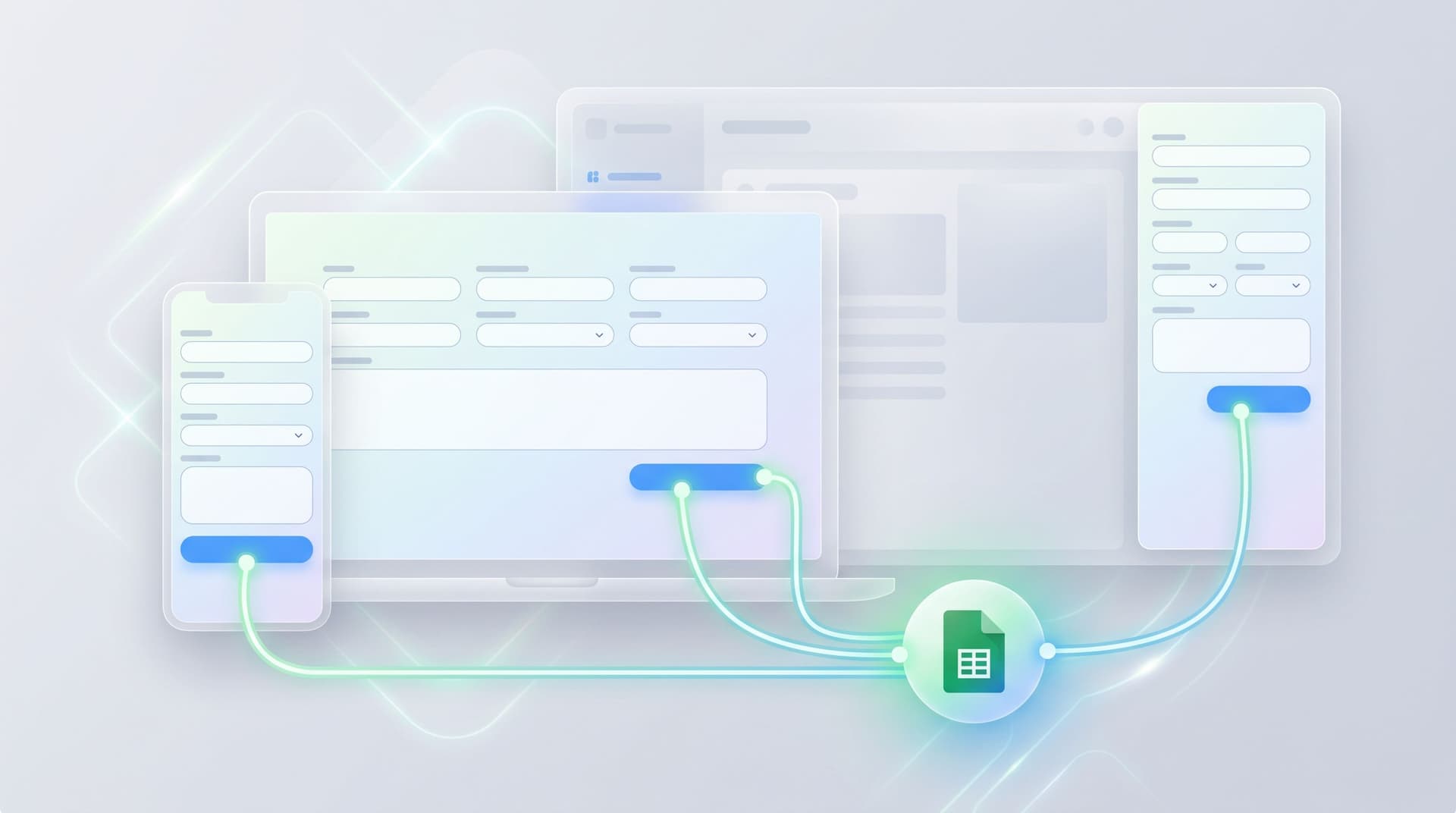
This post is about building that system: using Ezpa.ge forms that sync to Google Sheets in real time, then layering on structure, views, and automations so every NPS score, feature request, or bug report automatically maps to a clear playbook.
By the end, you’ll know how to:
- Design feedback forms that are “playbook‑ready.”
- Turn a raw sheet into a living feedback hub.
- Route, prioritize, and close the loop with simple Google Sheets logic.
- Use automations to make the whole thing run without heroics.
Why feedback without a playbook quietly fails
NPS and feedback forms are easy to launch and deceptively hard to operationalize. Without a clear system, teams fall into a few traps:
1. Everything becomes “nice to know.”
When feedback is a wall of text and scores, it’s hard to see what’s urgent vs. interesting. So everything becomes a quarterly slide, not a weekly action.
2. Ownership is fuzzy.
If a customer gives you a 3/10 and mentions billing confusion, who owns the next step? CX? Billing? Product? Sales? Fuzzy ownership means slow or no response.
3. The loop never closes.
Customers share feedback and never hear back. Internally, teams don’t know which issues are resolved vs. still open. Over time, people stop trusting the survey as a real channel for change.
4. The data never escapes the sheet.
Your Google Sheet becomes a quiet graveyard of insights: technically available, practically unused.
The fix isn’t “more feedback” or “better questions.” It’s treating your NPS and feedback flows as the front door to live playbooks: small, predictable sequences that trigger based on what someone said.
Step 1: Design your form like a decision tree, not a questionnaire
If you want feedback to drive next steps, you need signals that are easy to act on. That starts at the form.
With Ezpa.ge, you can theme your feedback form, set a clean custom URL, and sync every submission straight into Google Sheets. But the magic is in which fields you include and how you structure them.
Make the score the routing key
For NPS or CSAT‑style flows, treat the score as the primary routing signal:
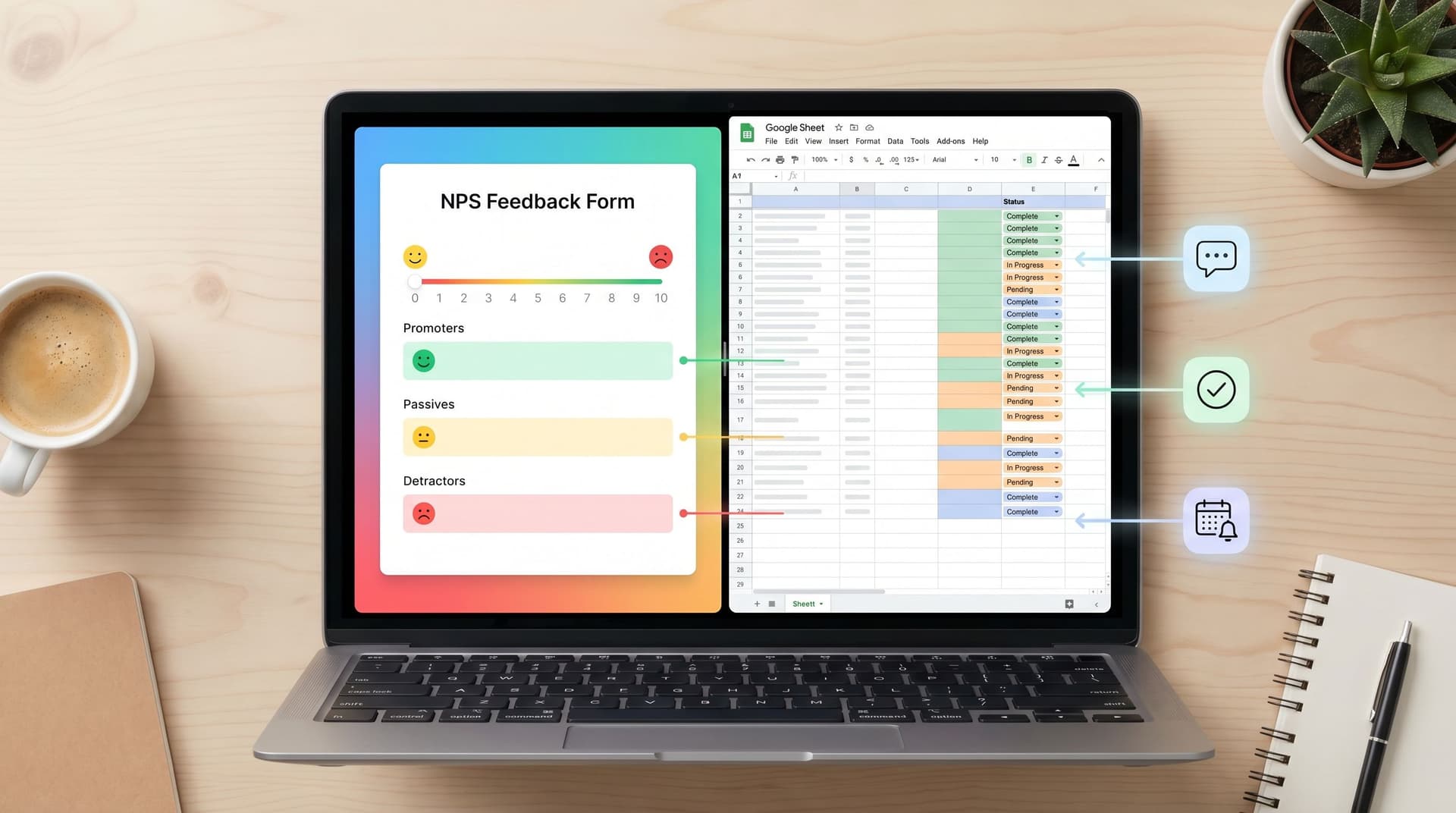
- 0–6 (Detractors): likely need fast human follow‑up.
- 7–8 (Passives): good candidates for “what would have made this a 9 or 10?” probes.
- 9–10 (Promoters): perfect for referral, testimonial, or case study motions.
On your Ezpa.ge form, that’s just a single field (e.g., nps_score). In Sheets, it becomes the backbone of your playbook logic.
Add one or two fields that explain why
Don’t rely only on the score. Add structured fields that make downstream automation easier:
- Experience area (dropdown): Onboarding, Billing, Support, Product usability, Performance, Other.
- Customer segment (dropdown or hidden field): Plan tier, region, lifecycle stage.
These can be visible to the user (e.g., “What were you mainly rating?”) or passed invisibly via URL parameters or hidden fields (e.g., plan tier from your app). Ezpa.ge’s custom URLs and prefill options make this straightforward.
Now you have a combination like:
nps_score = 3experience_area = Billingplan_tier = Enterprise
That’s enough to drive a very concrete next step.
Keep text fields focused
Open‑ended feedback is gold, but only if it’s targeted. Instead of a single giant “Any other comments?” box, try:
- “What’s the one thing we could improve for you right now?”
- “If you could wave a magic wand and fix one thing, what would it be?”
This keeps responses sharp and easier to categorize. If you’re already exploring AI‑driven flows, you can layer in ideas from AI‑Curated Follow-Up Flows to ask smarter follow‑ups without making the base form longer.
Don’t forget operational fields
To power playbooks, you’ll also want:
- Contact permission: “Can we follow up with you about this?” (Yes/No)
- Preferred channel (optional): Email, Phone, Slack community, Other.
These small fields remove ambiguity when you’re deciding how (and whether) to reach out.

Step 2: Turn your Google Sheet into a live feedback hub
Once your Ezpa.ge form is syncing into Google Sheets, the temptation is to stop there. But the sheet is where your “next step” system really lives.
Start with a clean schema
In your responses sheet, make sure you have clear, stable columns for:
- Timestamp
- Respondent identifier (email, user ID, or both)
- NPS/CSAT score
- Experience area
- Plan tier / segment
- Open feedback
- Contact permission
- Preferred channel
- Status (New, In progress, Resolved, Won’t act)
- Owner (person or team)
- Follow‑up due date
If you’re used to ad‑hoc trackers, this might feel like overkill. It isn’t. It’s what separates “log of opinions” from “queue of work.” If that distinction resonates, you’ll also like the deeper systemization approach in From Sheet to System.
Use separate tabs for clarity, not more chaos
Instead of duplicating data, use additional tabs as views over the same raw responses:
- Inbox: All new feedback, sorted by timestamp.
- Detractors: Filtered to low scores and open statuses.
- Promoters: Filtered to high scores and contact permission = Yes.
- Theme views: e.g., Billing issues, Onboarding friction, Performance complaints.
You can build these with FILTER, QUERY, or simple filter views. The key is that no one is editing the raw submission data. They’re working from curated views that match their job.
Add calculated columns for routing and priority
A few lightweight formulas can transform your sheet into a triage engine:
- Score band:
=IF([@nps_score]>=9,"Promoter",IF([@nps_score]>=7,"Passive","Detractor")) - Priority:
- High: Detractor + Enterprise
- Medium: Detractor + non‑Enterprise, or Passive + Enterprise
- Low: Everyone else
You can implement this with nested IFs or a VLOOKUP against a small scoring table.
- Suggested owner:
- Billing →
billing@ - Onboarding →
onboarding@ - Product usability → PM team alias
- Billing →
Even if you don’t fully automate ownership, a “suggested owner” column gives you a default that can be overridden.
Step 3: Define concrete playbooks for each feedback segment
Now you have structured data and views. The next move is to define what actually happens for each type of feedback.
A simple way to start is to define playbooks by score band x experience area.
Example: Detractors (0–6)
For detractors, your playbook might look like:
Goal: Understand what went wrong, fix what you can, and show you care.
Default steps:
- Same‑day triage
- Check if they’re a high‑value account (e.g., Enterprise, long‑tenure, or high MRR).
- Confirm contact permission.
- Assign an owner
- Billing issues → Billing lead.
- Onboarding issues → CSM.
- Product bugs → Support or PM.
- Personalized outreach within 24 hours
- Short, human email acknowledging their feedback.
- If relevant, offer a quick call or loom video to walk through a fix.
- Internal note
- In the sheet, add a comment or a “Notes” column entry with what you learned.
- Status update
- Move Status from
New→In progress→ResolvedorWon’t act.
- Move Status from
Example: Passives (7–8)
Passives often have useful, fixable suggestions.
Goal: Turn “fine” into “great” and mine for roadmap insights.
Default steps:
- Weekly review by Product or CX.
- Tag common themes (e.g., pricing clarity, docs, missing feature X).
- Feed themes into discovery
- Cluster feedback into a separate “Insights” tab.
- Use it to inform research, experiments, or single‑question discovery flows.
- Optional: light follow‑up
- “You mentioned we were a 7/10. What would make us a 10?”
Example: Promoters (9–10)
Promoters are your growth engine.
Goal: Capture social proof and deepen the relationship.
Default steps:
- Automatic thank‑you
- A warm, branded email thanking them for their support.
- Referral or review ask
- Invite them to share a review, case study, or referral.
- Advocacy tagging
- Mark them as a potential reference customer in your CRM.
Write these playbooks down in a simple doc or a “Playbooks” tab in your Sheet. The more explicit you are, the easier it is to automate later.

Step 4: Wire your playbooks to automations
Once your form and Sheet are structured, you can use automation tools to connect the dots.
You can do this with platforms like Zapier, Make, or Google Apps Script. The specific tool matters less than the pattern.
Common automation triggers
Use changes in your responses sheet as triggers:
- New row added: A fresh submission from your Ezpa.ge form.
- Status changed: e.g., from
NewtoIn progress. - Score band calculated: e.g.,
Detractor,Passive,Promoter.
Useful automations to start with
1. Slack alerts for high‑risk feedback
- Trigger: New row where
Score band = DetractorandPriority = High. - Action: Post a message in
#customer‑alertswith key details and a link to the row.
2. Auto‑assign owners via email or task tool
- Trigger: New row with
Suggested ownerpopulated. - Action: Create a task in Asana/Jira/Linear, or send an email to the owner with:
- Customer
- Score
- Experience area
- Open feedback
- Follow‑up due date
3. Thank‑you emails for promoters
- Trigger: New row where
Score band = Promoterandcontact_permission = Yes. - Action: Send a personalized email (or trigger a transactional email via your ESP) with:
- Thanks
- Optional referral or review link
- A note about upcoming features or beta programs
4. Weekly digest for product or leadership
- Trigger: Time‑based (every Monday).
- Action: Summarize last week’s:
- Number of responses by score band
- Top 3 themes from detractors
- Notable quotes (linked back to the sheet)
Even a couple of these automations dramatically reduce the manual effort needed to keep your playbooks running.
Step 5: Make the system visible and trustworthy
A live feedback playbook only works if people believe in it. That means:
Give teams a shared “feedback home”
Create a simple internal page or doc that:
- Links to your Ezpa.ge feedback/NPS form.
- Links to the main Google Sheet (or a view‑only version).
- Explains the playbooks for Detractors, Passives, and Promoters.
- Clarifies who owns what.
This turns your form + sheet into a recognizable internal product, not “that one survey we ran last quarter.”
Track a few key health metrics
Use your Sheet (or a simple Looker Studio/Data Studio dashboard) to track:
- Volume of feedback per week.
- Detractor follow‑up time (from submission to first contact).
- Percentage of detractor items with Status = Resolved.
- Number of promoters invited to leave a review or share a testimonial.
When people see these numbers move, they trust the system more—and they’re more likely to route conversations into it rather than spinning up side channels.
Keep the form experience aligned with your brand
Feedback forms are often the most emotionally charged surfaces you own. A failed payment, a frustrating bug, or a disappointing onboarding flow all end here.
Make sure your Ezpa.ge form theme and microcopy feel intentional, not generic. If you’re thinking about how to handle friction gracefully, Brand-First Error States is a great companion read.
Step 6: Iterate on the playbook, not just the form
Once your feedback system is live, resist the urge to constantly redesign the form itself. Instead, iterate on:
- Routing rules: Are the right owners getting the right feedback?
- Priority definitions: Are some issues stuck as “Medium” that should be escalated?
- Automation rules: Are alerts too noisy or too quiet?
- Playbook steps: Are you actually doing what you said you’d do for each segment?
Run small experiments:
- Shorten or clarify your open‑ended question and see if response quality improves.
- Add a “How urgent is this for you?” field and adjust your priority logic.
- Test different follow‑up templates for detractors and track reply rates.
Because Ezpa.ge lets you adjust themes and copy without touching the underlying Sheet schema, you can experiment on the surface layer while keeping your operational backbone stable—similar to the philosophy in Form UX for Experiments.
Bringing it all together
Turning NPS and feedback into real action isn’t about a more sophisticated survey. It’s about a tighter loop:
- Collect structured, playbook‑ready feedback via Ezpa.ge forms.
- Sync everything into a well‑designed Google Sheet that acts as your feedback hub.
- Segment responses by score band, experience area, and priority.
- Define clear playbooks for each segment—especially detractors and promoters.
- Automate routing, alerts, and follow‑ups using simple tools.
- Measure and refine the system so it stays trustworthy and effective.
When you do this, your NPS form stops being a quarterly ritual and becomes a live operational asset:
- CX knows exactly which customers to call and when.
- Product sees patterns in real time, not months later.
- Marketing has a steady stream of promoters to spotlight.
- Leadership can see, at a glance, how feedback turns into decisions.
Where to start this week
If this feels like a lot, start small. Over the next few days, you can:
-
Spin up or refine a single Ezpa.ge feedback form
- Add a clear score field, experience area, and a focused open‑ended question.
- Turn on real‑time syncing to a dedicated Google Sheet.
-
Add three operational columns to your sheet
- Status, Owner, Priority.
-
Define one simple playbook for detractors
- Who responds, how fast, and what they say.
-
Set up one automation
- For example: Slack alerts for high‑priority detractors.
Once that’s working, you can layer on promoters, passives, and more sophisticated routing. The important thing is to move from “We’ll read this later” to “Every submission triggers a next step.”
If you’re already using Ezpa.ge, you have most of the infrastructure you need: customizable, on‑brand forms, clean URLs, and real‑time Google Sheets syncing. The rest is design and discipline.
Ready to turn your feedback into a live playbook?
Start by choosing one form—your NPS survey, your post‑support CSAT, or your onboarding feedback—and give it a job: not just to collect opinions, but to trigger specific actions in Google Sheets. Once that loop is in place, every new response is no longer just a score. It’s the first step in a predictable, high‑signal workflow your whole team can trust.