AI-Curated Follow-Up Flows: Letting Models Suggest the Next Question Without Losing UX Control


AI is getting very good at reading between the lines of a response.
Give a model a paragraph about a user’s use case, and it can:
- Spot missing details
- Suggest clarifying questions
- Route someone into the right path
But if you simply “let the AI take over” your forms, you risk something worse than a bad survey: you risk a broken experience.
This post is about the middle path: AI‑curated follow-up flows—where models suggest the next question, but your team keeps tight control over structure, tone, and trust.
We’ll look at why this matters, how to design it, and how to wire it up in tools like Ezpa.ge (with Google Sheets in the loop) so you get richer data without turning your forms into a black box.
Why AI-Curated Follow-Ups Matter
Forms have always involved a tradeoff:
- Ask more questions → richer data, lower completion.
- Ask fewer questions → higher completion, but your team is flying blind.
AI-curated follow-ups change that equation. Instead of pre‑baking every possible branch, you:
- Ask a short, high-signal set of core questions.
- Let an AI model propose 1–2 targeted follow-ups only when needed.
- Filter those suggestions through guardrails you control.
Done well, this gives you:
- Deeper context without longer base forms. You don’t show everyone a 20‑question flow; you show the right extra question to the right person.
- Higher completion rates. People feel like they’re in a conversation, not a questionnaire.
- Better downstream decisions. Sales, support, and product teams get the nuance they usually only hear in calls.
- A safer path to AI. You’re not letting a model change your schema or expose risky fields on the fly.
If you’ve already explored single-question flows for product discovery or AI-generated follow-up questions, AI‑curated follow-ups are the next step: less “magic,” more system.
The Core Principle: AI as Editor, Not Author
The most important design choice you can make is this:
Treat AI as an editor of follow-up options you already trust, not as a free‑form author of new questions.
Instead of asking a model, “What should we ask next?” you ask:
“Given this response, which of these pre-approved follow-up questions (if any) should we ask, and why?”
This gives you:
- UX consistency. Every question still matches your tone, layout, and patterns.
- Security and compliance predictability. You’re not suddenly asking for data Legal never signed off on (e.g., unvetted health info or PII).
- Analytics continuity. Questions map to known fields; your dashboards don’t explode every week.
You can still let the model propose variants of wording or rank options—but it’s always choosing from inside your sandbox.
If you’ve thought about AI guardrails for forms, this will feel familiar: you’re narrowing the model’s job to something you can observe and test.
Where AI-Curated Follow-Ups Shine
You don’t need AI everywhere. Focus on moments where:
- User intent is high but fuzzy. Demo requests, onboarding, complex support issues.
- Context varies a lot. Different industries, roles, or technical levels.
- You already see “it depends” in your manual follow-ups. If your team keeps emailing the same clarifying questions, that’s a strong candidate.
Examples:
-
Sales demo request form
- Core question: “What are you hoping to achieve with our platform?”
- AI-curated follow-up: If someone mentions “migrating from Salesforce,” the model selects a follow-up like: “Have you already exported your current CRM data, or are you still evaluating options?”
-
Support intake
- Core question: “Describe the issue you’re running into.”
- AI-curated follow-up: If they mention “billing” and “multiple workspaces,” the model surfaces a short list of billing-specific clarifiers instead of generic troubleshooting.
-
Product discovery micro-form
- Core question: “What’s the main reason you’re trying this feature today?”
- AI-curated follow-up: If they mention a workflow your team is exploring, the model chooses a deeper question about that workflow.
These are the same flows you might already be running as micro-forms for always-on discovery; AI just makes them adaptive.
Step 1: Define Your “Question Library” First
Before you touch a model, you need a question library: a vetted set of follow-up questions mapped to specific intents or topics.
Think of it like a design system, but for questions.
How to build your question library
-
Audit existing conversations
- Pull transcripts from sales calls, support tickets, user interviews.
- Look for repeated clarifying questions like:
- “What tools are you currently using for this?”
- “How many people are on your team?”
- “Is this a must‑have for launch, or a nice‑to‑have?”
-
Normalize and de-duplicate
- Turn messy, one-off phrasing into clean, reusable questions.
- Group by theme: team size, current tools, timeline, budget, technical comfort, data sensitivity, etc.
-
Tag questions with metadata
- Topic (e.g.,
billing,migration,security) - Stage (e.g.,
top-of-funnel,post-signup,support) - Sensitivity level (e.g.,
low,medium,high) - Required/optional flag
- Topic (e.g.,
-
Store it where AI can see it
- A simple Google Sheet works well:
- Columns:
id,question_text,topic_tags,sensitivity,max_uses_per_flow,enabled.
- Columns:
- With Ezpa.ge syncing into Sheets, you can manage this library alongside your submission data instead of in a separate system.
- A simple Google Sheet works well:
This library is your safety net. If a model only ever chooses from here, you’ve dramatically reduced the risk of odd or unsafe questions.
Step 2: Decide Where AI Can Intervene in the Flow
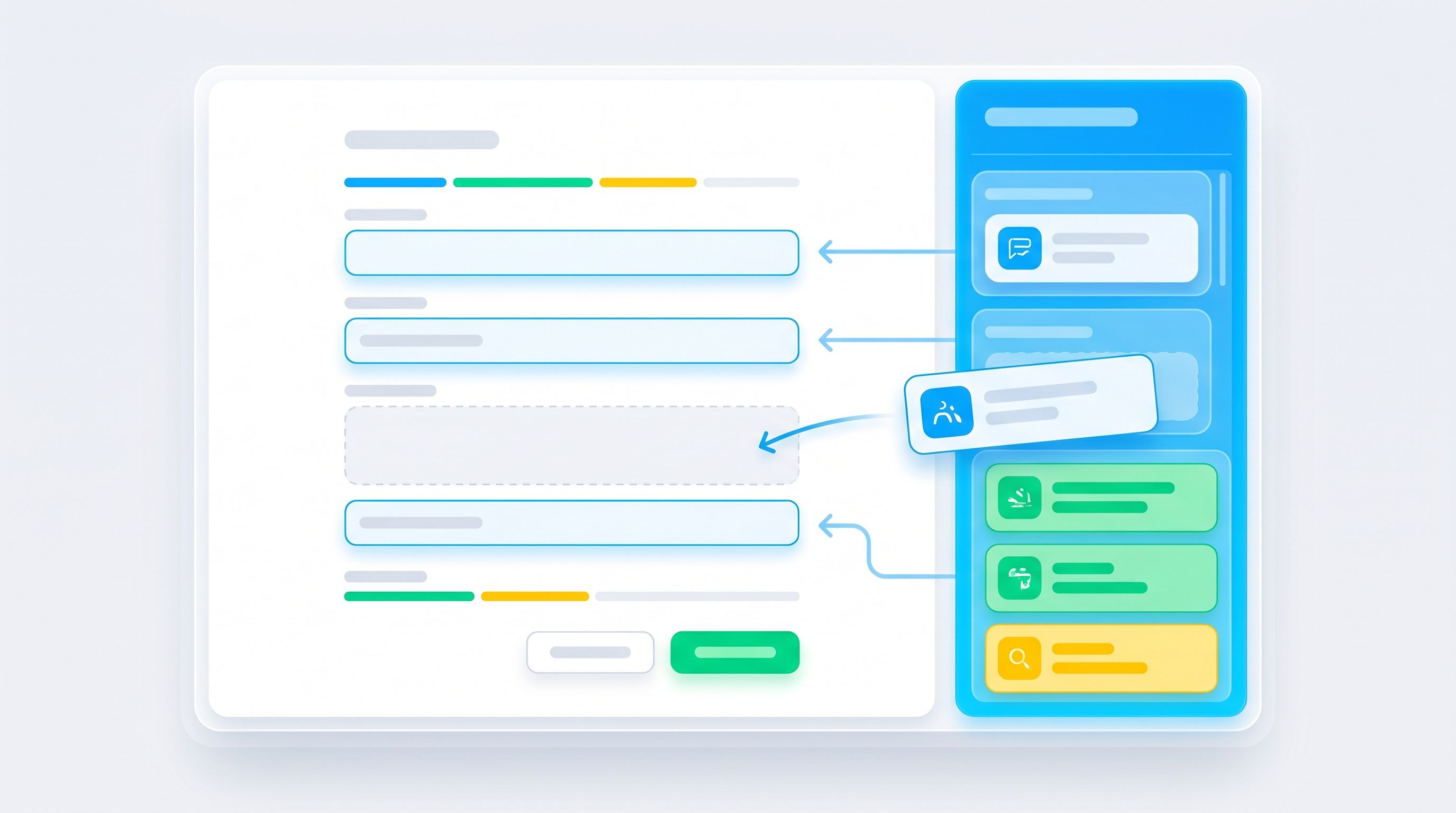
You don’t want every question to be AI‑driven. Instead, mark a few decision points where the model is allowed to suggest a follow-up.
Good decision point candidates
- Open‑ended text fields (e.g., “Tell us about your use case”).
- Multi-select fields where combinations matter (e.g., “Which tools do you use?” with 5+ options).
- “Other” text inputs that often hide rich context.
At each decision point, define:
- Maximum number of AI-curated follow-ups (often 1–2 is enough).
- Time budget (don’t hold up the flow for more than ~300–500ms just to get a follow-up).
- Fallback behavior if AI is slow or returns nothing (e.g., skip follow-up, or show a generic, safe clarifier).
This is also where you apply patterns from latency-aware form design: optimistic UI, clear progress, and “You’re almost done” copy to keep people comfortable while your backend thinks.
Step 3: Design the Prompting Strategy (Without Overcomplicating It)
You don’t need an elaborate prompt architecture. You need a clear, testable one.
A simple, robust prompt pattern
When a user answers a key question, send the model:
- The user’s response.
- The original question they just answered.
- A subset of your question library filtered by topic and sensitivity.
- Firm instructions on what it’s allowed to do.
Example (conceptual) instruction:
You are helping a form designer choose at most one follow-up question from a list of pre-approved options.
- Only choose a follow-up if it will significantly clarify the user’s intent.
- Never ask for sensitive personal data beyond what the candidate questions already request.
- Return the
idof the chosen question and a short explanation.
On your side, you then:
- Parse the model’s choice (by
id). - Validate that the question is still enabled and allowed in this context.
- Insert it as the next step in the flow.
Guardrails inside the prompt
Reinforce constraints like:
- Max length of follow-up questions.
- Tone (e.g., “friendly, plain language, no jargon”).
- Prohibited topics (e.g., no medical diagnoses, no legal advice, no credit card details).
You can go further by pre‑filtering your candidate questions with rules from Security by Structure: avoid free‑text fields where a structured choice list would be safer.
Step 4: Keep UX in the Driver’s Seat
AI-curated follow-ups should feel like a natural continuation of your form—not a surprise quiz.
UX patterns that help
- Set expectations early. A short intro like: “We’ll keep this short and may ask one or two follow-up questions based on your answers.”
- Show progress clearly. Even if steps are dynamic, use ranges: “Step 2 of 3–4”.
- Respect the user’s time. If they’ve already written a long, detailed answer, be conservative about adding more.
- Offer a skip. For optional, AI-curated follow-ups, a small “Skip for now” keeps control with the user.
Visual continuity
Because you’re building on Ezpa.ge, you can:
- Use consistent themes and typography across base and follow-up questions.
- Keep URL and layout stable even as questions adapt.
- Ensure mobile behavior matches what you’ve learned from responsive form stacks: field types, keyboard choices, and tap targets should feel identical whether a question is “core” or AI-curated.
The goal is simple: if a user can’t tell which questions were chosen by AI, you’ve done it right.
Step 5: Wire It Into Your Data Flows (Without Breaking Sheets)
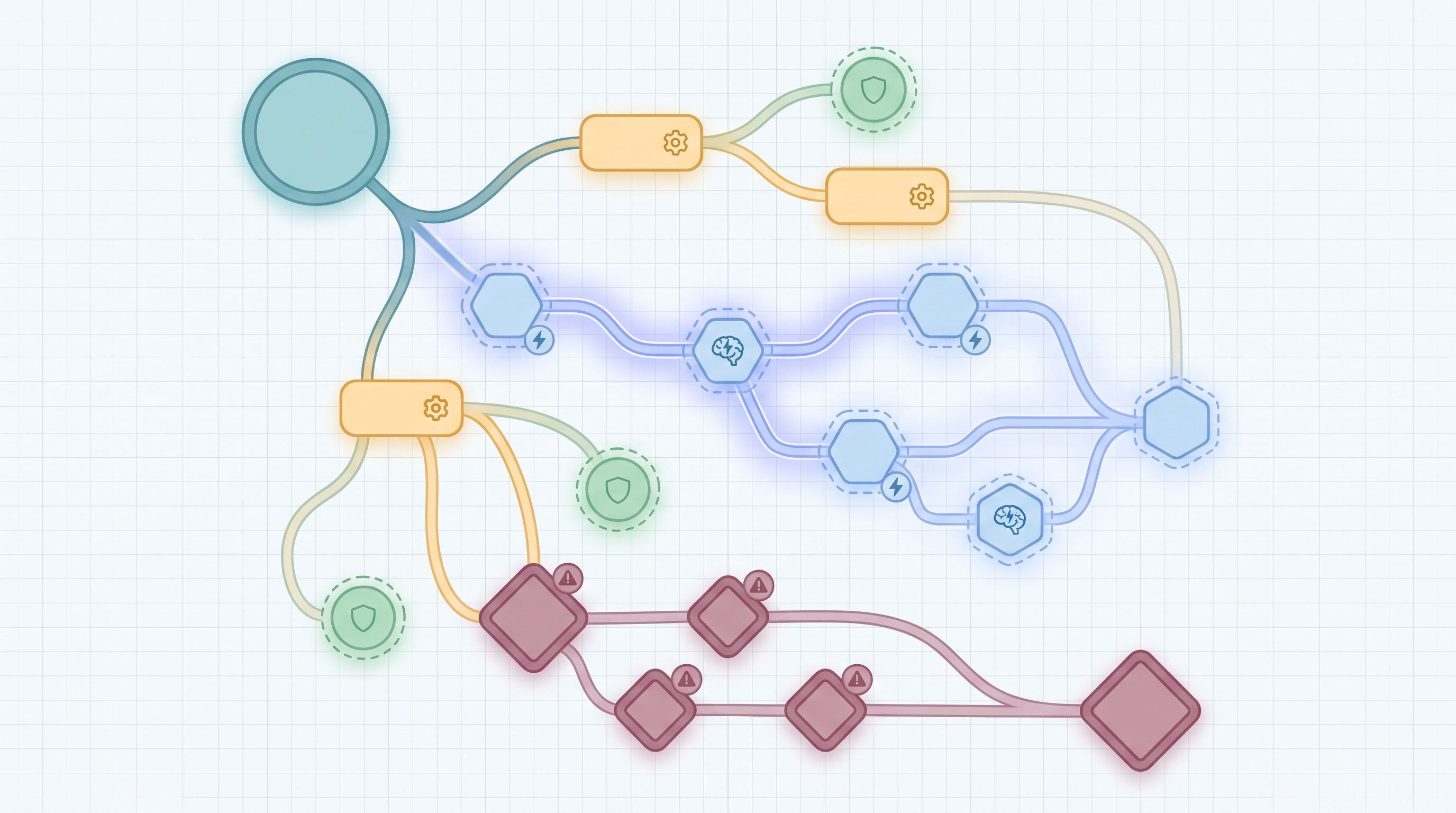
AI-curated follow-ups only pay off if the data is usable.
Keep your schema stable
- Predefine fields for each follow-up question in your destination (e.g., Google Sheets columns like
followup_migration_timeline,followup_team_size_detail). - Use a question ID → column mapping so your application knows exactly where to write the answer.
- If a follow-up is not asked, store a clear value (
N/A, empty cell, or a dedicated flag) so analysis is straightforward.
Use Sheets as your control panel
If you’re syncing Ezpa.ge forms into Google Sheets in real time, you can:
- Track which follow-ups were asked and how often.
- Measure completion impact: compare drop-off rates for flows with and without AI-curated questions.
- Flag bad questions: if a follow-up consistently gets skipped or correlates with abandonment, disable or rework it.
This is the same mindset as moving from sheet to system: your Sheets stop being a passive log and become part of your form ops.
Step 6: Start Small, Then Iterate Like a Product
You don’t need to roll this out across every form at once. Treat AI-curated follow-ups as a product experiment.
A minimal pilot
- Pick one flow where deeper context would clearly help (e.g., high-intent demo requests, complex support issues).
- Limit AI to one decision point and one optional follow-up.
- Define success metrics, such as:
- Conversion rate (start → submit)
- Average time to complete
- Downstream metrics (e.g., meeting show rates, first-contact resolution, NPS)
- Run a simple A/B test:
- Variant A: Base form only.
- Variant B: Base form + AI-curated follow‑up at one step.
What to watch for
- Did completion drop? If yes, is the follow-up too demanding or placed too late?
- Do downstream teams find the extra data useful? Ask sales, CS, or product to rate the usefulness of new fields.
- Are any follow-up questions causing confusion? Look for patterns in “Other” fields or support tickets referencing the form.
Once you see a clear win, you can:
- Add AI-curated follow-ups to another decision point in the same flow.
- Extend the pattern to another form type (e.g., onboarding, beta waitlists, internal requests).
Common Pitfalls (and How to Avoid Them)
1. Letting AI invent new questions on the fly
- Risk: Schema chaos, compliance surprises, and inconsistent UX.
- Fix: Always choose from a pre-approved question library with IDs and mapped fields.
2. Overusing follow-ups
- Risk: People feel interrogated; drop-off climbs.
- Fix: Cap AI-curated follow-ups per session. Default to zero unless the model is confident a question will help.
3. Ignoring sensitivity
- Risk: Models surface questions that feel invasive in context.
- Fix: Tag each question with sensitivity levels. Filter candidates by both topic and allowed sensitivity for that flow.
4. Forgetting about mobile
- Risk: Follow-up questions break the layout or feel cramped.
- Fix: Test flows on real devices. Reuse patterns from Trust at First Tap and your existing responsive stack.
5. Treating it as “set and forget”
- Risk: Question library gets stale; AI keeps surfacing low‑value follow-ups.
- Fix: Review performance monthly. Prune or rewrite underperforming questions; add new ones based on fresh conversations.
Bringing It All Together
AI-curated follow-up flows aren’t about turning your forms into chatbots. They’re about:
- Keeping forms short and focused for everyone.
- Adding just enough extra context for the people and cases that need it.
- Letting AI do what it’s best at—pattern matching and ranking—inside a structure you control.
The pattern looks like this:
- Build a vetted question library mapped to stable fields.
- Mark a few decision points where AI is allowed to suggest follow-ups.
- Design a simple prompt that selects at most one follow-up from your library.
- Keep UX in control with clear expectations, progress, and skip options.
- Wire everything into Sheets and your existing ops so the data is actually useful.
- Pilot, measure, and iterate like you would any product feature.
When you do this, your forms stop being static funnels and start to feel like adaptive conversations—without sacrificing the reliability your team needs.
Your Next Step
If you’re already using Ezpa.ge for themes, custom URLs, and real-time Google Sheets syncing, you have most of the building blocks in place.
A practical first move:
- Pick one high-impact form—demo request, research intake, or a key support flow.
- Write 5–10 potential follow-up questions you wish you could ask on every submission, but can’t without bloating the form.
- Tag and store them in a simple Sheet as your first question library.
- Work with your team (or a lightweight script) to let an AI model choose one of those questions based on a single open‑ended answer.
From there, you can refine prompts, expand your library, and roll the pattern out to more flows.
Your users get forms that feel smarter and more respectful of their time. Your team gets the context they’ve been missing. And you stay firmly in control of the experience.
If you’d like a deeper walkthrough of how to wire this into your existing Ezpa.ge setup and Sheets workflows, start by mapping your current forms and question library. Once you can see it, you can start curating it—with a little help from AI.