Onboarding Without Rebuilds: Using One Form System Across Product, Sales, and Support

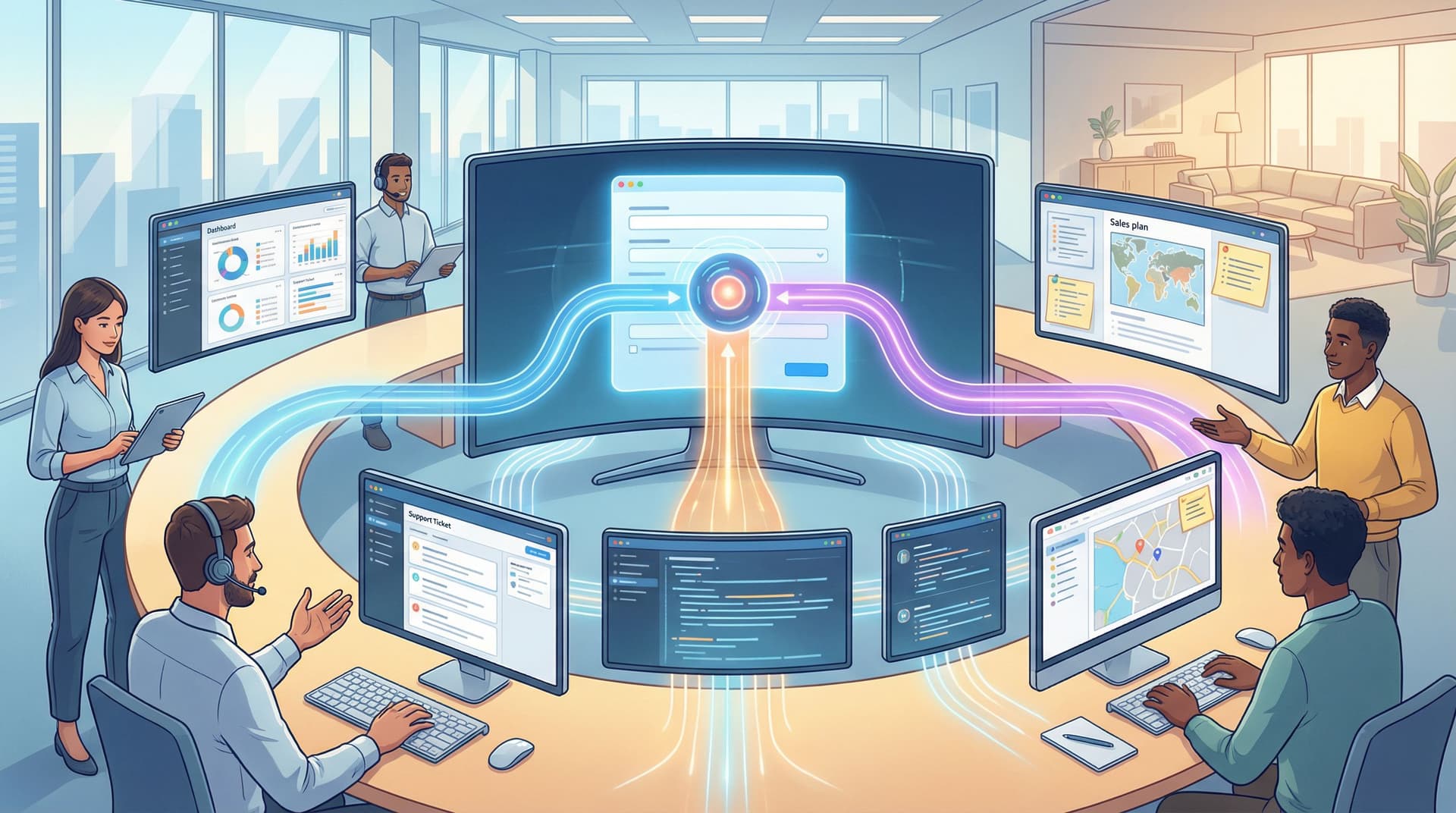
Onboarding isn’t just a product problem.
Sales wants cleaner qualification before a rep ever joins the call. Support wants better context so issues don’t bounce between queues. Product wants to understand who’s signing up and what they’re trying to do.
Most teams respond to this by… building more forms.
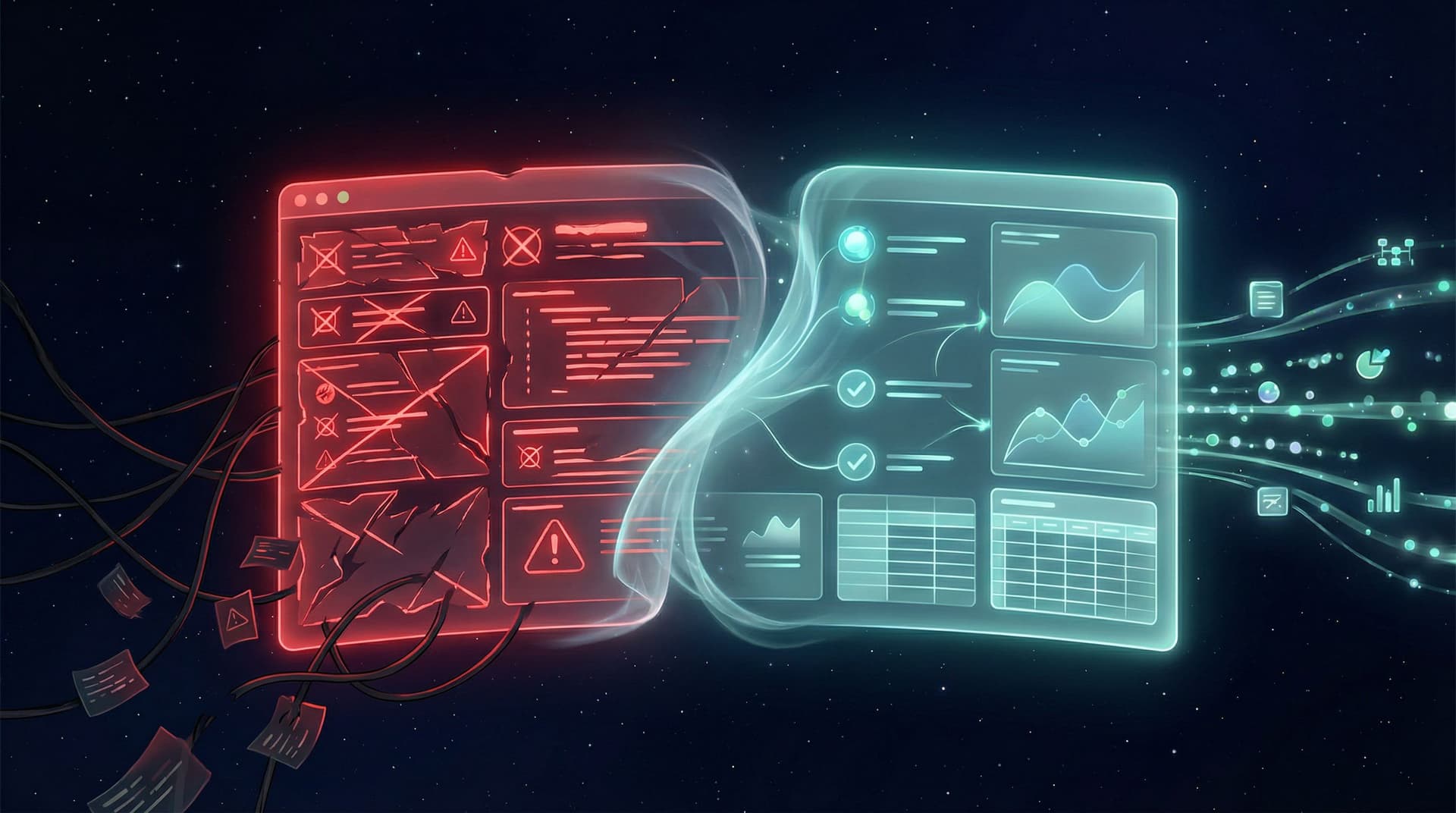
A signup flow for product. A demo request for sales. A ticket form for support. A feedback form for CS. A partner intake form for biz dev. Each lives in its own tool, has its own fields, and syncs to its own spreadsheet or CRM object.
The result:
- Users answer the same questions over and over.
- Data is fragmented and hard to trust.
- Every new workflow feels like a “mini rebuild.”
There’s a better way: one form system that serves product, sales, and support without constant rebuilding. With a platform like Ezpa.ge—where you get themes, custom URLs, and real-time Google Sheets syncing out of the box—you can design once, then reuse and adapt across teams.
This post is about how to do exactly that.
Why a Single Form System Matters Across Teams
Before we get into the how, it’s worth being clear on the why.
1. Less Repetition for Users
When every team runs their own intake, users feel it:
- A prospect fills out a marketing form, then answers the same questions on a sales form.
- A new customer signs up, then repeats their company info when they file a support ticket.
- A power user gives product feedback but has to re-enter environment details support already has.
A unified system lets you:
- Reuse core fields (company size, role, use case) across flows.
- Pre-fill known answers in future forms.
- Route based on existing data, not new questions.
The experience feels coherent—even as users move between product, sales, and support.
2. Cleaner Data, Cleaner Decisions
Fragmented forms create fragmented data:
- Different labels for the same thing (
company_sizevsemployeesvsteam-size). - Slightly different options for the same dropdown.
- Inconsistent required fields.
A single system pushes you toward one shared schema and shared validation rules. That pays off in:
- Reliable reporting across the funnel.
- Easier enrichment and automation.
- Less manual cleanup.
If you haven’t thought deeply about this yet, our guide on turning messy spreadsheets into a source of truth is a helpful companion: From Spreadsheet Chaos to Source of Truth: Structuring Google Sheets for Scalable Form Data.
3. Faster Experiments, Faster Iteration
When every new form is a custom build, experimentation slows down. A unified system means you can:
- Clone proven patterns (e.g., high-converting signup layout) for a new sales or support flow.
- Run A/B tests on key steps without involving engineering.
- Roll out improvements (copy, validation, logic) across multiple forms at once.
If you like this idea, you’ll probably also enjoy our piece on reusable layouts and logic: Atomic Form Patterns: Reusable Layouts, Microcopy, and Logic You Can Drag-and-Drop Anywhere.
4. Less Hidden “Shadow Work”
Without a shared system, teams patch gaps with ad-hoc workflows:
- Sales reps send manual email questionnaires.
- CSMs ask for onboarding details in Slack.
- Support triages via DMs.
A single form system becomes the front door for these workflows, replacing shadow processes with structured, trackable flows.
For a deeper dive on that shift, see: Shadow Workflows No More: Replacing Ad-Hoc Email and DMs with Structured Forms.

The Core Idea: One System, Many Journeys
The goal is not “one giant form for everything.” That’s a nightmare.
The goal is one system that can express many journeys:
- Self-serve product onboarding
- Sales-assisted onboarding
- Support intake and escalation
- Feedback and feature requests
All of these can share:
- A common design language (themes, spacing, typography).
- A shared field library (company, role, use case, plan, region, etc.).
- Consistent logic patterns (qualification, routing, branching).
- A single data backbone (Google Sheets + your CRM or help desk).
With Ezpa.ge, that system lives in:
- Themes → your visual language.
- Templates → your reusable flows.
- Google Sheets sync → your live data and automation layer.
Let’s walk through how to design this in practice.
Step 1: Define Your Shared Data Spine
Before you touch a canvas, define the minimum set of fields that should be consistent across product, sales, and support.
Think of this as your data spine—the columns that will show up in almost every Sheet and every downstream system.
Start with:
-
Identity
- Name
- Company / Organization
- Website or domain
-
Profile
- Role / Title
- Team or department
- Company size (normalized buckets)
- Industry (controlled list where possible)
-
Intent
- Primary goal / use case
- Timeframe (e.g., "just exploring" vs "need to launch this quarter")
- Product area of interest (if you have multiple)
-
Lifecycle
- New vs existing customer
- Plan / tier (if known)
- Region / timezone
These don’t all have to be visible in every form. But when they appear, they should:
- Use the same labels and same options.
- Map to the same columns in Google Sheets.
- Respect the same validation rules.
Practical tip:
- Create a “Field Library” tab in your main Google Sheet with:
- Field name (internal)
- Label (user-facing)
- Help text / microcopy
- Allowed values
- Required/optional rules
This becomes the reference for anyone creating or editing forms.
Step 2: Design Three Master Journeys
Next, design three master onboarding journeys that cover your main entry points:
- Product-led signup – for users who just want to try the product.
- Sales-led onboarding – for teams that need a conversation or contract.
- Support-led intake – for users who are stuck or need help.
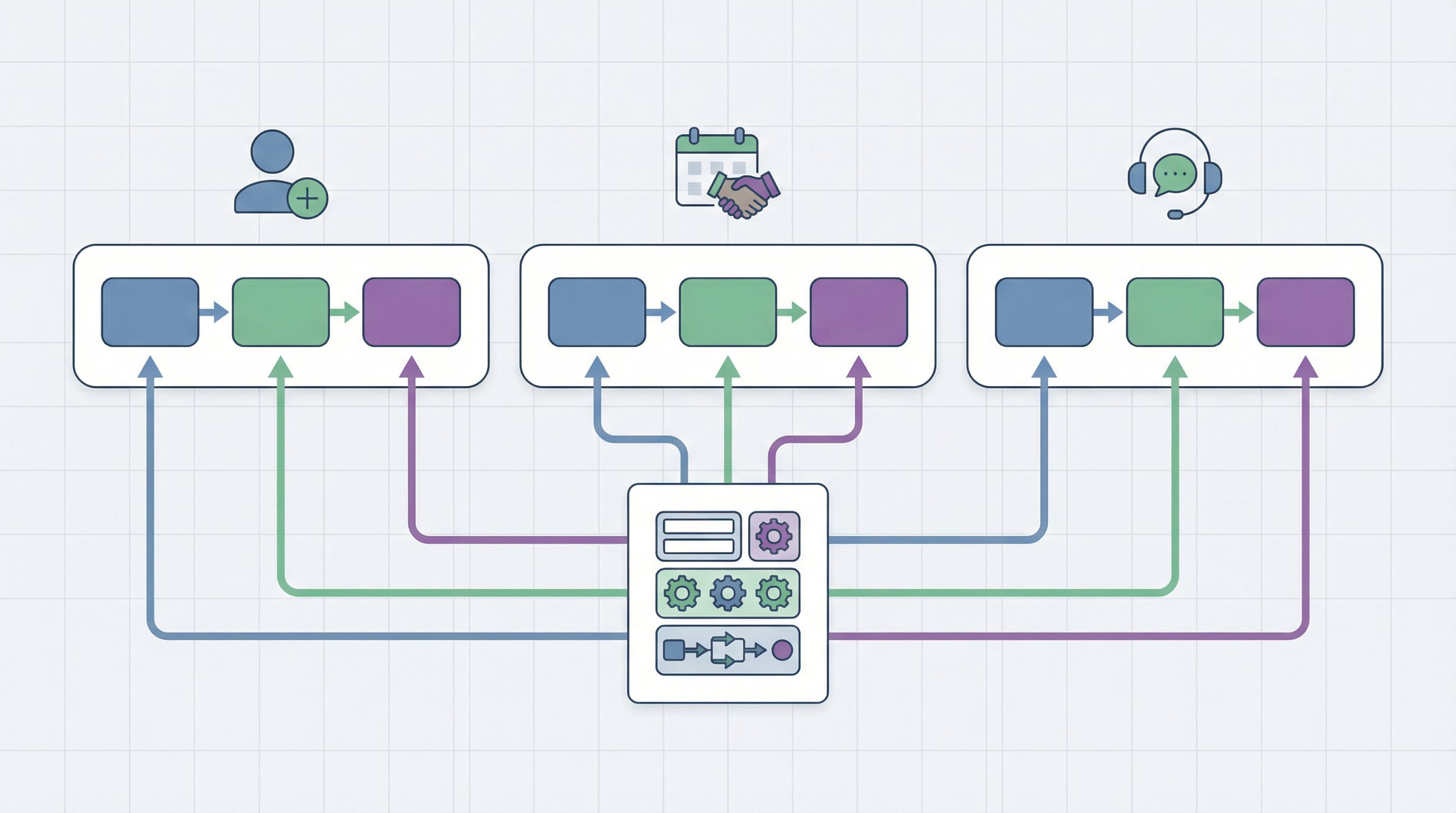
Each journey gets its own Ezpa.ge template, but all three share your data spine and visual language.
1. Product-Led Signup
Goal: Get users into the product quickly while capturing just enough context for later routing.
Key principles:
- Short upfront, deeper later. Start with email + password or SSO, then ask one or two intent questions.
- Use progressive profiling. Ask more details (team size, role, use case) after they’ve seen value.
- Embed micro-forms in the product to refine understanding over time.
For inspiration on tiny, high-impact questions inside the product, see: Tiny Forms, Big Revenue: Micro-Surveys and Single-Question Flows for Growth Teams.
2. Sales-Led Onboarding
Goal: Qualify and route leads to the right rep or motion without a back-and-forth email chain.
Key principles:
- Reuse identity and profile fields from the data spine.
- Add qualification signals, such as:
- Budget range
- Implementation timeframe
- Number of seats / locations
- Existing tools or stack
- Include a free-text context field ("Anything else we should know?") but don’t rely on it for routing.
Use Ezpa.ge’s real-time Sheets sync to:
- Auto-tag leads in your Sheet based on qualification logic.
- Trigger notifications or Slack alerts when high-intent leads submit.
- Push enriched data into your CRM using tools like Zapier or Make.
3. Support-Led Intake
Goal: Collect enough context to resolve issues quickly without overwhelming users.
Key principles:
- Start with identification: email, existing account, plan.
- Ask for the right structured details, such as:
- Product area
- Type of issue (bug, billing, how-to, feature request)
- Urgency/impact
- Only ask for technical environment details (browser, OS, version) when relevant.
Use your shared data spine to:
- Recognize existing customers and pre-fill known fields.
- Route tickets by plan or region.
- Tie support history back to product usage and sales notes.
Step 3: Build Reusable Form Blocks Instead of One-Offs
Now that you have your journeys, break them down into reusable blocks rather than monolithic forms.
Examples of reusable blocks:
- Identity block – name, email, company.
- Profile block – role, team, company size, industry.
- Intent block – main goal, timeframe, product area.
- Technical context block – environment, integrations, data sources.
- Legal/consent block – terms, privacy, marketing opt-in.
With Ezpa.ge, you can:
- Clone a form that already uses your ideal identity block.
- Swap in different intent blocks for product vs sales vs support.
- Keep your consent and legal language consistent across all flows.
This is the same mindset we explore in detail in Design Once, Reuse Everywhere: Building a Scalable Form System for Your Entire Team.
Why this matters:
- Changes to one block (e.g., updated legal text) can be rolled out across all forms that use it.
- Teams can assemble new flows from trusted pieces instead of improvising.
- New teammates can ship forms confidently by following established patterns.
Step 4: Use Google Sheets as Your Routing Brain
A unified form system is only as good as what happens after submit.
This is where Ezpa.ge’s real-time Google Sheets sync becomes powerful. Instead of hard-coding complex logic into every form, you can:
- Stream all submissions into a central Sheet (or one per journey) with consistent columns.
- Use formulas and logic in Sheets to:
- Classify leads (e.g.,
=IFS(company_size>=200, "Enterprise", ...)). - Assign owners (e.g., region-based routing).
- Flag high-priority support issues.
- Classify leads (e.g.,
- Trigger automations using tools like:
- Zapier or Make for CRM and help desk updates.
- Slack for alerts.
- Email tools for onboarding sequences.
This approach keeps forms simple and stable, while your routing logic evolves in Sheets where ops teams are comfortable making changes.
If you want a deeper walkthrough of turning form submissions into workflows, check out: From Form to Workflow: Automating Onboarding, Support, and QA with Ezpa.ge + Google Sheets.
Step 5: Pre-Fill and Personalize Instead of Re-asking
Once you’re collecting consistent data, you can stop asking the same questions over and over.
Ways to do this:
-
Pre-fill URLs:
- Include known parameters (email, company, plan) in the form URL when linking from product or email.
- Ezpa.ge can map those URL parameters to hidden or visible fields.
-
Use conditional visibility:
- If
planis already known, hide the plan selector. - If
company_sizeis known but outdated, show it with the current value and ask the user to confirm or update.
- If
-
Leverage previous context:
- For existing customers, show a short intro: “We’ve filled in what we already know; update anything that’s changed.”
This small step can dramatically improve completion rates and user satisfaction—especially for support and expansion flows.
Step 6: Align Validation and Guardrails Across Teams
Different teams often have different tolerances for “messy” data.
- Sales might accept a free email domain for early-stage leads.
- Product might be fine with incomplete company info on signup.
- Support might require precise fields for certain issue types.
But your core fields should have shared validation rules, enforced either:
- Directly in Ezpa.ge (required fields, formats), or
- Via Google Sheets guardrails (data validation, formulas that flag issues).
For example:
- Normalize country values with a dropdown.
- Enforce email format and disallow obvious test domains.
- Use checkboxes or radios instead of free-text where possible.
If you’re ready to go deeper here, our guide on smarter validation is a useful next read: Beyond ‘Required’: Rethinking Form Validation Rules for Better Data and Happier Users.
Step 7: Treat Forms as On-Ramps, Not Dead Ends
Onboarding isn’t a single moment; it’s a series of transitions.
Your forms should act as on-ramps into the next best step, not dead ends where the story stops at “Thanks, we’ll be in touch.”
Examples:
-
Product signup → guided setup
- Use intent answers to route users to the right onboarding checklist or template inside the product.
-
Sales request → calendar booking
- On submit, send high-intent leads directly to a scheduling page.
-
Support form → self-service help + ticket
- Suggest relevant docs based on issue type before or after submission.
-
Feedback form → roadmap visibility
- Let users subscribe to updates on the feature they requested.
This is where your one system really shines: the same data that helps sales qualify a lead can help product personalize onboarding and help support prioritize tickets.
For more ideas on designing these “after submit” journeys, see: Forms as On-Ramps, Not Dead Ends: Designing Submission Flows That Feed Your Growth Stack.
Bringing It All Together
When you use one form system across product, sales, and support, onboarding stops being three separate projects.
It becomes a coherent experience powered by:
- A shared data spine that keeps your fields and definitions consistent.
- Three master journeys (product-led, sales-led, support-led) that cover your main entry points.
- Reusable blocks that let you assemble new flows without reinventing the wheel.
- Google Sheets as your routing brain, handling classification, assignment, and automation.
- Pre-fill and personalization that respect what you already know about users.
- Aligned validation and guardrails that keep your data clean without punishing users.
- On-ramps, not dead ends, so every form submission leads to a meaningful next step.
You ship faster. Your data is cleaner. Your users feel like your company is one coherent product, not a collection of disconnected departments.
Where to Start (Without Rebuilding Everything)
You don’t need a big-bang migration.
Here’s a practical, low-risk way to begin:
-
Pick one journey to unify first.
- Often, the easiest starting point is either product signup or sales demo requests.
-
Define your minimum shared fields.
- Agree on names, options, and validation for identity + profile + intent.
-
Rebuild that one form in Ezpa.ge using your shared theme and field library.
- Connect it to a clean Google Sheet.
-
Layer in routing and automations.
- Start with simple rules (e.g., notify a channel when company size ≥ X).
-
Clone and adapt for the next team.
- Use the same blocks to build your support intake or a deeper onboarding form.
-
Iterate based on real usage.
- Watch where users drop off, what fields get messy, and where teams still fall back to ad-hoc DMs.
Every iteration you make to that shared system benefits all three teams.
Summary
Using one form system across product, sales, and support is less about tools and more about shared structure:
- You define a common data spine that travels with users across every touchpoint.
- You design three master journeys for product-led, sales-led, and support-led onboarding.
- You assemble flows from reusable blocks instead of starting from scratch.
- You use Google Sheets as a live routing engine rather than a static report.
- You pre-fill and personalize to respect users’ time and context.
- You treat every form as an on-ramp into the next best step, not a finish line.
The payoff is a calmer ops environment, better handoffs, and an onboarding experience that feels intentional from first touch to long-term success.
Take the First Step with Ezpa.ge
If you’re ready to stop rebuilding forms from scratch for every team request, Ezpa.ge gives you the foundation you need:
- Beautiful, responsive themes that work across devices.
- Custom URLs you can share in product, email, or chat.
- Real-time Google Sheets syncing that turns every submission into structured, actionable data.
Start small:
- Choose one onboarding flow that’s currently painful.
- Rebuild it once in Ezpa.ge using a shared field library.
- Connect it to a clean Sheet and add a simple automation.
From there, you can clone, adapt, and extend—until product, sales, and support are all running on the same, reliable form system.
Your users shouldn’t feel the seams between your teams. A unified form system is how you stitch them together.