Ops-Friendly Form Security: Practical Guardrails That Don’t Slow Teams Down

Ops-Friendly Form Security: Practical Guardrails That Don’t Slow Teams Down
Security and speed have a reputation for being enemies.
Ops teams are asked to “lock things down.” Marketing, product, and CX teams are told to “move faster.” Forms sit right in the middle of that tension: they’re often the front door for sensitive data, but they’re also the quickest way for teams to launch something new without waiting on engineering.
If you’re running operations, security, or RevOps, you’ve probably lived this:
- A team spins up a new form for a campaign without telling you.
- Data lands in a random spreadsheet with no access controls.
- Someone pastes an API key, a password, or PHI into a free-text field.
- Security gets nervous and responds by banning tools or adding heavy approval gates.
The result: shadow workflows, risky data sprawl, and frustrated teams.
This post is about a better pattern: ops-friendly form security—guardrails that are:
- Centralized enough to keep you compliant.
- Flexible enough that teams can still ship forms in hours, not weeks.
- Visible enough that you can actually audit what’s happening.
We’ll focus on patterns you can implement with tools like Ezpa.ge plus Google Sheets, plus a few lightweight security best practices that don’t require a full platform rebuild.
Why Form Security Is an Ops Problem (Not Just an IT Problem)
Security conversations often start with infrastructure: SSO, encryption, VPNs, DLP tools, and so on. All important—but forms are where risky data is created in the first place.
Forms are:
- How prospects share budgets, timelines, and contact details.
- How customers submit support issues that may contain access tokens, logs, or credentials.
- How employees file HR requests, expenses, or incident reports.
If you don’t design security into those flows, you end up cleaning up after the fact: manual redactions, retroactive policies, and painful audits.
For ops, getting this right has clear benefits:
- Cleaner data flows. You know where data originates, where it lands, and who touches it.
- Fewer one-off exceptions. Instead of debating every new form, you apply a small set of reusable patterns.
- Faster launches. Guardrails let teams self-serve without routing everything through a security ticket.
- Easier compliance stories. When auditors ask, “How do you control intake of X data?” you have a real answer.
If you’ve already invested in structured form workflows—like using forms as quiet CRMs to capture relationship signals—you’re halfway there. You just need to layer in the right controls.
Principle #1: Classify Forms Before You Secure Them
You can’t secure what you haven’t classified. Not every form deserves the same level of scrutiny as a high-stakes consent flow.
A simple, ops-friendly model:
-
Level 0 – Public / Low-Risk
- Newsletter signups, event RSVPs without sensitive details, generic feedback.
- Data: email, first name, non-sensitive preferences.
- Guardrails: basic access control, spam protection, standard retention.
-
Level 1 – Business Sensitive
- Sales intake, onboarding questionnaires, internal request forms.
- Data: company details, role, rough budget, internal project info.
- Guardrails: stricter access, structured destinations, logging, limited exports.
-
Level 2 – Regulated / High-Risk
- Anything involving payment details, health info, government IDs, or legal consent.
- Guardrails: dedicated tools or flows, explicit consent, strong authentication, short retention, and tight access.
Map each new form to one of these levels before it’s built. Then define what’s allowed at each level.
A simple internal checklist template can help:
- What’s the highest sensitivity of data this form will collect?
- Who needs access to raw responses?
- How long do we need to keep this data?
- Does this fall under any specific regulation (HIPAA, PCI, GDPR, etc.)?
You can embed this thinking into how teams choose form patterns. For example, if you’re already using the patterns from High-Stakes, Low Friction: Designing Verification and Consent Flows That Users Actually Finish, you can label those flows as Level 2 by default.
Principle #2: Design the System, Not Just the Form
Most security issues don’t come from the form UI—they come from what happens after someone hits Submit.
When you design a form, design its system:
- Source: Where is the form hosted? Is the URL trustworthy and on-brand? (Ezpa.ge custom URLs help here.)
- Transport: Is data encrypted in transit (HTTPS) and at rest?
- Destination: Where do responses land? A shared inbox? A Google Sheet? A CRM? Multiple systems?
- Access: Who can view, edit, or export that data in each destination?
- Automations: What tools are triggered (Slack, email, webhooks, Zapier/Make, etc.) and what data do they receive?
An ops-friendly pattern:
One form → One primary Sheet → Controlled syncs to everything else.
This mirrors the approach in From Spreadsheet Chaos to Source of Truth: Structuring Google Sheets for Scalable Form Data, but with a security lens:
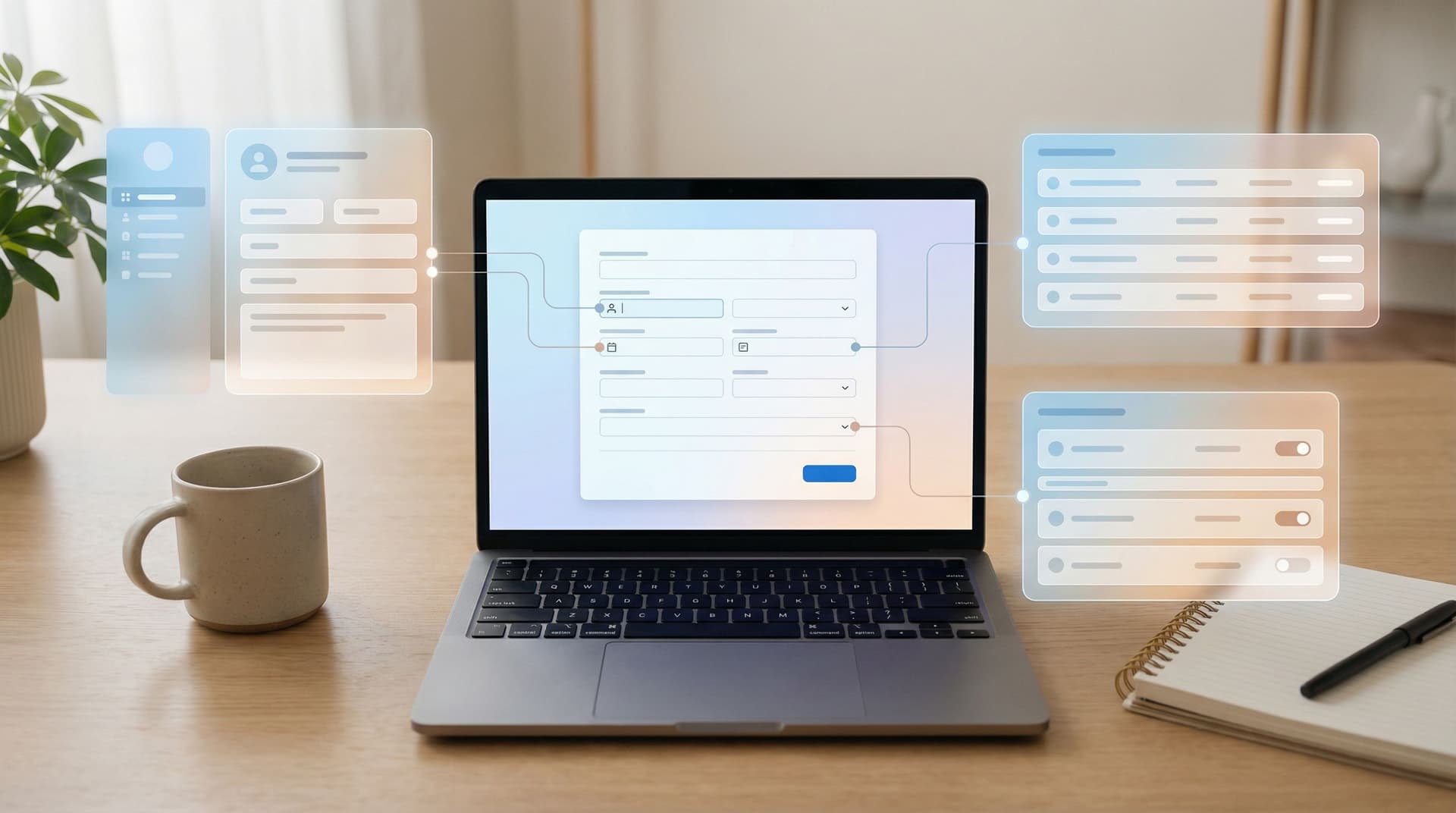
- Centralize intake: Every Ezpa.ge form syncs to a dedicated Google Sheet with clear ownership.
- Lock the sheet: Use Google Workspace groups to manage who can view vs. edit vs. export.
- Mirror out: Use filtered views or automation tools to send only the necessary fields to other systems.
That way, you’re not trying to audit ten tools. You’re auditing one intake layer and a handful of controlled outputs.
Guardrail #1: Strong Defaults in Your Form Builder
If you want ops-friendly security, start with the tool everyone touches: the form builder.
Wherever possible, set secure-by-default behaviors:
-
Standard themes and domains
- Use consistent branding and custom domains so users can trust the URL.
- Maintain a short internal list of approved domains where forms may live.
-
Template library by risk level
- Create Ezpa.ge templates labeled by your classification model (L0, L1, L2).
- Lock certain fields or disclosures for higher levels so teams don’t accidentally remove them.
-
Pre-wired destinations
- Every template should already be wired to the correct Google Sheet (or a pattern to create one).
- This avoids ad-hoc sheets with unknown access controls.
-
Role-based publishing
- Let anyone draft a form, but limit who can publish or connect it to production sheets.
- This keeps experimentation high and risk low.
-
Minimal collection by design
- Encourage teams to ask: “Do we truly need this field?”
- Lean on patterns from posts like Forms as Quiet CRMs: Capturing Relationship Signals Without Forcing Full Signups to collect intent without over-collecting identity.
The goal isn’t to block creativity; it’s to make the safe path the easiest path.
Guardrail #2: Field-Level Risk Controls
Most “oops” moments happen at the field level: someone adds a free-text field and users paste secrets into it.
You can prevent a lot with a few simple rules:
-
Ban or constrain certain data types in generic forms
- For Level 0/1 forms, explicitly avoid fields for:
- Full payment card numbers
- Social Security numbers
- Full medical history or diagnoses
- Use clear labels and helper text:
- “Please do not include passwords, card numbers, or confidential health details in this form.”
- For Level 0/1 forms, explicitly avoid fields for:
-
Use structured fields instead of free text
- Replace “Tell us everything about your issue” with:
- Category dropdowns
- Severity selectors
- Optional short text fields with clear prompts
- This reduces the chance that users paste logs, tokens, or sensitive screenshots.
- Replace “Tell us everything about your issue” with:
-
Mask sensitive-but-necessary inputs
- For fields like salary expectations or partial IDs, use masked inputs and clear storage rules.
-
Apply conditional logic to limit exposure
- Only show sensitive fields when absolutely needed (e.g., after a user chooses a specific category).
-
Align with your consent story
- If you’re collecting anything sensitive, pair the field with a short, plain-language explanation of why and how it will be used.
For deeper patterns on this, pair these ideas with the playbook in Security Without Paranoia: Low-Friction Patterns for Collecting Sensitive Data in Forms.
Guardrail #3: Secure Destinations and Access Controls
Once data leaves the form, most teams lose the thread. This is where ops can shine.
Use Google Sheets as a controlled intake layer
With Ezpa.ge, you can stream submissions into Google Sheets in real time. Treat that Sheet as:
- The single source of truth for that form’s raw data.
- The only place where full, unredacted responses live.
Then:
-
Lock down sharing:
- Use domain-restricted sharing and groups (e.g.,
sales@,support@,ops@). - Avoid “Anyone with the link can view” for sheets containing Level 1 or 2 data.
- Use domain-restricted sharing and groups (e.g.,
-
Separate views from raw data:
- Create filtered views or separate tabs with only the fields a given team needs.
- Use tools like Google Apps Script or no-code automation (Zapier, Make, n8n) to push minimal data to other tools.
-
Track exports and copies:
- Establish a simple rule: exports of Level 1/2 data must be logged (even if it’s just a short entry in an internal doc or ticket).
Automate redaction and normalization
You can layer basic “data hygiene” on top of your intake Sheet:
- Use formulas or Apps Script to:
- Strip obvious card-like patterns from free-text fields.
- Normalize phone numbers, countries, and state codes.
- Flag submissions that contain risky keywords (e.g., “password,” “SSN,” “credit card”).
This mirrors the approach in Real-Time Guardrails: Using Google Sheets Logic to Auto-Clean and Validate Form Data, but with a security focus instead of just data quality.
Guardrail #4: Notifications, Not Fire Drills
Security teams don’t need to see every submission. They need to see the right ones.
Use your Ezpa.ge → Google Sheets setup to trigger targeted notifications:
-
Risk-based alerts
- If a submission matches certain criteria (e.g., high deal size, certain region, or specific keywords), send a Slack or email alert to a security or ops channel.
-
Anomaly detection lite
- Use conditional formatting or basic formulas to flag unusual patterns (e.g., a spike in submissions with “breach” or “fraud” in the text field).
-
Audit-friendly logs
- Log when access permissions change on the main Sheet.
- Keep a simple change history of who modified form templates, especially for Level 2 forms.
This keeps security in the loop without forcing them into every workflow. For more on how to design these kinds of triggers as part of your ops stack, see Ops in the Loop: Using Real-Time Form Data to Trigger Playbooks, Notifications, and Automations.
Guardrail #5: Lifecycle and Retention by Design
Forms tend to be immortal. Campaign ends, project wraps, but the form and its data live forever.
From a security and compliance standpoint, that’s a problem.
Make data lifecycle part of your ops playbook:
-
Set retention expectations per form level
- Level 0: Keep for reporting and growth experiments (e.g., 12–24 months).
- Level 1: Keep as long as needed for customer relationship or internal operations, then archive.
- Level 2: Align with regulatory requirements and internal risk policies; shorter is usually better.
-
Automate archival
- Use date-based filters or scripts to move old rows to an archive Sheet with tighter access.
- Disable or unpublish forms when campaigns or projects end.
-
Document the lifecycle
- For each high-risk form, maintain a one-pager: purpose, destinations, access groups, and retention policy.
-
Run periodic reviews
- Quarterly, scan your form inventory:
- Which forms are still live?
- Which Sheets hold Level 1/2 data?
- Does access still match current roles?
- Quarterly, scan your form inventory:
These reviews don’t need to be heavy. Even a 30-minute recurring calendar block can dramatically reduce long-term risk.
Guardrail #6: Training That Feels Like Enablement, Not Policing
Technology won’t fix everything. People still paste secrets into wrong places and spin up unapproved tools when they feel blocked.
Shift your enablement from “Don’t do this” to “Here’s the easy, safe way to do that.”
-
Short pattern guides:
- One-pagers or Loom videos that show:
- How to launch a Level 0 campaign form in under 10 minutes.
- How to request a Level 2 form when sensitive data is involved.
- How to route responses into the right Sheet.
- One-pagers or Loom videos that show:
-
Office hours for complex flows:
- A weekly slot where ops/security help teams design secure forms for edge cases.
-
Positive reinforcement:
- Highlight teams that used the guardrails well as examples—not just teams that made mistakes.
When people see that the “secure way” is also the fast and well-documented way, they stop reaching for side channels like DMs, email threads, or random unapproved tools.
Bringing It All Together
Ops-friendly form security isn’t about saying no. It’s about:
- Classifying forms so you don’t over-secure or under-secure them.
- Designing systems, not one-off forms, with a clear intake layer and controlled outputs.
- Embedding guardrails in your form builder, fields, destinations, and notifications.
- Managing lifecycle so data doesn’t linger longer than it should.
- Enabling teams with patterns and templates that make the secure path the default.
When you do this well, you get a quieter, more predictable environment:
- Fewer surprises for security and compliance.
- Faster launches for marketing, product, and CX.
- Cleaner data for RevOps and analytics.
- A clearer story for leadership and auditors about how sensitive data enters your systems.
Where to Start This Week
If this feels like a lot, start small and concrete. Over the next 7 days, you can:
-
Inventory your top 10 active forms.
- Classify each as Level 0, 1, or 2.
- Note where the data lands and who has access.
-
Choose one “golden path” template per level.
- In Ezpa.ge, create or refine templates with the right fields, destinations, and helper text.
-
Tighten access on one high-risk Sheet.
- Move from “Anyone with the link” to group-based sharing.
- Create a filtered view for teams that don’t need full access.
-
Add one simple warning to your generic text fields.
- “Please don’t include passwords, card numbers, or confidential health details here.”
-
Schedule a 30-minute quarterly review.
- Future you (and your auditor) will be grateful.
Ready to Put Guardrails in Place?
You don’t need a new security platform to make your forms safer. You need a few clear patterns, a shared language for risk, and tools that let ops stay in the loop without becoming a bottleneck.
Ezpa.ge was built to support exactly this kind of workflow:
- Custom URLs that users can trust.
- Themes and templates you can standardize across teams.
- Real-time Google Sheets syncing that turns every form into a controlled intake layer.
Pick one live form, apply the guardrails in this post, and treat it as your pilot. Once you see how much clarity and control you gain—with almost no extra friction for your teams—you’ll have a model you can roll out everywhere.
Take that first step: choose your “golden path” form template, wire it into a secure Sheet, and let your teams build with confidence, not caution.