Form UX for Fast Decisions: Designing High-Intent Flows for Sales, Support, and Hiring

When someone fills out a form to talk to sales, open a support ticket, or apply for a role, they’re not browsing. They’re deciding.
They’ve already done the research, talked to colleagues, or felt the pain. By the time they hit your form, they’re signaling: “I’m ready to move.” Your job is to either accelerate that decision—or slow it down.
High-intent flows are where form UX stops being a “nice to have” and becomes an operating advantage. Done well, they:
- Shorten sales cycles
- Reduce support back-and-forth
- Improve hiring signal and time-to-offer
- Make internal teams trust the data they’re getting
This piece is about designing those flows on purpose—especially when you’re using a flexible builder like Ezpa.ge with themes, custom URLs, and real-time Google Sheets sync.
Why Fast Decisions Need Different Form UX
Most generic forms assume low intent:
- Minimal context
- Vague questions
- A single, catch-all path
That might be fine for newsletter signups. It’s terrible for:
- Enterprise demo requests
- “This is blocking me” support issues
- Senior or specialized hiring pipelines
In high-intent moments, people are:
- Time-constrained. They’ve carved out a sliver of focus to “get this done.”
- Outcome-focused. They care less about your brand story and more about “Will this solve my problem?”
- Signal-rich. They’re often willing to share more detail—if they believe it will lead to a faster, better response.
Your form should respect that by:
- Recognizing intent early (before the first field).
- Routing people to the right path based on that intent.
- Collecting just enough detail to let your team act decisively.
- Setting clear expectations about what happens next.
If you want a deeper dive into how this plays out on mobile—where attention is even more fragile—see how we approached high-stakes flows in Form UX for Tiny Screens: Designing High-Stakes Flows for Mobile-Only Markets.
The Core Principles of High-Intent Form UX
Whether you’re designing for sales, support, or hiring, the same principles apply.
1. Lead With Intent, Not Identity
Traditional forms start with:
- Name
- Company
Those fields are necessary, but they’re not why someone is here. High-intent flows start with a question that lets users declare intent.
Examples:
- Sales: “What are you hoping to accomplish with our product in the next 90 days?”
- Support: “What best describes your request?” (with options like Something is broken / I have a question / I need an exception or approval.)
- Hiring: “Which role are you most excited about?” or “How do you want to contribute?”
This first question does three things:
- Confirms to the user they’re in the right place
- Gives you an early routing signal
- Frames the rest of the form as a conversation about outcomes
2. Short Isn’t the Goal—Clarity Is
There’s a persistent myth that “shorter forms always convert better.” For high-intent flows, that’s often wrong. People are willing to answer more questions if they believe:
- It will get them to the right person faster
- It will prevent back-and-forth emails
- It will improve the quality of the response
The real goal is clarity per question:
- One idea per field
- Plain language labels
- Microcopy that explains why you’re asking
If you’re designing longer flows, our piece on Beyond ‘Shorter Is Better’: When Long Forms Outperform Micro-Flows (and How to Design Them) goes deeper into when and how to lean into length.
3. Design for Routing, Not Just Collection
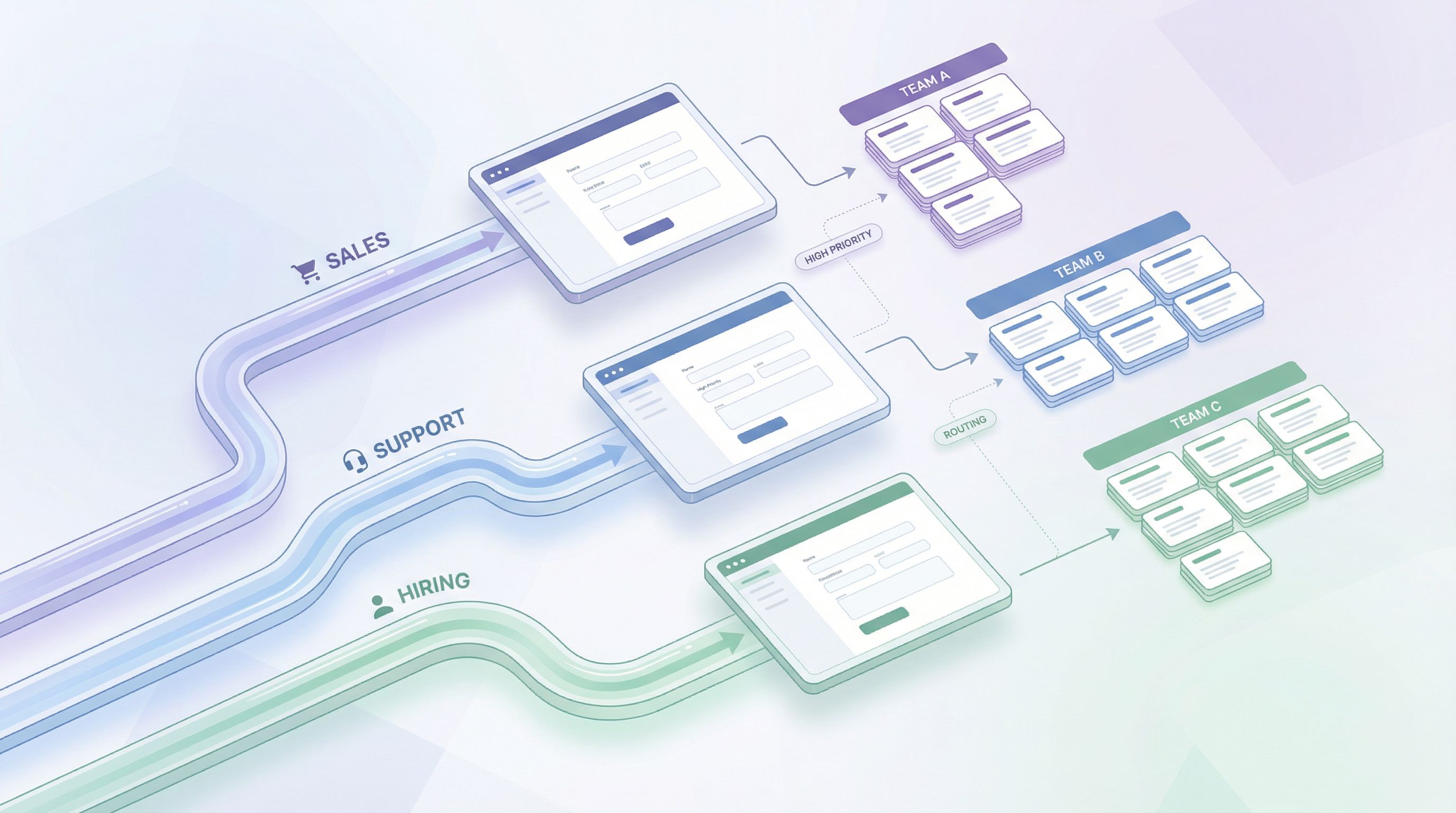
High-intent forms should act like routers, not just inboxes.
Every response should make it easier to:
- Send the request to the right team or person
- Assign the right priority
- Trigger the right follow-up workflow (emails, tasks, approvals)
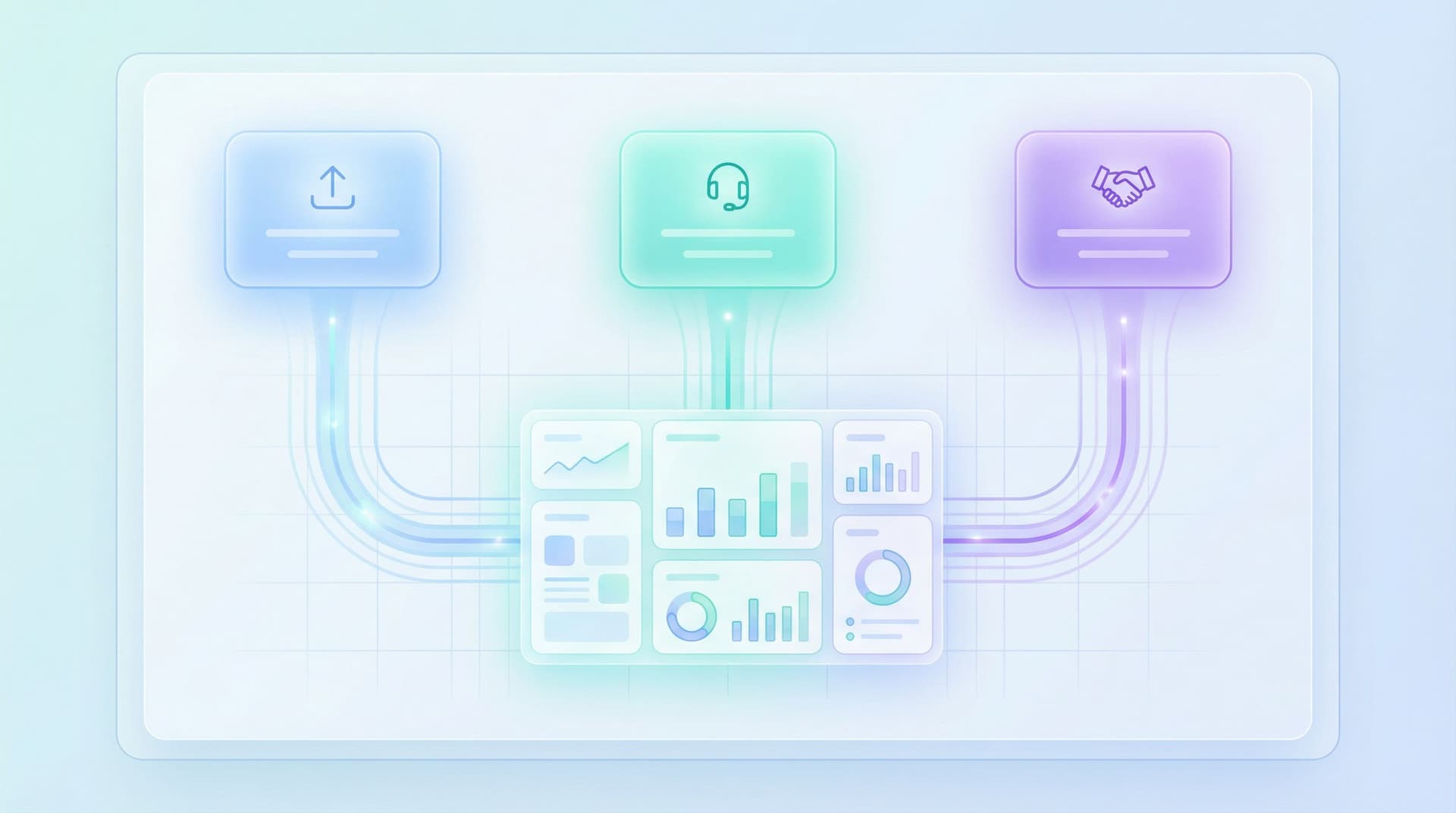
This is where Ezpa.ge’s custom URLs and real-time Google Sheets sync shine: you can design one form that feeds multiple downstream workflows without engineering.
4. Promise a Next Step—and Keep It
Uncertainty kills momentum. The confirmation screen and follow-up email should:
- Confirm what the user just did
- State when they’ll hear back
- Clarify how you’ll respond (email, phone, calendar invite, etc.)
This isn’t just good UX; it’s operational discipline.
Designing High-Intent Sales Forms
For sales, the form is the bridge between “I’m interested” and “Let’s talk.” Your goal is to:
- Capture urgency and fit
- Route to the right rep
- Prepare your team for a sharp first conversation
Step 1: Segment by Readiness
Use the URL and the first question to separate:
- High-intent buyers (e.g., from pricing pages, product tours, bottom-of-funnel ads)
- Explorers and researchers (e.g., from blog posts, top-of-funnel campaigns)
With Ezpa.ge, you can create custom URLs as routing logic—for example:
/demo/enterprise/demo/startups/talk-to-sales/partner-referral
Each URL can pre-fill hidden fields like channel, segment, or campaign, and even adjust copy or field defaults. We unpack this pattern in Custom URLs as Routing Logic: Directing Traffic by Intent, Channel, and Buyer Stage.
On the form itself, ask a simple readiness question:
“How soon are you looking to implement a solution?”
Options might include:
- This month
- This quarter
- Exploring options
This single field helps sales prioritize follow-up.
Step 2: Ask for Outcome, Not Just Use Case
Instead of a generic “How will you use our product?”, ask:
- “What problem are you trying to solve?”
- “What would make this a success 6 months from now?”
Use a multi-line text field with a short prompt:
“A sentence or two is perfect. For example: ‘We want to reduce onboarding time from 7 days to 2.’”
This gives reps something specific to anchor the conversation—and lets you spot bad fits earlier.
Step 3: Collect Deal-Defining Details (Without an Interrogation)
For B2B flows, consider including:
- Company size (ranges, not exact numbers)
- Industry (dropdown with “Other”)
- Tool stack (multi-select: Salesforce, HubSpot, Zendesk, etc.)
- Budget stage (Exploring / Shortlisted vendors / Finalizing)
Keep it light:
- Use friendly labels, not internal jargon
- Group related fields under small subheadings like “A bit about your team”
Step 4: Connect the Form to Your Sales Workflow
With real-time syncing to Google Sheets, you can:
- Auto-assign leads using filters (e.g., by region, segment)
- Trigger Slack or email alerts for “hot” submissions
- Feed your CRM via lightweight integrations or no-code tools
If you want to go deeper on turning form responses into internal playbooks, see From Intake to Inbox Rules: Turning Form Responses into Automated Internal Playbooks.
Designing High-Intent Support Forms
Support forms often suffer from two extremes:
- Too vague: a single big text box and a “Submit” button
- Too rigid: endless required fields that don’t match real issues
High-intent support flows should:
- Make it easy to declare urgency
- Capture the minimum data needed to triage
- Route different issue types to different workflows
Step 1: Start With Issue Type and Impact
Two early questions can transform your support pipeline:
-
Issue type (single choice)
- Something is broken
- I can’t access my account
- Billing or plan question
- Feature question
- Feedback or suggestion
-
Impact level
- Blocking my work
- Slowing me down
- Just a question / not urgent
These can drive conditional logic:
- “Blocking + Something is broken” → show fields for logs, screenshots, environment details
- “Billing question” → show invoice ID, account owner, etc.
Step 2: Ask for Context Once, Reuse It Everywhere
Support teams waste hours chasing:
- Account IDs
- Environment details
- Steps to reproduce
Bake these into the form in a user-friendly way:
- “Which account or workspace is this about?” (with search or ID hint)
- “What were you trying to do when this happened?” (short paragraph)
- “If possible, paste any error message you saw.”
If you’re using Ezpa.ge, you can pre-fill some of this via URL parameters when linking from in-product help or authenticated areas.
Step 3: Use File Uploads and Screenshots Wisely
For complex issues, a screenshot is worth 10 emails—if you ask for it clearly:
“Optional: Add a screenshot or short screen recording. This often helps us solve issues 2–3x faster.”
That small piece of copy explains the value and increases compliance.
Step 4: Set Expectations Clearly
On the confirmation screen and email:
- State the expected response time (e.g., “We respond to blocking issues within 2 business hours.”)
- Provide a ticket reference that maps to your internal system
- Offer a self-serve link if appropriate (docs, status page)
This reduces follow-up pings and builds trust, especially for high-stakes issues.
Designing High-Intent Hiring Flows
Hiring forms are often treated as compliance checklists. For high-intent candidates—especially senior, specialized, or referral-based—this is a missed opportunity.
Your hiring forms should:
- Signal what you actually value
- Capture signal that recruiters and hiring managers can act on quickly
- Reduce back-and-forth scheduling and clarification
Step 1: Reflect the Role’s Seniority in the Form
For senior roles, a generic ATS-style form feels off. Instead:
- Start with a role-specific intent question:
- “Why this role and why now?”
- “What kind of problems are you most excited to work on here?”
- Limit generic fields; emphasize portfolio, outcomes, and stories.
For high-volume roles, you might lean more on structured questions:
- Availability
- Location or time zone
- Work authorization
Step 2: Ask for Evidence, Not Just History
Beyond resumes, consider:
- “Share 1–2 projects you’re proud of. What was your role? What changed because of your work?”
- “How do you like to collaborate with product/engineering/sales?” (for cross-functional roles)
Use optional, but well-framed, questions. Serious candidates will often answer; others won’t, which is a useful signal.
Step 3: Bake in Scheduling and Next Steps
If your process allows it, let candidates:
- Indicate preferred interview times (time blocks, not exact slots)
- Share notice period or earliest start date
You can route these into a Sheet and use simple rules or tools to match candidates to recruiter calendars.
Step 4: Respect the Candidate’s Time
Signal respect by:
- Showing progress (e.g., “Step 1 of 3: Basics”) for longer flows
- Allowing save-and-return for more in-depth applications (where your tools support it)
- Making optional fields truly optional—and explaining why they’re helpful when you do ask

Turning Forms Into Operational Superpowers
High-intent UX doesn’t end at the “Submit” button. The real leverage comes from what happens next.
Real-Time Data for Real-Time Decisions
With Ezpa.ge’s Google Sheets sync, every submission can:
- Land in a shared, live Sheet
- Trigger filters, conditional formatting, and pivot views
- Feed dashboards or no-code automations
For example:
- Sales: Highlight rows where
urgency = this monthandcompany_size = 200+. - Support: Flag
impact = blockingand auto-notify on-call staff. - Hiring: Filter by
role,experience_level, orreferral = yes.
If you want to go deeper on this pattern, Real-Time Forms for Real-World Ops: How Google Sheets Sync Keeps Teams in Lockstep explores how teams use Sheets as a live operational surface.
Conditional Paths Without Engineering Tickets
High-intent flows often need branching:
- Enterprise vs. SMB
- Self-serve vs. high-touch
- Existing customers vs. new prospects
With Ezpa.ge’s logic features, you can:
- Show or hide sections based on earlier answers
- Skip irrelevant steps for certain segments
- Route different completion screens or follow-up emails
This lets you design forms as lightweight workflows, not static questionnaires—without writing code.
Distribution Where Intent Actually Happens
High-intent moments don’t always start on your website homepage. They happen:
- Inside email threads (“Can we schedule a call?” → send a tailored form link)
- In chat tools like Slack or Intercom (support or success escalations)
- In-product (upgrade prompts, feature access requests)
By using Ezpa.ge forms across these surfaces—and tailoring them with custom URLs—you turn scattered intent into structured, actionable data. For more ideas, see Beyond Embeds: Creative Ways to Distribute Forms Across Email, Chat, and Product Surfaces.
A Simple Blueprint You Can Apply This Week
Here’s a concrete way to put this into practice without a full redesign.
1. Pick One High-Intent Flow
Choose one:
- Sales: Demo request or “Talk to sales”
- Support: “Urgent issue” or “Contact support”
- Hiring: Application form for a key role
2. Rewrite the First Three Questions
Make them:
- An intent question (What are you trying to achieve?)
- A segmenting question (Who are you / what bucket are you in?)
- A priority or urgency question (How soon / how severe?)
3. Add One Routing Signal
Use:
- A dropdown for issue type or role
- A hidden field from the URL (e.g.,
?source=pricing-page) - A simple checkbox like “I’m evaluating multiple vendors this month”
Connect that field to:
- A filtered view in your Google Sheet
- A notification rule (email, Slack, etc.)
4. Tighten the Confirmation Experience
Update the confirmation page and email to:
- Summarize what the user submitted
- State when they’ll hear back
- Offer one helpful link (docs, FAQ, company overview) if relevant
5. Review the First 50 Submissions
After a few days, look at:
- Are the intent answers giving your team better context?
- Are the routing signals helping you prioritize?
- Where are people dropping off (if at all)?
Use those insights to tweak labels, options, and logic—no redesign required.
Summary
High-intent forms for sales, support, and hiring are not generic lead capture widgets. They are decision accelerators.
When you:
- Lead with intent instead of identity
- Design for routing, not just data collection
- Collect just enough context to act decisively
- Connect forms to real-time operational workflows
- Set and keep clear expectations after submission
…you turn every “Submit” into a faster, clearer next step—for your users and your team.
Ezpa.ge gives you the building blocks: themes that signal trust, custom URLs that encode context, and real-time Google Sheets syncing that keeps everyone aligned. The rest is about asking sharper questions and designing flows that respect the moment your users are in.
Take the First Step
You don’t need a full funnel redesign to benefit from high-intent UX.
This week, pick one high-intent form—demo requests, urgent support, or a key hiring flow—and:
- Rewrite the opening question to focus on outcome, not identity.
- Add one routing field that helps your team prioritize.
- Tighten the confirmation message to promise a clear next step.
If you’re using Ezpa.ge, spin up a variant with a custom URL, wire it to a live Google Sheet, and ship it as an experiment. Watch how it changes the quality of conversations your team is having.
Forms are where intent becomes action. Design those moments like they matter—because they do.