From Form to Lead Magnet: Turning Simple Intakes into Evergreen Assets for Your Funnel


Most teams treat forms as a necessary evil.
You need a way to collect demo requests, trial signups, or content downloads, so you spin up a quick intake form, plug it into your CRM, and move on.
Six months later, you have a graveyard of half-broken forms, inconsistent fields, and data that’s hard to use. Meanwhile, that one “quick” intake is still getting traffic—but it’s doing almost nothing to qualify, nurture, or educate the people who land on it.
That’s a missed opportunity.
When you design an intake as a lead magnet—not just a data capture—you create something very different:
- It attracts the right people, not just more people.
- It sets expectations and delivers value before they ever talk to sales.
- It becomes an evergreen asset you can keep reusing, routing traffic to, and improving over time.
This is exactly where a tool like Ezpa.ge shines: customizable themes, custom URLs, and real-time Google Sheets syncing make it easy to turn one form into a durable, trackable, and highly reusable piece of your funnel.
In this post, we’ll walk through how to transform simple intakes into lead magnets that keep working for you—quietly, consistently, and across channels.
Why your “basic” intake is secretly your most important asset
If you mapped your funnel honestly, you’d probably find that more people touch a form than any other part of your marketing stack:
- Every ad, email, or partner mention eventually points to a form.
- Many support, success, and internal ops flows start with a form.
- Your best customers often began with the same 2–3 URLs.
Those URLs are already acting like lead magnets, whether or not you designed them that way.
When you treat a form as a lead magnet, you:
- Clarify the promise. People understand what they get in exchange for their time and data.
- Pre-qualify leads. Smart questions and structure help you distinguish serious buyers from casual browsers.
- Create a reusable asset. Instead of spinning up new forms for every campaign, you build a canonical intake you can theme, route, and personalize.
- Improve your data quality. Thoughtful fields and microcopy encourage honest, complete responses.
If you’re already thinking about first-party data and consent, this dovetails with the ideas in Forms in a Post-Cookie World: Building First-Party Data Strategies That Don’t Feel Like Surveillance—but here, we’ll stay focused on the funnel and revenue side.
Step 1: Decide what kind of lead magnet your form should be
Not every intake should do the same job. Before you touch fields or themes, decide what kind of “magnet” you’re building.
Common patterns:
-
Consultation or strategy session request
- Promise: “Get tailored advice for your situation.”
- Form’s job: Gather context so the call can be high-value and short.
-
Interactive audit or assessment
- Promise: “Get a personalized score or report.”
- Form’s job: Ask structured questions that map to a meaningful outcome.
-
Resource unlock (playbook, template, calculator)
- Promise: “Access a concrete tool you can use right away.”
- Form’s job: Segment by role, company size, or problem so the resource feels relevant.
-
Waitlist or beta access
- Promise: “Get early access if you’re a fit.”
- Form’s job: Qualify and prioritize based on need and timing.
Clarify three things before you build:
- What is the explicit promise? (E.g., “Get a 5-minute website conversion audit.”)
- What is the hidden promise for you? (E.g., “Identify high-intent prospects who are already investing in paid traffic.”)
- What will you do with the data within 24–48 hours? (E.g., “Send a personalized Loom video walking through their top 3 issues.”)
If you can’t answer those questions, you’re not designing a lead magnet—you’re just building another form.
Step 2: Turn questions into value, not friction
A lead-magnet form earns its keep by making every question clearly useful to the person filling it out.
Borrow two principles from The Minimal Field Manifesto: How Fewer Inputs Can Actually Enrich Your First-Party Data:
- Ask the minimum number of questions needed to deliver on your promise.
- Make it obvious how each question improves the outcome for them.
Map each field to an outcome
Take a simple consultation request form. Instead of:
- Name
- Company
- Message
You might design:
- Role – so we can tailor recommendations to your responsibilities.
- Primary goal for the next 90 days – so we don’t waste time on generic advice.
- Biggest blocker right now – so we can prepare specific ideas before the call.
- How did you hear about us? – so we can calibrate what you already know.
Then, mirror that value back in your labels and help text:
- “What’s your primary goal for the next 90 days? (We’ll use this to focus the session.)”
- “What’s your biggest blocker right now? A sentence or two is enough.”
Use conditional logic to personalize without adding clutter
If you’re using Ezpa.ge, you don’t need separate forms for every segment. You can:
- Show specific questions only when a user chooses a certain role or industry.
- Ask deeper qualification questions only when someone selects “Ready to buy in the next 30 days.”
This is exactly the pattern we unpacked in One Form, Many Journeys: Using Conditional Logic to Personalize Flows Without Creating New Pages—and it’s perfect for lead magnets. One URL, many tailored experiences.
Step 3: Make the form itself feel like the first “deliverable”
The best lead magnets deliver a small win before anyone on your team does anything.
Your form can do that in subtle but powerful ways:
1. Reflect their language back to them
Use AI or simple logic to:
- Echo their chosen role or industry in the confirmation message.
- Summarize what they told you in human language: “You’re a growth lead at a B2B SaaS company spending $10–20k/month on ads and struggling with lead quality.”
Even a lightweight summary makes people feel heard and signals that the data they shared actually matters.
2. Preview what happens next (with specifics)
Generic “Thanks, we’ll be in touch” messages kill momentum.
Instead, be precise:
- “You’ll get a calendar invite within 1 business day.”
- “We’ll send a custom teardown of your top landing page within 48 hours.”
- “Look for an email with the subject line ‘Your 5-minute funnel audit’—that’s where your report will live.”
3. Offer an immediate bonus aligned with the form’s promise
Right after submission, you can:
- Link to a relevant article (e.g., your own content on form UX or funnels).
- Share a short checklist or Loom video that helps them prepare.
- Invite them to a low-friction next step like a newsletter tailored to their problem.
For example, if your lead magnet is a “conversion audit” intake, your confirmation page might link to Beyond ‘Looks Good’: A Practical Framework for Scoring Form Themes by Trust, Clarity, and Speed as a way to help them self-diagnose while they wait.
When the form itself feels like the first step of the engagement, not just the gate, leads show up warmer, better prepared, and more likely to convert.
Step 4: Turn submissions into structured, evergreen signals
A form only becomes an evergreen asset if the data it collects is easy to act on.
That’s where real-time Google Sheets syncing in Ezpa.ge is so valuable: you get a live, structured view of every submission that can feed:
- CRM enrichment and scoring
- Email sequences and nurture tracks
- Feature flags and product access
- Internal routing and SLAs
Design your sheet as a control panel, not just a log
Instead of treating your synced Google Sheet as a passive archive, design it like a control panel:
- Add calculated columns for lead score, segment, or priority based on answers.
- Use filters and views for “Needs SDR follow-up today,” “High-intent but low fit,” or “Great fit for upcoming beta.”
- Connect it to tools like Zapier, Make, or native integrations in your CRM/ESP.
If you want to go deeper on this pattern, From Form to Feature Rollout: Using Google Sheets Signals to Decide Who Sees What, When explores how the same mechanics can drive product decisions.
Basic automation blueprint
Here’s a simple setup you can implement in a day:
- Sync your Ezpa.ge form to Google Sheets.
- Add these columns:
Lead Score– points based on role, company size, urgency.Segment– e.g., "Agency", "In-house", "Founder".Next Step– e.g., "Book call", "Send resource", "Add to nurture".
- Use formulas to auto-fill
Lead ScoreandSegmentfrom responses. - Use a tool like Zapier to:
- Trigger a calendaring link email when
Lead Score> threshold. - Add to a specific email sequence based on
Segment. - Post a summary to a Slack channel when
Lead Scoreis very high.
- Trigger a calendaring link email when
Now your “simple intake” is doing the quiet work of qualification, routing, and nurturing without anyone touching a CSV.
Step 5: Give your lead-magnet form a brand and a home
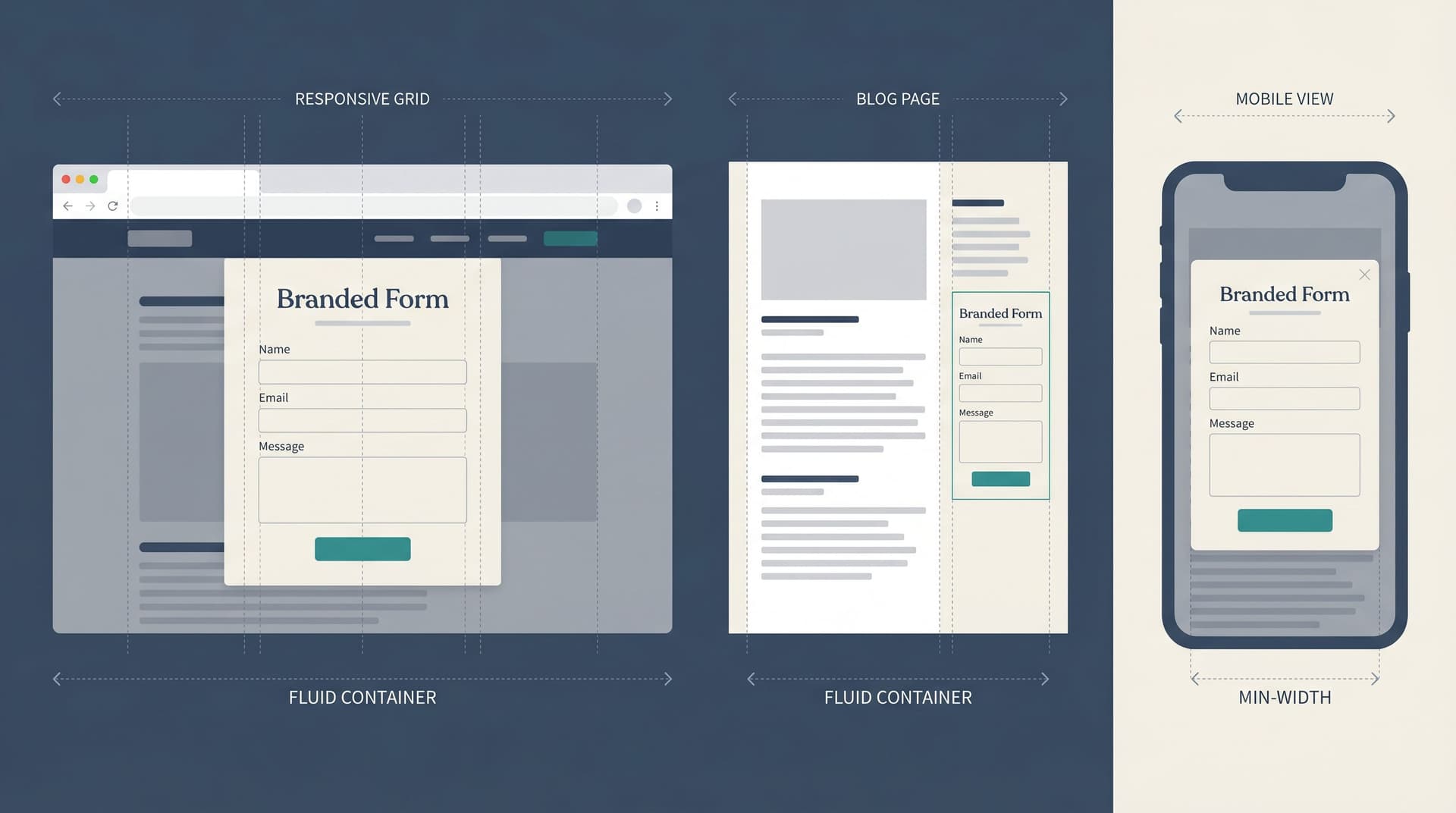
If a form is an asset, it deserves more than a generic URL and default theme.
Use custom URLs to make it memorable
A URL like /audit or /roadmap-intake is easy to say on a podcast, paste into Slack, or add to your email signature.
With Ezpa.ge custom URLs, you can:
- Create short, descriptive slugs that match the promise of the lead magnet.
- Reuse the same URL across campaigns instead of spinning up new ones.
- Track performance by pointing different channels to the same canonical intake.
For internal or ops-focused lead magnets (e.g., “request a campaign review” or “ask for pricing exceptions”), this pattern mirrors what we covered in Custom URLs as Ops Shortcuts: One-Link Playbooks for Approvals, Exceptions, and Escalations—one memorable link, many high-value outcomes.
Theme the form to match its context
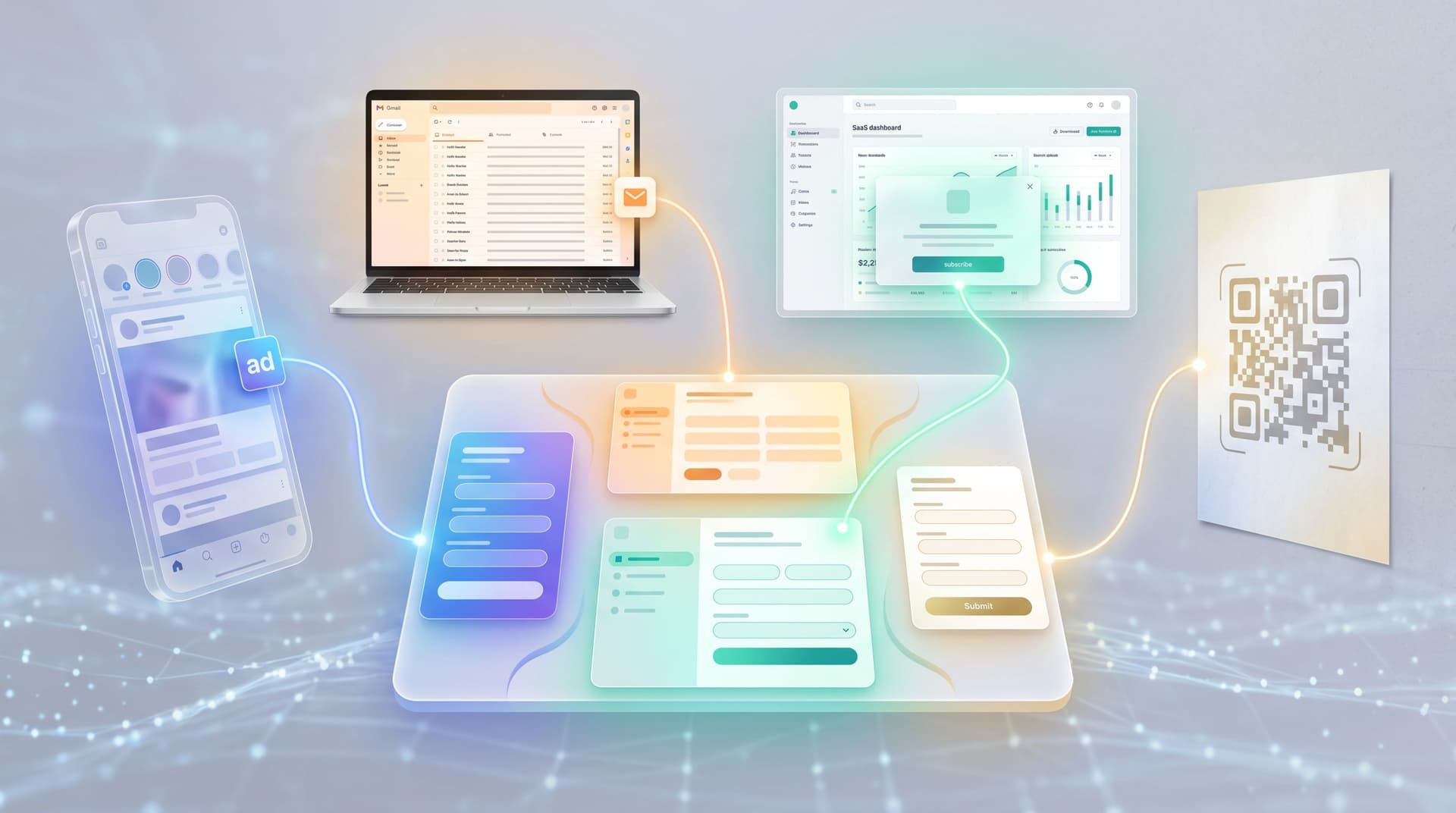
A lead magnet that comes from a paid ad should probably feel different from one linked in-app or in a support email.
Consider:
- Ad-driven intakes – bold, high-contrast themes that echo the ad creative.
- In-app upgrade requests – calmer, product-native themes that feel like part of your UI.
- Partner or co-marketing lead magnets – co-branded themes with both logos and shared color accents.
If you want to go deeper on this, Conversion by Context: How to Tune Form Themes for Ads, Email, In-App, and QR Codes is a great companion read.
Step 6: Chain your lead magnet into the rest of the journey
A form that converts well but drops people into chaos is not an asset—it’s a liability.
To make your intake truly evergreen, map how it connects to the rest of your funnel.
Define the “default path” for every submission
For each segment or outcome, answer:
- What happens in the first 10 minutes?
- Automated email, resource, or calendar link.
- What happens in the first 24 hours?
- Human review, personalized response, or routing.
- What happens if they don’t engage?
- Nurture sequence, reminder, or alternative offer.
Use your form data to personalize the next step
Because your intake is already collecting rich context, you can:
- Drop people into different onboarding or nurture tracks based on their goals.
- Tailor the first call agenda using their blockers and timelines.
- Offer different lead magnets next (e.g., “You mentioned you’re an agency—here’s a client-facing version of this audit you can reuse.”)
If you want a deeper blueprint for this layer, From Form to Onboarding Journey: Mapping Every Submission to Emails, Tasks, and Touchpoints walks through how to turn submissions into structured journeys.
Step 7: Keep improving the asset instead of cloning it
The magic of treating a form as a lead magnet is that you improve the asset instead of constantly creating new ones.
A simple maintenance loop:
-
Review performance monthly.
- Completion rate, drop-off by field, lead quality, and downstream revenue.
-
Run small experiments.
- Test different headlines, promises, or first questions.
- Adjust themes for specific channels (ads vs. email vs. partner traffic).
-
Refine questions based on sales and success feedback.
- Add or tweak fields that correlate with high-LTV customers.
- Remove questions that don’t change your behavior.
-
Update confirmation and follow-up content.
- Swap in fresh resources, case studies, or videos.
Because Ezpa.ge makes it easy to adjust themes, copy, and URLs without engineering, you can keep your lead magnet current without spinning up a new project every time.
Putting it all together: an example
Imagine you run a B2B SaaS tool for marketing teams.
You decide to create a “Campaign Conversion Audit” lead magnet.
You:
-
Define the promise.
- “Get a 10-minute video teardown of your top-performing campaign’s landing page and form.”
-
Design the intake.
- Ask for role, company size, ad spend range, primary goal, and URL of the landing page.
- Use conditional logic to ask deeper questions only when ad spend is above a certain threshold.
-
Make the form feel like step one.
- Confirmation page recaps their inputs and links to a short video on common landing-page mistakes.
-
Wire up the backend.
- Ezpa.ge syncs submissions to Google Sheets.
- A Zapier workflow:
- Scores leads based on role and ad spend.
- Sends high-scoring leads to your CRM with a “Needs audit” task.
- Adds everyone else to a nurture sequence on landing-page optimization.
-
Brand and deploy.
- Custom URL:
/conversion-audit. - Theme variants for:
- Paid social (bold visuals matching ad creative).
- Email footer (subtle, product-native theme).
- Custom URL:
-
Iterate.
- You notice that people who mention “lead quality” as a blocker close at a much higher rate. You add a field that captures this more explicitly and adjust your follow-up email templates accordingly.
Now, instead of “that old demo form,” you have a named asset you can:
- Mention on podcasts.
- Offer in webinars.
- Share in one-to-one sales conversations.
- Reuse in partner campaigns.
And every improvement you make compounds across all those channels.
Summary
Forms don’t have to be throwaway utilities. With a bit of intention, they can become evergreen lead magnets that quietly:
- Attract and qualify the right people.
- Deliver value before anyone on your team lifts a finger.
- Feed structured, real-time signals into your systems.
- Anchor campaigns, partnerships, and content for months or years.
The key moves are:
- Decide what kind of lead magnet you’re building and make the promise explicit.
- Turn every field into a source of value, not just friction.
- Treat the form as the first deliverable, not just a gate.
- Use Google Sheets syncing and automation to turn submissions into action.
- Give your form a memorable URL, thoughtful themes, and a clear place in your funnel.
- Improve the asset over time instead of cloning new forms for every idea.
When you do this, your “simple intake” stops being a dusty door at the edge of your site and becomes something much more powerful: a reusable, compounding asset in your funnel.
Ready to turn your next form into an evergreen lead magnet?
You don’t need a new campaign, a big redesign, or a complex martech stack.
You just need to:
- Pick one intake that already gets steady traffic.
- Clarify the promise and tighten the questions.
- Wire it to a Google Sheet and define the next steps for each submission.
- Give it a clear URL and a theme that matches where you’ll share it.
Ezpa.ge is built exactly for this kind of work: fast to spin up, easy to theme, and powerful when it comes to custom URLs and real-time syncing.
Take one of your existing forms and rebuild it as a lead magnet. Name it. Brand it. Route real traffic to it. Then, over the next few weeks, watch what happens to the quality of your conversations and the clarity of your funnel.
Your highest-performing lead magnet might already be live—you just haven’t treated it like one yet.