Privacy-Forward Forms: Collecting Rich Data While Meeting SOC 2, GDPR, and Enterprise Requirements


Compliance used to be the reason teams avoided collecting richer data. The logic went something like this:
More data → more risk → more legal reviews → fewer experiments.
But that tradeoff is starting to flip.
When you design privacy-forward forms, you can:
- Ask better questions without creeping people out
- Turn form data into real operational workflows instead of scattered spreadsheets
- Satisfy SOC 2 auditors, GDPR regulators, and enterprise security teams without shipping a sterile, conversion-killing experience
This post is about how to get there: practical patterns for building forms that feel trustworthy, collect rich context, and still pass the toughest compliance reviews.
Why privacy-forward forms are a growth lever (not just a legal checkbox)
If you work with security-conscious customers, you’ve probably heard some version of:
- “Where is this data stored?”
- “Who has access to submissions?”
- “Can we turn certain fields off for EU users?”
Underneath those questions is a simple reality: your forms are often the front door to your data practices. If that front door looks shaky, the whole relationship feels risky.
Done well, privacy-forward forms unlock three big advantages:
1. Higher-quality data (because people trust you)
People answer more honestly when:
- They see only relevant questions, not a fishing expedition
- You explain why you’re asking for something
- They can choose how much to share and update it later
Trust shows up directly in your dataset:
- Fewer fake emails and placeholder phone numbers
- Richer free-text answers, especially on sensitive topics
- Lower abandonment on multi-step flows
If you’re designing intake flows that feel like a great first conversation, you’re already halfway to this mindset. (For a deeper dive on that angle, see Forms as First Meetings: Designing Intake Flows That Feel Like a Great Intro Call.)
2. Shorter security reviews and faster sales cycles
Enterprise buyers increasingly treat data handling as part of product fit, not an afterthought. When your forms:
- Avoid unnecessary PII
- Make consent obvious
- Route data into controlled systems (like a single, permissioned Google Sheet)
…you give security and legal teams less to object to.
That means:
- Fewer redlines in DPAs
- Less back-and-forth about “shadow systems” and rogue spreadsheets
- Faster approvals for pilots and expansions
3. Less operational drag
Every extra field of sensitive data is something you have to:
- Secure
- Govern
- Potentially delete on request
Privacy-forward design reduces the surface area of what you need to manage. That’s not just risk reduction; it’s time back for your ops and engineering teams.
What SOC 2, GDPR, and “enterprise-ready” really care about
Let’s translate the acronyms into practical questions your forms should answer.
SOC 2: Can you prove you’re handling data safely?
SOC 2 is about controls and evidence. It doesn’t dictate your form UX, but your form decisions affect what you must control.
Key implications for forms:
- Data minimization: The less sensitive data you collect, the less you have to encrypt, restrict, and monitor.
- Access control: Who can see submissions? Are they in a shared inbox, or in a system with role-based permissions?
- Auditability: Can you show who accessed or changed data, and when?
- Data flows: Do you know where each field ends up (Sheets, CRM, support tools, etc.)?
GDPR: Are you respecting people’s rights over their data?
GDPR focuses on lawful, transparent, and limited processing of personal data, especially for EU residents.
For forms, that boils down to:
- Legal basis: Usually consent or legitimate interest. You should be clear about which one applies.
- Purpose limitation: Only collect data you truly need for a specific purpose.
- Transparency: Explain what you’re collecting, why, and who you share it with.
- Rights management: Can users:
- Access their data?
- Correct it?
- Request deletion?
- Withdraw consent?
Enterprise requirements: Will this break our security model?
Enterprise security reviews vary, but common expectations include:
- Single source of truth: No uncontrolled spreadsheets full of PII spread across personal Drives.
- Vendor posture: Encryption, backups, incident response, and data residency options.
- Configuration flexibility: Ability to toggle fields, redact data, or scope access by team.
The good news: privacy-forward forms make all three (SOC 2, GDPR, enterprise) easier at once. The patterns are mostly the same.
Step 1: Decide what you don’t collect
Privacy-forward design starts with subtraction.
Before you add a field, ask:
- What decision does this field enable within 30 days?
- Could we infer this from something less sensitive?
- Would we be comfortable explaining this question to a regulator or a skeptical customer?
Run a form field audit
Take one of your core forms (demo request, support intake, onboarding) and:
- List every field in a table.
- For each field, document:
- Purpose (what decision it supports)
- Sensitivity (is this PII? health-related? financial?)
- Retention (how long you truly need it)
- Mark fields as:
- Must-have: Without it, you can’t fulfill the request.
- Nice-to-have: Helpful, but not essential.
- Legacy: Nobody remembers why this is here.
Then:
- Remove or hide legacy fields.
- Move nice-to-have fields to later steps, progressive profiling, or optional sections.
For more patterns on collecting data over time instead of all at once, see Beyond Required Fields: Progressive Profiling Strategies That Don’t Annoy Returning Users.
Replace sensitive data with proxies
Instead of:
- Exact date of birth → Age range or “Over 18?”
- Full address → Country + region
- Personal phone number → Preferred contact channel
You still get segmentation and routing value, with less compliance overhead.

Step 2: Make consent and purpose obvious (without walls of legalese)
Users shouldn’t need to decode your privacy posture. Your form itself can carry most of the clarity.
Use microcopy where it matters most
Attach concise explanations directly to sensitive fields:
- Under an email field:
“We’ll only use this to follow up about your request. No marketing unless you opt in below.” - Next to a checkbox:
“Send me occasional product updates (1–2 emails/month). You can opt out anytime.”
Keep your full privacy policy linked, but don’t rely on it to do all the work.
Separate operational consent from marketing consent
Avoid bundling everything into one checkbox. Instead:
- Treat “We need this data to fulfill your request” as part of the core flow.
- Offer separate, clearly optional toggles for marketing, research, or beta programs.
This not only aligns with GDPR expectations around consent; it also gives you cleaner segments and better downstream automation.
Use clear, human summaries
Above the submit button, add a short summary like:
By submitting, you agree that we’ll use your responses to [do X]. We store submissions securely and never sell your data. You can request deletion or updates at any time.
This is especially important on forms that double as first-party data engines for marketing and personalization. If that’s a focus for your team, you’ll find deeper patterns in Forms as First-Party Data Engines: Designing Consent-Forward Flows for a Cookieless Future.
Step 3: Design “secure by default” form patterns
You don’t need a wall of lock icons to be secure. Small structural choices go a long way.
Ask for less by default
Start with the minimum viable intake, then layer in depth only where it pays off.
Patterns that work well:
- Two-step forms:
- Step 1: Essential routing info (name, email, high-level category)
- Step 2: Deeper context, once someone has already committed
- Conditional logic: Ask sensitive follow-ups only when relevant. For example:
- If “Industry = Healthcare,” then show additional compliance questions.
Keep sensitive answers out of email
Email is where a lot of SOC 2 and GDPR risk quietly appears. Avoid:
- Sending full submission details via email
- CC’ing large groups on form notifications
Instead:
- Send short email summaries with a link back to a secure view
- Route full data into systems with access control (e.g., Ezpa.ge → Google Sheets with scoped sharing)
This pattern is at the heart of moving from “rogue spreadsheets everywhere” to a more intentional Form OS, as covered in From Spreadsheet Chaos to Form OS: How to Turn Rogue Sheets into a Unified Intake System.
Use role-based access and views
Not everyone needs to see everything.
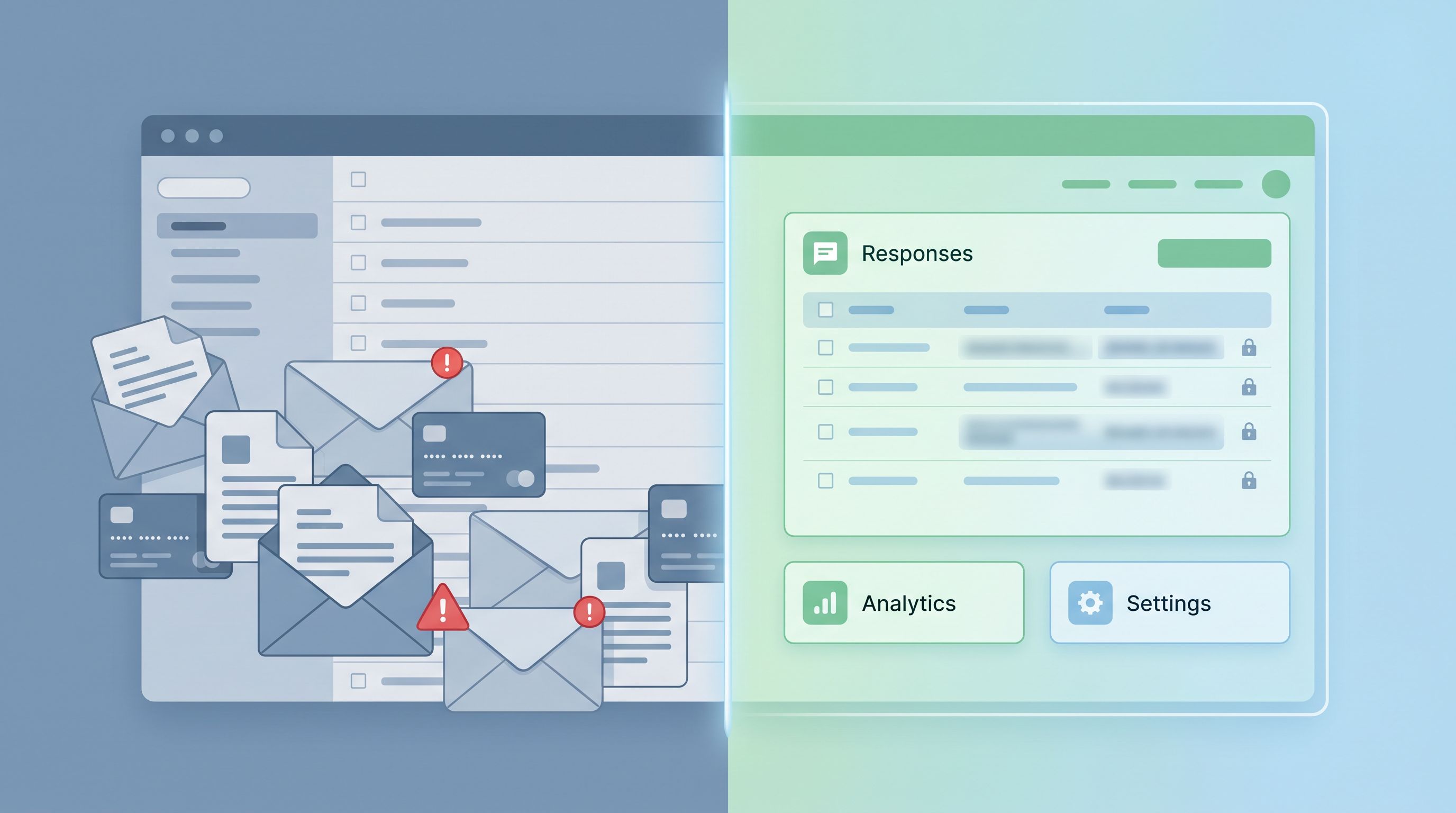
- Create filtered views of your synced Sheet for different teams (e.g., hide PII for analytics users).
- Use separate tabs for operational fields vs. sensitive notes.
- Consider pseudonymization for analysis: replace names/emails with unique IDs in your reporting layer.
Step 4: Align routing and workflows with compliance
Collecting rich data is only half the story. What happens after submit matters just as much.
Map every field to a destination
For each field on your form, answer:
- Where does this data go? (Sheets, CRM, support platform, BI tool)
- Who can access it there?
- What automation depends on it?
Then:
- Remove or anonymize fields that only feed unused workflows.
- Consolidate overlapping forms that route to the same place but with different standards.
Use Sheets as a controlled hub
When your form responses stream into a single, permissioned Google Sheet:
- You get a clear audit trail of changes
- You can build filters and protected ranges to limit who sees what
- You can layer on logic for triage, scoring, and routing without moving data into more tools
This is especially powerful when you pair it with:
- Structured intake for Slack/DM requests (Signals in Slack Pings: Using Google Sheets–Synced Forms to Replace Ad-Hoc Requests)
- AI-assisted triage that still keeps humans in control (AI Triage in Forms: Letting Models Draft Next Steps While Humans Own Final Decisions)
Bake retention into your workflows
Decide how long you keep different categories of data, and enforce it:
- Use a “Created At” column in Sheets
- Add formulas or scripts to flag rows older than your retention window
- Periodically archive or delete flagged rows
This turns retention from a theoretical policy into a practical habit.
Step 5: Handle sensitive topics with care
Some forms are inherently sensitive: mental health, finances, workplace issues, medical details, layoffs. Compliance is necessary, but emotional safety is just as important.
Patterns that help:
- Tone and framing: Use calm, non-judgmental language. Avoid jargon and blame.
- Optional depth: Let people share as much or as little as they’re comfortable with, clearly marking optional fields.
- Reassurance near the fields that feel risky:
- “Only our HR team can see this.”
- “We’ll anonymize responses before sharing with leadership.”
If this is a major part of your work, you’ll find a deeper UX treatment in Forms as Brand Safe Rooms: UX Patterns That Protect Sensitive Topics Without Feeling Clinical.
Step 6: Turn your compliance story into a trust signal
Privacy-forward forms are an asset. Don’t hide them.
Show, don’t just tell
Instead of generic badges, demonstrate your posture in-context:
- Mention SOC 2 or other certifications briefly near high-stakes forms, with a link to a security page.
- Use concise copy like:
“We’re SOC 2–audited. Submissions are encrypted and stored in region-appropriate data centers.” - Offer a link: “Need our DPA or security overview? Talk to our team.”
Keep your forms and policies in sync
Nothing erodes trust faster than:
- A policy that promises one thing
- A form that clearly does another
Whenever you:
- Add a new field
- Change how you use a field
- Start sending data to a new tool
…review whether your privacy policy, security page, and internal docs need updates.
Bringing it all together with Ezpa.ge
Tools like Ezpa.ge exist to make this balance practical:
- Customizable themes and URLs let you build forms that feel on-brand and trustworthy.
- Real-time Google Sheets syncing gives you a central, auditable system of record.
- Flexible field and layout controls make it easy to:
- Remove unnecessary questions
- Add contextual microcopy
- Split sensitive flows into smaller, safer steps
Combine those capabilities with the patterns above, and you get forms that:
- Collect richer, more honest data
- Respect user autonomy and regulatory requirements
- Pass enterprise security reviews without slowing your team down
Summary
Privacy-forward forms aren’t about collecting less data. They’re about collecting the right data, from the right people, for the right reasons—and being able to prove it.
To recap:
- Start with subtraction. Audit your fields, cut legacy questions, and replace sensitive data with proxies where possible.
- Make consent and purpose obvious. Use microcopy, clear summaries, and separate toggles for marketing vs. operational use.
- Design secure-by-default patterns. Ask for less by default, keep sensitive data out of email, and use role-based access.
- Align routing and workflows. Map fields to destinations, centralize in Sheets, and enforce retention.
- Handle sensitive topics with care. Combine compliance with emotionally safe UX.
- Turn compliance into a trust signal. Show your posture in-context and keep forms aligned with policies.
Do that, and SOC 2, GDPR, and “enterprise-ready” stop being blockers. They become the backbone of a form strategy that users actually trust—and that your team can confidently build on.
Your next step
Pick one high-impact form:
- Your main sales/demo request
- Your support intake
- Your most sensitive feedback or HR form
Then:
- Run a 30-minute field audit.
- Remove or demote at least two non-essential fields.
- Add or improve three pieces of microcopy that clarify purpose and consent.
- Confirm where each field’s data lands and who can see it.
If you’re ready to rebuild that form on infrastructure that’s built for privacy-forward design—custom themes, secure URLs, and real-time Sheets syncing—spin up a version in Ezpa.ge and see how much cleaner the whole system can feel.
The forms you ship this quarter can either add to your compliance debt, or become proof that your team takes privacy seriously. It starts with the next form you design.